How I Build a Baremetrics Dashboard for B2B SaaS Teams
A SaaS dashboard turns into a junk drawer fast. A useful Baremetrics dashboard answers one question in under a minute. Is recurring revenue getting stronger, weaker, or quietly leaking? B2B teams need signals they can trust and enough conte...

A SaaS dashboard turns into a junk drawer fast. A useful Baremetrics dashboard answers one question in under a minute. Is recurring revenue getting stronger, weaker, or quietly leaking? B2B teams need signals they can trust and enough context to act.
This guide shows how to build a focused Baremetrics dashboard for a B2B SaaS team. The guide covers the frame, the core metrics, segmentation, review habits, and common mistakes. Every product detail comes from public Baremetrics pages, so confirm current features on the official site before relying on a specific tool.
Build the frame before choosing metrics
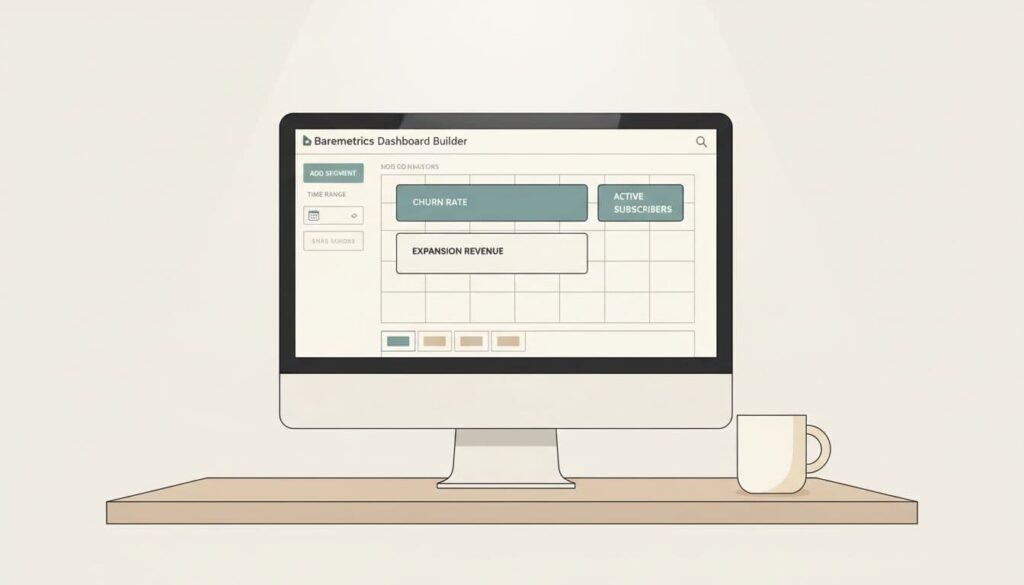
Baremetrics publishes dashboard examples and templates describing Smart Dashboards with metric, goal, and table widgets. Users can segment views by attributes such as country, plan type, or CRM data and can keep several dashboards in one account. This flexibility helps, yet the flexibility also tempts teams to add too much.
Set a hard limit. Keep the main dashboard to eight widgets or fewer. Add widgets in a fixed order. Start with metric cards for headline numbers, then trend charts for movement, then one cohort view for retention. This order prevents decoration before the story is clear.
- Row one, headline numbers: MRR, ARR, revenue churn, and expansion revenue.
- Row two, movement: an MRR trend, ARPU by plan, and net retention.
- Row three, efficiency: LTV, CAC, and a note tied to a launch, a pricing change, or a sales push.
Time range matters as much as the widget. A 12-month default gives board-level conversations shape without noise. Switch to 30 or 90 days to inspect a pricing test, a new onboarding flow, or a drop in renewals. When seasonality matters, compare the same period last year.
Split the executive view from the operating view
Different readers need different pages. Finance wants clean revenue logic. Customer success wants retention signals. Founders want the shortest path from numbers to action. Mixing the audiences on one screen produces clutter.
Build two dashboards. The executive dashboard stays clean and fits on one screen in a weekly meeting. The operating dashboard holds live activity, failed payments, cancellation feedback, and deeper tables. Baremetrics describes a Control Center feed of signups, payments, upgrades, downgrades, and cancellations, which suits the operating view.
Put the right numbers on the dashboard
Every metric needs a place and a purpose. A number unable to change a decision does not belong on the front page. The Baremetrics SaaS metrics checklist defines the core measures below.
| Metric | Definition | Formula stated by Baremetrics | Dashboard placement |
|---|---|---|---|
| MRR | Predictable monthly income from active subscriptions | Exclude one-time fees and divide annual contract value by 12 | Large card with a trend line |
| ARR | Annualized recurring revenue | MRR × 12 | Beside MRR |
| ARPU | Average revenue per paying customer | MRR ÷ active paying customers | Trend chart split by plan |
| Customer churn | Share of customers lost in a period | Customers canceled in 30 days ÷ active customers 30 days ago × 100 | Card with a trend |
| Revenue churn | Share of recurring revenue lost | MRR lost to cancellations and downgrades in 30 days ÷ MRR 30 days ago × 100 | Card next to customer churn |
| LTV | Revenue expected from a customer over the relationship | Average monthly MRR per customer ÷ churn rate | Beside CAC |
| CAC | Cost to acquire one customer | Sales and marketing costs ÷ new customers in the period | Beside LTV |
| NRR | Revenue kept and expanded from existing customers | Retained revenue including expansion ÷ base recurring revenue × 100 | Card in row two |
MRR works as the heartbeat of the page. ARR is the annual view of the same engine, and finance teams and investors often think in annual terms. Keep both visible.
Read churn in two ways
Customer churn shows how many accounts leave. Revenue churn shows how much recurring revenue disappears. One large account can hide inside a calm customer churn rate, so track both. Place expansion revenue next to churn because upgrades and add-ons soften the hit. For the math, read the guide on calculating customer and revenue churn in Baremetrics.
Baremetrics cites a healthy monthly churn range of 5 to 7 percent and treats 10 percent or more as a warning sign. Treat the range as a rough reference. B2B teams selling annual contracts to larger accounts often see lower monthly figures, and benchmarks depend on customer size and contract length.

Pair LTV with CAC
LTV shows what a customer is worth over the relationship. CAC shows the cost of winning the customer. A healthy business cannot judge one without the other, so place the two side by side. The Baremetrics checklist describes an LTV to CAC ratio of 3 to 1 or higher as healthy and a CAC payback period of 6 to 12 months as solid for B2B SaaS. Both figures are rules of thumb and not guarantees.
The checklist also notes CAC covers sales and marketing costs only and excludes customer success and research costs. Decide the cost definition once and keep the definition fixed across periods.
Add one cohort view
Cohort retention shows whether newer customers stay longer than older ones. Baremetrics states cohort retention tables are built into the product and need no SQL. A cohort table reveals whether a product fix improved month-three retention or whether a new plan attracts users who leave fast.
Use segments and time windows to drive action
A dashboard is useful only when the dashboard changes Monday decisions. Baremetrics describes segmentation on any attribute, including plan, country, billing cadence, price point, Stripe metadata, custom attributes sent through the API, and synced HubSpot or Intercom fields. Users can stack several filters and overlay segments on one graph. Each saved view can become its own dashboard.
Start with plan, country, and contract type. Add acquisition source and sales-assisted versus self-serve when CRM data is connected. Then read the signals in a fixed order.
- Read the 30-day view for fresh signals.
- Zoom out to 12 months to avoid overreacting to one noisy week.
- Compare MRR and ARPU. Rising ARPU with slowing MRR may signal a move upmarket.
- Check discounts and lower-priced plans when ARPU falls while signups jump.
- Inspect cancellation reasons, plan mix, and failed payments when churn rises in one segment.
- Record one action and review the same segment next period.
Features to support the review
Several Baremetrics features keep the dashboard alive instead of static.
- MRR movement breakdown: splits changes by day, week, month, or quarter into new, expansion, contraction, and churned revenue.
- Recover: a dashboard of failed charge volume, recovery rate, and per-email performance, according to the Baremetrics Stripe dashboards guide.
- Cancellation Insights: an aggregate dashboard of cancellation feedback with export.
- Slack and email reports: scheduled updates so the whole team sees the same score.
- Forecast and runway views: listed on the Baremetrics site for planning.
Details come from the Baremetrics guide to Stripe dashboards. Add-on pricing and plan limits change, so check the Baremetrics pricing page for current terms. The page sets tiers by tracked annual recurring revenue and lists Payment Recovery and Cancellation Insights as add-ons.
A weekly review script for the dashboard
A dashboard earns its place only through a repeatable meeting. Schedule 20 minutes at the same time each week. Open the executive dashboard first and read the headline row aloud. Note any metric moving more than the team expects, then open the operating dashboard to find the accounts, plans, or events behind the move.
- Confirm the data source is syncing and the numbers match the billing system.
- Read MRR, ARR, and net retention against last week and last month.
- Read customer churn and revenue churn side by side.
- Open the segment views for plan, region, and contract type.
- Review failed payments and cancellation feedback from the operating dashboard.
- Assign one owner and one action for the largest negative movement.
- Write the action in a shared log with the date.
Keep the log short. A dated line such as pricing page changed or onboarding email added gives future readers a way to connect a chart movement with a decision. Over a quarter, the log shows which actions moved the numbers and which did not.
Data quality checks before trusting any chart
Charts look precise even when the inputs are wrong. Before each monthly review, verify a few basics. Compare MRR with the billing system for one sample day. Confirm trial users and delinquent accounts follow the rules the team agreed on. Check how refunds, credits, and one-time fees appear. Make sure every segment attribute, such as plan name or contract type, is spelled the same way across records.
Segments built on custom attributes only work when the attributes stay consistent. A team sending plan names through the API should use one naming convention and document the convention. A short data dictionary beside the dashboard prevents long debates about what a number means.
Common dashboard mistakes
- Too many widgets. More than eight cards dilute attention.
- Mixed audiences. Separate executive and operating views.
- Changing definitions. Keep one written definition for each metric.
- Ignoring segments. Totals hide plan-level and region-level problems.
- No action log. Without a record of changes, charts cannot show cause and effect.
- Vanity metrics. Remove any number nobody used in two weeks.
A strong dashboard works less like a mural and more like a windshield. Build the first version, watch the version for two weeks, and cut anything nobody uses.
Frequently asked questions
How many widgets should a Baremetrics dashboard have?
Eight or fewer for the executive view. Move detail to a second operating dashboard.
Which metrics matter most for B2B SaaS?
Start with MRR, ARR, revenue churn, expansion revenue, NRR, LTV, CAC, and ARPU. Add cohort retention to see whether newer customers stay longer.
Should you track customer churn or revenue churn?
Track both. Customer churn counts accounts and revenue churn counts recurring dollars, so a single large cancellation shows up only in revenue churn.
What time range works best by default?
Twelve months gives shape for board talks. Use 30 or 90 days to inspect a recent change.
Where can you confirm current Baremetrics features and prices?
Use the official Baremetrics pricing and blog pages. Features, plan tiers, and add-ons change over time.
Conclusion
A focused Baremetrics dashboard for B2B teams tracks MRR, churn, expansion, LTV, CAC, ARPU, and retention on one calm screen. Separate the executive view from the operating view, segment the numbers, and review them on a fixed rhythm.
Open a blank dashboard and place the six numbers most likely to change the next decision. Share the first version, collect feedback for two weeks, and remove every widget nobody reads.
