How I Build a Content Calendar With Exploding Topics
A blank editorial sheet slows every writer down. A content calendar built on trend data fixes the problem, because every slot starts with evidence of rising interest. Exploding Topics tracks topics while search interest is still growing, so...


A blank editorial sheet slows every writer down. A content calendar built on trend data fixes the problem, because every slot starts with evidence of rising interest. Exploding Topics tracks topics while search interest is still growing, so a team can publish before a subject peaks.
This guide explains how to turn trend signals into a 90-day calendar. You will see the current Exploding Topics plans, a step-by-step planning method, a scoring checklist, a sample monthly schedule, and the mistakes to avoid. Verify every price and limit on the official Exploding Topics pricing page before you buy.
Why trend data improves a content calendar
Most calendars start with a brainstorm. Brainstorms favor ideas the team already knows. Trend data adds a second input: what readers will search for in the coming weeks. A topic with rising interest gives a post more room to earn traffic than a topic already past its peak.
Trend data does not replace judgment. A rising chart only helps when the topic connects to a problem your readers already feel. Ask three fast questions before any topic enters the calendar. Does the topic matter to your audience? Can you teach something useful? Can the topic support more than one piece of content?


Confirm every signal in a second source. Exploding Topics publishes a guide to monitoring industry trends and explains how Google Trends supports SEO and content marketing. Use both to cross-check a rising topic. For keyword-level work, read the post on finding rising keywords with low competition.
Exploding Topics plans for content planning
The official pricing page lists three paid plans. Each plan includes a 7-day free trial. The page does not list a permanent free plan. The figures below come from the pricing page at the time of writing.
| Plan | Monthly price | Tracked trends | Trend analyses | Notable features |
|---|---|---|---|---|
| Entrepreneur | $39 | 100 | 10 | Trends database, trending products, Meta Trends, channel breakdown |
| Investor | $99 | 500 | 100 | Adds trending startups, trend forecasting, CSV export |
| Business | $249 | 2,000 | 500 | Adds trend reports |
For calendar planning, trend forecasting matters most. Forecasts estimate when interest will peak, and the peak date anchors every publishing date. The plan list shows forecasting on the Investor plan and above. A solo blogger can start on the Entrepreneur plan and plan from growth charts alone. A team with a quarterly calendar gains more from forecasting and CSV export, because a CSV file drops straight into a planning spreadsheet.
The pricing page shown for this guide lists monthly prices only. Check the page for current annual options and any plan changes.
How to build a 90-day content calendar from trend data
Exploding Topics describes a 90-day trend-matched editorial system. The idea is simple. Match the production time of each piece to the momentum of its topic, then work backward from the expected peak. The steps below follow the same logic and add practical detail.
Step 1: Measure your production time
Record how long each format takes from assignment to publication, including editing. The Exploding Topics example uses one week for a blog post, two weeks for a white paper, and three days for a LinkedIn thought leadership post. Replace those figures with your own numbers. Then multiply monthly output by team size to find your real capacity.
Step 2: Match trends to formats
Slow formats need slow trends. A white paper takes weeks, so choose a topic with steady, moderate growth. A short social post takes days, so choose a fast-rising topic. In the Trends Database, sort by growth, set the timeframe to six months, and filter by growth type. The Exploding Topics method also sets volatility to Stable for planned content, so a short spike does not mislead the plan.
Step 3: Work backward from the peak
Use the trend forecast to estimate the peak date. The Exploding Topics method suggests publishing about two weeks before the peak. Count back from the publication date by the production time of the format. The result is the start date for the writer.
Example with made-up dates: a blog post takes one week to produce, and the forecast shows a peak on December 1. Publish on November 17. Start writing on November 10.
Step 4: Set up trend monitoring
Create a tracking project for every topic on the calendar. Check the project at least once a week. Check fast-rising topics more often. When a peak shifts, move the slot or change the format. A short LinkedIn post can replace a long guide when time runs out.
Step 5: Review 30 days after publishing
Record the status and growth of each trend on its publication date. Compare estimated production time with actual time. Review performance about 30 days after publication. Feed the lessons into the next quarter, and drop formats which consistently run late.

Size the calendar to your team capacity
A calendar fails when the plan exceeds the people. The Exploding Topics example uses a three-person team. One writer produces a white paper and two blog posts each month. Two writers each produce one blog post and five LinkedIn posts each month. Monthly capacity totals one white paper, four blog posts, and ten LinkedIn posts.
Multiply by three months and the quarter needs three white papers, twelve blog posts, and 30 LinkedIn posts. This count tells you how many topics to pull from the trends database. Pull a few extra as backups, so a faded trend never leaves an empty slot. A solo creator can apply the same math with smaller numbers. Count weekly hours, divide by hours per piece, and stop adding topics when the total hits the limit.
Score each trend before the topic earns a slot
A quick score keeps weak ideas out of the calendar. Rate each topic on four points.
- Reader fit: Does the topic solve a clear pain point for your audience?
- Business fit: Can the topic support a product, a service, or a lead magnet?
- Format fit: Does the topic work best as a guide, a comparison, a case study, or a video?
- Shelf life: Will the topic still matter in 30 to 60 days?
Keep topics scoring well on at least three points. Then build a small cluster around each winner: one main article, one support post, and one lighter asset such as an email, a short video, or a social post. Clusters stop a calendar from becoming a junk drawer of unrelated posts. The same lens works for tool and company topics, as shown in the post on how to spot emerging tech startups early.
Sample monthly content calendar
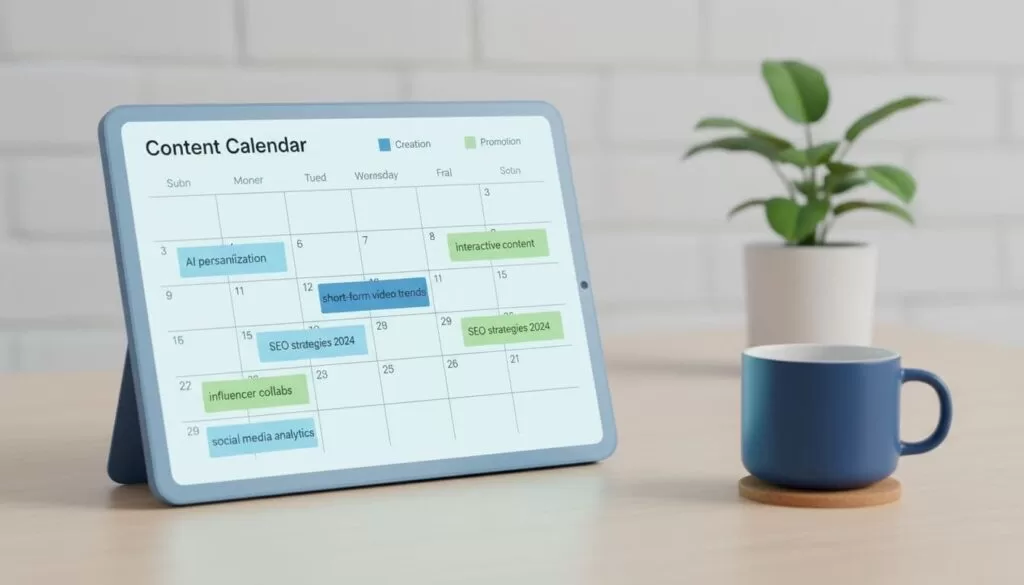
A four-week view keeps the plan flexible. Trends move, so a quarter of fixed dates invites waste. The table below shows one example month. The topics are illustrations, not forecasts.
| Trend signal | Angle | Format | Publish week | Support asset |
|---|---|---|---|---|
| AI personalization | Safer B2B nurture flows | Guide | 1 | Email recap |
| Short-form video analytics | Proving return from clips | Comparison | 2 | Short video |
| Human-led brand content | How expert voices beat bland copy | Case study | 3 | Social thread |
| Website chat workflows | Turning support chats into leads | Tutorial | 4 | Checklist download |
The pattern matters more than the topics. Each week gets one strong piece, and support content fills the gaps around Monday and Friday. After publishing, watch clicks, engagement, and follow-up questions. When readers lean in, expand the cluster. When a trend fades, stop feeding the topic.
Columns to include in the calendar sheet
A calendar only works when every row answers the same questions. Use a spreadsheet or a project board with the columns below.
| Column | Purpose |
|---|---|
| Topic and angle | States the reader, the problem, and the promise in one line |
| Trend status | Records growth type and forecast peak on the planning date |
| Format | Sets the production time and the owner |
| Start date | Equals the publish date minus production time |
| Publish date | Sits about two weeks before the forecast peak |
| Support asset | Names the email, video, or social post tied to the piece |
| 30-day result | Stores traffic, engagement, and lessons for the next quarter |
Mistakes which weaken a trend-based calendar
- Chasing every rising chart instead of choosing topics tied to a reader problem.
- Planning only fast spikes, which often fade before the post goes live.
- Skipping the production-time step, which makes every date a guess.
- Publishing a single post per topic instead of a small cluster.
- Never reviewing results, so the same weak formats return each quarter.
FAQ about building a content calendar with Exploding Topics
How often should the calendar be refreshed?
Check trend status every week and review the full plan once a month. Weekly checks catch new movement early. Monthly reviews keep the larger plan on track.
Is there a free plan?
The pricing page lists a 7-day free trial on each paid plan and no permanent free plan. Confirm current terms on the official page.
Which plan suits a solo creator?
The Entrepreneur plan gives 100 tracked trends and 10 trend analyses, which covers a small calendar. Move up when forecasting and CSV export become useful.
What makes a trend worth writing about?
The topic must connect to a real reader problem and support at least three angles. If a topic cannot become a guide, a support piece, and a conversion step, skip the topic. Teams with a heavy workload can also study this Exploding Topics post on automating trend detection and content briefs.
What if a trend fades before publication?
Swap the format for a shorter one, move the slot, or replace the topic with the next best scorer. Weekly monitoring exists for exactly this decision.
Conclusion
A trend-based content calendar replaces guesswork with a repeatable process. Measure production time, match each trend to a format, work backward from the forecast peak, and review results after 30 days. Start with five trends and one month. Then expand to a full quarter once the first cycle proves the method.

