GetYourGuide Affiliate Program Through Travelpayouts
A travel article can generate clicks without producing a single bookable action. The difference is usually the offer, the link destination, and whether the reader is ready to plan. The GetYourGuide affiliate program gives travel publishers...

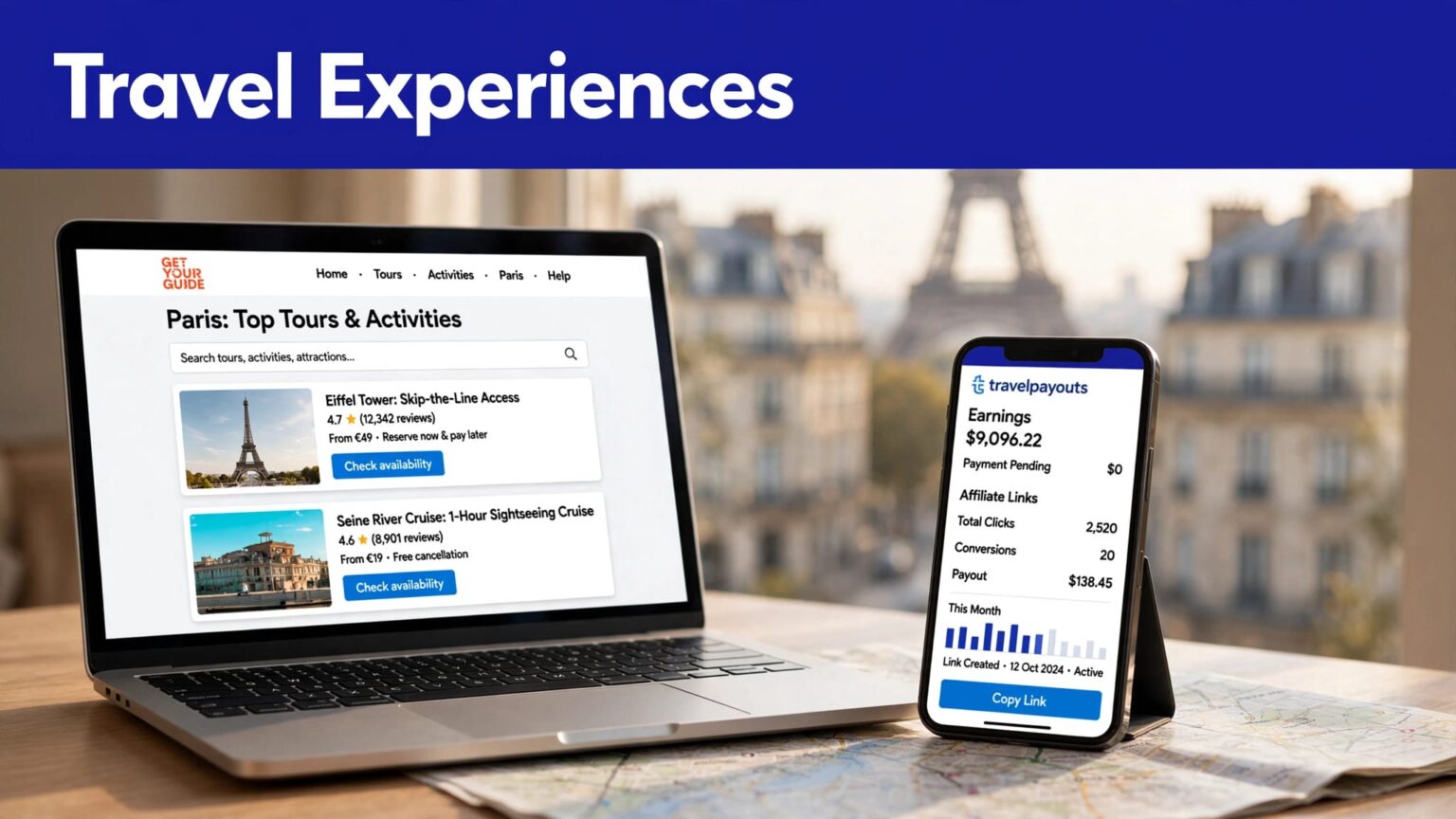
A travel article can generate clicks without producing a single bookable action. The difference is usually the offer, the link destination, and whether the reader is ready to plan.
The GetYourGuide affiliate program gives travel publishers a way to promote tours, tickets, and activities through Travelpayouts. You can join without a fee, but approval and earnings are never automatic.
Use a clear channel, relevant travel content, and links that match the place or activity your reader already wants.
THE GETYOURGUIDE AFFILIATE PROGRAM: WHAT YOU ARE JOINING
GetYourGuide sells bookable travel experiences. These include guided tours, attraction tickets, day trips, museum entries, food experiences, airport transfers, and outdoor activities.
Travelpayouts is the affiliate network layer. You create an account there, add your website or content channel, connect to the offer, and use its tracking tools.
The Travelpayouts GetYourGuide offer page currently lists an 8% reward rate. Travelpayouts has also published that some GetYourGuide Originals bookings may pay up to 10%.
Rates, exclusions, and booking conditions can change. Check the live program page before you publish a commission claim or build a revenue forecast.
Travelpayouts gives you one operating account
A Travelpayouts account can connect you with more than one travel brand. This is useful when your site covers flights, hotels, insurance, tours, or airport transfers.
For this offer, Travelpayouts gives you access to links, widgets, reporting, and other promotional tools after your account and project are set up. You don’t need to build your own booking system.
Your job is simpler. Publish useful travel content. Send readers to a relevant GetYourGuide page. Track which content produces approved rewards.
The offer fits action-focused travel content
This program works best when a reader has a trip, city, attraction, or activity in mind.
A broad article about “the history of Rome” can attract visitors. A practical page about booking Colosseum tickets has stronger commercial intent.
Good-fit content includes destination guides, itinerary pages, family travel plans, cruise-port guides, seasonal activity lists, and local transport explainers.
It is a poor fit for unrelated lifestyle traffic. Don’t add an activity link to a page only because the destination appears once in a paragraph.
SET UP YOUR TRAVELPAYOUTS ACCOUNT AND PROJECT
Start with the account setup. Treat your profile as an application record, not a form you rush through.
Travelpayouts says registration is free. Its account signup instructions show the current onboarding sequence.
- Create your Travelpayouts account. Use an email address you monitor. Set a strong password, then confirm your email through the verification message.
- Choose at least one brand or program. Select GetYourGuide when it appears in the program options. You can connect other travel brands later.
- Add your project or main channel. Enter your website URL if you have a site. If you publish through YouTube, Instagram, a newsletter, or another channel, select the matching project type.
- Describe the channel accurately. Use the real topic, language, markets, and traffic method. Don’t describe a general marketing site as a travel publisher.
- Complete any ownership check. Website owners may need to place a verification code in the site header. Follow the instruction exactly, then wait for confirmation.
Travelpayouts can connect some brands immediately. Other offers need a review. A brand can also reject a channel type that doesn’t match its publisher rules.
Build a channel a reviewer can understand
A reviewer should be able to identify your content topic in less than a minute.
Your site needs an About page, working navigation, published content, and contact information. A new site can still apply, but an empty domain gives a reviewer little to assess.
Include destination content if you plan to promote experiences. A Rome itinerary, a Paris museum guide, or a Kyoto food tour article shows a direct fit.
Don’t hide your traffic source. Paid media, social channels, email audiences, and websites can operate under different program rules.
A completed account setup is not the same as brand approval. Wait for the status in your Travelpayouts dashboard before placing affiliate links.
APPLY TO THE OFFER WITH A COMPLETE PROFILE
Once your project is active, open the GetYourGuide offer in the Travelpayouts dashboard. Read the program details before you start creating links.
The GetYourGuide affiliate program is open to travel blogs, websites, and other traffic sources that meet its terms. That does not mean every applicant will qualify.
Give the review process usable information
Use your real project URL. Make your public pages accessible without a login. Add links to your best travel content if the application field allows it.
A short description works better than vague claims:
“English-language travel website covering Rome, Barcelona, and Lisbon itineraries for independent travelers. We publish attraction planning guides and local activity recommendations.”
This tells the reviewer what you publish and why GetYourGuide listings fit your audience.
Avoid inflated traffic figures. Don’t submit parked domains, copied content, broken pages, or social profiles filled with reposted videos. Those problems can delay a decision or create a later compliance issue.
Check your program status before promotion
Watch the offer status in your dashboard. If it shows pending, don’t assume your tracking links are active.
If you are rejected, read the available reason and review your channel. You may need more original travel content, clearer ownership, or a different program that accepts your channel type.
Don’t try to bypass a rejection with duplicate accounts. Keep one accurate account and use support when you need help with a genuine account issue.
CREATE LINKS THAT MATCH THE READER’S INTENT
A generic homepage link is rarely your best option. Send readers to the city, attraction, or activity they came to research.
Travelpayouts supports links, widgets, search tools, and other affiliate placements. Its GetYourGuide partner guide also describes links to activities and destination pages.
Use deep links for destination pages
A deep link sends a visitor to a relevant GetYourGuide landing page instead of a broad starting point.
For example, an article titled “How to Spend Three Days in Rome” can link to Rome activity listings. A section about the Colosseum should point readers toward Colosseum tickets or compatible guided tours.
Use the destination URL in the Travelpayouts link tool. Copy the generated affiliate link. Then test it in a private browser window before publishing.
Check these items:
- The link opens the intended GetYourGuide destination or activity page.
- Your Travelpayouts tracking parameters remain in the final URL.
- The page works on mobile and does not send readers to an unrelated city.
- The activity is available for the dates, language, and market your audience is likely to use.

Photo by Valentin Ivantsov
Use widgets when readers need choices
Widgets work well on broad planning pages. A city activity widget can fit near the end of a “Things to Do in Prague” guide. An availability tool can fit a page where timing matters.
Don’t place a widget in the first paragraph. Give the reader useful advice first. Then show a booking option at the point where planning turns into action.
Use one primary booking path per section. Five competing calls to action can reduce clarity.
Travelpayouts says GetYourGuide bookings can be tracked through desktop and mobile web. Its published guidance says the native GetYourGuide mobile app is excluded from this tracking path. Verify this rule before building an app-focused promotion plan.
DISCLOSE THE AFFILIATE RELATIONSHIP CLEARLY
Affiliate disclosure is part of the publishing workflow. Put it near the first promotional link or in a site-wide disclosure that readers can find easily.
Use plain language. For example:
“This page contains affiliate links. If you book through them, we may earn a commission at no added cost to you.”
Don’t say a booking costs the reader more unless you know that is true for the current offer. Don’t claim that a tour is “best” if you have not reviewed it.
Keep claims tied to real information
Check dates, availability, cancellation conditions, accessibility details, and pricing before you publish them. Travel inventory changes often.
Use phrases such as “check live availability” or “view current ticket options” when details can vary. That is more accurate than repeating a price from an old screenshot.
If you publish for multiple countries, check supported markets and currencies. GetYourGuide can serve travelers across many destinations, but availability and payment options are not identical for every reader.
TRACK BOOKINGS, APPROVALS, AND REVERSALS
Clicks are useful. They are not income.
A reader can click a link, browse activities, and leave without booking. A booking can also remain pending, cancel, or reverse before it becomes payable.
Travelpayouts provides reporting inside the account. Its platform overview explains the basic model: your affiliate tools send the user to a travel brand, and rewards depend on completed bookings under that program’s rules.
Keep a fixed earnings record
Create one spreadsheet row for each article, newsletter issue, video, or campaign.
Record the content URL, traffic source, GetYourGuide destination, link ID or SubID, clicks, pending rewards, approved rewards, reversals, and payment date.
Use this formula:
Net affiliate earnings = approved rewards – reversals
Keep the original record if a reward changes later. Add an adjustment row with the date and reason. Don’t overwrite the first number and lose the history.
Diagnose pages with weak results
Review performance by page, destination, and link placement.
High clicks with no approved rewards can point to a poor destination match. A Paris itinerary may need a Paris activity link, not a generic Europe tours page.
Strong pending rewards with frequent reversals can point to cancellations or reward conditions you did not account for. Lower traffic with steady approved bookings is often the better page to update and expand.
VERIFY COMMISSIONS AND PAYOUT RULES BEFORE YOU PLAN INCOME
The public rate is only one part of the calculation. You also need the cookie period, reward trigger, payout method, minimum balance, payment schedule, and reversal rules.
Travelpayouts has published a 31-day GetYourGuide cookie period. Treat that as a current operating detail to verify, not a permanent promise.
Use this review table before you rely on the GetYourGuide affiliate program for income planning.
| Item to verify | Why it matters |
|---|---|
| Current commission rate | Rates can differ by offer type or change over time. |
| Cookie duration | This affects how long a tracked referral may remain eligible. |
| Supported markets | Your readers must be able to book in their country and destination. |
| Booking and reversal rules | A pending reward may not become approved earnings. |
| Payout method and threshold | Your available withdrawal options affect when you can receive funds. |
Travelpayouts states that payout minimums depend on the method selected in your Finance settings. Check its minimum payout guidance and confirm the amount shown inside your account.
KEY TAKEAWAYS FOR NEW PUBLISHERS
- Create a complete Travelpayouts account and add the real website or channel you plan to promote.
- Apply to GetYourGuide with original travel content and a clear description of your audience.
- Use deep links that match the exact city, attraction, or activity discussed on the page.
- Test every link before publication and place affiliate disclosures where readers can see them.
- Measure approved rewards and reversals, not clicks alone.
- Re-check live rates, cookie rules, supported markets, and payout conditions before you forecast revenue.
CONCLUSION
The strongest GetYourGuide promotions do not feel like random ads. They help a traveler complete the next planning step.
Build the account correctly. Match each link to real reader intent. Then judge performance using approved earnings, not dashboard clicks.
FAQ
Is it free to join the GetYourGuide affiliate program through Travelpayouts?
Travelpayouts states that joining the offer is free. You still need to create an account, add a project, and meet the program terms. Free signup does not guarantee approval.
How much does GetYourGuide pay affiliates through Travelpayouts?
The public Travelpayouts offer page currently shows an 8% rate. Travelpayouts has also described rates up to 10% for certain GetYourGuide Originals. Check the live offer terms before relying on either figure.
How long is the GetYourGuide affiliate cookie?
Travelpayouts has published a 31-day cookie duration for the program. Cookie rules can change, so review the current offer details before you use that number in a revenue model.
Can I promote GetYourGuide in a newsletter or on social media?
You can add non-website channels as projects during Travelpayouts onboarding. Your channel type, promotional method, and audience market must still meet current program rules.

