How to Schedule a Gradual Feature Release With Mida.so
Dropping new code onto your live production server all at once invites chaos. A single silent exception can break checkout flows for every active user before your engineering team even notices the error log spike. A safer path separates cod...

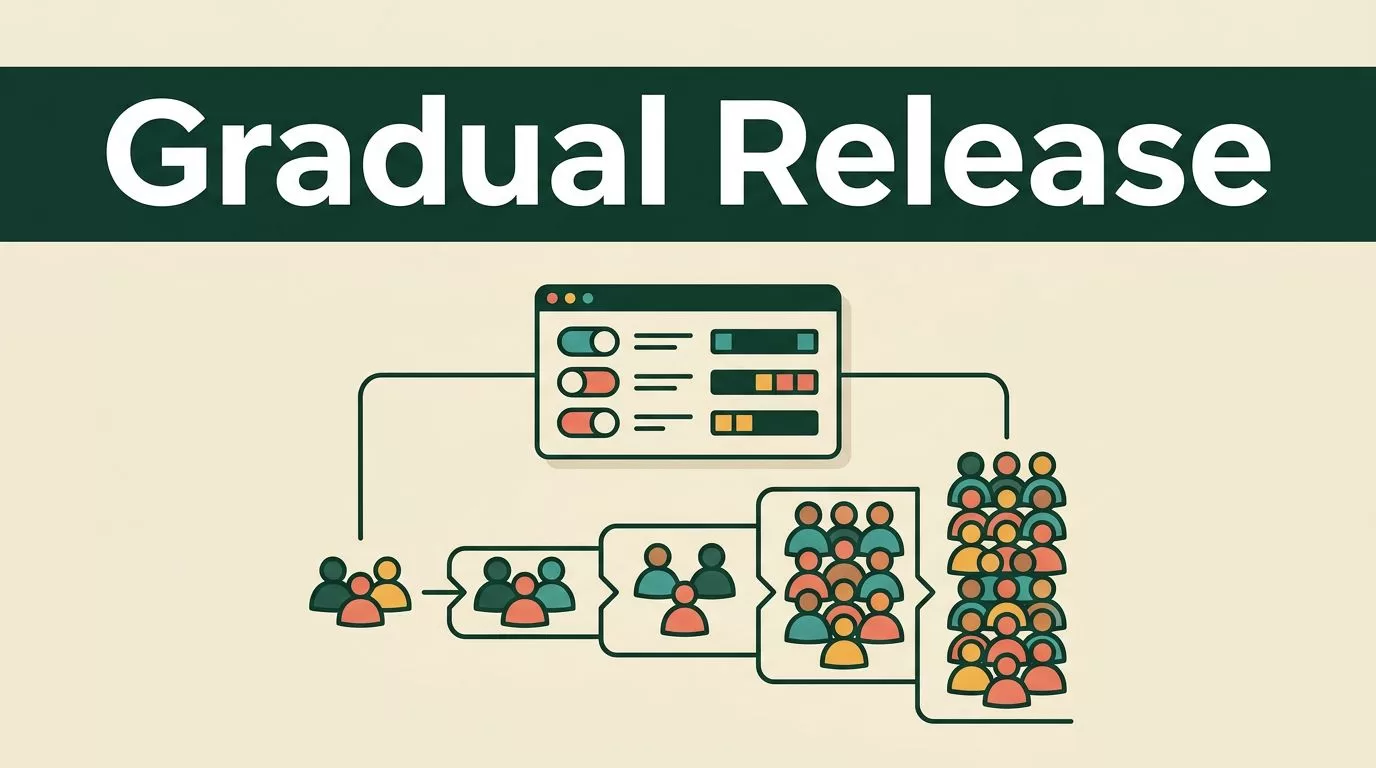
Dropping new code onto your live production server all at once invites chaos. A single silent exception can break checkout flows for every active user before your engineering team even notices the error log spike. A safer path separates code deployment from actual feature visibility. You can push your compiled assets quietly and then use feature flags to control who sees the update. When you schedule a gradual feature release with Mida.so, you limit your blast radius and protect your core revenue streams from sudden bugs.
Releasing features in controlled stages changes how your engineering and product teams handle updates. Instead of crossing your fingers after a major Friday deploy, you route the new experience to a tiny fraction of your audience. If errors spike or conversion rates drop, you flip a switch and restore stability instantly. You do not need to push a hotfix commit or wait for an emergency pipeline run. Let us look at how to structure, configure, and monitor a staged rollout using Mida.so.
Planning Your Rollout Schedule


Before you touch any targeting rules, outline your percentage tiers and time windows. Jumping straight from zero percent to full deployment defeats the entire purpose of staged delivery. Your schedule needs to give systems enough time to process real user traffic under normal load conditions.
Most teams start with a small canary cohort to catch obvious rendering bugs or unhandled promise rejections. You can review foundational guidance on forever free feature flagging to understand how flags pair with experimentation. A reliable rollout curve moves through distinct percentage milestones before reaching your entire user base.
| Rollout Stage | Target Traffic Share | Minimum Observation Window | Primary Objective |
|---|---|---|---|
| Canary Release | 1% to 5% | 24 to 48 hours | Catch critical exceptions and rendering failures |
| Early Expansion | 10% to 25% | 48 hours | Measure server load and database response times |
| Broad Rollout | 50% | 48 to 72 hours | Compare conversion rates against your baseline |
| General Availability | 100% | Permanent | Complete feature adoption across all users |
Keep each phase running long enough to capture natural traffic cycles like weekday spikes and weekend dips. Rushing through the stages prevents you from spotting slow performance leaks or subtle interaction bugs.
Configuring Your Flag in Mida.so
With your percentage milestones written down, open your workspace to create the control mechanism. You want to define a new feature flag that wraps your updated component or UI layout. Keep the initial targeting rule set to zero percent while you verify that your tracking pixels and event payloads fire correctly.
You can read more about incremental rollouts in the guide on what is a feature flag to align your setup with standard deployment practices. Ensure your engineers attach the flag condition directly around the new code block so that non-targeted users see the stable control experience without interruption.
Once the flag is active in your staging environment, run test sessions through browser developer tools. Confirm that your analytics view registers the correct variant exposure without duplicate event firing. Exclude internal company IP addresses and automated test bots from your audience rules to keep your incoming data clean.
Monitoring Metrics and Guardrails During the Release
As your traffic allocation steps upward from five percent to twenty-five percent, watch your telemetry dashboards for unexpected regressions. A feature can look visually appealing while silently destroying your page interaction speed. Track both your primary conversion goals and strict technical guardrails throughout every stage of the release.
Review your error tracking pipeline for any new exceptions tied to the updated component selectors. Check your page performance metrics, specifically looking at interaction latency and layout shifts during initial render. If your new feature introduces heavy JavaScript execution that slows down mobile devices, your long-term bounce rate will climb even if early engagement clicks look positive.
You should also consult the best canary testing practices guide for deeper insights into managing early user cohorts safely. Pay close attention to segment performance across different devices and traffic channels. A release that performs well among desktop organic visitors might create friction for mobile users arriving from paid campaigns.
Establishing Rollback Triggers
Every staged release needs a predetermined stopping point. Do not wait for an executive complaint to decide whether a rollout is failing. Write down your exact rollback thresholds before you flip the first percentage switch.
Define what constitutes an automatic failure. If your error rate increases by more than two percent, or if your checkout conversion drops outside normal statistical variance, halt the rollout immediately. Toggle the feature flag back to zero percent to route all traffic to the stable control experience.
Document the incident in your internal log, noting which cohort triggered the guardrail violation. Fixing the underlying issue in your development branch is much safer than letting a degraded experience reach half your customer base. Once your engineers patch the bug, you can reset your schedule and restart the canary stage with a clean build.
Conclusion
Rolling out new features without a safety net exposes your business to unnecessary operational risk. Staged delivery gives you precise control over who sees your code and when they see it.
Start with a clear schedule, keep your traffic milestones steady, and monitor both conversion metrics and technical guardrails at every single step. Clean tooling removes the guesswork from product deployments.
Ready to control your next product update? Set up your first staged rollout in Mida.so today and release with absolute confidence.

