Talent Profile Scraping With Twin.so, Done Accurately
Talent profile scraping fails when teams treat it as a copy-and-paste task. A profile may have an old job title, missing location data, duplicate URLs, or skills that were inferred rather than listed. Twin.so gives recruiters an extraction...

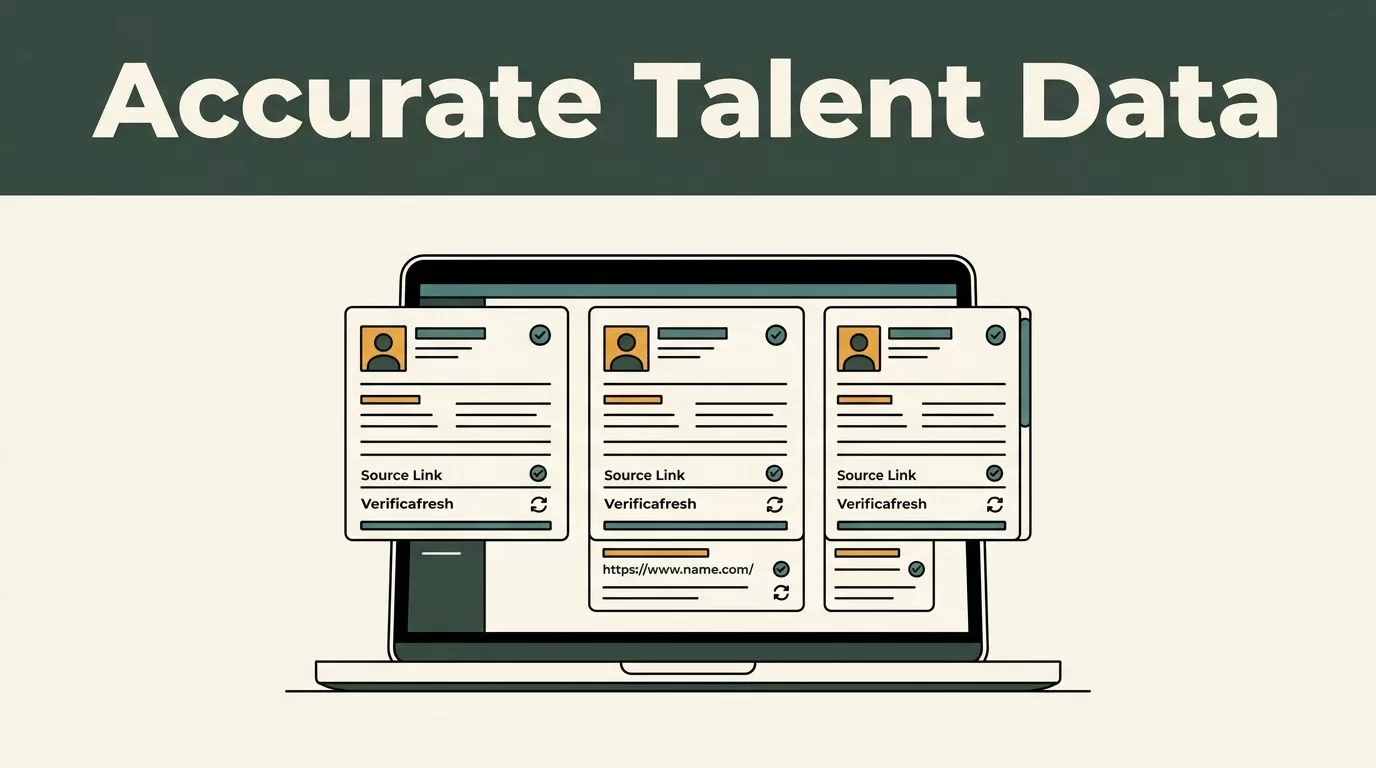
Talent profile scraping fails when teams treat it as a copy-and-paste task. A profile may have an old job title, missing location data, duplicate URLs, or skills that were inferred rather than listed.
Twin.so gives recruiters an extraction layer for collecting profile information into a structured workflow. The output becomes useful when you control the fields, preserve source context, validate records, and refresh them on a defined schedule.
WHAT ACCURATE TALENT PROFILE SCRAPING REQUIRES
Good profile data has three traits: it is structured, traceable, and current.
Structured data uses consistent fields for every person. Traceable data shows where each value came from. Current data includes a recent verification date so recruiters know whether a record is still reliable.
This matters because sourcing teams often use profile data for several purposes at once. They may build a shortlist for an open role, map talent in a specific market, research competitors, or prepare an outreach campaign. Each use case needs a different level of detail and freshness.
A simple market map may need a name, current employer, title, location, skills, and profile URL. An active hiring pipeline may also need work history, education, public contact details, and a record of the last review.
Start by defining the hiring question. Do you need senior backend engineers in London? Product marketers with fintech experience? Former employees of a specific company? The answer determines which records Twin.so should collect and which fields you can leave out.
Broader recruitment scraping workflows often cover passive talent discovery, salary research, and hiring-market analysis. This overview of web scraping for recruitment provides useful context, but your own workflow still needs a narrow scope.
Separate Facts From Assumptions
A profile may list “Python” as a skill. It may also describe a project that suggests Python experience without naming the skill directly.
Store those values differently. A listed skill is source data. An inferred skill is an interpretation that needs review. Do not place both values in the same field and present them as equal facts.
The same rule applies to seniority. “VP of Sales” is a visible title. “Sales leader” is a category you may assign for search or reporting. Keep the original title beside the normalized category.
This separation protects recruiters from bad searches and inaccurate outreach. It also makes later audits faster because every important value has a clear basis.


BUILD A RELIABLE WORKFLOW IN TWIN.SO
Twin.so works best when you configure the extraction process before collecting records. Avoid starting with a broad source and deciding what matters after the data arrives.
Use this workflow:
- Define the target group before opening the source. Write down the role, location, seniority, employer history, and other filters. A narrow target reduces irrelevant records and lowers review time.
- Create a fixed output schema. Choose the fields every profile must contain. A practical starting schema includes full name, current title, current employer, location, profile URL, listed skills, work history, education, source, and last checked date.
- Capture the source context with each value. Store the original profile URL and the date of collection. If Twin.so returns source text or field-level evidence, retain it beside the normalized result. A recruiter should be able to inspect why a record contains a particular title or skill.
- Normalize fields after extraction. Standardize country names, job-title categories, employer names, and URL formats. Keep the original value in a separate field. Normalization improves search without destroying the source record.
- Review records before sending them to the ATS or CRM. Use filters to find missing names, empty employers, unusual titles, duplicate URLs, and records without a recent check date. Send approved records downstream instead of treating every returned row as ready for outreach.
Many recruiting teams make the mistake of asking a scraper to produce a perfect final database in one pass. That creates hidden errors. Extraction, normalization, validation, and approval are separate tasks.
Use a Two-Layer Record
Keep two versions of each profile.
The raw layer contains the original extracted values. The working layer contains cleaned fields used for search, segmentation, and outreach. Never overwrite the raw layer during cleanup.
This approach gives you an audit trail. When a recruiter questions a record, you can compare the working value with the original source instead of repeating the collection process.
A comparison of web scraping tools and techniques for recruiters can help teams evaluate broader collection approaches. The same principle applies regardless of the tool: collect only the fields your process can validate and use.
VALIDATE PROFILE DATA BEFORE IT REACHES YOUR ATS
Validation should happen before profile data enters a system where recruiters may trust it automatically.
Use field-level checks instead of a single general confidence score. A profile can have a reliable name and URL but an outdated employer. Treat those fields independently.
| Profile field | Accuracy check | Recommended storage |
|---|---|---|
| Full name | Compare the visible name with the source profile | Raw name and normalized name |
| Current role | Keep title and employer separate | Original title, normalized category, employer |
| Location | Store city, region, and country separately | Source location and standardized location |
| Profile URL | Remove tracking parameters and preserve the canonical address | Original URL and canonical URL |
| Skills | Separate listed skills from inferred experience | Source skills and reviewed skills |
| Contact details | Collect only when permitted and needed | Contact value, source, permission status |
Check names carefully. A nickname, middle initial, or company-specific title can create false duplicates or incorrect outreach.
Do not use a person’s name as the primary deduplication key. Names can match across many people. A better approach combines the canonical profile URL with a normalized name and current employer. Send possible matches to human review when the records conflict.
Location data also needs attention. “New York,” “New York City,” and “NYC” may refer to the same market, but a remote profile may use a different location for personal or travel reasons. Preserve the source value and apply your own location categories separately.
Track Evidence, Not Just Values
A clean table can hide weak evidence. Add source references for important fields such as current employer, title, location, and skills.
A recruiter should answer these questions without searching manually:
- When was the profile collected?
- Which source supplied the current title?
- Was the skill listed or inferred?
- Has another record used the same profile URL?
- What changed since the previous run?
If you can’t answer those questions, the record isn’t ready for a high-volume outreach process.
KEEP TALENT RECORDS CURRENT
Freshness is part of accuracy. A profile that was correct six months ago may no longer describe the person’s current role.
Set the refresh interval according to the use case. Active requisition data may need frequent checks during a hiring campaign. A broad talent map can use a longer review cycle. Don’t apply one schedule to every record.
Store these timestamps:
- First collected date
- Last checked date
- Last changed date, when available
- Next review date
- Source and workflow run identifier
When a new Twin.so run returns a profile, compare fields individually. A changed employer should not erase the old employer. Store the previous value in a history field or change log. This helps recruiters understand career movement and prevents accidental data loss.
Profile freshness also affects outreach quality. A message addressed to someone at an old company looks careless. A role-specific message based on a current title has a better chance of being relevant.
Use a simple status model:
- New: collected but not reviewed
- Verified: reviewed against the source
- Changed: one or more important fields differ
- Stale: past the review date
- Excluded: outside the target or not approved for use
This model gives sourcing teams a clear queue. Recruiters can review changed and stale records before collecting more profiles.
For larger operations, compare a self-managed process with managed HR data intelligence services. The decision should depend on data volume, review capacity, security requirements, and the amount of control your team needs.
SET CLEAR COMPLIANCE BOUNDARIES
Responsible talent profile scraping starts with source permissions and data minimization.
Collect information from sources you are allowed to access. Review the source’s terms, your organization’s privacy policy, and the laws that apply to your team and candidates. A profile being visible online doesn’t create unlimited permission to collect, store, or distribute every available detail.
Don’t bypass login walls, CAPTCHAs, paywalls, rate limits, or other access controls. Don’t create fake accounts to obtain restricted data. Don’t collect sensitive personal information that has no clear recruiting purpose.
Your Twin.so workflow should also include collection limits. Define which sources are approved, which fields are allowed, how long records are retained, and who can export them. Restrict access to profile data based on job responsibility.
Use data for legitimate recruiting research and relevant outreach. Don’t use scraped information to make automatic hiring decisions without review. Profile data can be incomplete, outdated, or wrong. A human should verify important claims before they affect screening, interviews, or employment decisions.
Give candidates a way to request correction or removal when your policy and applicable law require it. Record those requests so a later extraction run doesn’t add the same person again.
A public profile is a starting point for research, not proof that every extracted field is accurate or available for unrestricted use.
Compliance controls also improve data quality. Narrow collection reduces irrelevant fields. Clear retention rules remove stale records. Human review catches errors before they spread into multiple systems.
MEASURE THE WORKFLOW BEFORE SCALING IT
Don’t judge Twin.so by the number of profiles it returns. Measure whether the records help recruiters make better decisions with less manual cleanup.
Run a controlled pilot with a defined target group. Compare the extracted records against the source manually. Track:
- Field completeness for required profile fields
- Accuracy of current title and employer
- Duplicate rate after normalization
- Percentage of records needing manual correction
- Average age of verified profiles
- Time spent reviewing each approved record
- Outreach replies linked to verified records
A high completion rate can still hide poor data. For example, every record may have a job title, but many titles may be outdated or incorrectly mapped. Review both the presence of a field and its accuracy.
Set acceptance thresholds before expanding the workflow. You might require every approved record to have a verified name, current employer, canonical URL, source date, and target-role match. Records that fail those checks should remain in review.
Compare results by source and use case. One source may produce strong employer data but weak location data. Another may return better skills information but more duplicates. This helps you adjust the schema and review rules without discarding the entire process.
CONCLUSION
Accurate talent profile scraping is a data-quality process, not a race to collect the largest list. Twin.so can support the extraction stage, but the result depends on your schema, source controls, validation rules, and refresh schedule.
Keep raw evidence beside normalized fields. Separate listed facts from assumptions. Deduplicate with more than a name, and review every record before it reaches your ATS or outreach workflow.
The useful profile is not the one collected fastest. It is the one a recruiter can trust when the next conversation starts.

