Using Hunter.io as B2B Contact Database Software
A Hunter.io review should answer one question. Does the tool work as B2B contact database software for your team? The short answer is partly. Hunter excels at finding and verifying work emails for known companies. Hunter is weaker as a broa...
A Hunter.io review should answer one question. Does the tool work as B2B contact database software for your team? The short answer is partly. Hunter excels at finding and verifying work emails for known companies. Hunter is weaker as a broad sales intelligence warehouse.
This review scores Hunter on five jobs: discovery, verification, outreach, compliance, and fit with your stack. You get a plan table, a fit test, and a list of cases where you should look elsewhere.
Hunter.io at a glance
Hunter sells email finding, email verification, a B2B database called Discover, intent data called Signals, and a cold email tool called Sequences. Integrations include an API, a browser extension, a Google Sheets add-on, and MCP support, per the Hunter pricing page. Hunter lists these integration options on all plans.
Credits power the platform. Finding an email costs 1 credit. Verifying an email costs 0.5 credit. Duplicate searches count once per billing period. Confirm current numbers on the pricing page before you buy.
| Job | Hunter.io fit | Notes |
|---|---|---|
| Find emails by company domain | Strong | Core product |
| Verify deliverability before outreach | Strong | Statuses include valid, invalid, accept_all, webmail, disposable, unknown |
| Build lists by title, industry, location | Good | Discover filters, advanced filters on paid plans |
| Run cold email sequences | Good for small teams | Email only |
| Replace a deep sales intelligence platform | Usually no | No phone data in a public-web model |
Hunter.io pricing by plan
The table below reflects the Hunter pricing page at the time of writing. Annual billing lowers the monthly rate.
| Plan | Monthly credits | Monthly price | Annual, per month | Email accounts | Recipients per sequence |
|---|---|---|---|---|---|
| Free | 50 | $0 | Not applicable | 1 | 500 |
| Starter | 2,000 | $49 | $34 | 3 | 2,500 |
| Growth | 10,000 | $149 | $104 | 10 | 5,000 |
| Scale | 25,000 | $299 | $209 | 20 | 15,000 |
| Enterprise | Custom | Custom | Custom | Custom | Custom |
All plans include unlimited team members and CSV export. Starter adds auto-verification and lead enrichment. Growth adds advanced Discover filters, per the pricing page. Check the official page for current terms.
Discover and Signals for list building
Discover works best when you define the target first. Write down five fields before you open the tool.
- Job title
- Company type or industry
- Location
- Company size band
- Reason for contact

The pricing page lists basic Discover filters on Free and advanced filters from Starter upward. Discover also includes AI searches. Free offers 10 per month, Starter offers 50, Growth offers 150, and Scale and Enterprise offer 300 each.
Signals adds intent data. Free includes 10 signals, Starter includes 20, Growth includes 200, and Scale and Enterprise include unlimited signals. Use signals as a prompt for relevance. A job change or a funding event gives you a reason to write.
A three step list building routine
- Build one tight segment. Pick one niche and one role.
- Pull a small batch. Review 25 to 50 contacts before you scale.
- Add context. Read the company site and recent news before you write.
Treat Discover as a filter and not a vending machine. Hunter finds people. You decide whether each person belongs on the list.
Email verification and data quality
Bad data quietly wrecks reply rates and sender reputation. Hunter verifies addresses and reports a status for each one. The Hunter API documentation lists six statuses: valid, invalid, accept_all, webmail, disposable, and unknown. The Email Finder also returns a confidence score, defined as the probability the returned address is correct.
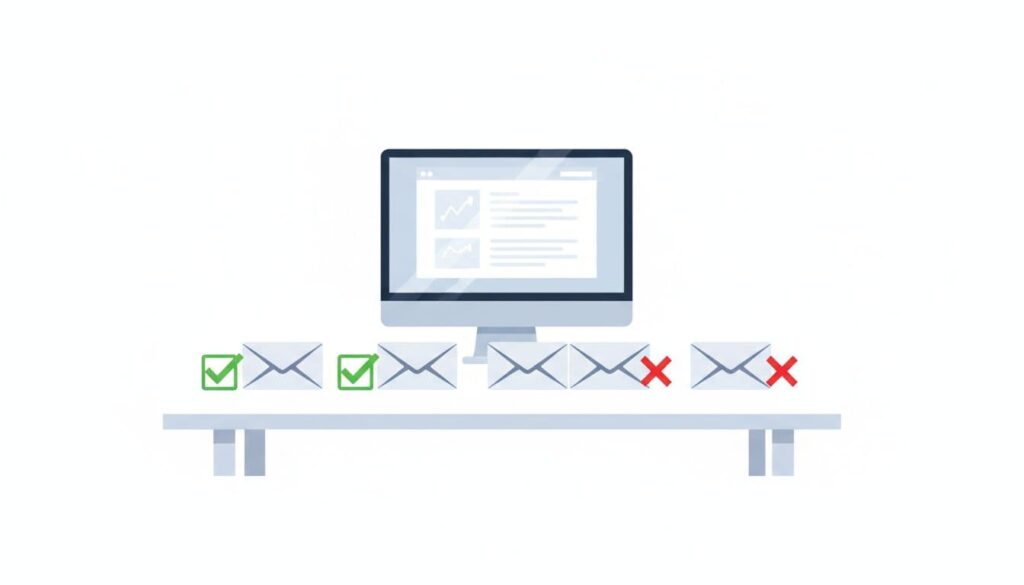
| Status | Action |
|---|---|
| valid | Add to your list |
| invalid | Remove |
| accept_all | Send a small test batch and watch bounces |
| webmail | Confirm the person uses the address for work |
| disposable | Remove |
| unknown | Retry later or source another address |
Verify again before you upload contacts to a sequence or a CRM. People change jobs. Domains change. Mailboxes close without notice. A list from last quarter needs a fresh check.
\n\n\nA verified email is not permission for bad outreach.
\n\n\n
Sequences for cold email
Sequences sends cold email from your connected mailboxes. Plans differ in the number of connected email accounts and the recipients allowed per sequence. The plan table shows the figures.
Review limits before you plan a campaign. A team with five mailboxes needs Growth or higher, based on the pricing page figures. A solo founder with one mailbox can start on Free.
- Keep messages short and tied to the role of the contact.
- Use AI drafts as a rough start and rewrite the opener yourself.
- Send small batches first and review bounces.
- Pause when bounces rise.
- Remove anyone who asks to stop.
A third-party review from ZoomInfo Pipeline notes Hunter sequences run on email only, with no LinkedIn, phone, or SMS steps. ZoomInfo sells competing products, so weigh the source. The point still matters if you need multichannel outreach.
Compliance, privacy, and data sourcing
Hunter describes its role on a help page about GDPR compliance. Hunter acts as a data controller and a data processor. Users act as controllers for data imported into their accounts. The Data Processing Agreement sits inside the Terms of Use, and users can request a signed copy from privacy@hunter.io.
Hunter states its main servers run on Google Cloud Platform in Belgium. Hunter also lists retention periods. Paid bulk search results stay for 15 months, and unpaid results stay for 6 months. Removal requests go to privacy@hunter.io.
The tool does not remove your own duties. Follow the rules for your audience.
- Keep a business reason for each contact.
- Store only the data you need.
- Explain relevance in the first email.
- Include a clear opt-out.
- Honor opt-outs fast.
Rules like CAN-SPAM, GDPR, and CCPA differ by country and by use. Confirm requirements with official sources or a lawyer.
Where Hunter.io fits in your stack
Hunter sits between research and outreach. Define the target account list first. Run Hunter next. Send verified contacts to your CRM or sequence tool after.
- Google Sheets add-on for small teams working in spreadsheets
- Browser extension for one-off lookups while you browse a company site
- API for automation workflows and CRM sync
- CSV import and export for bulk jobs
If your plan needs verified mobile numbers, direct dials, deep firmographics, or technographic data, pair Hunter with another source or pick a larger platform. Hunter relies on public web sources, so coverage depends on the web footprint of each company.
A 30 day test plan before you pay
Do not judge Hunter from a demo. Run a real test on your own market. Use the free plan, which gives you 50 credits per month, and track results in a simple sheet.
| Week | Task | Metric to record |
|---|---|---|
| Week 1 | Pick one segment and run 25 domain lookups | Share of lookups with a result |
| Week 2 | Verify every address found | Share marked valid and share marked accept_all |
| Week 3 | Send a small batch of 20 to 30 emails | Bounce count and reply count |
| Week 4 | Compare cost per valid contact with your current method | Credits used per valid contact |
Credits limit the free test, so choose the segment with care. Verification costs half the credits of a search, per the pricing page. Plan your 50 credits around the number of contacts you need.
Record the result of each step. A tool earns a paid plan when the valid share is high, bounces stay low, and replies justify the work. Your own numbers beat any review, including this one.
Questions to ask any contact database vendor
- Where does each contact come from, and can you see the source?
- How does the vendor verify addresses, and which statuses does the tool report?
- How long does the vendor keep your searches and exports?
- Who acts as controller and processor under GDPR?
- What happens to unused credits at the end of the billing period?
- Which integrations come with your plan, and which cost extra?
Hunter answers several of these on public pages. Read the privacy and help pages before you import contacts from the EU or the UK.
Who should choose Hunter.io
| Profile | Verdict | Reason |
|---|---|---|
| Solo founder doing outbound | Good fit | Free plan and simple workflow |
| Link builder or PR outreach | Good fit | Name plus domain lookups |
| Small sales team on email | Good fit | Finder, verifier, and sequences in one tool |
| Recruiter sourcing candidates | Possible fit | Works for work emails of known employers |
| Enterprise team needing phone data | Poor fit | Pair with a larger database |
| Team needing multichannel sequences | Poor fit | Sequences send email only |
Frequently asked questions
Is Hunter.io a full B2B contact database?
Hunter offers Discover as a B2B database. Hunter works best as a tool for contact discovery and verification. Teams with heavy needs for firmographic or phone data should compare larger platforms.
Is Hunter.io free?
Hunter offers a free plan with 50 credits per month, per the pricing page. Paid plans start at $49 per month, or $34 per month on annual billing.
How does Hunter.io get its data?
Hunter relies on public web sources. Third-party reviews note each contact shows a source link. Check a contact record in the app to see the source for yourself.
Does Hunter.io offer an API?
Yes. Hunter documents endpoints for Email Finder, Email Verifier, and Domain Search. Domain Search returns 10 emails by default and supports filters.
Can you request data removal from Hunter?
Yes. Hunter directs privacy and removal requests to privacy@hunter.io and offers a help article on removing your data.
What is the best way to test Hunter.io?
Start on the free plan. Run 25 to 50 searches for one niche. Verify each result. Track the share marked valid and the bounce rate on your first send.
Conclusion
Hunter.io works well as focused B2B contact database software. Use Hunter to find work emails, verify them, and build small, precise lists. Do not expect phone data, multichannel outreach, or deep sales intelligence. Start on the free plan, test one segment, and check the pricing page before you upgrade. Responsible outreach starts long before the first send.
