Sales Prospecting
Sales Prospecting guides and comparisons
Build lead lists that reply. These guides cover Hunter.io for finding and verifying work emails, plus the cold email infrastructure that decides whether your messages land at all. You will find domain and inbox warm-up, sending domain setup, deliverability monitoring, spam complaint reduction, list enrichment, and reply tracking. There are also workflows for LinkedIn sourcing, direct dials, and vetting a purchased list before you import it. Deliverability fails silently, so several guides focus on catching problems before your sending reputation is already damaged.
Showing 1–30 of 136 Sales Prospecting guides
 Sales ProspectingDeploy GraphQL API to Production Without SurprisesA local GraphQL server can work perfectly and still fail after release. Production adds authentication, traffic limits,…
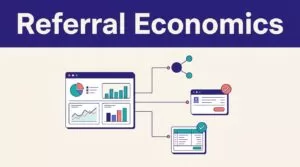 Team ToolsBuild a B2B Referral Program With RewardfulReferral clicks don’t pay sales commissions. Collected subscription revenue does. A B2B referral program needs cle…
 Workflow AutomationDrive Real Estate Investing Automation With Twin.soReal estate investing automation fails when it moves bad data faster. The practical target is narrower: remove repetitiv…
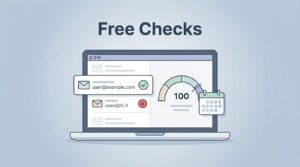 Sales ProspectingHunter Email Verifier Free Limit in 2026: 100 Checks Per MonthI remember the first time a bad email address tanked my outreach campaign. Bounces piled up, my sender score dropped, an…
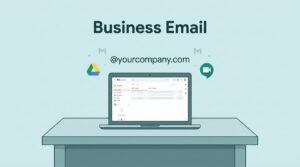 Sales ProspectingGoogle Workspace Email for Business: My Hands-On 2026 Setup GuideYour business email sets the tone for every client interaction. I remember switching my team’s inbox from a basic…
 Sales ProspectingHunter.io Email Finder and Domain Search: My Daily Prospecting ToolsAn email finder helps you identify a likely professional email address for a person. Hunter’s Email Finder uses a…
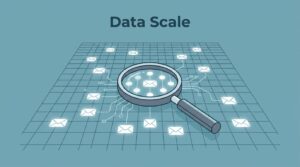 Sales ProspectingHunter.io Database Size in 2026: Emails, Contacts, and Real ScaleI’ve chased leads across countless domains with Hunter.io. You know the drill: punch in a company name, scan for p…
 Sales ProspectingHunter.io Pricing 2026: Email Finder Costs and PlansI remember the first time I burned through a prospect list because half the emails bounced. Finding reliable business co…
 Sales ProspectingHunter.io Review: Outbound Sales and Email Execution TestedI remember the first time bad email data tanked my outreach. Bounces piled up. Replies dried out. My sender score took a…
 Sales ProspectingHow I Automate B2B Lead Generation with Twin.soI remember cold outreach days that ate hours. Manual searches, dead emails, endless follow-ups. Now, I let AI handle it.…
 Sales ProspectingHow I Use Twin.so Email Auto Replies to Stay on Top of My InboxYou know that sinking feeling when your inbox hits 200 unread messages? I used to spend hours sorting support queries, s…
 Sales ProspectingHow I Generate Real Estate Leads with Twin.soReal estate agents chase leads across endless sites. You log into MLS portals, scrape Zillow listings, and hunt expireds…
 Sales ProspectingHow I Scale Lead Generation Automation with Twin.soI remember staring at spreadsheets full of stale leads. My sales team chased ghosts while competitors booked meetings. M…
 Sales ProspectingAutomate Email Outreach Campaigns with Twin.soI remember the grind of manual email outreach. Copying prospects from spreadsheets, tweaking messages one by one, chasin…
 Sales ProspectingHow I Export Hunter.io Leads Into HubSpot Without Messy DataMoving leads from Hunter.io into HubSpot looks simple until duplicates start piling up. One bad field map can turn a cle…
 Sales ProspectingHow I Use Hunter.io With LinkedIn Sales NavigatorWhen I need B2B leads that don’t waste my time, I start with LinkedIn Sales Navigator and finish with Hunter.io. O…
 Sales ProspectingHow I Use Hunter.io For Podcast Guest OutreachFinding a podcast host’s email is easy. Sending the right pitch is the hard part. I use Hunter.io to keep those tw…
 Sales ProspectingHow I Find Press Contact Emails With Hunter.ioWhen I need press contact emails, I don’t start with a guess. I start with the person, the beat, and the outlet. T…
 Sales ProspectingHunter.io Vs Snov.io for Small Sales TeamsA small sales team doesn’t lose deals because it lacks ambition. It loses time because its tools ask for too many…
 Sales ProspectingHow I Find Nonprofit Contact Emails With Hunter.ioThe fastest way I waste time in nonprofit outreach is by guessing at the wrong inbox. When I look for hunter.io nonprofi…
 Sales ProspectingHow I Find Department Emails With Hunter.ioFinding the right department email can save me hours of guessing. It also keeps my outreach cleaner, because I’m n…
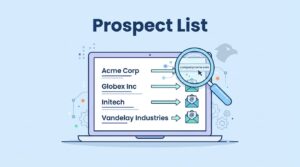 Sales ProspectingHow I Build a Prospect List From Company Names With Hunter.ioA company name looks useful until you try to email it. Then the real work starts, because a name by itself doesn’t…
 Sales ProspectingHow I Handle Out of Office Replies in Cold Email CampaignsA cold email out of office reply, often triggered by an out of office email template, can feel like a closed door, but I…
 Sales ProspectingBest Cold Email Warm-Up Tools for New Domains in 2026A fresh domain can look spotless and still get treated like a stranger at the door. That’s why I test cold email w…
 Sales ProspectingHow I Enrich a B2B Lead List Without Paid DatabasesA thin lead list can look fine at first glance, then fall apart the moment outreach starts. I’ve seen it happen ma…
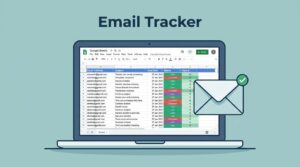 Sales ProspectingHow To Track Cold Email Replies In Google SheetsA cold email campaign can look busy on the surface and still leave me guessing. I might know I sent 200 emails, but that…
 Sales ProspectingHow I Find Company Websites From a Lead ListA lead list without websites is like a map with half the street names missing. I can still get where I’m going, bu…
 Sales ProspectingHow I Reduce Spam Complaints in Cold Email CampaignsSpam complaints can sink a cold email program faster than weak replies. When someone hits the spam button, inbox provide…
 Sales ProspectingHow I Vet A B2B Lead List Before Importing ItA B2B lead list can look ready and still poison a CRM. One messy import can bury good accounts under duplicates, bad fie…
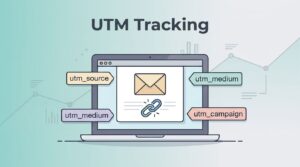 Sales ProspectingHow I Set Up UTM Tracking For Email CampaignsEmail clicks look simple until they land in analytics as a blurry mix of direct, referral, and “unknown.” Th…