Configure Rewardful Partner Tracking for SaaS
Affiliate attribution often fails before payout day. A partner sends a prospect to your site, Stripe creates a customer, and the referral data never reaches the billing record. That sale becomes a support dispute. Rewardful partner tracking...
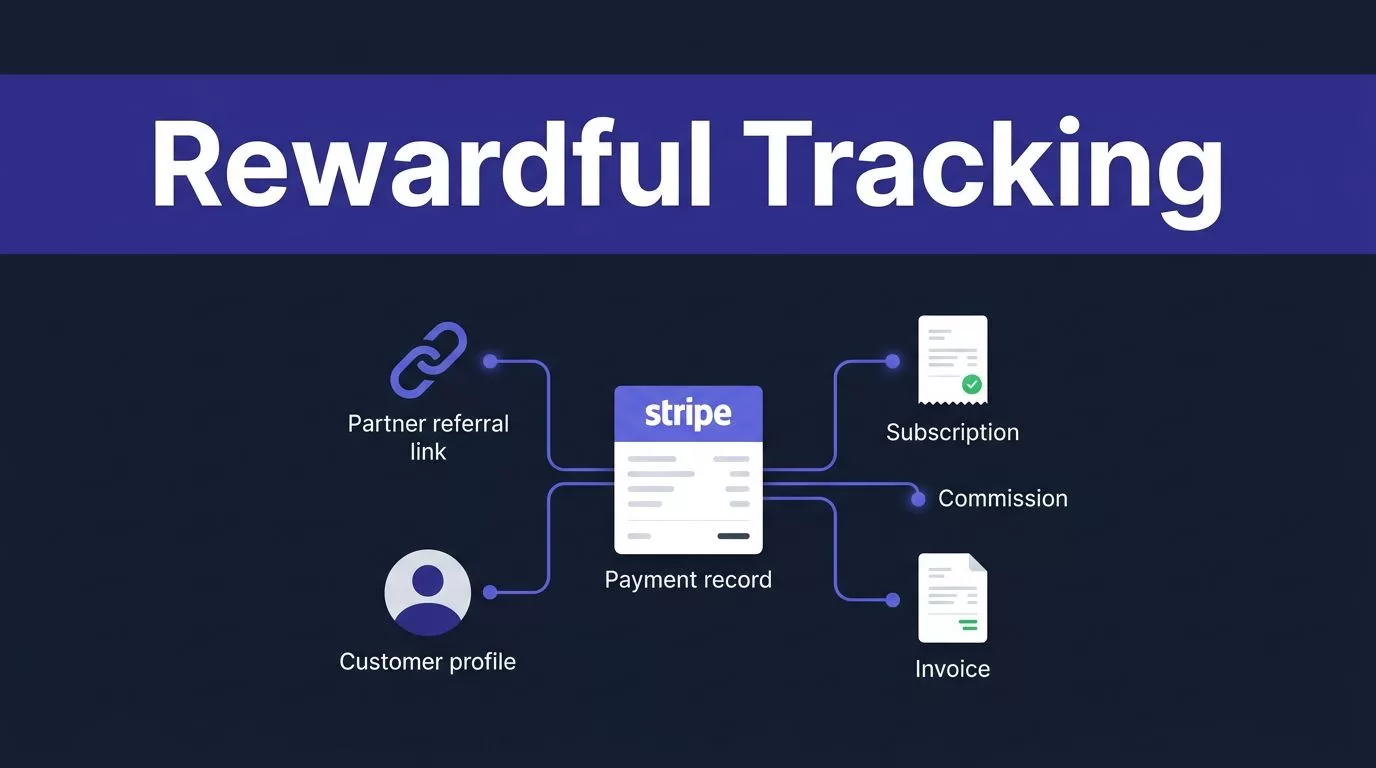
Affiliate attribution often fails before payout day. A partner sends a prospect to your site, Stripe creates a customer, and the referral data never reaches the billing record. That sale becomes a support dispute. Rewardful partner tracking connects the partner click, Stripe customer, subscription, invoice, and commission.
The setup is straightforward, but one missing field can break the chain. Connect Stripe, select the right checkout path, set program rules, and run controlled billing tests before you publish partner links.
DEFINE THE PROGRAM BEFORE YOU CONNECT STRIPE
Rewardful reads billing activity from Stripe. It can’t repair unclear commission terms or a signup flow that creates customers without referral data.
Set the rules first. Then configure the system to match them.
ASSIGN AN OWNER AND COLLECT THE PREREQUISITES
One person should own campaign settings, one person should own the Stripe integration, and one person should approve payouts. Small teams can assign all three jobs to one operator. The responsibilities still need to be clear.
Have these items ready before you connect accounts:
- An active Stripe account that creates the customers, subscriptions, and invoices you want to track.
- A Rewardful account with permission to create campaigns and connect Stripe.
- Access to your marketing site, app, and checkout code.
- One internal test partner and a test email address that has never purchased before.
- A written decision on commission rate, cookie window, refund treatment, and payout review timing.
Map the customer path on one page. Include landing page, signup form, pricing page, checkout, Stripe Customer creation, subscription, and invoices. This reveals where attribution can disappear.
WRITE TERMS THAT MATCH THE BILLING MODEL
A 20% recurring commission sounds simple until a customer upgrades, receives a partial refund, or cancels after a discount period.
Write down what qualifies as a conversion. State whether partners earn on the first paid invoice, every paid invoice, or a limited number of renewals. Set the rule for discounted plans, annual plans, upgrades, and reactivated subscriptions.
Don’t promise “lifetime” commissions if the campaign only pays for 12 invoices. Your public terms, campaign configuration, and payout process need to say the same thing.
CONNECT STRIPE AND CREATE A CAMPAIGN
Start in Rewardful and use the Stripe connection flow. Rewardful uses Stripe authorization to monitor customer and billing activity, which is the base requirement for its Stripe affiliate setup.
Use the Stripe account that bills the SaaS product. If your company has separate Stripe accounts for regions, brands, or products, confirm which account creates the subscription before you approve access.
CHECK THE ACCESS REQUEST
Review the Stripe authorization screen with your billing owner. Rewardful needs access to read the activity that drives attribution and commissions. Its documented permissions do not allow it to change your pricing, issue refunds, or move funds. Those actions remain under your Stripe controls.
Record the connected Stripe account name and account ID in your internal setup note. This prevents a common error, a campaign that looks connected but points to a sandbox, legacy, or unrelated Stripe account.
CREATE A CAMPAIGN WITH A CLEAR PURPOSE
Create one campaign for one commission policy. Give it an internal name that identifies the offer, such as “Partner Program, 20% Recurring, Core SaaS.”
Set the partner-facing referral URL to a canonical domain. If your main site is www.example.com, don’t send some partners to app.example.com and others to an old landing-page domain without configuring cross-domain tracking.
Rewardful partner tracking works best when every partner uses one approved link format and your team can trace each conversion back to one campaign.
INSTALL REWARDFUL PARTNER TRACKING ACROSS THE PURCHASE PATH
The implementation route depends on how Stripe Customers are created. This is the technical decision that matters most.
A browser-based form, client-side Stripe Checkout, server-side Checkout, Payment Links, Pricing Tables, and custom Stripe API calls do not pass referral data in the same way.
COVER MARKETING PAGES, APP PAGES, AND CUSTOM FORMS
Install the Rewardful tracking script on every relevant marketing and application page. A script on the homepage alone is not enough if users return later through /pricing, /signup, or an app subdomain.
For a custom signup or billing form, use the Rewardful custom Stripe integration method. The browser captures the referral identifier. Your application then carries that value into the Stripe Customer record.
For direct Stripe API integrations, store the value exposed as Rewardful.referral in Stripe Customer metadata with the key referral. This links a browser click to the customer Stripe bills later.
PASS THE REFERRAL ID THROUGH SERVER-SIDE CHECKOUT
Server-side Stripe Checkout needs an extra handoff. The browser captures the referral ID. Your frontend sends it to your server. Your server passes it into the Checkout Session as client_reference_id.
Rewardful’s server-side Checkout instructions also require customer_creation set to always. Without a Stripe Customer, there is no durable billing record for Rewardful to associate with the referral.
Don’t replace this field with an internal user ID unless your integration also preserves the Rewardful referral ID. Your own user ID helps internal reconciliation. It does not identify the partner.
HANDLE PAYMENT LINKS AND PRICING TABLES AS SEPARATE PATHS
Stripe Payment Links need “Save Payment Details for Future Use” enabled. Rewardful relies on a Stripe Customer object to connect the partner referral to the purchase.
Stripe Pricing Tables use the client-reference-id attribute. Populate it with the Rewardful referral value before checkout starts.
Do not copy server-side Checkout instructions into a Payment Link or Pricing Table setup. Follow the path that matches the product your customer actually uses.
A successful checkout only proves that Stripe collected payment. It does not prove that a partner received attribution.
CONFIGURE COOKIES AND COMMISSION RULES
Campaign settings define how long a partner can receive credit and what an eligible sale pays. Treat these settings as commercial policy, not dashboard decoration.
SET A COOKIE WINDOW THAT MATCHES YOUR SALES CYCLE
A referral cookie stores the partner relationship in the visitor’s browser. Rewardful lists a 60-day default cookie window, and you can change it per campaign through the cookie and commission settings.
Choose a window that fits your actual sales cycle. A self-serve product with same-day purchases may need less time. A team plan with a four-week evaluation period needs more time.
If prospects move between www, app, help center, and a separate checkout domain, configure cross-domain tracking with the script’s data-domains setting. Test every domain. A cookie that works on the landing page but fails at checkout is still a broken setup.
SET RECURRING COMMISSIONS WITH A LIMIT YOU CAN SUPPORT
Rewardful can pay a fixed amount or percentage. It can also pay on all invoices or stop after a chosen number of invoices.
Use a percentage commission when plan prices vary. A fixed amount can fit a narrow product with one subscription price. Set a cap when you need predictable acquisition costs.
Document the rule in plain language. For example: “Partners receive 20% of paid subscription invoices for the first 12 months.” That statement gives billing, support, and partners the same reference point.
TEST ATTRIBUTION BEFORE YOU INVITE PARTNERS
Run a controlled test before you send links to real partners. Use a new browser profile or private window. Existing cookies can hide an attribution failure.
RUN A CLEAN REFERRAL TEST
Rewardful provides a ?via=install link for installation checks. Run that first, then use the referral link for your internal test partner.
Use this sequence:
- Open a private browser window and load the partner referral link.
- Visit the landing page, pricing page, and signup route as a normal prospect would.
- Create a new account with the test email and complete checkout.
- Record the referral URL, click time, Stripe Customer ID, Checkout Session ID, subscription ID, invoice ID, and campaign name.
- Check Rewardful after the page loads and after Stripe records the payment.
The test passes only when the test partner, Stripe customer, subscription, and initial commission point to the same conversion.
USE A SHORT ACCEPTANCE CHECKLIST
Check these records before you call the integration complete:
- The referral appears on the correct customer and does not credit a previous test partner.
- Stripe has a Customer object, not only a successful payment or Checkout Session.
- The subscription belongs to that customer and produces the expected invoice.
- Rewardful assigns the commission to the intended campaign and uses the expected rate.
- The customer record, commission record, and internal account record use IDs your team can reconcile later.
A completed browser flow is not enough. Measure accepted attribution records, not clicks, page loads, or dashboard activity.
VERIFY RECURRING COMMISSIONS, REFUNDS, AND CANCELLATIONS
The first invoice proves initial attribution. It does not prove that the partner program handles the customer lifecycle correctly.
Test recurring billing before you rely on recurring commission promises.
CHECK RENEWALS, UPGRADES, AND DOWNGRADES
Let the test subscription produce a renewal invoice through your normal billing process. Check that the invoice belongs to the original Stripe Customer and that Rewardful applies the campaign rule to it.
Next, change the plan. Upgrade or downgrade the internal test customer, then inspect the next invoice and commission. Your goal is not a perfect-looking dashboard. Your goal is a record your finance team can explain.
Keep a small test log with the Stripe IDs, expected result, actual result, reviewer, and test date. This becomes the last trusted reference when billing logic changes later.
TEST REFUNDS AND CANCELLATIONS SEPARATELY
A cancellation and a refund are different events. A canceled subscription may remain active until the end of its paid period. A refund changes the money collected on an invoice.
Run both tests. Issue a full refund for one paid test invoice. Then use a separate invoice for a partial refund if your product allows it. Rewardful states that a full refund removes the commission tied to that invoice, while a partial refund recalculates it. Review the commission adjustment process against the actual records in your account.
Cancel the test subscription. Confirm when service ends, whether another invoice is created, and whether future commissions stop as your terms require. Don’t release a payout while a recent refund or cancellation is still unresolved.
RECONCILE RECORDS BEFORE PAYOUT
A partner payout needs a reconciliation process. The useful metric is not commissions exported. It is commissions your team can match to paid Stripe invoices and approve for payment.
Use the same identifiers across systems.
| Record | Keep this identifier | Why it matters |
|---|---|---|
| Partner click | Referral ID and referral URL | Shows who sent the customer |
| Stripe customer | Customer ID | Connects signup to billing history |
| Subscription | Subscription ID | Confirms plan and renewal status |
| Invoice | Invoice ID and paid amount | Supports the commission amount |
| Rewardful | Commission ID and status | Supports the payout decision |
Route missing referrals, duplicate commissions, disputed partner claims, refunds, and manual account migrations into an exception queue. Don’t force an automatic payout decision when records conflict.
Keep the last approved payout file unchanged. Store the new review file separately with the review date and owner. If a checkout change breaks attribution, your team still has a trusted record of prior approvals.
If your SaaS creates customers through several apps, APIs, or billing paths, Book A Call before you release the program publicly.
FINAL CHECK
Rewardful partner tracking is reliable when the referral ID survives the full route into a Stripe Customer and every later invoice can be matched back to that customer.
Test the first purchase, renewal, plan change, refund, and cancellation. Then reconcile the records before payout. A partner program is only as dependable as the billing evidence behind it.
