Rewardful Wise Payouts: A Controlled Bulk Process
An affiliate payout can look successful while the records are wrong. A file uploads, money leaves, and finance later finds a refund, duplicate affiliate, or short payment. Rewardful Wise payouts need more than a CSV. You need a controlled h...
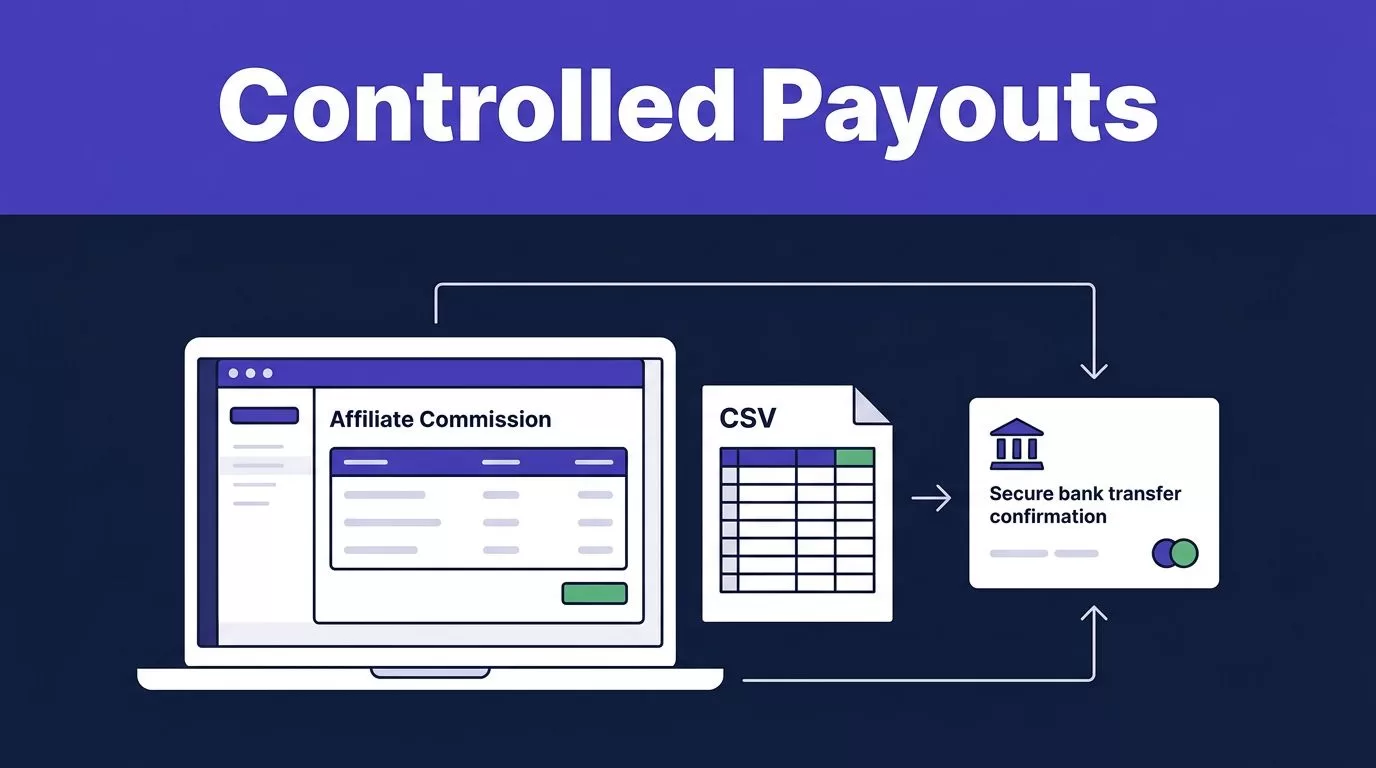
An affiliate payout can look successful while the records are wrong. A file uploads, money leaves, and finance later finds a refund, duplicate affiliate, or short payment.
Rewardful Wise payouts need more than a CSV. You need a controlled handoff between Rewardful’s commission record and Wise’s payment confirmation.
Treat each payout cycle as a financial operation, not an admin task. Use this process before you release a month’s due commissions.
BUILD A CONTROLLED REWARDFUL WISE PAYOUTS WORKFLOW
Rewardful’s published Wise method is file-based. You export a CSV of due payouts from Rewardful, upload it to Wise, pay the batch, then mark confirmed payments as complete in Rewardful.
That sequence matters. Neither system can correct an unreviewed commission after funds leave your account.
REWARDFUL DEFINES WHAT IS PAYABLE
Rewardful identifies which affiliate commissions are eligible for payment. Its Payouts area separates commission records by status, and its documentation describes Wise as a mass payout method.
Read the Rewardful Wise mass-payout workflow before scheduling your first run.
A “Due” balance gives you a payment candidate. It does not remove the need to check the underlying sale, refund window, or affiliate payment details.
Rewardful is your commission ledger. Keep it that way. Don’t use a manually edited transfer spreadsheet as the new source of truth.
WISE SENDS THE MONEY
Wise is the transfer layer. Recipients do not need a Wise account, but every payment still needs a supported route and valid recipient details.
Treat Wise as the payment ledger. Your internal payout record connects the Rewardful commission to the Wise batch and the resulting transfer status.
This separation prevents a common error. A payout file can be valid while the commission behind one row is not.
SET ACCESS, PAYMENT RULES, AND DATA CONTROLS
A payout run is the wrong time to decide who can prepare a file, approve it, or release funds. Set the rules once, write them down, and review them after staffing or billing changes.
USE A WISE BUSINESS ACCOUNT WITH CLEAR OWNERS
Wise Batch Payments requires a Wise Business account. Follow Wise’s batch payment setup steps in your account, then check which team members can create batches, see recipient data, approve transfers, and add money.
Use a preparer and an approver when your team size permits. If one person must do both, retain written approval from a finance owner before sending funds.
Do not share Wise credentials. Do not send bank-detail files through a group inbox. Store payout exports in a restricted folder with access limited to people who need it.
Wise’s current guidance says Batch Payments are unavailable to businesses registered in Brazil. Account eligibility, currencies, and payment routes can change, so check the live Wise account before adding a new country.
SET CURRENCY AND RECIPIENT RULES UP FRONT
Set a payment policy per affiliate before the commission becomes due. Record the promised currency, payout threshold, refund hold period, and who covers transfer fees.
Do not collect “Wise account details” as a blanket requirement. A recipient can receive a Wise payment without using Wise. Collect only the bank or payment information Wise requests for that route.
If an affiliate changes their payment details, stop that payout line. Reconfirm through the established affiliate contact, not through a reply to an unexpected email.
Tax reporting and contractor classification also need separate finance controls. The payout CSV does not replace those records.
RECONCILE DUE COMMISSIONS BEFORE EXPORTING
A clean import is useless if the commission source is wrong. Reconcile the due list against your billing system before you touch Wise.
PAY DUE COMMISSIONS, NOT DASHBOARD ACTIVITY
Rewardful describes “Due” commissions as those that meet or exceed the payout threshold. Do not include pending rows because a dashboard total looks high. Rewardful’s commission payment guidance explains the payout CSV process and status distinction.
Review a small sample against Stripe or Paddle. Match the affiliate, customer, successful invoice, commission amount, and refund or cancellation state.
Calculate a percentage commission from the amount collected after a coupon or account credit. Do not use the plan’s list price when the customer paid less.
Hold commissions long enough to cover the refund period in your program terms. A later reversal should create an exception record, not rewrite the history of a prior payout.
CREATE A PAYOUT CONTROL SHEET
Build a separate control sheet for review and reconciliation. The Rewardful export stays unchanged as the source file.
| Control field | Record before payment |
|---|---|
| Payout run | Month, source filename, preparer, and approver |
| Commission | Affiliate reference, due amount, and source currency |
| Revenue review | Paid invoice check, refund status, and exception note |
| Wise payment | Target currency, recipient route, transfer amount, fee, and rate |
| Outcome | Wise batch reference, transfer status, and completion date |
Use clear states such as Draft, Needs Review, Approved, Paid, Failed, and Returned.
Do not replace a failed row with a new row. Link any re-send to the original affiliate record and retain the reason for the correction.
EXPORT THE REWARDFUL CSV WITHOUT LOSING THE SOURCE RECORD
Export only after the control sheet is approved. This reduces correction work after recipient details and payment amounts enter a transfer file.
DOWNLOAD DUE PAYOUTS FROM REWARDFUL
In Rewardful, open Dashboard > Payouts and download the Wise CSV for due payouts. Save the original export in access-controlled storage with its date and payout run ID.
Do not overwrite the source file in Excel or Google Sheets. Make a working copy for reviews, notes, and approved corrections.
Before upload, total the working file by currency and compare it with the approved control sheet. A matching total is useful, but it is not enough. Compare the affiliate count as well.
LET WISE VALIDATE THE PAYMENT FILE
Open Wise’s Batch workflow and review the current file requirements in your account. Rewardful says its Wise mass-payout CSV can be uploaded to Wise, but Wise’s importer is the final check for a production batch.
If Wise asks for its current template, populate a new file from the approved control sheet. Never invent a header, fill a missing bank value from memory, or change a currency only to remove an error.
Resolve the issue with the affiliate first. Then update the control sheet and retain the corrected version beside the original export.
Your Rewardful Wise payouts workflow needs a visible link between every transformed file and its source CSV. No one should need to guess which version funded a payment.
EXECUTE WISE BULK PAYOUTS IN WISE
Batch Payments can handle a large payout run, but a large file is not a reason to remove review controls.
UPLOAD, VALIDATE, AND FIX EXCEPTIONS AT THE SOURCE
Upload the approved file to Wise as a batch. Wise says its Batch Payments tool can create up to 1,000 payouts in one go through Wise Business batch payments.
Use a smaller approved batch first if you have new recipient countries, new currencies, recently changed affiliate terms, or fresh banking details.
Read every validation message. A rejected line usually means the payment record is incomplete or incompatible with the chosen route. Fix the source record, then rebuild the file. Do not make blind edits inside a production batch.
SET THE RECIPIENT AMOUNT CORRECTLY
Decide whether your affiliate terms promise a gross commission or a final delivered amount.
If an affiliate must receive an exact amount, use Wise’s exact batch amount settings so the recipient receives the agreed target amount. Wise charges the fee on your side.
If you set the source amount instead, Wise deducts the fee from that amount. The affiliate may receive less than the commission you approved.
RUN A FINAL PRE-SEND CHECK
Confirm these items before funding the batch:
- Every source line is a current Due commission and has not already been paid.
- The recipient count and currency totals match the approved control sheet.
- Each converted payout has an approved target currency and current Wise quote.
- Your Wise balance covers the transfers plus the displayed batch fees.
- A second person has approved the final batch when your process requires it.
- Any failed, changed, or unclear recipient detail remains out of the batch.
REVIEW FEES, FX, LIMITS, AND AVAILABILITY
A batch payment is not a flat-fee transfer. Each affiliate payment has its own route, currency, recipient details, and possible conversion cost.
FUND THE FULL AMOUNT, INCLUDING FEES
Wise charges a fee for each transfer in a batch. It adds those fees together and shows the total before you pay. Review how Wise calculates a batch payment cost at the point of payment.
Do not budget a fixed monthly FX cost from an old CSV. Exchange rates and fees are live transaction inputs. Record the rate, fee, target amount, and total funded amount for the completed batch.
A low transfer fee does not always mean a better affiliate payout. Check the amount the recipient will receive.
TREAT THE 1,000-PAYMENT CAP AS A CEILING
Wise can process up to 1,000 payments in a batch. That does not guarantee every payment route is available or every amount will clear account checks.
Recipient country, target currency, bank details, account verification, and transfer amount can all affect the result. Review the live batch screen before releasing funds.
Split a large payout cycle only when it improves review and approval control. Do not split it to hide missing data or avoid resolving exceptions.
CLOSE THE LOOP IN REWARDFUL AND YOUR FINANCE RECORDS
A CSV upload is only the start of the transfer process. The payout run is not complete until Wise confirms the outcome and Rewardful reflects the right payment status.
MARK ONLY CONFIRMED PAYMENTS AS COMPLETE
A successful upload is not payment proof. Mark a Rewardful payout complete only after Wise confirms the individual transfer completed.
Return to Rewardful after payment and mark only confirmed lines as complete. Do not mark the entire run paid when any transfer is pending, failed, cancelled, or returned.
Do not send a second payment because the first one seems slow. Check the actual Wise transfer status first. A duplicate affiliate payment creates a harder correction problem than a delay.
RETAIN THE EVIDENCE FOR THE NEXT REVIEW
Store the original Rewardful export, approved control sheet, Wise import file, approval record, batch reference, transfer statuses, fees, exchange rates, and exception notes together.
Review monthly payouts against retained paid referrals, not clicks or pending commissions. Track refunds, reversals, returned payments, finance review time, and Wise fees per retained referral.
If billing, affiliate operations, and finance use separate systems, Book A Call before expanding a tested payout process.
FINAL PAYMENT CONTROL
The goal is not a batch with a “Completed” label. The goal is a payment record where each Wise transfer matches one reviewed Rewardful commission.
A payment file is not payment proof. Keep the source CSV, check due commissions against real revenue, confirm the final Wise quote, and close only the transfers that actually completed.
That process keeps affiliate trust, finance records, and international payment operations aligned.
