AI Automation Agency Tools: Where Twin.so Fits
Most agencies don’t need another AI writer. They need fewer manual handoffs, cleaner client data, and workflows that keep running after the team closes its laptops. The most useful AI tools for agency workflows connect forms, CRMs, in...
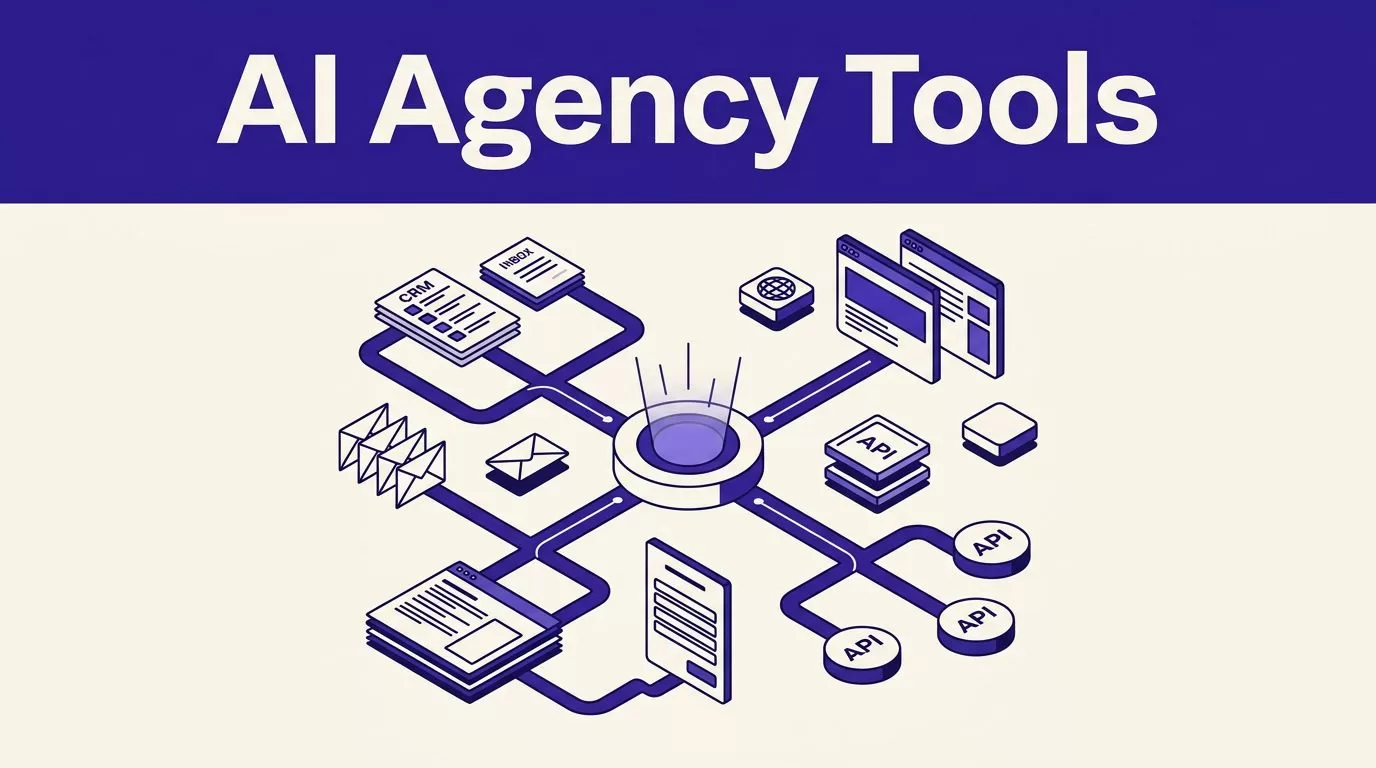
Most agencies don’t need another AI writer. They need fewer manual handoffs, cleaner client data, and workflows that keep running after the team closes its laptops.
The most useful AI tools for agency workflows connect forms, CRMs, inboxes, dashboards, and client portals. Twin.so stands out by using APIs when available and operating a browser when they aren’t.
That makes Twin.so useful for agencies with messy client stacks, repeated data entry, or AI sales automation needs that move lead and client data across CRMs, inboxes, and browser-only systems.
KEY TAKEAWAYS
- Twin.so is most useful for agency workflows that combine APIs, browser-only tools, unstructured inputs, and multi-step decisions.
- Agencies should automate repetitive handoffs first, including client onboarding, reporting preparation, CRM updates, lead qualification, and data entry.
- Deterministic tools such as Zapier, Make, and n8n remain the better choice for fixed rules and reliable APIs, while Twin.so handles more adaptive work.
- Keep human approval in place for client decisions, important sales replies, campaign interpretation, creative judgment, and external messages.
- Measure successful runs, failed actions, review time, and manual corrections before expanding an automation to more clients or processes.
WHAT AGENCY AUTOMATION SYSTEMS MUST HANDLE
Agency workflow automation usually combines fixed triggers with adaptive processes.
Traditional business process automation follows fixed instructions. A trigger starts an action, data moves between applications, and the workflow stops when a condition fails. Zapier, Make, and n8n are strong options for this type of process.
AI workflow automation tools handle less structured work. AI agents for agencies can read an email, interpret a brief, decide which tool to open, extract information from a webpage, and prepare an output. They can work with text and browser interfaces instead of relying only on clean fields and stable APIs.
The difference matters when your client uses:
- A CRM with incomplete integrations.
- A private advertising or vendor portal.
- A directory that requires browser navigation.
- A legacy platform with no public API.
- Several tools that require different login and data-entry steps.
AI tools for agency workflows should match the quality and structure of the input. Agencies should automate operational bottlenecks before automating creative judgment. Start with meeting-note capture through AI meeting assistants, CRM updates, and lead qualification through AI sales automation. Add client onboarding, reporting, inbox triage, and internal handoffs.
A practical AI workflow automation agency guide also highlights the cost of connecting too many tools without a clear operating model. AI tools for agency workflows should be judged by integration reliability, not tool count. Tool count isn’t the same as efficiency. Every additional connection adds another place where data can fail.

Where Twin.so Fits in an Agency Automation Stack
Twin.so is an AI automation platform. You describe the outcome in plain language, then configure the tools, triggers, and instructions the agent needs.
Its main advantage is the combination of API automation and browser automation. Twin.so can complement an API integration platform, using an API when one exists. It can also support data processing workflows by logging into an authenticated website, navigating pages, clicking buttons, entering data, and submitting forms when an API isn’t available.
Twin.so organizes agents inside workspaces for separate clients, service lines, or internal processes. This structure supports workflow orchestration through shared context, connected tools, and multiple agents that pass work between processes.
Twin.so also includes scheduling and event-based triggers. Depending on the workflow, an agent can run on a schedule, respond to an incoming email, or start through a webhook.
The platform advertises thousands of integrations. Public pages show different totals, so treat the number as a breadth claim rather than a buying metric. The important question is whether Twin.so can reliably reach the tools used by your clients.
AI workflow automation tools vary in how they connect apps, browsers, and data. For AI tools for agency workflows, the best choice depends on the task, required access, and level of control:
| Tool type | Best fit | Main consideration |
|---|---|---|
| Zapier | Simple app-to-app triggers | Limited flexibility for complex browser tasks |
| Make | Visual branching and data processing | Requires careful scenario maintenance |
| n8n | Custom workflows and technical control | Needs more setup and operational ownership |
| Gumloop | Visual AI agents and data workflows | Best when the required apps and inputs are supported |
| Twin.so | Browser-based and multi-step agent work | Requires permissions, testing, and human review |
| Databox | Client-facing reporting dashboards | Depends on accurate upstream data |
Twin.so doesn’t need to replace every platform in your stack. It can fill gaps that existing no-code automation tools can’t reach, making it a practical option among AI tools for agency workflows.
The platform can also support AI sales automation when a CRM, browser-only lead source, and follow-up process must work together. Agencies can turn repeatable processes into workflow automation templates, then standardize the steps that need consistent execution.
A current agency workflow tool roundup reports savings ranging from 63 to more than 100 hours per month for some teams. Those figures are case-specific. Use them as a reminder to measure your own workflows, not as a guaranteed result.
BUILD AGENCY WORKFLOWS AROUND HANDOFFS
Don’t start by asking, “What can the agent do?” Start by mapping where work changes hands.
AI workflow automation tools work best when an AI-powered workflow handles the repetitive middle. AI tools for agency workflows can collect inputs and prepare drafts while people retain approval and judgment.
A typical agency process looks like this:
- A lead or client submits information.
- Someone reviews and qualifies it.
- An employee copies the data into several systems.
- A task gets assigned.
- A report, email, or deliverable is prepared.
- A manager checks the result.
- The client receives the approved output.
Twin.so fits best in the repetitive middle of this process, where AI sales automation can assist with lead qualification. Keep approval points visible. Don’t hide important client decisions inside a background agent.
Automated client onboarding
A Twin.so onboarding agent can monitor a form submission, email, or webhook. It can read the submitted details, check for missing information, create tasks, and update the CRM.
For a marketing agency, the workflow might collect:
- Company and contact details.
- Website and advertising accounts.
- Brand guidelines and approved messaging.
- Access requirements.
- Reporting preferences.
- Project deadlines and assigned staff.
The agent can then prepare an internal summary and route incomplete submissions to the correct person. After approval, it can handle CRM data population, then open relevant client tools in a browser to confirm required access.
Don’t let the agent send a final welcome message without review during the first rollout. Test the workflow with real edge cases, including missing fields, duplicate records, expired credentials, and conflicting deadlines.
Build automated client reporting
Reporting is a strong use case for AI tools for agency workflows because the process repeats every week or month.
A scheduled Twin.so agent can collect data from Google Analytics, Meta Ads, a CRM, or a client portal. It can use data processing workflows to normalize the figures. Then it can place them into a reporting template and prepare a draft for review.
Use Databox or another dashboard tool when clients need live access. Use Twin.so for collection, browser navigation, data entry, and report preparation.
Predictive analytics can surface patterns, but the agent should not decide whether a campaign succeeded. It can identify changes, calculate totals, and flag anomalies. Your strategist should explain the cause and recommend the next action.
Route leads and update records
Lead qualification combines structured rules with unstructured information. AI tools for agency workflows can support lead intake automation by reading inquiries, applying service criteria, and classifying leads.
This covers lead intake and qualification, not automated lead generation.
AI sales automation can update the CRM and assign a task after qualification. For follow-up, AI sales automation can draft a reply and route the lead into the correct marketing automation workflows. People should review important replies and make important sales decisions.
If lead data sits in a browser-only directory, Twin.so can collect the required fields without a custom scraper.
This workflow saves time because the team no longer moves the same information between a form, spreadsheet, CRM, and inbox.
USE TWIN.SO FOR BROWSER-BASED WORKFLOWS
Browser automation is a clear reason to add Twin.so to an existing agency stack. AI tools for agency workflows gain broader coverage when standard integrations fall short.
Many agencies work inside tools that are accessible to a human but difficult to connect programmatically. AI agents for agencies can operate where a human can log in, even when no usable API is available. A client may use a supplier portal, local listing dashboard, recruitment system, insurance platform, or internal application with no usable API.
Twin.so’s browser agent can work inside these systems using stored credentials and normal browser actions. It can log in, find records, copy values, submit updates, and return the result to the wider workflow.

This model is useful for:
- Moving approved data into client portals.
- Checking campaign or account status.
- Collecting competitor information.
- Updating listings and directories.
- Downloading recurring files.
- Preparing research before a sales or client meeting.
These uses can support AI sales automation for sales and operations teams. They can collect and update records across recruitment, vendor, directory, and account-management systems.
Twin.so says its agents can retry and adapt when routine page or integration changes occur. Treat that as a platform capability to test, not a substitute for monitoring. Websites change. Captchas appear. Multi-factor authentication interrupts runs. A workflow that works today may need adjustment next month.
Agent automation case studies from Beam AI provide useful examples of how teams apply agents to repetitive service operations. Your own test should measure successful runs, error rates, and review time. It should also track the cost of failed actions across AI tools for agency workflows.
KEEP DETERMINISTIC AUTOMATION IN THE STACK
Twin.so is not a replacement for every automation platform. Choose AI workflow automation tools by process structure.
Use Zapier, Make, or n8n when the process has clear inputs, fixed rules, and reliable APIs. Task automation software handles fixed actions, such as creating records, sending notifications, or moving files.
Use Twin.so when the process requires interpretation, browser interaction, or several decisions across systems. This division gives AI tools for agency workflows a clear boundary: Twin.so handles adaptive work, while deterministic tools handle repetitive execution. In AI sales automation, it can execute multi-system steps, but a human still owns the sales decision.
Claude, Perplexity, and similar AI assistant tools can remain specialists for drafting, analysis, and research. Agencies don’t need custom AI models for every workflow. A reporting workflow might use Twin.so to gather data, a language model to draft observations, and a human strategist to approve the final report.
Creative agencies should apply the same rule. AI tools for agency workflows can move briefs, collect references, organize feedback, prepare content variations, and create production tasks. The creative director should still control the visual concept, brand judgment, and final client presentation.
Automate the handoff, not the responsibility. The agent can prepare the work, but a named person should own the decision.
CHECK SECURITY, COST, AND CONTROL BEFORE DEPLOYMENT
AI tools for agency workflows can improve convenience, but a browser agent can access sensitive systems. That creates a higher risk profile than a simple notification workflow.
Before connecting a client account, define the agent’s permissions. Use enterprise automation tools as a benchmark for permissioning, logging, credentials, and approvals. Limit access to the pages, records, and actions it needs. Store credentials in a controlled vault, and use separate accounts where possible. Review logs and recent runs on a fixed schedule.
Ask these questions before deployment:
- Can the agency restrict agent access by workspace or client?
- Does the platform record actions and failed runs?
- How are credentials encrypted and rotated?
- Can the agent stop before sending an external message?
- What happens when a page layout changes?
- Can a client request deletion of stored data?
- Which steps require human approval?
Don’t calculate savings from task volume alone. Measure operational efficiency across the complete process, including review and exception handling.
Track the current weekly time for onboarding, reporting, data entry, and lead routing. Then compare it with the automated version after two to four weeks. For a process with several handoffs, treat 10 to 15 hours saved per week as a testable benchmark. It only matters if the workflow runs reliably and avoids rework.
Start with one client or one internal process. Record successful runs, failed runs, manual corrections, and time spent reviewing outputs. Expand only after the numbers support the change.
If you need help designing an agency automation stack around real client workflows, Book A Call to review the process before selecting more software.
FREQUENTLY ASKED QUESTIONS
What makes Twin.so different from traditional automation tools?
Twin.so combines API automation with browser automation, allowing agents to work inside authenticated websites when no usable API is available. It is designed for adaptive, multi-step tasks rather than only fixed app-to-app triggers.
Which agency workflows are a good fit for Twin.so?
Strong use cases include client onboarding, reporting preparation, lead routing, CRM updates, browser-based data collection, and recurring portal updates. These workflows usually involve repetitive handoffs across several systems.
Should Twin.so replace Zapier, Make, or n8n?
No. Use Zapier, Make, or n8n for predictable processes with clear inputs, fixed rules, and reliable APIs, and use Twin.so where interpretation or browser interaction is required. A combined stack can give each tool a clear responsibility.
Do agencies still need human review when using Twin.so?
Yes. Human review should remain in place for important client decisions, sales replies, campaign conclusions, creative judgment, and external messages. The agent should prepare and move work forward without hiding responsibility inside a background process.
How should an agency measure automation results?
Track the current time spent on the process, then compare it with successful runs, failed runs, manual corrections, and review time after two to four weeks. Expand the workflow only when it reduces total work reliably and does not create costly rework.
CONCLUSION
Twin.so is a strong fit for agency workflow automation when work depends on browser-only tools, changing interfaces, unstructured inputs, and multi-step decisions. It brings AI agents for agencies into a stack that may already include Make, n8n, Zapier, Databox, Claude, or Perplexity.
The best deployment starts with repetitive handoffs. Use AI tools for agency workflows to automate onboarding, reporting preparation, and data entry first. AI sales automation can support lead routing and handoffs, while strategy, creative direction, approvals, and client judgment stay with your team.
The goal isn’t to collect more tools. It’s to give each workflow a clear owner, a measurable outcome, and the smallest amount of manual work required.
