Automate Affiliate Refunds With Rewardful and Stripe
A refund should remove the related affiliate cost before it reaches a payout file. If it doesn’t, finance pays commissions on revenue your company no longer keeps. You can automate affiliate refunds when Rewardful is connected to Stri...

A refund should remove the related affiliate cost before it reaches a payout file. If it doesn’t, finance pays commissions on revenue your company no longer keeps.
You can automate affiliate refunds when Rewardful is connected to Stripe and receives Stripe’s refund notifications. Full refunds remove the commission. Partial refunds reduce it based on the amount returned to the customer.
The system is simple on paper. The operating controls around pending periods, payout approval, and reconciliation are what keep it accurate.
HOW TO AUTOMATE AFFILIATE REFUNDS IN REWARDFUL
Rewardful tracks referral attribution and creates commissions from Stripe billing activity. Stripe remains the payment system. Your team still issues the refund in Stripe through the Dashboard or API.
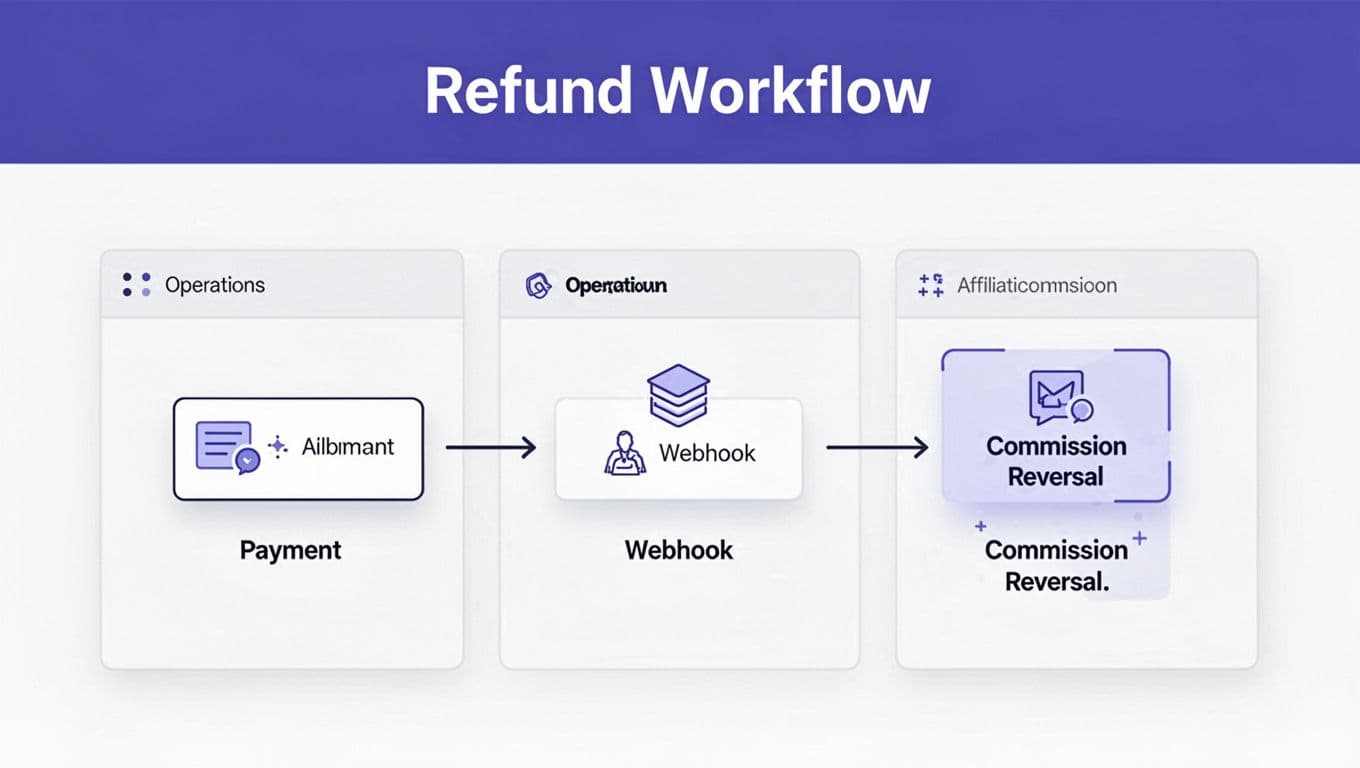
When Stripe sends the refund notification, Rewardful checks for a commission tied to the affected invoice. It then updates the commission record without a separate spreadsheet correction.

WHAT HAPPENS AFTER A FULL REFUND
A full Stripe refund removes the related Rewardful commission. The commission should no longer remain available for affiliate payout.
For example, a referred customer pays $500 for an annual plan. Your affiliate rate is 20%, so Rewardful records a $100 commission. If finance fully refunds the $500 charge, Rewardful removes that $100 commission after it receives the Stripe refund notice.
Rewardful documents this flow in its guide to automated refund handling. Your team doesn’t need to locate the affiliate record and void it by hand for a normal Stripe refund.
WHAT HAPPENS AFTER A PARTIAL REFUND
A partial refund does not delete the entire commission. Rewardful recalculates the commission against the amount the customer still paid.
Use the same $500 charge and 20% commission rate. If you refund $100, net collected revenue becomes $400. The adjusted commission is $80. Rewardful should reduce the original $100 commission by $20.
This matters when your team issues account credits, service recoveries, price adjustments, or partial cancellation refunds. Commission should follow collected revenue, not your original list price.
A click proves referral intent. A successful payment, less refunds and credits, proves the revenue you can pay commission on.
CONNECT STRIPE BEFORE YOU RELY ON AUTOMATION
The basic requirement is an active Rewardful connection to the Stripe account that processes referred customer payments. Rewardful uses Stripe events for customer, invoice, payment, and refund activity.
Rewardful does not issue the refund or move customer funds. Stripe controls charges, refunds, subscriptions, and payment data. Your team starts the refund in Stripe. Rewardful receives the financial update and adjusts the affiliate record.
CHECK THE BILLING PATH
Confirm that your production checkout, subscriptions, and invoices run through the Stripe account connected to Rewardful. A second Stripe account, a migrated billing setup, or an unsupported custom payment path can create a gap.
Start with these checks:
- Confirm the Stripe account linked to Rewardful is the account that collects customer payments.
- Run one referred test purchase through the same checkout path customers use.
- Verify that Rewardful creates the referred customer and the commission after successful payment.
- Issue a refund in Stripe and confirm that Rewardful updates the commission record.
Stripe can create refunds in the Dashboard or through its API. Its refund documentation confirms that you can issue multiple refunds against a charge, as long as the total never exceeds the amount paid.
DON’T BUILD A SECOND COMMISSION ENGINE
Your internal system may listen for Stripe webhooks for accounting, support, or data warehouse updates. Keep that workflow separate from Rewardful’s commission calculation.
Stripe publishes refund-related events, including charge.refunded, and also exposes refund objects and refund events. Review Stripe’s event reference before you build internal alerts or ledger logic.
Rewardful’s public documentation does not fully list every Stripe event it consumes internally. Don’t assume a custom webhook listener can replace the Rewardful-to-Stripe connection. It can’t.
SET A PENDING PERIOD THAT MATCHES YOUR REFUND POLICY
Automated adjustments work best when commissions stay pending until your normal refund window ends. Rewardful’s default pending period is 30 days, but a default is not a policy.
If your SaaS offers a 60-day money-back guarantee, set the commission pending period to 60 days. If you offer annual contracts with a 90-day refund clause, use 90 days. Rewardful gives the same principle in its explanation of how affiliate commissions move from Stripe data to payout.
WHY PENDING STATUS PROTECTS PAYOUTS
A pending commission is not an earned payout. It is a possible payout that still needs to survive your refund and review window.
Rewardful separates commissions into statuses such as pending, due, paid, and voided. Your payout process should only include commissions that have cleared the pending period and passed your finance review.
A minimum payout threshold can also hold a commission after it becomes due. That rule is useful for reducing small payment transactions, but it does not replace refund controls.
WRITE THE RULE FOR PAID COMMISSIONS
Rewardful’s refund documentation clearly explains automatic handling for refund-related commission recalculation. It does not clearly state how every case is handled after a commission has already been marked paid.
Set a written policy before that situation occurs. Decide whether you will:
- Offset the reversed amount against the affiliate’s next payout.
- Create a negative balance in your internal payout record.
- Request repayment for large or exceptional reversals.
- Review the account manually when a refund follows a completed payout.
Don’t wait for a dispute. Affiliates need to know when a commission becomes payable, what refund period applies, and how later reversals are handled.
USE REAL EXAMPLES IN YOUR FINANCE PROCESS
Your finance team needs a repeatable way to review refunds. A short decision table is easier to use than a long policy document.
| Customer payment | Refund issued | Commission rate | Expected commission result |
|---|---|---|---|
| $1,000 annual plan | Full $1,000 refund | 15% | Original $150 commission is removed |
| $1,000 annual plan | Partial $250 refund | 15% | Commission adjusts from $150 to $112.50 |
| $99 monthly plan | Full $99 refund | 20% | Original $19.80 commission is removed |
| $99 monthly plan | $19.80 credit | 20% | Commission adjusts from $19.80 to $15.84 |
The calculation is direct for percentage-based commissions. Use the amount actually collected after the refund, then apply the commission percentage.
HANDLE FIXED REWARDS WITH CARE
Fixed affiliate rewards need an explicit operating rule. A “$50 for each paid customer” campaign may not map cleanly to a partial refund because the reward is not tied to a percentage of revenue.
Rewardful documents automated adjustments for refunds, upgrades, and downgrades. Still, test your exact campaign rule. Do not assume that a partial refund produces a proportional change for every fixed-reward setup.
Document the expected outcome before your program goes live. Record the campaign name, commission structure, original charge, refund amount, adjusted commission, reviewer, and payout status.
ACCOUNT FOR DISCOUNTS AND CREDITS
Calculate percentage commissions from what Stripe collected, not the product’s headline price. A $1,000 plan sold with a $200 coupon produces $800 in collected revenue before later refunds.
The same rule applies to account credits. If Stripe records a lower paid invoice, the affiliate commission should match that lower payment amount.
This is where teams often lose control. Marketing sees the list price. Finance sees the cash. Your affiliate ledger needs to follow finance.
TEST REFUND AUTOMATION BEFORE OPENING THE PROGRAM
Do not test this process with a real affiliate payout. Use a controlled campaign, internal test account, and a small charge amount.
Create a referred customer through your normal checkout. Wait until the payment produces a commission in Rewardful. Then issue one full refund and one partial refund in Stripe.

RUN A SMALL TEST MATRIX
Use a simple test record with a row for each scenario:
- A one-time payment with a full refund.
- A one-time payment with a partial refund.
- A discounted payment with a partial refund.
- A subscription invoice with a full refund.
- A refund issued while the commission is still pending.
- A refund issued after the commission becomes due but before payout.
For each test, record the Stripe payment ID or invoice, refund amount, original commission, updated commission, Rewardful status, and test date.
Do not overwrite the original record. Store the before-and-after values. You need that audit trail when someone asks why an affiliate balance changed.
TEST YOUR WEBHOOK AND ALERT PROCESS
Rewardful handles its own Stripe connection, but your operations team may need a separate internal alert when refunds occur. Stripe’s webhook guidance for subscription activity explains why server-side events are more reliable than browser actions.
Use your own webhook listener to notify finance or update your accounting records. Do not use it to create a duplicate commission reversal unless your system is the documented source of truth for a separate ledger.
A browser referral cookie can show who referred a customer. It does not prove a payment happened. Stripe’s payment and refund events are the financial proof point.
RECONCILE REWARDFUL, STRIPE, AND YOUR PAYOUT FILE
A commission dashboard is not a complete finance record. Review a small sample every week, then perform a full review before each payout run.
Match each commission to a Stripe customer, paid invoice or charge, affiliate, commission amount, and current refund status. Then compare the approved due total with the payout file.
TRACK THE NUMBERS THAT SHOW PROGRAM HEALTH
Clicks are not revenue. Pending commissions are not final costs. Track these measures by affiliate and campaign:
- Referred customers with successful paid invoices.
- Pending, due, paid, and voided commissions.
- Refund-related commission reversals.
- Retained referred revenue after refunds.
- Time spent investigating exceptions.
- Total paid commission divided by retained paid referrals.
A partner can send high traffic and still create weak economics. High refunds, short-lived subscriptions, repeated credits, or self-referral patterns need a review before the next payout.
KEEP THE LAST TRUSTED REPORT
Export and store the approved commission report before you pay affiliates. Keep the Stripe refund evidence, payout export, payment processor confirmation, and reviewer signoff together.
If a checkout update breaks attribution or a Stripe connection fails, pause automatic approval. Return to manual review until the records match again.
Rewardful offers affiliate tracking features for recurring commissions and lifecycle changes, but your team still owns payout approval, fraud controls, tax records, and exception handling.
BUILD REFUND RULES FINANCE CAN DEFEND
To automate affiliate refunds well, connect Stripe to Rewardful, hold commissions through your real refund window, and verify the results with controlled tests. Full refunds should remove related commissions. Partial refunds should adjust commissions to the revenue retained.
The durable measure is approved, retained revenue, not clicks or pending balances. When Stripe, Rewardful, and the payout file agree, your affiliate program is ready to scale.

