How to Automate Gig Booking Inquiries With Twin.so
A full inbox isn’t a booking system. If you want to automate gig booking inquiries, start by collecting the same facts every time, then route each request according to clear rules. Twin.so can help build that workflow in plain English...

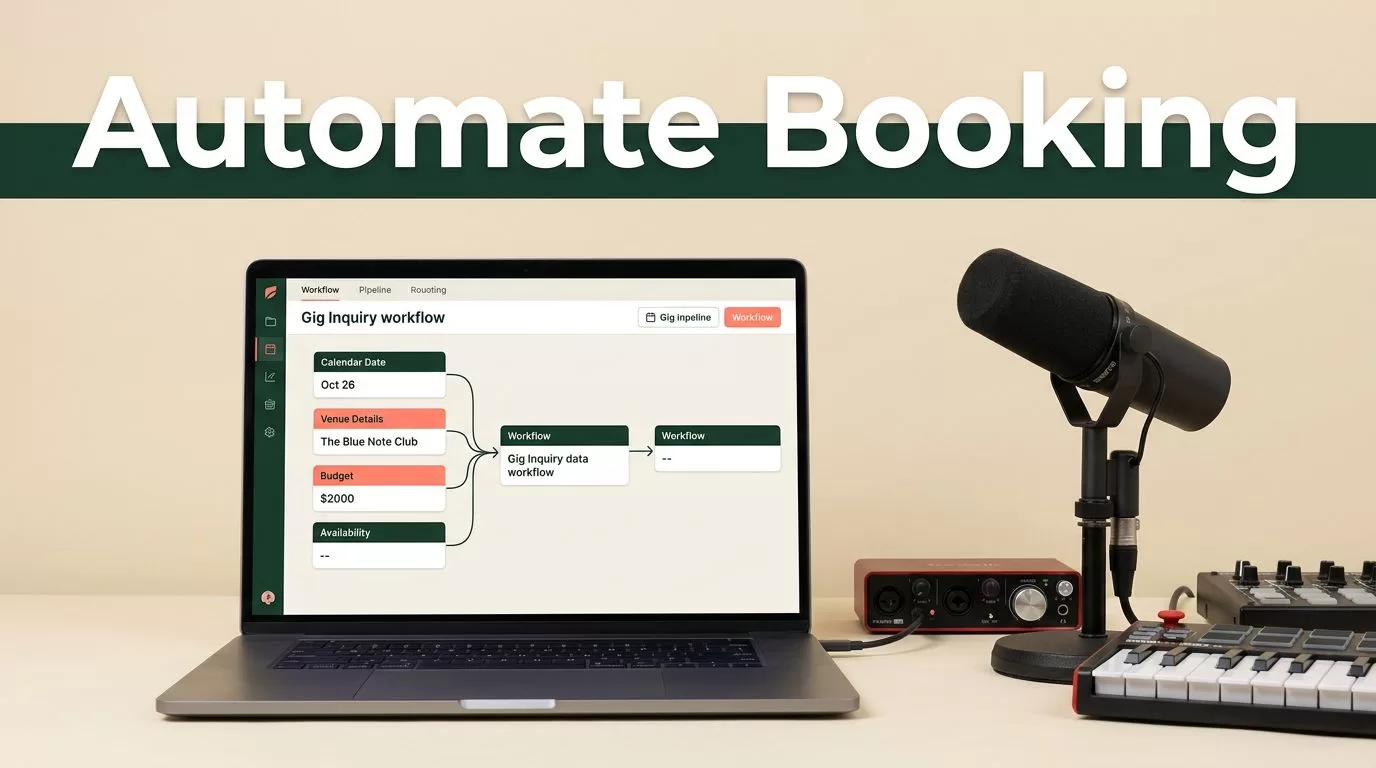
A full inbox isn’t a booking system. If you want to automate gig booking inquiries, start by collecting the same facts every time, then route each request according to clear rules. Twin.so can help build that workflow in plain English, but it won’t fix vague questions or undefined availability.
The target is simple: capture the inquiry, decide whether it fits, send the next useful message, and keep a clean record. You still control pricing, availability, contracts, and final confirmation. First, define the information your booking process needs.
Why Manual Gig Inquiries Create Booking Problems
Most booking requests arrive through a mix of email, social media, contact forms, and referrals. Each message uses different wording. One client includes the date and budget. Another sends only, “Are you available for my wedding?”
That creates four manual tasks:
- Finding the event date and location.
- Asking for missing details.
- Checking whether the booking fits your service area and price range.
- Following up when the client doesn’t reply.
These tasks look small individually. They become expensive when you handle dozens of inquiries each month. A slow reply can also push a client toward another performer. A DJ inquiry automation discussion shows why response time remains a common concern for booking professionals.
A useful system separates intake, qualification, and follow-up. It doesn’t treat every inquiry as a confirmed booking.
Your form collects the facts. Twin.so moves the information into the right place and starts the next action. You review exceptions and make the decisions that require judgment.
A dedicated booking CRM may combine inquiries, contracts, payments, and event records in one application. This live band CRM example can help you compare that approach with using Twin.so as an automation layer around your existing tools.
How to Automate Gig Booking Inquiries With Twin.so
Twin.so uses plain-English workflow instructions. You describe the result you want, connect the relevant accounts, and review the execution plan before testing it.
For a gig booking workflow, the instruction could be:
“When a new booking form submission arrives, extract the event details, add the inquiry to Google Sheets, notify me in Slack, and send a Gmail reply if the request includes a date, location, event type, and budget.”
The actual steps depend on your connected tools and account setup. Twin’s workflow examples include form submissions routed to Google Sheets, Slack, or Gmail. It also supports scheduling, webhooks, and API-based execution for recurring processes.
Twin can work with tools such as Typeform, Google Sheets, Slack, Gmail, and Calendly when those connections fit your setup. A Calendly workflow can help collect invitee information, send reminders, or sync booking data to a spreadsheet or CRM.
You don’t need to automate every decision. Start with repetitive actions:
- Read a new inquiry.
- Extract the booking fields.
- Store the request.
- Notify the right person.
- Send a response based on the available information.
If the form lives inside a website or portal without a usable API, Twin’s browser automation may operate the interface. Review the proposed browser steps before approval. Don’t give an automation agent permission to submit contracts, change prices, or confirm dates without a review step.
Design the Inquiry Form Before Building the Agent
Automation quality depends on the input. A form that asks only for a name and email will force you to continue the conversation manually.

Use questions that help you qualify the request without making the form feel like an application. Add these fields:
- What type of event are you planning?
- What is the event date and start time?
- Where will the performance take place?
- How many guests do you expect?
- How long should the performance last?
- What services do you need, such as DJ, live music, ceremony audio, or announcements?
- What is your estimated budget?
- Who is the decision-maker for the booking?
- How did you hear about us?
- What equipment, staging, parking, or power details should we know?
Use a date field instead of asking clients to type a date in free text. Use a dropdown for event type. Let clients choose a budget range if they aren’t ready to provide an exact number.
Your qualification rules should also be clear. For example, an inquiry may need to meet these conditions before receiving a consultation link:
- The event is within your travel area.
- The date is still open.
- The event type matches your services.
- The budget reaches your minimum.
- The client provides a usable email address and phone number.
Don’t reject a request automatically when the information is incomplete. Mark it as “Needs details” and send a short follow-up instead.
Build the Workflow in Six Practical Steps
1. Define the booking outcome
Start with one workflow. Don’t ask Twin.so to manage your entire sales operation in one instruction.
State the trigger, actions, conditions, and output. Mention where the record should be stored and who should receive the alert.
A clear instruction might say:
“When a new Typeform booking inquiry arrives, extract the client name, email, phone, event type, date, venue, guest count, services, and budget. Add one row to Google Sheets. If the date is missing, send a Gmail message asking for it. If all required fields are present, send a Slack alert and a confirmation email.”
2. Connect only the accounts you need
The setup examples for Twin include OAuth connections for Gmail, Google Sheets, and Slack. Connect the accounts required for this workflow. Avoid adding access to unrelated business systems.
Create a dedicated booking spreadsheet with columns for:
- Inquiry date.
- Client name.
- Event date.
- Venue and city.
- Event type.
- Budget.
- Requested service.
- Qualification status.
- Next action.
- Last contact date.
This structure gives you a reliable record even when the client changes channels later.
3. Set field and status rules
Tell Twin how to handle missing or unclear information. Use simple statuses such as:
- New.
- Needs details.
- Qualified.
- Not a fit.
- Consultation requested.
- Proposal sent.
- Confirmed.
- Closed.
A budget written as “flexible” shouldn’t automatically pass your qualification rule. Set the status to “Needs review.” A date that conflicts with another confirmed event should also go to a person.
4. Add the first reply
The initial response should confirm receipt without promising availability.
Use a message like this:
Hi [Name], thanks for reaching out about your [event type] on [date]. We received your inquiry and are checking the event details now. We’ll follow up with availability and next steps shortly. If you haven’t included the venue or estimated budget, reply with those details so we can prepare an accurate response.
Use placeholders only if Twin can reliably populate them. Test missing fields before you deploy the workflow.
5. Add qualification and routing
A qualified inquiry can trigger a Slack notification or a task in your CRM. An incomplete inquiry can receive a request for the missing field. A request outside your service area can receive a polite decline or referral message.
Keep the condition language plain:
“If the event date, location, event type, and budget are present, mark the inquiry Qualified. If any of those fields are missing, mark it Needs details and send the missing-information email.”
6. Test before turning it on
Twin’s setup process includes an execution plan and a test step. Use several test submissions:
- A complete inquiry that meets your criteria.
- An inquiry with no budget.
- An inquiry outside your travel area.
- A duplicate inquiry from the same client.
- An inquiry with an unavailable date.
Check every output. Confirm that the spreadsheet row is correct, the notification reaches the right person, and the email uses the right tone. Then choose whether the workflow runs on demand, on a schedule, or through a webhook or API.
Use Follow-Up Messages That Sound Human
Automation should remove repetitive work, not make every client feel processed.
For missing details, write:
Hi [Name], we can review this request, but we still need the venue city and expected performance length. Send those details when you can, and we’ll check the date properly.
For a qualified inquiry:
Thanks for sending the event details. Your request fits our service area and package range. The next step is a short call to confirm the schedule, setup needs, and final quote. Choose a time here: [scheduling link].
For a request that doesn’t fit:
Thanks for thinking of us. We aren’t available for this date and location, so we don’t want to hold up your planning. We recommend contacting another local performer who covers this type of event.
Don’t send a booking confirmation until a person verifies availability and accepts the commercial terms. The automated reply should move the conversation forward, not make a commitment on your behalf.
Add Guardrails and Track the Results
The safest setup gives Twin.so permission to collect, organize, and route information. Keep final control over pricing, date holds, contracts, deposits, and confirmed bookings.
Limit stored data to what you need. Don’t place sensitive payment details or private client information in a general spreadsheet. Give each connected account the smallest level of access that supports the workflow.
Review the first 20 to 30 inquiries manually. Look for incorrect dates, misread locations, duplicate rows, awkward replies, and missed qualification conditions. Fix the form or workflow rule when the same error appears twice.
Track a few operational metrics:
- Average time to first reply.
- Percentage of inquiries with complete details.
- Percentage marked qualified.
- Follow-up completion rate.
- Consultation booking rate.
- Confirmed bookings by source.
The goal isn’t to automate gig booking inquiries at any cost. The goal is to reduce repetitive handling while preserving accurate decisions and a clear client experience. Musicians discussing AI booking agents often raise the same practical issue: automation must support the relationship, not replace basic judgment.
Conclusion
A booking workflow works best when every inquiry follows the same path: form submission, structured record, qualification, useful reply, human review, and confirmed booking. Twin.so can connect those steps across supported tools such as Typeform, Google Sheets, Slack, Gmail, and scheduling systems.
Start with one form and one workflow. Test incomplete requests, unclear budgets, unavailable dates, and duplicate submissions before expanding. When you automate gig booking inquiries with clear rules, your inbox becomes a queue you can manage instead of a second booking system you have to maintain manually.

