How to Automate Partner Commissions With Rewardful
Partner commissions break at the handoff between a referral click, a checkout, and a finance payout. Your affiliate link can work perfectly while the commission record is missing, delayed, or tied to the wrong customer. Rewardful connects r...

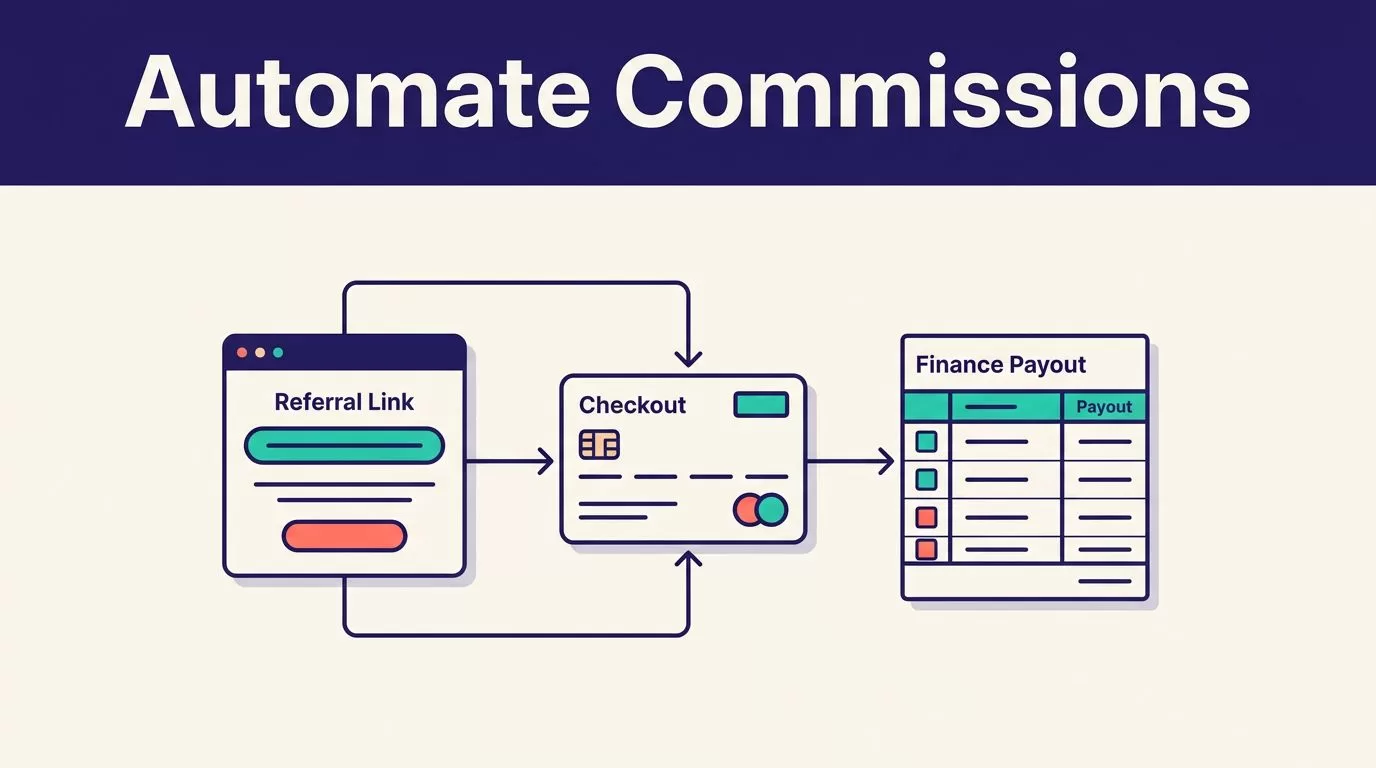
Partner commissions break at the handoff between a referral click, a checkout, and a finance payout. Your affiliate link can work perfectly while the commission record is missing, delayed, or tied to the wrong customer.
Rewardful connects referral attribution with Stripe billing data. Used correctly, it helps you automate partner commissions without building a spreadsheet that finance has to repair every month.
Start with the commercial rules, then connect the tracking and payment flow.
Start With a Commission Policy Your Team Can Defend
Your campaign settings should match the agreement your partners accepted. Don’t build the campaign first and decide the rules later.
Your goal is to automate partner commissions without automating payment mistakes. Define the partner type, eligible product, commission rate, earning period, refund handling, and payment schedule before you invite anyone.
Pick the right commission model
Rewardful campaigns can use percentage-based or fixed commissions. You can also pay one commission, recurring commissions, or a limited number of subscription payments.
Use the model that matches the value a partner creates:
| Partner situation | Practical commission structure |
|---|---|
| Content affiliate driving self-serve subscriptions | Percentage commission on recurring paid invoices |
| Integration partner with a defined referral fee | Fixed commission per eligible customer |
| Sales consultant introducing qualified accounts | One commission on the first paid invoice |
| High-retention customer acquisition channel | Recurring commission with a time limit |
For a one-time commission, set the maximum commissions per customer to 1. For a limited recurring deal, set a payment limit, a month limit, or both. When both limits exist, the first limit reached stops future commissions.
Don’t pay a lifetime recurring commission by accident. A 12-month commission period is easier to model than an open-ended promise.
Match the pending period to refund risk
Rewardful calculates commission from the final invoice amount Stripe records as paid. That is the correct financial base. Don’t calculate commission from list price when a discount, credit, or downgrade changed the amount collected.
Set the period before commissions become due to match your refund policy. If you offer a 30-day refund window, hold commissions for at least 30 days. If your contract allows a 90-day refund, use 90 days.
Unpaid commissions adjust when a customer receives a refund. Partial refunds reduce the unpaid commission. Full refunds remove the related commission record.
Paying a commission before the refund window closes turns a normal customer refund into a partner recovery problem.
Confirm the Rewardful and Stripe Prerequisites
Rewardful is Stripe-first. The connection works when referral data reaches Stripe and Stripe payment data returns to Rewardful.
You need a Rewardful account, Stripe access with permission to authorize the connection, control of your website or app code, and a clear owner for the checkout flow. Review Rewardful’s Stripe integration overview before choosing an implementation path.
Assign owners before configuration
Give one person ownership of each part of the process:
- A developer owns the tracking script, checkout changes, and production releases.
- A partner manager owns campaign terms, affiliate approval, and partner communication.
- Finance owns payout timing, payout currency, payment records, and reconciliation.
- A revenue or operations owner reviews attribution exceptions and recurring reporting.
One person can hold several roles in a small SaaS company. The responsibility still needs to be explicit.
Store the campaign terms in one approved document. Include the effective date, eligible products, rate, cookie window, attribution model, minimum payout amount, and refund rule. Change the document before changing campaign settings.
Map your actual checkout route
Don’t use generic instructions if your checkout is custom.
Write down how a visitor moves from an affiliate link to a paid Stripe invoice. Include your marketing site, app subdomain, pricing page, checkout page, Stripe Checkout session, payment link, or pricing table.
Rewardful’s tracking script should load across the root domain and relevant subdomains. Installing it only on an affiliate landing page leaves gaps when visitors browse, log in, or pay elsewhere.
Also identify whether your checkout is client-side, server-side, Stripe Payment Links, Stripe Pricing Table, or a custom Stripe API flow. Each route passes referral data differently.
Configure Rewardful to Automate Partner Commissions
Rewardful uses a campaign to hold your commission, attribution, cookie, and partner rules. The platform uses the term affiliate, but your business may call the same person a partner, creator, consultant, or referral source.
Create one campaign for one commercial promise. Don’t put radically different partner deals into a single default campaign.
Set attribution and cookie rules
New Rewardful campaigns use first-touch attribution by default. That means the first eligible affiliate referral gets credit. Last-touch attribution gives credit to the most recent eligible referral.
Choose first-touch when early educational content creates the buying decision. Choose last-touch when the closer channel should receive credit. Put the decision in your partner terms. Attribution disputes often start because the rule was never stated.
Rewardful’s default cookie window is 60 days. A longer window can fit high-consideration B2B SaaS. A short window can fit low-cost products with fast checkout behavior. Don’t select a window because it sounds generous. Select it because it matches your buying cycle.
Use coupon tracking for offline or direct promotion
Coupon attribution is useful when a partner promotes your product in a podcast, event, newsletter, or sales conversation. The customer can enter the promotion code at checkout without first visiting an affiliate link.
Treat coupons as a separate attribution route. Give each code one owner. Retire codes when a partnership ends. Review whether a coupon can stack with a customer discount before you publish it.
Don’t issue one shared code to ten partners. You lose the ability to resolve commission ownership later.
Connect Referral Data to Your Stripe Checkout
The referral ID is the bridge between a browser visit and a Stripe customer. If the checkout does not receive it, Rewardful can’t reliably attach the resulting payment to the partner.
Use the implementation guide that matches your stack. Don’t copy checkout code from a different Stripe integration.
Handle client-side Checkout correctly
For a client-side Stripe Checkout flow, Rewardful provides the referral value through Rewardful.referral. Pass that value to Stripe as clientReferenceId when you create the Checkout Session in the browser.
Follow Rewardful’s current client-side Stripe Checkout instructions instead of guessing the parameter format.
Only send the value when a referral exists. Your direct traffic should still be able to buy without an affiliate cookie.
Keep the referral value intact through pricing-page redirects, login gates, and checkout handoffs. A new redirect can drop attribution without producing a visible error.
Pass the referral in server-side and custom flows
In a server-side Checkout flow, pass the referral ID as Stripe’s client_reference_id when the session is created. Rewardful’s server-side Checkout requirements also require customer_creation to be set to always so the referral can connect to a Stripe customer.
Stripe describes client_reference_id as a field for attaching your own identifier to a Checkout Session in its Payment Link parameter documentation. In this setup, the identifier is Rewardful’s referral value.
For Stripe API endpoint flows, store the referral on the Stripe customer metadata under the referral key. For custom forms, add the documented Rewardful form attribute, then pass the value to Stripe when your backend creates the customer.
If you use Stripe Payment Links, enable “Save Payment Details for Future Use.” If you use Stripe Pricing Table, pass the referral through its client-reference-id attribute. Treat these as separate implementations, not small variations of standard Checkout.
Test Attribution Before You Invite Partners
Run tests before a public launch. A finished browser session is not proof that the paid customer, affiliate, Stripe record, and commission record all match.
Test in a controlled Stripe environment that mirrors your live checkout. Keep a log of the URL, affiliate, referral ID, Stripe customer ID, Checkout Session ID, invoice ID, commission status, and reviewer.
Verify the tracking script and referral path
Open your install URL in an incognito or private browser using the ?via=install referral parameter. Let the page load fully. Then refresh the Rewardful setup view to confirm the tracking script is detected.
Next, complete a test purchase through the same route a real customer uses. Check that the right affiliate appears on the referred customer and that the paid Stripe invoice creates the expected pending commission.
Test at least these cases:
- An affiliate link followed by a standard paid checkout.
- A direct purchase with no referral, which should create no affiliate commission.
- A coupon-only purchase, if your campaign uses partner codes.
- A refund or cancellation before payout.
- Two affiliate visits, so you can confirm first-touch or last-touch behavior.
Test the exceptions, not only the happy path
Test an expired cookie window. Test a customer who returns after logging in. Test a user who starts checkout on one subdomain and pays on another.
Also test a referral value missing at checkout. Your team needs to know where the record fails and who can repair it. Rewardful lets you manually associate a Stripe customer with an affiliate when a valid attribution issue needs correction.
Keep the original record. Store the proposed correction, reason, approver, and date separately. Don’t overwrite the evidence that explains why the payout changed.
Measure accepted commission records, not clicks, page loads, or completed automation events. A workflow that creates correction work is not saving your team time.
Run Payouts and Partner Operations on a Schedule
Commission automation still needs financial review. Rewardful can move commissions through pending and due stages, but finance should approve the payout list before money leaves the business.
Set a payout calendar. Monthly works for many SaaS programs. Higher-volume programs may need more frequent cycles. Keep the schedule stable unless you update partner terms.
Reconcile due commissions before payment
Before each payout run, compare due commissions with the related Stripe invoices. Check paid amount, refund status, product eligibility, campaign, partner, and payout currency.
Review affiliates who have not reached the minimum payout threshold. Their commissions can remain pending until they cross the threshold. Don’t manually force payment because a partner asks for an exception without a documented approval.
Rewardful supports payout preparation for PayPal and Wise. Its commission payment instructions explain the available payout routes. Confirm the recipient’s payment details before processing any mass payout file.
Communicate rules before disputes start
Partners need five facts before they publish a link: their rate, eligible product, attribution rule, cookie period, and payout timing. Send those terms when you approve them.
Send a payout notice with the payout period, amount, currency, expected payment date, and a contact for questions. Keep campaign changes in writing. A rate change should never appear as a surprise in a payout report.
If finance, RevOps, and engineering can’t agree on the handoffs, pause the launch and Book A Call before partner volume creates a larger reconciliation problem.
Build the System Before You Scale the Program
Rewardful can automate partner commissions when the campaign rules, referral handoff, Stripe records, and payout controls all agree. The tool does not fix a vague commission agreement or a broken checkout path.
Start with one campaign and a small approved partner group. Test the complete payment and refund cycle. Then expand once your team can explain every commission record.
Accurate attribution beats more affiliate activity.

