Automated Customer Onboarding Sequences in Twin.so
A new SaaS customer should reach the first useful outcome before enthusiasm fades. Manual onboarding often delays that moment with repeated emails, missing data, and unclear ownership. Automated customer onboarding is more focused than broa...

A new SaaS customer should reach the first useful outcome before enthusiasm fades. Manual onboarding often delays that moment with repeated emails, missing data, and unclear ownership.
Automated customer onboarding is more focused than broad marketing automation because it reacts to customer behavior. Twin.so can coordinate the workflow across the systems your team already uses, while your CRM or database stores the customer record.
Customer onboarding automation shortens time to value and improves the customer experience with clearer handoffs. Start with the customer milestone, then build the sequence around it.
Key Takeaways
- Define a measurable activation milestone before building the onboarding workflow, and use reliable product or account events to track progress.
- Use Twin.so to coordinate customer actions, internal tasks, data mappings, behavioral branches, and human handoffs across connected systems.
- Personalize onboarding by plan, role, industry, and use case, while using stop conditions and idempotency rules to prevent duplicate messages and tasks.
- Keep sensitive compliance and identity data in approved systems, passing only statuses or reference IDs through the workflow when needed.
- Measure activation, time to value, adoption, handoff rates, errors, retention, and churn instead of treating workflow completion or message delivery as success.
What Automated Customer Onboarding Should Accomplish
Customer onboarding is not a welcome email. It is the operating process that moves a new account from signup to regular product use.
A good automated onboarding workflow should answer four questions:
- What event starts the process?
- What action proves the customer is making progress?
- What should happen when the customer stalls?
- When should a person take over?
Manual onboarding depends on employees remembering each step. The process often looks different for every customer. Data gets copied between systems, reminders go out late, and customer success teams lack a reliable view of onboarding status.
Automation creates consistent rules and improves operational efficiency without removing human support.
| Manual onboarding | Automated onboarding |
|---|---|
| Fixed reminders sent to everyone | Messages triggered by customer activity |
| Status tracked in spreadsheets or inboxes | Status stored in connected systems |
| Repeated data entry | Fields mapped once and reused |
| Problems discovered during check-ins | Delays and errors routed for follow-up |
The business case is direct. OnRamp reports that 63% of buyers factor onboarding into their purchase decision. A poor onboarding process can put the customer acquisition investment at risk before retention becomes an issue. You can review OnRamp’s customer onboarding statistics for additional benchmark data.
Twin.so should support the process, not dictate it. Keep the workflow focused on specific outcomes. Avoid automating every possible customer interaction.
Define the Activation Milestone Before Opening Twin.so
The activation milestone is the first customer action that indicates real product value. It isn’t the same as creating an account or opening an email.
For a SaaS product, activation might require connecting a data source, configuring a workspace, publishing a report, or inviting a teammate. The right event depends on the product. Choose the action that usually comes before continued usage.
Write the rule in one sentence:
A customer is activated when the workspace is configured, one data source is connected, and the first report is shared.
Your rule should use events your systems can detect. If the product doesn’t expose an event, use a reliable proxy, such as a completed setup form or a change in the customer’s account status.
Store the minimum customer data needed to personalize the sequence and make decisions:
- Account name and customer ID
- Plan, role, industry, or use case
- Signup date and assigned owner
- Current onboarding status
- Activation date and last product activity
- Required integrations and compliance status
- Optional risk assessment status for regulated or B2B accounts; don’t retain sensitive source material
Keep data collection limited to these fields, rather than collecting every possible attribute.
Use your CRM or database as the source of truth unless your specific Twin.so setup is designed to store that state. This prevents conflicting records when a workflow runs more than once.
Customer expectations are high during this period. Custify’s SaaS onboarding and retention data shows why onboarding deserves operational attention, not only marketing attention.
Build the Sequence in Twin.so
Start workflow automation with one customer segment and one activation goal. A single workflow for every plan and use case becomes difficult to test.
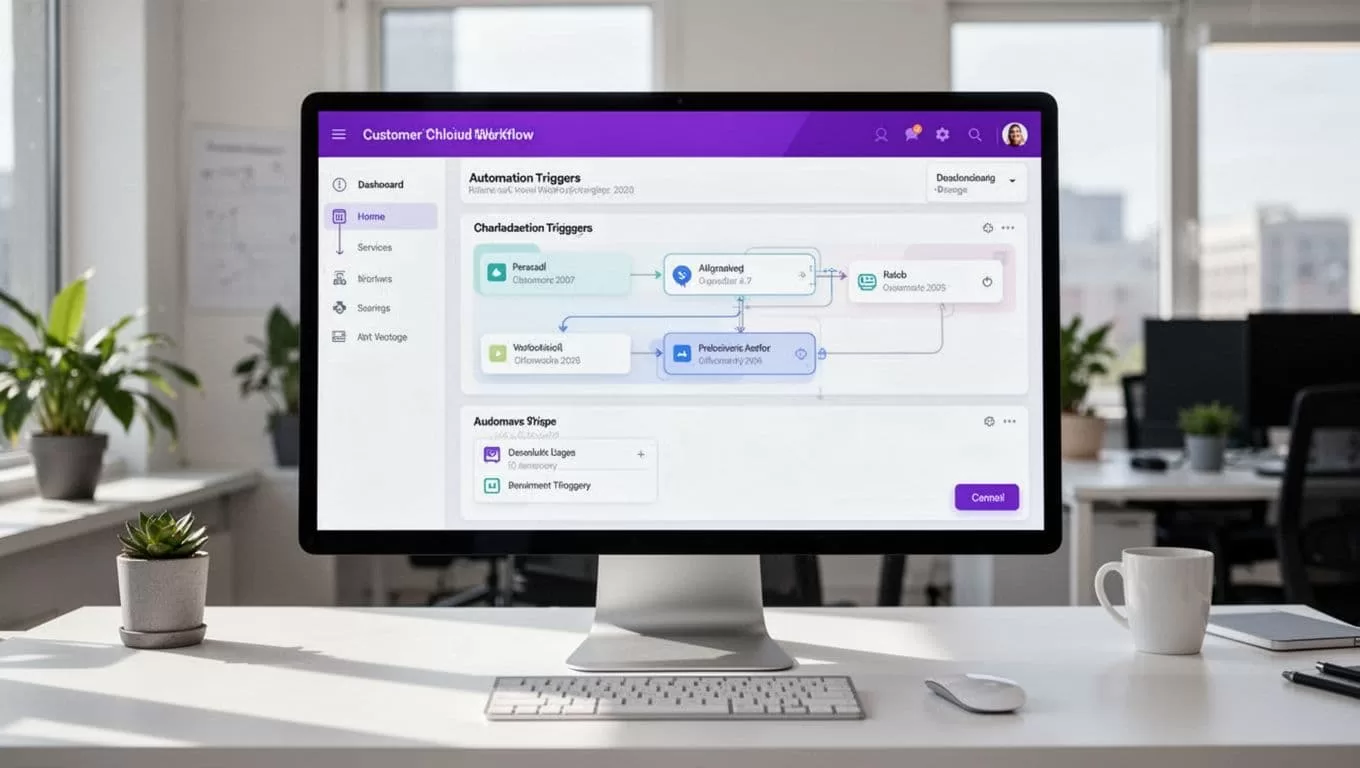
Use this build order in Twin.so:
- Create a new workflow and choose the trigger. Use the trigger available in your workspace, such as a new account event, completed form, CRM status change, or controlled manual run. Name the workflow after its purpose, such as “New Pro Account Activation.”
- Map the customer data. Pass the customer ID, email address, plan, owner, and use case into the workflow. Map fields instead of typing values into individual steps. This reduces data entry errors and makes the sequence easier to reuse.
- Add the first customer action. Send the setup instruction, create the onboarding record, or assign the first internal task through the connected tools available to you. Give the customer one next step. Long instructions reduce completion.
- Add a behavior check with behavioral triggers. Use events such as activation or a defined status change to determine the next action. Activated customers can receive an adoption message. Customers who haven’t completed setup can receive help, a follow-up, or a human handoff.
- Add stop conditions. For regulated or B2B accounts, add an optional branch based on the risk assessment status. Keep this branch separate from activation logic. The workflow should stop when the customer activates, cancels, opts out, or reaches a human-owned stage. A stop condition prevents duplicate messages and repeated internal tasks.
- Test with controlled records. Run the workflow with one internal account or test record. Check missing fields, duplicate runs, failed actions, incorrect branches, and permissions. Confirm that a rerun doesn’t send the same welcome message twice.
Twin.so’s available connectors and action types can vary by plan and workspace. Check the current options before designing the process around a specific integration. If a required system isn’t available, use a supported intermediate record or keep that step manual until you confirm a reliable connection.
Add an idempotency rule when possible. For example, check whether onboarding_status is already “welcome_sent” before sending the message again. This small control prevents common automation failures.
Use Behavioral Triggers Instead of a Fixed Email Drip
A fixed schedule assumes every customer needs the same help. Generic marketing automation rarely matches actual product usage.
Build the sequence around customer behavior:
- Send setup guidance immediately after signup.
- Send a reminder when the customer hasn’t connected the required integration.
- Offer an advanced use case after activation to support product adoption.
- Create a customer success task when the account stalls.
- Stop onboarding messages after activation or an opt-out event.
Use automated communication to support customer engagement. Give each channel a distinct purpose instead of repeating the same message everywhere. Email works well for instructions and reference material. In-app messages fit actions the customer can complete immediately. Push notifications can remind active users. SMS should require consent and should be reserved for time-sensitive communication.
Personalization doesn’t require a complex machine learning model. Use known data such as the customer’s role, plan, industry, and selected use case for personalized onboarding. If Twin.so supports an AI action in your workspace, limit it to bounded tasks, such as classifying a form response or selecting an approved message. Don’t ask it to invent account details or make an unreviewed promise.
A SaaS administrator may need technical setup steps. An executive sponsor may need a short summary of business outcomes. One sequence can serve both users when the message changes according to the stored role.
Handle B2B Compliance and Human Handoffs
B2B onboarding often includes more than product setup. It can involve compliance checks, identity verification, contract confirmation, permission reviews, procurement requirements, and hardware provisioning.
Use Twin.so to coordinate a regulated step only when its required connector and actions are supported. Complete a risk assessment before enabling that handoff. A service such as Middesk can handle business verification, while Twin.so can use the resulting status in a risk assessment to determine the next handoff.
Don’t move identity documents or regulated data through an unapproved connector. Use the approved compliance system for document management and data collection involving sensitive verification records. For compliance checks, pass a status, reference ID, or completion flag instead of copying the full document into multiple systems.
Hardware and installation workflows need explicit wait states. The sequence may need to pause until a device is shipped, a serial number is recorded, or an installation appointment is complete. Each wait state needs an owner and an escalation path.
If your process includes several systems or regulated steps, Book A Call to map the handoffs before you build the automation.
Track Activation, Adoption, and Retention
Workflow completion is not the main success metric. A customer can complete every onboarding task and still fail to achieve product adoption.
Track measures that connect workflow activity to customer value, business outcomes, and ongoing usage.
| Metric | What it tells you |
|---|---|
| Activation rate | How many new accounts reach the defined milestone |
| Time to value | How quickly customers reach first value |
| Step conversion | Where customers stop completing the process |
| Human handoff rate | How often automation needs intervention |
| Error and retry rate | Whether actions or data mappings are failing |
| Customer retention and churn rate | Whether early activation supports ongoing usage and lower churn |
Review the metrics by plan, role, use case, customer acquisition source, and behavioral triggers associated with activation. An average activation rate can hide a serious problem for one customer segment.
Compare cohorts that used the Twin.so workflow with earlier customers who followed the manual process, distinguishing results from unrelated marketing automation. Review activation, product adoption, user engagement, support volume, and retention over the same period. Include customer satisfaction when survey data is available, plus risk assessment outcomes for regulated cohorts. Don’t claim success because messages were delivered; measure whether customer behavior changed.
Onboarding completion rates vary by product complexity. The customer onboarding statistics from SundaySky provide useful context, but your own cohort data should guide decisions. A 90% completion rate means little if the activation milestone is poorly chosen.
Fix Common Automation Failures Before They Scale
Most onboarding problems come from weak workflow rules, not missing software.
A sequence that sends the same message to every user will create noise. Segment by the information you already collect. A sequence without stop conditions will repeat tasks after the customer has moved on. Add a clear exit at every major stage.
Check the workflow when any of these conditions apply:
- A customer record is missing a required field.
- An integration fails or returns an unexpected status.
- A risk assessment returns an unexpected or incomplete status.
- The same trigger fires more than once.
- A customer replies with a question.
- A customer reaches the activation milestone early.
- A customer remains inactive beyond the support threshold.
Keep a human owner for exceptions. Automation should remove repetitive work so customer success teams can focus on blocked accounts, expansion opportunities, and complex implementation needs.
Frequently Asked Questions
What is automated customer onboarding?
Automated customer onboarding is the process of moving new accounts from signup to regular product use through rule-based workflows. It responds to customer behavior and coordinates messages, tasks, data updates, and human support across connected systems.
How should I choose an onboarding activation milestone?
Choose the first customer action that reliably indicates real product value, such as connecting a data source, configuring a workspace, or sharing a report. The milestone should be measurable through an event or a dependable proxy in your systems.
How can Twin.so prevent duplicate onboarding actions?
Add stop conditions for activation, cancellation, opt-out, and human-owned stages. When possible, use idempotency checks, such as confirming that the onboarding status is not already “welcome_sent” before sending the message again.
When should a person take over the onboarding process?
A human should take over when an account stalls, an integration fails, a customer asks a question, or a compliance or implementation issue requires judgment. Automation should route these exceptions to an accountable owner rather than repeatedly sending automated reminders.
What metrics should customer teams track?
Track activation rate, time to value, step conversion, human handoff rate, error and retry rate, adoption, retention, and churn. Compare these measures across customer segments and against the previous manual process to determine whether automation improves outcomes.
Conclusion
Automated customer onboarding works when each step has a clear trigger, measurable outcome, and accountable owner. Twin.so can coordinate those steps across your operating systems, but the workflow still needs a reliable activation milestone and trustworthy records.
Start with one segment and one sequence. Test every branch, prevent duplicate runs, and compare activation and retention with the manual process. The goal isn’t more automation. It’s getting every qualified customer to value faster, with fewer avoidable delays.
