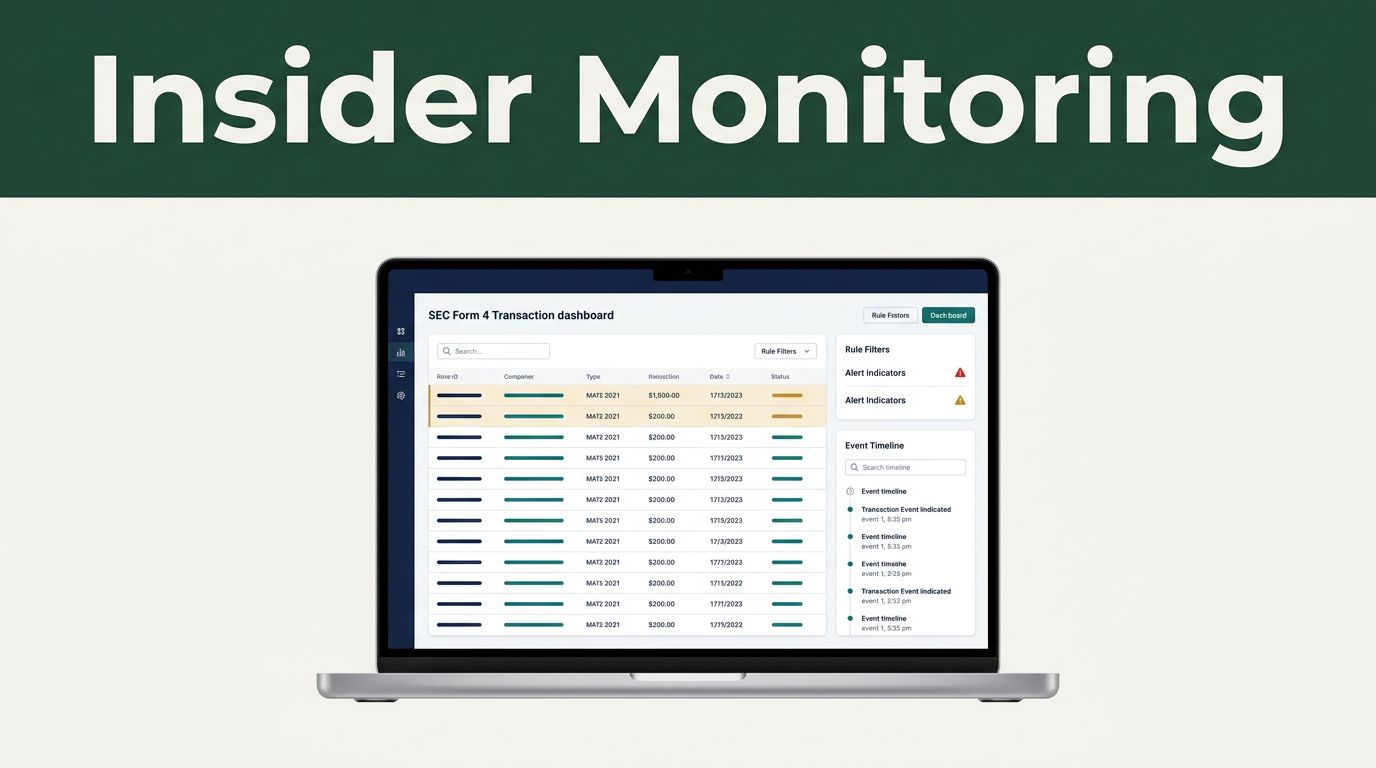
Filings arrive throughout the day, and manual checking turns a research process into a queue of browser tabs. Automated insider trading monitoring in Twin.so can collect public Form 4 data, apply rules, alert your team, and preserve each event in a searchable log.
The workflow isn’t a trade button. It is a research system that helps you find relevant disclosures faster and review them with consistent criteria. Start with the filing data, then build the filters, alerts, and records around it.
What Form 4 Monitoring Actually Tracks
A publicly disclosed insider transaction isn’t the same as illegal insider trading. Directors, officers, and 10% beneficial owners report many purchases, sales, awards, and other ownership changes through SEC filings. A Form 4 is generally due within two business days after the transaction.
The filing shows what happened. It doesn’t explain every reason behind the trade, and it doesn’t prove that the insider used material nonpublic information.
This distinction matters when you build automated insider trading monitoring. The system should identify filings for research. It shouldn’t label a person or transaction as unlawful.
Form 4 data can include:
- The issuer, ticker, and SEC CIK.
- The insider’s name, role, and relationship to the company.
- The transaction date and filing acceptance time.
- The transaction code, share count, price, and estimated value.
- Direct or indirect ownership.
- Holdings after the transaction.
- Derivative securities such as options or restricted stock units.
- Footnotes, amendment status, and 10b5-1 plan information.
A sale may result from tax withholding, option expiration, portfolio planning, or a prearranged trading plan. A purchase may reflect personal conviction, but it can also be small compared with the insider’s overall assets.
Use a SEC Form 4 transaction tracker to review how these disclosures appear in practice. Then design Twin.so to capture the fields that your analysts actually use.
Build the Twin.so Insider Data Pipeline
A good automated insider trading monitoring workflow has five parts: ingest, normalize, filter, notify, and log.
Start by creating a Twin.so workflow for a defined watchlist. This might include every company in a portfolio, a sector universe, or a list of issuers under active research. Avoid starting with every public company unless your team has the storage and review capacity to handle the volume.
Choose a structured source whenever possible. A vendor feed or API can return parsed Form 4 records without forcing Twin.so to interpret raw filing pages every time. The SEC API insider trading documentation describes structured data for Forms 3, 4, and 5, including transaction details and ownership fields.
Configure the first workflow step to receive new records. Depending on your source, this can run on a schedule, accept a webhook, or check for new filings at regular intervals. Store the original filing reference with every event. A normalized record is useful, but analysts still need to open the underlying document.
Next, map the source fields into a consistent Twin.so object. Use the same names for every issuer:
- Store the ticker and CIK as issuer identifiers.
- Save the insider name and role as separate fields.
- Keep the transaction date separate from the filing timestamp.
- Store the transaction code without changing its original value.
- Calculate gross transaction value from shares and price when the source doesn’t provide it.
- Preserve ownership type, post-transaction holdings, and footnotes.
- Mark amendments and connect them to the original filing.
The amendment step needs attention. A Form 4/A can correct or replace information from an earlier filing. Your workflow shouldn’t create a second unrelated event and leave the original record active. Use the filing identifier, issuer, insider, and transaction date to find the earlier event. Update the record and keep an audit trail.
Create a small test watchlist before expanding the workflow. Use a well-covered issuer such as Apple, then confirm that Twin.so receives the filing, maps each field, and stores the source reference correctly. A test case exposes duplicate records and missing fields before they affect a larger research queue.
Set Purchase and Sale Thresholds
Not every filing deserves an immediate team notification. Grants, option exercises, tax-related sales, and routine plan transactions can create noise. Thresholds help Twin.so route events according to research value.
Use transaction codes and dollar values together. A purchase code by itself isn’t enough. A $20,000 open-market purchase may matter for one insider but not another. A large grant may have no relationship to an insider’s decision to buy shares with personal funds.
A $500,000 stock grant and a $50,000 open-market purchase can appear in the same filing system, but they don’t carry the same research meaning.
Create separate rules for purchases, sales, and non-market ownership changes. For example, a first version could use the following routing logic:
| Filing condition | Twin.so action |
|---|---|
| Open-market purchase code and value of at least $50,000 | Send an analyst alert and create a research record |
| Open-market sale code and value of at least $100,000 | Log the event and include it in the next review digest |
| Two or more insiders purchase shares in the same issuer within seven days | Send a higher-priority team alert |
| Form 4/A amendment matches an existing event | Update the original record and flag the change |
| Grant, option exercise, or tax withholding event | Log it without an immediate alert unless separately configured |
These numbers are starting points, not universal standards. Set them against your team’s coverage, company size, and review capacity.
Filter out 10b5-1 plan activity when the goal is to find discretionary trades. Keep a separate field for the plan status rather than deleting the event. Plan-related transactions still matter for a complete ownership history.
Use a second threshold based on holdings. A purchase of 10,000 shares may sound large, but its importance changes when the insider already owns millions of shares. Comparing the transaction with post-transaction holdings gives your analysts better context.
Alert the Team and Log Every Filing
Alerts work best when they answer the first research questions without making the analyst open several systems.
When a threshold matches, have Twin.so assemble a compact event summary. Include the issuer, insider, role, transaction type, date, number of shares, price, estimated value, ownership after the transaction, plan status, and source filing.
Route high-priority events to the team’s approved channel. Send lower-priority activity to email, a daily digest, or a research database. Don’t send every Form 4 to a shared chat channel. Excess alerts train people to ignore the workflow.
A practical Twin.so sequence looks like this:
- Receive a new Form 4 record.
- Confirm that the issuer is on the watchlist.
- Check whether the filing is an amendment.
- Classify the transaction code and ownership type.
- Calculate or verify the transaction value.
- Apply purchase, sale, insider-role, and 10b5-1 rules.
- Send the event to the correct team route.
- Write the full record to the research log.
- Save the filing URL and workflow timestamp.
The research log is as important as the notification. It gives your team a history of what the workflow saw, which rule matched, who received the alert, and whether the record later changed.
Use a stable event ID to prevent duplicate entries. Include the issuer CIK, insider identity, filing accession number, and transaction date where available. If the same filing is received twice, Twin.so should update the existing record rather than creating a duplicate.
For teams that need custom parsing or historical analysis, the EdgarTools Form 4 documentation shows how structured SEC data can support transaction analysis and 10b5-1 review.
Review Insider Activity Without Treating It as a Signal
Automated insider trading monitoring reduces search time. It doesn’t remove the need for judgment.
Review purchases and sales differently. Open-market purchases often provide a clearer indication of voluntary capital allocation than compensation-related entries. Sales need more context because insiders may sell for taxes, diversification, scheduled plans, or personal liquidity.
Your analyst should review:
- Whether the trade was open-market or part of a plan.
- Whether one insider traded or several insiders traded.
- The insider’s role and access to company operations.
- The transaction size relative to previous holdings.
- Whether the activity repeats over multiple filings.
- The company’s recent disclosures and financial condition.
- Any footnotes that change the meaning of the transaction.
A cluster of purchases can deserve attention, but it isn’t a guaranteed predictive signal. The same event can look different after an earnings release, a stock split, a compensation grant, or an amendment.
Keep the language in alerts neutral. Use “director purchased shares” rather than “director has confidence in the stock.” Use “sale disclosed on Form 4” rather than “insider is exiting.” Neutral wording helps the research team separate facts from interpretation.
Twin.so can support the review process by adding analyst notes, research status, and follow-up dates to each event. Those fields turn an alert into a usable record. They also make later audits easier because the team can see what it knew at the time.
Test, Audit, and Improve the Workflow
Run the workflow against recent filings before relying on it for daily coverage. Check whether it captures purchases, sales, amendments, indirect ownership, and plan-related transactions correctly.
Measure four outcomes:
- How quickly a filing enters Twin.so after acceptance.
- How many duplicate events the workflow creates.
- How many alerts analysts dismiss as noise.
- How many relevant filings fail to trigger a rule.
Review the false positives first. If every option exercise reaches the trading desk, add a transaction-code filter. If large sales create too many alerts, require an open-market code and a minimum value. If amendments produce confusing records, improve the matching logic.
Keep raw data and normalized data together. The raw filing supports audit work. The normalized record supports filtering, reporting, and research queries.
Revisit thresholds after your team has enough history to judge alert volume. A rule that works for a small technology portfolio may overwhelm a workflow covering thousands of issuers. Change one rule at a time so you can identify what improved or damaged the process.
Conclusion
Twin.so can turn Form 4 monitoring into a repeatable research workflow. Connect a structured filing source, normalize the important fields, set separate purchase and sale thresholds, alert the right people, and log every event with its source record.
Automated insider trading monitoring helps your team find public disclosures faster, but it doesn’t convert insider activity into investment advice. Treat every filing as a fact to review, add the surrounding context, and keep legal conclusions separate from automated classification.