Automated Quote Generation With Twin.so
Manual quotes slow down sales at the worst possible moment. A prospect asks for pricing, but the request sits in email, a spreadsheet, or a CRM task before anyone can calculate the total. With automated quote generation, Twin.so can help co...
Manual quotes slow down sales at the worst possible moment. A prospect asks for pricing, but the request sits in email, a spreadsheet, or a CRM task before anyone can calculate the total.
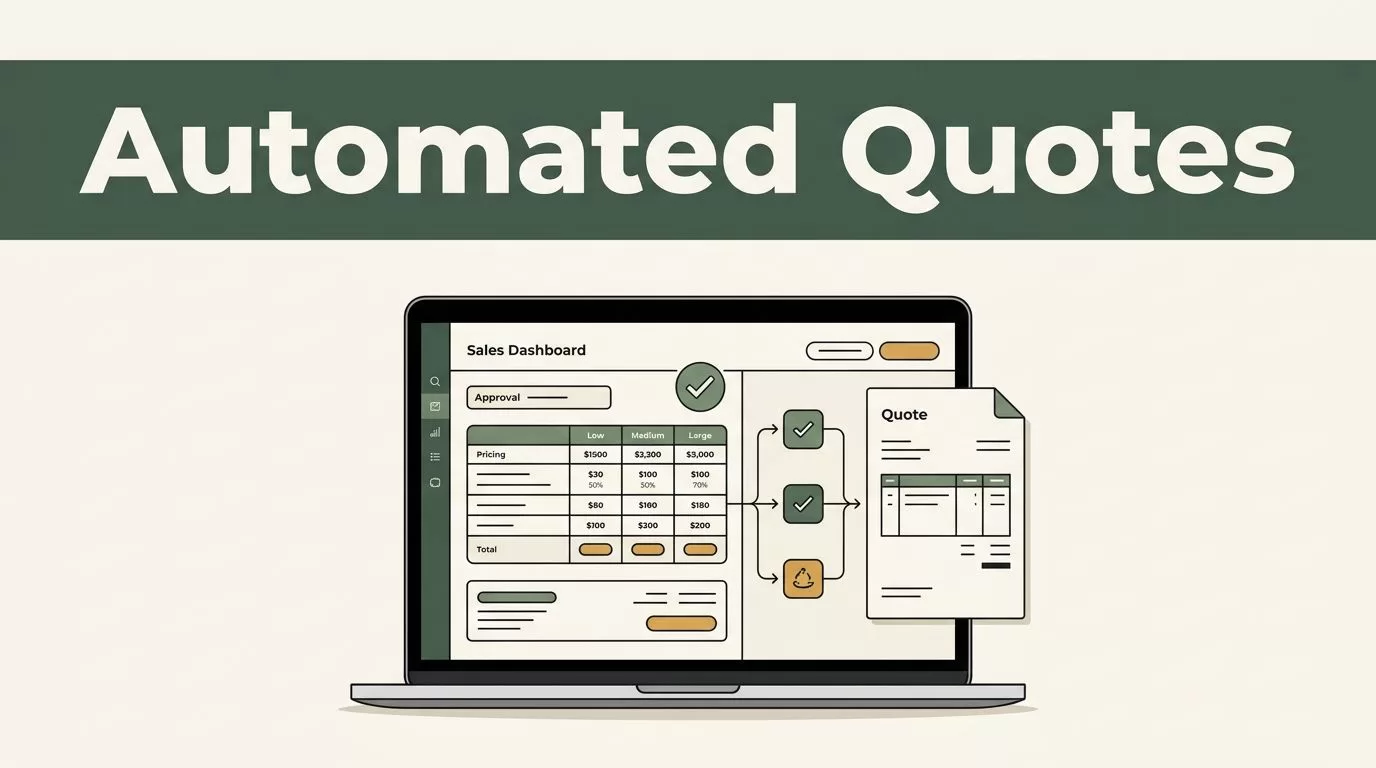
With automated quote generation, Twin.so can help collect quote details, apply approved pricing rules, prepare a draft, and route it for review. The important part is the workflow design. Twin.so should calculate and assemble the quote, while a person approves pricing exceptions and customer-facing terms.
What Twin.so Can Automate in a Quote Workflow
Quote automation combines structured customer data, pricing rules, document creation, and delivery. Salesforce’s sales quote automation guide describes the broader process as using CRM and automation tools to create accurate, customized quotes with fewer manual steps.
Twin.so is not documented as a dedicated configure-price-quote platform. It is an agent platform that can connect tools, respond to events, run on schedules, use APIs, and interact with websites through browser automation. Its no-code AI agent builder lets teams describe an outcome in plain language and configure a repeatable workflow around it.
That distinction matters. Twin.so can coordinate the steps needed to create a quote, but your business still needs to define the prices, approval limits, tax treatment, and document format.
A public Twin.so tutorial shows a related workflow. After a Fathom sales call, the workflow retrieves the transcript, extracts client details, project scope, deliverables, timeline, and pricing, creates a PDF statement of work, and sends it by email. The workflow checks for new calls on a recurring schedule.
That example demonstrates document and workflow automation. It doesn’t prove that Twin.so has a native quote template or built-in pricing catalog. Treat it as a model for assembling your own process.
Your workflow can accept inputs from:
- A website quote form.
- A CRM record.
- A sales call transcript.
- An email request.
- A customer portal or internal pricing sheet.
Keep the source material organized. Store current rate cards, approved service descriptions, terms, and quote templates in a controlled workspace. Archive old versions so the agent doesn’t select an outdated price.
A quote agent should use approved pricing data, not guess when a matching line item is missing.
How automated quote generation works with Twin.so
A reliable workflow separates information collection from pricing decisions. The agent first finds and checks the inputs. It then applies known rules. The result becomes a draft quote that follows an approval path.

Build the process in this order:
- Capture the quote request. Start with a form, CRM trigger, email, or call transcript. Define the event that starts the workflow, such as a new qualified opportunity or a completed sales call.
- Normalize the data. Convert different request formats into the same fields. A cleaning business may need the service address, property size, cleaning type, visit frequency, preferred date, access instructions, and contact details. An agency may need the number of deliverables, service tier, deadline, and revision allowance.
- Validate required fields. Stop the workflow when the service address is outside the operating area, the contact record is incomplete, or the request contains an unknown service. Create a follow-up task instead of producing an incomplete quote.
- Apply the pricing rules. Match each approved service to a rate card. Calculate quantities, add-ons, travel fees, rush charges, discounts, taxes, and minimum order values according to your documented rules.
- Create the quote draft. The output should include customer details, line items, quantities, prices, subtotal, taxes, total, expiration date, assumptions, payment terms, and the assigned reviewer.
- Route the draft for approval. Send the draft to the correct salesperson or operations manager. After approval, Twin.so can distribute the final document through the connected email, CRM, or document workflow.
This structure also works with transcript-based requests. A transcript can identify scope and timing, but it may mishear a number or confuse a request with an agreed requirement. Keep the original transcript attached to the quote and verify important details before approval.
Twin.so’s API and browser capabilities are useful when a system lacks a direct integration. An agent can retrieve information through an available API or interact with a web application through browser actions. Use restricted accounts and clear permissions. A quote workflow shouldn’t have access to unrelated financial or customer data.
Build Pricing Logic a Human Can Audit
Pricing logic must be visible. Avoid one large instruction that says, “Create a competitive quote.” That wording gives the agent too much room to interpret the result.
Use separate rules for each part of the calculation:
- Base service price.
- Quantity or unit rate.
- Add-on charges.
- Travel or location fees.
- Rush or after-hours charges.
- Approved discounts.
- Taxes.
- Minimum margin or minimum order value.
A cleaning quote can use a simple calculation model. The figures below are an example of how the workflow should show its work.
| Quote input | Value | Calculation |
|---|---|---|
| Property size | 2,000 sq. ft. | 2,000 x $0.18 = $360.00 |
| Window cleaning | 12 windows | 12 x $8.00 = $96.00 |
| Travel fee | 1 visit | $25.00 |
| Subtotal | $481.00 | |
| Tax rate | 8% | $481.00 x 0.08 = $38.48 |
| Customer total | $519.48 |
The automated output should show the same line items and calculations. It should also state the assumptions, such as the quoted property size, one service visit, and the included cleaning scope.
An agency could use the same structure. Three landing pages at $800 each produce $2,400. Copywriting at $250 per page adds $750. The subtotal is $3,150. A 15% rush fee adds $472.50, producing a pre-tax total of $3,622.50.
Don’t hide calculations inside a generated paragraph. Store each amount as a separate field. This makes corrections easier and gives the reviewer a clear way to compare the quote with the rate card.
Cinc om’s overview of quote automation also connects automation with quote accuracy and delivery efficiency. The accuracy comes from controlled inputs and rules. It doesn’t come from the model alone.
Keep Human Approval Where Price Risk Starts
The fastest workflow is not the one that sends every quote without review. It is the one that sends standard quotes quickly and stops unusual requests before they reach the customer.
Set approval conditions inside the workflow. A human should review the draft when:
- The requested service has no approved rate.
- The discount exceeds the team’s normal limit.
- The total falls below the margin floor.
- The work includes custom scope or unclear deliverables.
- The tax location is uncertain.
- The quote includes non-standard payment or cancellation terms.
- The customer requests a rush deadline.
- The total exceeds an agreed approval threshold.
For routine quotes, you can use a lighter review. The agent can prepare the document, attach the assumptions, and assign the quote to the account owner for a quick check. For complex proposals, keep a full review by sales and operations.
Do not let Twin.so replace judgment about scope. A transcript may mention a possible add-on without confirming that the customer accepted it. A form may contain a typo in the property size. A CRM field may contain an old rate.
Use a clear status flow:
New request -> Needs information -> Draft quote -> Human review -> Approved -> Sent
If required information is missing, the status should remain “Needs information.” The workflow can send a targeted request for the missing field and pause the quote process.
Test the Workflow Before You Trust It
Start with a small set of historical quotes. Choose standard requests, unusual requests, incomplete requests, and requests with discounts. Run them through the workflow without sending anything to customers.
Compare four results:
- Did the agent collect every required input?
- Did it select the correct rate?
- Did the calculations match a human-prepared quote?
- Did it stop when the request needed review?
Track the time needed to prepare each quote, the number of corrections, and the number of follow-up messages required. These measurements show whether automation improves the actual process or only creates another review queue.
Test failure cases on purpose. Submit a request outside your service area. Remove the phone number. Use a duplicate email address. Add a service that isn’t on the rate card. Change the tax location. The workflow should pause, explain the problem, and assign the correct next step.
Keep pricing documents versioned. If a rate changes, update the source of truth first. Then run a test quote before allowing the new rule into production. Don’t update a spreadsheet, prompt, and template separately. Multiple pricing sources create conflicting results.
When the workflow performs reliably, expand it one service line or team at a time. Review the first live quotes daily. Increase automation only after the exception rules work as expected.
Make Twin.so Part of a Controlled Quote Process
Twin.so can coordinate the repetitive work around a quote. It can collect request data, connect systems, retrieve information, perform calculations, create a document, and route the result.
The pricing model still belongs to your business. Keep approved rates, margin rules, taxes, terms, and exceptions outside the agent’s improvisation. Make every calculation visible and give a person authority over unusual quotes.
The strongest setup is not fully automatic approval. It is automated quote generation with controlled human review. Standard requests move faster. Non-standard requests receive attention before a wrong price reaches the customer.
Conclusion
Quote delays usually come from scattered inputs and repeated manual checks. Twin.so can connect those steps into one workflow that captures the request, applies approved rules, prepares a draft, and routes it to the right reviewer.
Start with one service, one rate card, and a short list of required fields. Test the calculations against real requests. Keep human approval for discounts, custom scope, tax questions, and margin risks. That gives your team faster quotes without handing pricing decisions to an unchecked automation.
