Scale Aviation Automation with Twin.so
Aviation automation often fails for a simple reason. The systems can perform individual tasks, but they don’t coordinate the full operational process. An airline, airport, MRO, or ground handler may use a departure control system, mai...
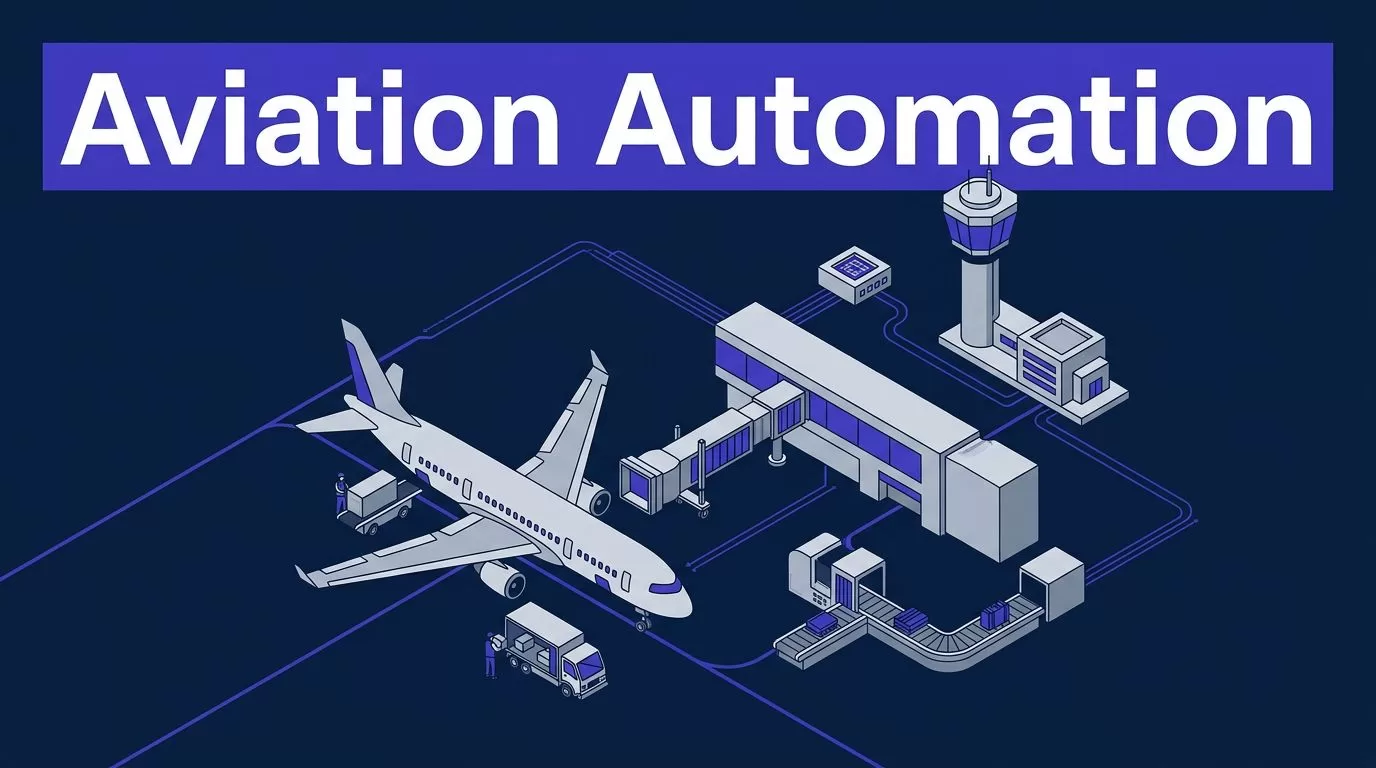
Aviation automation often fails for a simple reason. The systems can perform individual tasks, but they don’t coordinate the full operational process.
An airline, airport, MRO, or ground handler may use a departure control system, maintenance platform, ERP, email, spreadsheets, vendor portals, and messaging tools for one workflow. Twin.so can connect parts of that process through APIs and browser-based actions. The practical goal isn’t to automate everything. It is to remove repeatable manual work while keeping people in control of decisions that affect safety, compliance, service, or cost.
Start with one measurable queue. Connect only the systems and data that queue needs. Add approvals, audit records, fallback procedures, and clear ownership before expanding.
Where aviation automation starts
Aviation operations produce many handoffs. A flight delay affects the gate, crew, aircraft assignment, baggage flow, passenger communications, and sometimes maintenance planning. A deferred defect may require checks across maintenance records, parts availability, engineering instructions, and vendor systems.
The work is often repetitive, but the consequences of a wrong update are not minor. That combination makes workflow automation useful and demands strict boundaries.
The bottleneck is usually coordination
Most aviation teams don’t need another dashboard. They need fewer manual checks between existing systems.
An operations coordinator may copy a flight number into several portals, confirm a status, update a spreadsheet, send a message, and wait for a response. The process works because the coordinator knows where to look and what to verify. It remains slow because the work depends on memory and repeated data entry.
Twin.so can act as an orchestration layer around that process. It can read information from approved systems, apply rules, write updates where permitted, and route uncertain cases to a person.

Start with work that has a clear finish
A strong first workflow has four properties:
- The trigger is easy to identify, such as a delay code, new work order, expiring document, or vendor response.
- The required information comes from a small set of approved systems.
- The output is clear, such as a completed record, notification, task assignment, or exception ticket.
- A trained employee can review the result when the process encounters an unusual case.
Avoid starting with a broad goal such as “automate airport operations.” Choose a queue with a known volume and current owner. Examples include maintenance follow-ups, supplier document checks, disruption notifications, or repetitive reconciliation work.
How aviation automation fits with Twin.so
Twin.so is most useful when it works beside existing aviation systems instead of trying to replace them. Its public materials describe a hybrid model that uses APIs where available and browser automation for websites or portals without the required API. See Twin’s explanation of no-API browser automation for the basic approach.
That matters because aviation technology estates are rarely uniform. A modern SaaS tool may expose structured endpoints. A partner portal may only provide a login page and downloadable files. An internal application may have limited integration support.
Use APIs for stable data
An API is the preferred connection when it exposes the data and action you need. It is more predictable than screen interaction. It also makes field mapping, access control, testing, and error handling easier.
Use an API for tasks such as:
- Reading flight, work order, or inventory status.
- Creating a ticket in a service management platform.
- Updating a task record with a verified status.
- Sending a structured notification to an approved channel.
- Retrieving a document or record by an exact identifier.
Your architecture should define the source of truth for each field. The aircraft tail number, work order status, flight departure time, and parts quantity shouldn’t be silently taken from whichever screen responds first.
Use browser automation for legacy portals
Browser automation fits systems that don’t expose the needed action through an API. Twin’s Web Agent documentation describes agents that can operate websites, logins, dynamic pages, and multi-step browser flows.
This can help with airline partner portals, supplier sites, airport authority systems, and older web applications. It can also reduce the need for a custom connector when the portal is stable enough to support controlled automation.
Browser automation has a higher failure risk than an API. A changed button, expired session, new MFA step, popup, CAPTCHA, or revised page layout can interrupt the run. Configure the workflow to stop and create an exception when the page differs from the expected state. It shouldn’t guess its way through an unfamiliar interface.
If a legacy application is a desktop client, terminal, or proprietary thick-client system, confirm that Twin.so supports the required interaction. If it doesn’t, place an approved adapter or integration service between the system and the workflow.
Keep people inside the workflow
Human review shouldn’t happen in a separate email thread with no connection to the automation record. The reviewer needs the input, proposed action, reason for the exception, and available evidence in one place.
Use approval gates for actions such as:
- Changing an operational record that affects a departure or arrival plan.
- Sending an external message about a major disruption.
- Approving a financial adjustment or supplier action.
- Updating maintenance or compliance records.
- Processing information that requires a second-person check.
A person can approve, reject, correct, or request more information. The workflow should record that decision and continue only when the required condition is met.
Aviation workflows that fit a first deployment
Twin.so should enter the operation through a narrow use case. The following examples are illustrative. They show where the product could fit, not a claim that Twin.so has an aviation-specific certification or prebuilt aviation workflow.
| Workflow | Twin.so action | Human control |
|---|---|---|
| Turnaround coordination | Collect status updates, compare missing tasks, update a shared queue, and notify the station team | Approve operational changes and handle safety-related exceptions |
| MRO follow-up | Read work order details, check parts or supplier portals, and draft an escalation | Confirm technical conclusions and maintenance record changes |
| Document review | Find expiring certificates or training records and route them to the right owner | Decide whether the document meets the organization’s requirement |
| Disruption communications | Prepare a message from verified operational data and route it for approval | Approve external wording and passenger-facing distribution |
Coordinate turnaround tasks
A turnaround workflow can begin when a flight receives a delay update or when a planned task misses its expected completion time.
Twin.so could read the flight and task status, identify missing updates, check approved sources, and place the affected items in a station queue. It could notify the assigned coordinator when baggage loading, fueling, catering, cleaning, or gate tasks remain unresolved.
The agent should not independently change a departure release or override a safety-related control. It can assemble facts and route the decision to the responsible operations employee.
Follow up on MRO records
MRO teams spend time checking work orders, supplier replies, parts availability, and open requests. A workflow can reduce the manual search.
For example, a new work order could trigger a lookup across the maintenance system and an approved supplier portal. Twin.so could collect the latest response, attach it to the work order, and create a follow-up task when no response exists.

The automation can support record handling. It should not create a maintenance release, approve an engineering disposition, or replace the licensed or authorized person’s judgment.
Route document and compliance exceptions
Airlines, airports, and contractors manage training records, insurance documents, permits, supplier certificates, and access credentials. These records often sit in different systems.
A controlled workflow can identify records approaching expiry, verify required fields, and route missing information to the document owner. It can also create an audit entry showing when the record was checked and what action followed.
The system should distinguish between “document found” and “document accepted.” Finding a file is an administrative task. Accepting it against a regulatory or company requirement remains a governed decision unless the organization has separately validated the rule and process.
Build the pilot around one measurable queue
A pilot should test the workflow, not the entire automation platform. Keep the scope small enough to inspect every run.
Choose one process owner
Assign one person who owns the business outcome. This may be a station operations manager, MRO planning lead, ground-handling manager, or compliance operations owner.
The process owner defines the correct result. IT can configure access and connections. Security can review the design. The process owner still decides whether the workflow reflects real operating practice.
Write the current process in plain language:
- What starts the work?
- Which systems and records are checked?
- What conditions produce a normal result?
- What conditions require escalation?
- Which person can approve the next action?
- What proves the case is complete?
If the team can’t answer these questions, the process isn’t ready for automation.
Map data and permissions
List every field the workflow reads and writes. Include flight number, tail number, station, work order, employee identifier, supplier record, document status, or passenger information where relevant.
Then reduce the data set. A workflow that checks a training certificate may not need a full employee profile. A supplier follow-up may not need passenger data.
Start with read-only access. Add write permissions only after the workflow produces reliable results. Use separate service accounts for separate workflows. Limit each account by system, role, station, record type, and action.
Define stop conditions
A stop condition tells the agent when not to continue. Examples include:
- The source system returns conflicting aircraft or flight information.
- A required field is missing.
- The page layout differs from the tested version.
- The login requires an unexpected verification step.
- The requested action would affect a controlled record.
- The output doesn’t match the expected format.
- The system is unavailable after the permitted retry limit.
The correct response is a recorded exception and a human handoff. Repeated retries can create duplicate tickets, duplicate messages, or conflicting updates.
Measure the result
Track the baseline before enabling automation. Useful measures include average cycle time, manual touches per case, exception rate, correction rate, completion rate, and cost per transaction.
Also measure audit completeness. A workflow that finishes quickly but cannot show what it read, changed, and sent is difficult to defend.
Run the pilot in observation mode first. Let Twin.so prepare proposed actions without writing to production. Compare the output with employee decisions. Then allow low-risk updates under review.
Reliability needs controls, not confidence
Aviation automation needs predictable behavior. An agent can be useful without being trusted to make every decision.
Separate tasks from decisions
Divide the process into three categories:
- Data retrieval, formatting, and routing.
- Proposed actions that require review.
- Controlled decisions that remain with an authorized employee.
The first category is usually the safest place to begin. The second can use approval gates. The third requires a separate safety, security, and regulatory assessment.
The FAA Roadmap for Artificial Intelligence Safety Assurance focuses on assuring AI used in aircraft and related systems. A back-office workflow may fall outside that exact scope, but the distinction matters. An automation that influences an operational or safety decision deserves more scrutiny than one that organizes an inbox.
Use approvals for sensitive actions
Approval requests should show the proposed change, source records, timestamp, workflow version, and reviewer identity. Don’t ask a reviewer to approve a sentence without showing the data behind it.
Twin.so’s published workflow material describes paused steps for approval or MFA handoffs. Use that pattern for sensitive actions. The run should pause, record the handoff, and resume only after the correct person completes the required step.
The FAA human factors guidance for AI and machine learning is useful when designing these handoffs. A human who receives incomplete context or too many poorly prioritized alerts may approve the wrong action or ignore future alerts.
Design recovery and fallback
Every production workflow needs a manual path. Staff must know what to do when the agent stops, a source system is unavailable, or an incorrect update is discovered.
Add bounded retries, duplicate detection, timeout rules, and status checks. Use idempotent actions where possible, meaning the same request can be safely repeated without creating a second record or message.
Store the original input and final result. If a change cannot be reversed, create a compensating action and route it to the owner. Don’t rely on a vague instruction to “check the system later.”
Protect data and prove what happened
Aviation workflows can contain passenger information, employee records, maintenance data, security-sensitive schedules, and commercial contracts. The data design must match the risk.
Minimize data exposure
Send only the fields required for the task. Redact personal data from prompts, screenshots, and logs where it isn’t needed. Set retention periods for execution records and delete data according to company policy and applicable law.
Ask Twin.so for current details about data location, subprocessors, deletion, retention, model handling, and customer-data use before sending production information. Don’t treat a general privacy statement as a substitute for a security review.
Twin’s published privacy policy describes TLS 1.2 or higher for data in transit, encryption at rest, isolated secrets management, workload isolation, monitoring, and incident response. These statements are useful inputs for vendor review. Your organization still needs to verify contract terms, configuration options, and evidence relevant to its own requirements.
Apply least privilege
Use a separate identity for each workflow. Give it access to the smallest set of records and actions required.
Restrict access by:
- System and environment.
- Station, fleet, business unit, or supplier group.
- Read and write operation.
- Data category.
- Human approval requirement.
- Time period and run schedule.
Review permissions after process changes and staff changes. Remove access when a workflow is retired. MFA should remain enabled for human accounts, with controlled handoffs when automation reaches an MFA step.
Retain run evidence
An audit record should show the trigger, inputs, source systems, actions attempted, outputs, approvals, exceptions, and final status. Include the workflow version and user or service identity.
Use NIST’s AI Risk Management Framework as a practical structure for identifying, measuring, and managing AI-related risks. It isn’t an aviation approval. It gives technical and business teams a common vocabulary for governance.
For European operators and suppliers within scope, connect the design to the organization’s information security management process. EASA’s Easy Access Rules for Information Security provide the relevant regulatory material for Part-IS requirements. Confirm applicability with your accountable compliance and security teams.
Handle regulatory and change requirements
Twin.so can automate a workflow. It doesn’t automatically make the workflow acceptable for aviation use.
Treat Twin.so as a workflow tool
No source reviewed for this article shows that Twin.so is FAA-certified, EASA-certified, type-certified, airworthiness-approved, or approved for regulated aviation operations. Don’t describe it that way.
The safe claim is narrower. Twin.so provides capabilities that may support aviation-adjacent administrative and operational workflows, including browser actions, API-based tasks, approvals, paused runs, and audit records. Each operator must assess whether a specific use case meets its own safety, security, quality, privacy, and regulatory requirements.
Keep flight-critical control, maintenance release, dispatch authority, and safety reporting decisions outside a first pilot unless the organization has completed the required validation and governance work.
Connect changes to SMS and security governance
A workflow change can introduce a new hazard. A changed field mapping can send the wrong aircraft status. A new portal layout can cause an incorrect selection. A permission change can expose records to the wrong user.
Use a change record for every production release. Record the old and new behavior, affected systems, test evidence, owner, approval, rollout date, and rollback plan.
FAA AC 120-92D on Safety Management Systems provides guidance for aviation organizations developing SMS processes. Tie a workflow’s operational risks to the existing hazard, reporting, and change-management process instead of creating an isolated AI register.
EASA’s AI roadmap also takes a human-centered view of AI safety and ethics. That supports a practical rule: keep accountable people visible in the process, especially when an automation can affect safety, security, or public communication.
Scale without creating a larger manual problem
A successful pilot can still fail at scale. Ten carefully reviewed runs are different from thousands of runs across multiple stations.
Standardize replayable workflows
Document each workflow as an operational runbook. Include the purpose, trigger, systems, permissions, normal path, stop conditions, approval roles, fallback process, and support owner.
Twin’s public materials describe compiling plain-language workflows into replayable skills. Treat each skill as a versioned production asset. Test a new version against known cases before deployment.
Maintain a small registry. Record which workflows are active, which systems they touch, who owns them, and when they were last reviewed.
Monitor quality and cost
Track exceptions by cause, not only by count. A high exception rate may point to poor source data, an unstable portal, unclear rules, missing permissions, or an overly broad workflow.
Twin uses usage credits, and browser-heavy sessions generally require more work than stable API retrieval. Benchmark a representative sample before estimating monthly cost. Record credits per completed case, failed run, and human-reviewed exception. Review current pricing and limits before signing off on a large deployment.
A workflow that saves labor but produces frequent corrections may increase operating cost. Measure the complete process, including review and rework.
Expand by risk tier
Use a staged rollout:
- Observation only, with no production writes.
- Low-risk updates, such as internal task creation or status formatting.
- Proposed actions with mandatory approval.
- Controlled write actions with monitoring and rollback.
- Wider deployment after reliability and governance targets are met.
Do not expand because the demo looked good. Expand when the workflow performs well against real cases, edge cases, system outages, permission changes, and incomplete data.
If you need help selecting a candidate workflow or mapping the first deployment, you can Book A Call.
Conclusion: Scale control before volume
The strongest aviation automation projects don’t begin with the largest process. They begin with one repeatable queue, one accountable owner, and a clear boundary between automated work and human decisions.
Twin.so can fit around APIs, browser portals, approval steps, and existing operational systems. Its value depends on the workflow design, access controls, exception handling, audit evidence, and change process built around it.
Make the first workflow measurable and boring. When every run can be explained, corrected, and handed back to a person, you have a foundation for scaling safely.
