Scrape Billing Data Accurately With Twin.so
Billing portals are easy to collect badly. One screen may show invoice totals, while another holds subscription status, charge details, payment dates, or tax fields. Good billing data scraping turns those scattered records into consistent d...

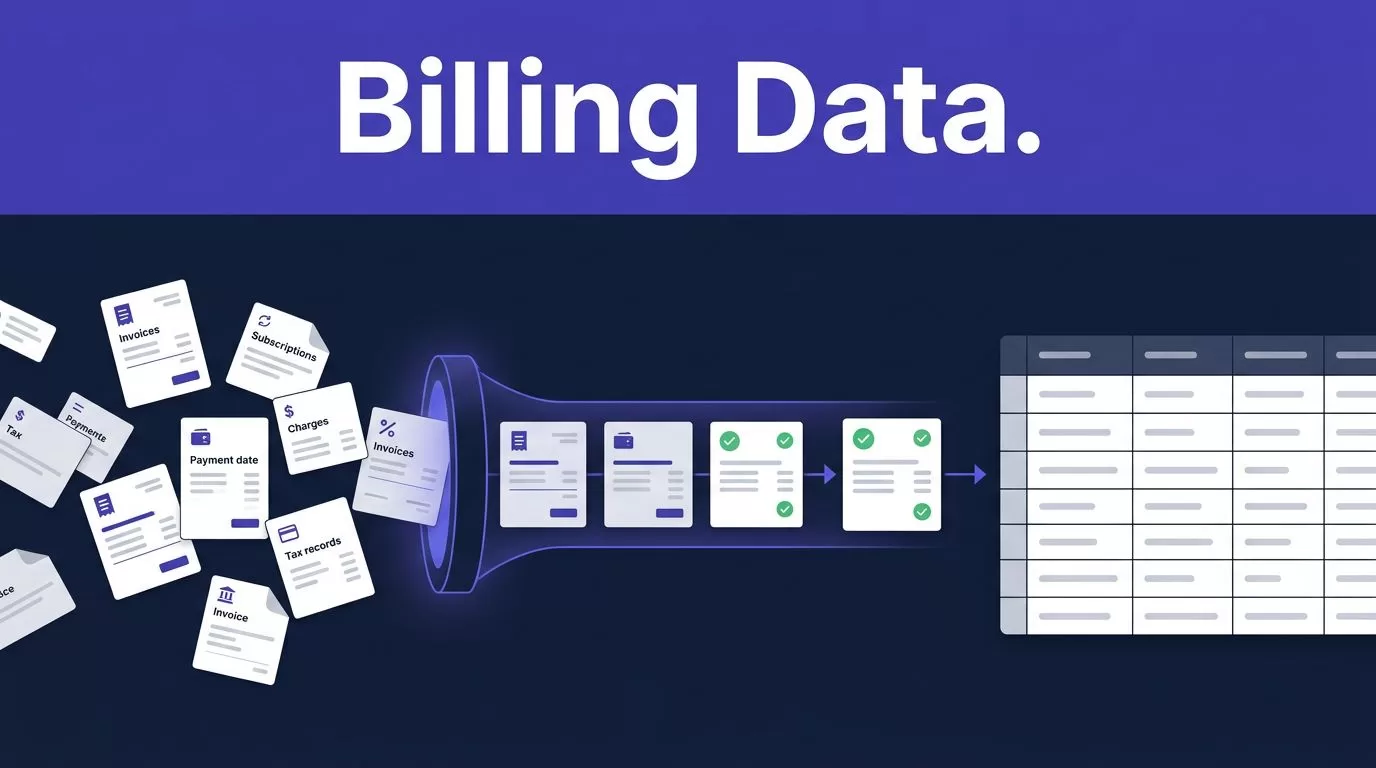
Billing portals are easy to collect badly. One screen may show invoice totals, while another holds subscription status, charge details, payment dates, or tax fields. Good billing data scraping turns those scattered records into consistent data without hiding missing or uncertain values.
Twin.so fits workflows that require an authorized login or several browser steps. The reliable setup isn’t “let an agent collect everything.” Define the fields, restrict access, test a small batch, and validate every result before it reaches your accounting system.
Why billing data scraping needs a defined schema
Billing records often look similar but describe different events. An invoice can be issued before payment. A charge can be retried. A subscription can be canceled while access remains active until the billing period ends. Tax may appear as a line item, a summary amount, or a separate field.
Portals also use different date formats, currencies, status labels, and pagination rules. A monthly export may omit credit notes or fail to include invoices loaded only after scrolling. A browser run can complete successfully while returning an incomplete record.
Start with the business questions. Finance teams usually need to answer:
- Which invoices were issued during a period?
- Which customers have active, paused, canceled, or past-due subscriptions?
- Which charges succeeded, failed, or were refunded?
- When did each payment settle?
- Which tax jurisdiction, tax rate, and tax amount apply?
Separate these objects in your output. Don’t force invoices, payments, and subscriptions into one overloaded row. Use stable IDs wherever the portal provides them.
A successful browser run is not the same as a correct accounting record.
Store the original source value alongside the normalized value. If the portal returns “paid,” keep that source status and map it to your internal status separately. This preserves the evidence needed to review a disputed record.
How billing data scraping works with Twin.so
Twin.so’s public product pages describe web scraping for sites that require authentication, including multi-step browser tasks. Its browser tooling can follow an approved workflow, read the required pages, and return structured results. Review Twin.so’s web scraping platform before planning a workflow around a specific portal.

Treat billing data scraping as a controlled extraction process. The agent should know which portal to open, which date range to use, which records to collect, and what to do when a field is missing. It shouldn’t guess a tax value or infer a payment date from an unrelated timestamp.
Use an authorized credential for each tenant or account. Twin’s data extraction examples refer to credentials held in a per-tenant vault. Keep those credentials separate. Don’t place passwords, session tokens, or payment details inside prompts, spreadsheets, or workflow logs.
Invoice retrieval is a documented use case around Twin.so. A public invoice-retrieval demonstration describes collecting invoices across multiple websites. Tallyfy’s overview of Twin.so agents also lists invoice retrieval among browser-based automation use cases.
The exact workflow depends on the portal. If the provider offers an approved API for stable, high-volume fields, use it first. Reserve browser automation for fields or actions that aren’t available through that API.
Build a repeatable billing extraction workflow
Don’t give the agent a broad instruction such as “collect all billing data.” That creates unclear output and makes errors difficult to detect. Build the process in defined stages.
- List each source and its authority. Record the billing portal, account owner, approved date range, and permitted actions. Confirm that your team has permission to access and export the records.
- Define the output schema before connecting Twin.so. Include required fields, data types, accepted status values, currency rules, and time-zone handling. Keep raw values available for comparison.
- Create a narrow extraction goal. A useful instruction could ask Twin.so to open the authorized portal, retrieve invoices for a selected month, and return the invoice number, customer ID, issue date, due date, currency, subtotal, tax, total, payment status, and source URL. It should return a blank value when the portal doesn’t provide a field.
- Run a small approved sample. Use a limited set of invoices or transactions. Compare every returned value with the source page. Record missing fields, duplicate rows, failed pages, and incorrect status mappings.
- Separate raw, normalized, and reviewed data. The raw record should remain unchanged. A transformation step can standardize dates, currency codes, and status labels. A review field should show whether a person approved the result.
- Schedule the workflow only after review. Recurring runs should include a run ID, collection timestamp, record count, failure count, and exception count. Stop or alert when those values move outside normal limits.
A practical schema can look like this:
| Record | Required fields | Validation |
|---|---|---|
| Invoice | Invoice ID, account ID, issue date, due date, subtotal, tax, total, currency | Subtotal plus tax minus credits matches total |
| Subscription | Customer ID, plan, status, start date, renewal date, amount | Status and renewal date match the portal |
| Charge | Charge ID, charge date, amount, currency, payment status | Charge ID is unique and amount ties to the source |
| Payment | Payment ID, paid date, amount, method, related invoice | Paid date isn’t earlier than invoice issue date |
| Tax | Jurisdiction, tax rate, tax amount, tax ID | Rate and taxable base produce the reported amount |
Keep separate extraction tasks for invoices, subscriptions, and charges when the portal stores them in different areas. Smaller tasks are easier to test and usually produce cleaner exception reports.
Validate invoices, charges, and tax fields
Validation should happen before the data is written to a ledger, warehouse, CRM, or reporting model. Start with structural checks. Confirm that required IDs exist, dates use the correct format, currency codes are recognized, and amounts are numeric.
Next, run financial checks. Compare invoice totals with line items. Match successful payments to invoice IDs. Flag charges with no related customer or invoice. Check whether refunds and credit notes reduce the expected balance. Use a small rounding tolerance for tax calculations, but don’t ignore material differences.
Status values also need controlled mapping. A portal may use “open,” “pending,” “paid,” “void,” and “uncollectible.” Your finance system may use a different set. Keep both values and document the mapping. Don’t treat “active” subscription status as proof that the latest invoice was paid.
Dates require attention. Store the portal’s original timestamp, the source time zone when available, and the normalized UTC value. Payment date, invoice date, due date, and service period are different fields. Combining them creates incorrect aging reports.
Never fill a missing tax value because the resulting row looks cleaner. A blank value with a review flag is safer than an invented number.
Use report-only mode for the first run. Let Twin.so identify proposed records and changes without writing to the destination. Send uncertain matches, missing tax IDs, unusual totals, and large record changes to a human review queue.
Store traceability fields with every result:
- Source URL and portal account
- Collection timestamp and workflow run ID
- Extraction method and source status
- Raw record or source snapshot reference
- Validation result and quality flags
- Reviewer, review date, and correction reason
If the output supports ARR reporting or monthly close, keep extraction rules separate from accounting policy. Teams applying ASC 606 or similar requirements can also review SaaS accounting guidance for ASC 606 and monthly close before turning portal data into financial reports.
Secure credentials and respect portal terms
Billing data can contain names, business addresses, tax identifiers, payment status, and other sensitive information. Give the workflow the smallest permission set it needs. Read-only access is preferable when the task only collects records.
Use a dedicated credential for each portal or tenant. Store credentials in an approved vault. Never include passwords in task instructions. Restrict who can view workflow settings, raw exports, and error logs. Redact sensitive values from logs when the workflow doesn’t need them.
Don’t bypass authentication, rate limits, paywalls, or other access controls. Review the portal’s terms, privacy policy, contract, and export restrictions before collecting data. Authorization to log in doesn’t automatically authorize every type of automated collection or downstream use.
Twin.so doesn’t make a dataset GDPR compliant by itself. Your organization remains responsible for the purpose of collection, legal basis, source permissions, retention period, deletion requests, and access controls. If a portal exposes full card numbers or security codes, exclude those fields and involve your security team.
Set a retention policy before the first production run. Keep only the raw data needed for audit or reconciliation. Delete temporary downloads and failed exports when they’re no longer required. Record data-access events so finance and security teams can investigate unexpected activity.
Measure credit usage before scaling
Twin.so uses credits rather than a simple per-seat model. Public pricing documentation lists monthly bundles including 2,000 credits at €20, 5,000 at €50, 10,000 at €95, and 20,000 at €189. Twin’s terms state that fees exclude VAT, so include that in the budget.
Usage depends on the workflow. Twin’s documentation places a scraping job of about 100 items at roughly 20 to 70 credits. A browser session with around 20 steps can use about 100 to 200 credits. A short automation may use 15 to 30 credits, while building or researching a workflow can cost more than repeating a deployed workflow.
Repeat runs are often much cheaper than initial builds. Twin describes repeat executions as potentially three to ten times cheaper when the workflow is stable. Benchmark this with your own portal because page complexity, failed steps, retries, and document downloads change the result.
Start with a small approved queue. Record:
- Credits used per run
- Records returned
- Records passing validation
- Failed pages and retries
- Human review time
- Duplicate and missing-field rates
Calculate cost per successful, reviewed record, not cost per browser action. The useful formula is:
credits consumed / records accepted after validation
If a stable API can return subscription status while Twin handles invoice downloads, split the workflow. Use the lower-cost retrieval method for repeatable fields and keep browser sessions for tasks that require portal interaction.
Conclusion
Accurate billing data scraping depends on rules, not browser access alone. Define the schema, separate invoices from charges and subscriptions, preserve raw values, and route uncertain tax or payment records to review.
Twin.so can help collect authorized data from login-protected billing portals, but your team controls the permissions, validation, retention, and compliance process. Start with a small queue, measure credits per accepted record, and scale only after the output matches the source.

