How to Send Money to Indonesia Cheaply With Remitly
Sending money to Indonesia can be affordable, but the lowest visible fee doesn’t always produce the best deal. If you’re comparing a cheap money transfer Indonesia option, check the amount the recipient gets in rupiah, not the f...
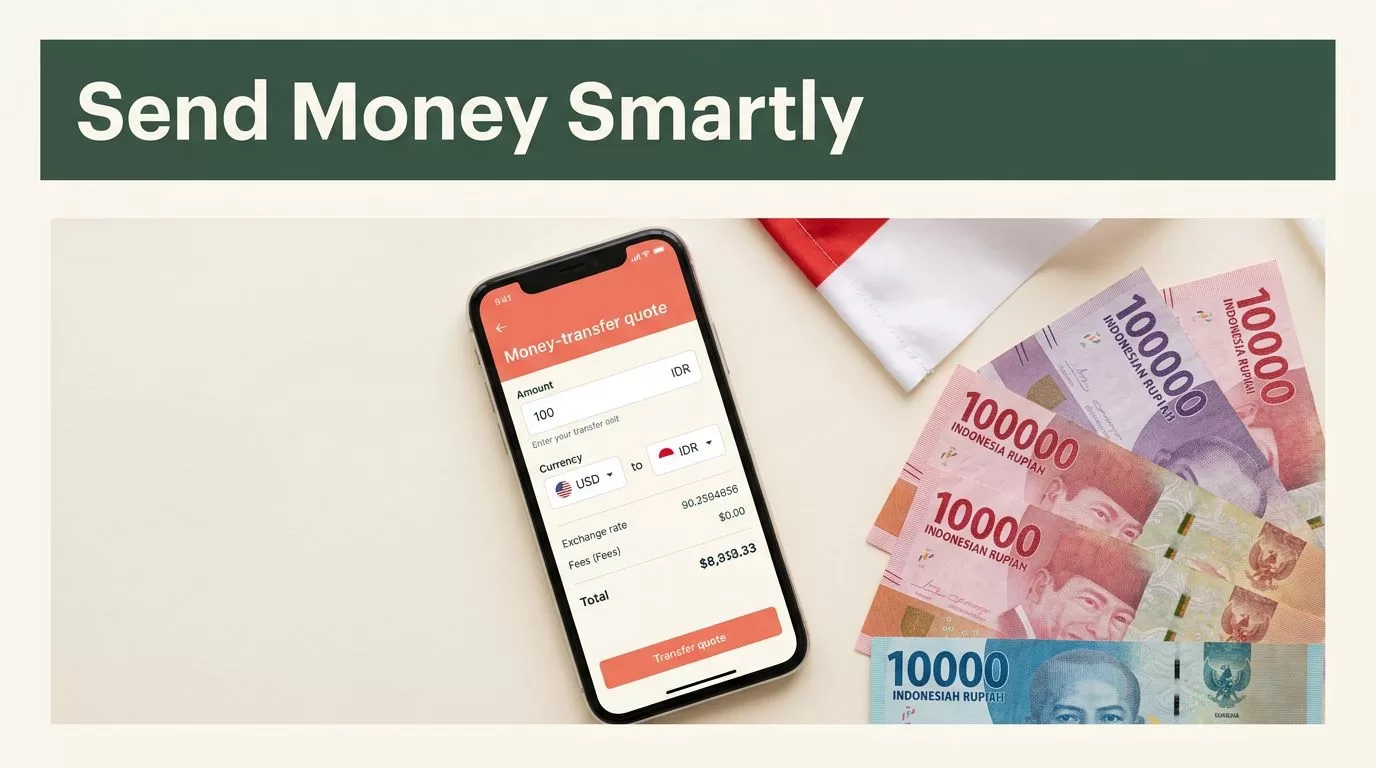
Sending money to Indonesia can be affordable, but the lowest visible fee doesn’t always produce the best deal. If you’re comparing a cheap money transfer Indonesia option, check the amount the recipient gets in rupiah, not the fee alone.
Remitly gives you a quote before payment and lets you select the funding method, delivery option, and transfer speed. Each choice can change the final cost. Use the live quote, verify the recipient’s details, and send only after the payout amount makes sense.
How to Compare a Cheap Money Transfer Indonesia Option
Remitly doesn’t use one fixed price for every transfer to Indonesia. The total depends on the amount you send, how you pay, the delivery method, and the speed option available for your route.
A transfer with a low upfront fee can still cost more if the exchange rate gives the recipient fewer rupiah. You need to review both figures before confirming the payment:
- The transfer fee charged by Remitly.
- The exchange rate from your currency to Indonesian rupiah.
- The amount the recipient will receive.
- Any difference caused by your selected payment or delivery method.
Remitly’s send money to Indonesia page provides a live quote for eligible customers. The page also states that promotional rates and fees can depend on the transfer setup.
The examples published by Remitly often use U.S. dollars. If you’re sending from Canada, the United Kingdom, Australia, or another supported country, your quote can be different. Country availability, account requirements, payment methods, and limits also vary.
The useful number is not the advertised fee. It is the final amount delivered in Indonesian rupiah.
A search for cheap money transfer Indonesia services should therefore start with the recipient’s payout, not a promotional headline. Compare the complete quote in the app or website before you pay.
Prepare the Recipient and Payment Details
Correct information prevents avoidable delays. Before opening Remitly, collect the recipient’s legal name and contact details. The name should match the identification they may need for cash pickup.
The exact information depends on the payout method. A bank deposit can require the recipient’s bank name, account type, account number, and other account details. A mobile wallet transfer may request the wallet account information shown in the app. Cash pickup usually requires the recipient’s legal name and a supported pickup location.
Don’t guess any of these fields. Ask the recipient to send the details exactly as they appear on their bank or wallet account. A spelling mismatch can create a review or correction request.
You also need a supported payment method in your sending country. Remitly may offer bank account payments, debit cards, credit cards, or other local methods. The available choices and their prices can change.
Remitly may ask you to verify your identity before completing a transfer. Have a government-issued identification document available if the app requests one. This verification supports financial compliance and can affect how quickly you can use the service.
How to Send Money to Indonesia With Remitly
The setup is direct. Use the Remitly app or website and complete each screen in order.
- Create a Remitly account or sign in to your existing account. Enter your sending country and personal information as requested.
- Select Indonesia as the destination. Choose Indonesian rupiah if the recipient should receive IDR.
- Enter the amount you want to send, or enter the amount the recipient should receive. Review how the quote changes when you switch between these two views.
- Select the delivery method. Remitly may show bank deposit, mobile wallet, cash pickup, or other options based on the recipient’s location.
- Add the recipient’s information. Check every letter, number, and account detail before moving forward.
- Select your payment method. Remitly will recalculate the fee, exchange rate, delivery estimate, and final payout when the method changes.
- Review the full quote. Confirm the amount charged to you, the exchange rate, the fee, the delivery estimate, and the recipient’s expected IDR amount.
- Submit the transfer and save the confirmation. Use the tracking information in your account to monitor the status.
Don’t treat the first displayed quote as permanent. Changing the delivery method or payment source can change the amount the recipient receives. A slower option may cost less, while a faster option may carry a higher fee. The right choice depends on the recipient’s deadline and your total budget.
Select the Right Payout Method
Remitly’s Indonesia options generally include bank deposit, mobile wallet delivery, and cash pickup. The available method depends on the recipient’s location and the current Remitly network.
Bank deposit works well when the recipient already uses a supported Indonesian bank account. It removes the need to travel to a pickup location. Check the account information carefully because the receiving bank details control where the funds go.
Mobile wallet delivery can be useful for recipients who manage daily payments through a supported wallet. It may reduce the need for cash handling. The recipient must use an eligible wallet and provide the account details Remitly requests.
Cash pickup is practical when the recipient doesn’t have a suitable bank account or needs physical cash. The recipient must visit a participating location and may need valid identification. Confirm that the selected location is convenient before sending.
Remitly states that recipients don’t pay a separate Remitly fee on their side, but the sender’s quote still controls the total cost. Local receiving conditions can vary, so check the details shown for the selected payout method.
Delivery estimates are not guarantees. Transfers can take longer because of identity checks, payment reviews, bank processing, public holidays, incorrect recipient details, or network issues. Review the estimate in the live quote instead of relying on a general claim about delivery in minutes.
Reduce the Total Cost Before You Confirm
The best cheap money transfer Indonesia option depends on the complete setup. Use the quote screen to test the variables that affect the payout.
| Transfer choice | What to compare |
|---|---|
| Payment method | Total charge, processing time, and final IDR amount |
| Delivery method | Fee, estimated delivery, and recipient convenience |
| Transfer speed | Whether faster delivery adds a higher fee |
| Send amount | Whether the exchange rate or promotion changes at a threshold |
| Promotional offer | Eligibility, expiration, and any amount limits |
For U.S. customers, Remitly materials currently list an example of a USD 2.99 Express fee when the recipient receives Indonesian rupiah. That figure is not a permanent universal price. Your app may show another amount based on the send amount, payment method, promotion, or delivery option.
Remitly also advertises a special rate and no fee on a first transfer for some U.S. customers. Its published information says a promotional exchange rate can apply to the first USD 1,000 sent, while a non-promotional rate may apply above that amount when paying by bank account or Remitly Wallet.
Promotions have conditions. Read the offer shown on your account rather than assuming it applies to every transfer. The promotion may not cover every payment method or amount.
Check the exchange rate on Remitly’s USD to IDR converter immediately before sending. Rates change during the day. The rate displayed when you start a transfer may not be the rate available later.
If you send money regularly, record three figures after each transfer: the amount charged, the fee, and the IDR received. This gives you a useful record for comparing future quotes. It also helps you identify whether a promotion, payment method, or payout option is changing your results.
Protect the Transfer From Common Mistakes
Money transfers are difficult to reverse after the recipient collects the funds. Treat the recipient details as a payment instruction, not a casual message.
Verify the recipient’s full legal name, bank information, wallet number, and pickup location. Send a small test amount first if you’re using a new recipient or a new payout method. Ask the recipient to confirm receipt before sending a larger amount.
Don’t send money because someone creates urgent pressure. Scammers may claim to be relatives, employers, landlords, immigration officers, or online sellers. They may also ask you to share verification codes or account passwords. Remitly will not need your password or one-time security code through an unsolicited message.
Use only the official Remitly app or website. Keep your confirmation number private, and contact Remitly support through the service if a transfer status looks unusual. Remitly’s safety guide for sending money to Indonesia provides additional precautions for U.S. customers.
Fees, exchange rates, transfer speeds, payout methods, limits, promotions, and country availability can change. Confirm the current terms in the Remitly app or on its website before every transfer.
Conclusion
Remitly can help you send money to Indonesia without visiting a bank branch, but the cheapest result depends on the complete quote. Compare the fee, exchange rate, payment method, delivery option, and final IDR payout together.
Prepare accurate recipient information before starting. Then use Remitly’s live quote to test the available options and choose the setup that fits the recipient’s deadline and your budget. A careful review before payment is the simplest way to keep the transfer affordable and avoid preventable problems.
