Scale Data Science Automation With Twin.so
Data science automation fails when every workflow depends on manual downloads, copied values, and one person who knows the process. Data science automation with Twin.so gives teams a way to connect those repeatable tasks across web apps, AP...

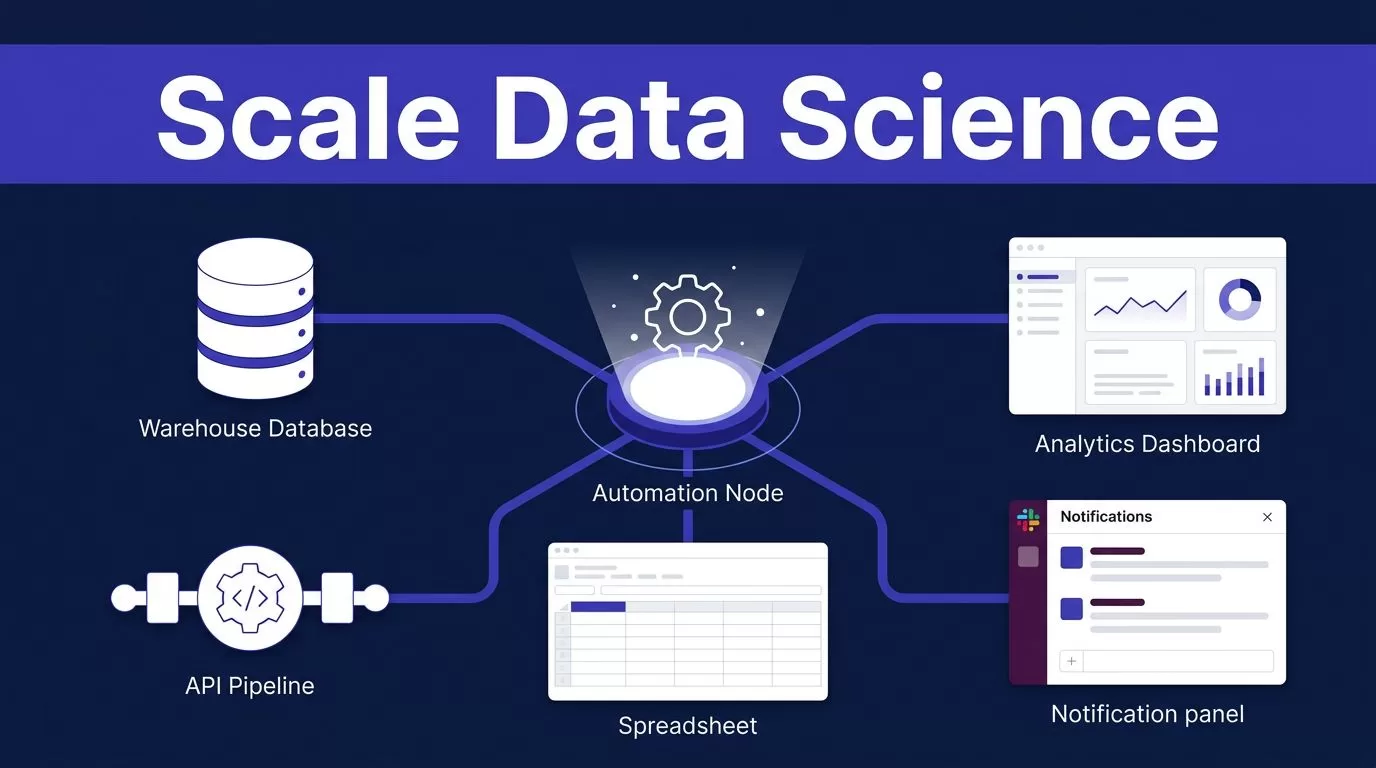
Data science automation fails when every workflow depends on manual downloads, copied values, and one person who knows the process. Data science automation with Twin.so gives teams a way to connect those repeatable tasks across web apps, APIs, spreadsheets, dashboards, and internal systems.
Twin.so is an AI agent automation platform, not a replacement for your model-training stack. Its value is in coordinating the work around that stack. You describe the required outcome, configure the systems involved, and let Twin run the repeatable actions on a schedule or webhook.
Why Data Science Automation Needs an Orchestration Layer
A data science workflow rarely stays inside one tool. Data may arrive in a warehouse, pass through a validation service, appear in a spreadsheet, feed a reporting dashboard, and trigger a message in Slack. Each handoff creates another place for delays and errors.
A typical process may look like this:
- A scheduled job extracts new records.
- A quality check returns row counts and validation results.
- A model scoring service processes approved data.
- Results move into a reporting system.
- Stakeholders receive a summary and an exception list.
When these steps rely on manual work, the workflow becomes difficult to scale. A larger dataset increases the workload. More stakeholders create more reports. A changed dashboard or expired credential can stop the process without a clear owner.
Data orchestration coordinates ingestion, transformation, validation, and delivery across systems. Databricks’ orchestration guide provides a useful definition of the broader practice.
Twin.so fits around this process through API connections and browser automation. It can work with systems that expose APIs, but it can also operate browser-based portals and dashboards when no suitable API exists. That makes it useful for operational steps that traditional workflow tools may not reach.
Twin.so can coordinate data work, but it shouldn’t replace the systems that train, register, monitor, and serve your models.
This distinction matters. Twin.so can move information between tools, start or monitor an existing process, update records, and prepare reports. Your warehouse, validation framework, model registry, notebook platform, and serving infrastructure should remain the systems of record.


How Data Science Automation Can Work With Twin.so
Start with one workflow that runs often and has a clear output. Avoid automating an entire data platform on the first attempt. A narrow process gives you fewer failure points and a reliable baseline for measuring results.
1. Define the trigger and final output
Write the workflow as an operational instruction.
For example:
“Every weekday at 7:00 AM, check the latest sales scoring results, confirm that validation has passed, update the reporting sheet, and send the exceptions to the analytics channel.”
This description gives the agent a trigger, a set of actions, and an expected result. Twin.so can run workflows through time-based triggers or webhooks. A webhook works well when another job should start the process after completion.
Define what counts as success before you build. The workflow may need to produce an updated table, a report link, a Slack message, or a list of failed records.
2. Map every system and handoff
List the systems involved before connecting anything. Include the data source, validation output, model endpoint, destination, and notification channel.
For each system, record:
- The exact data or status Twin.so should read.
- The action it should perform.
- The identifier used to prevent duplicate updates.
- The response that confirms success.
- The person or team responsible for failures.
This map exposes unclear ownership early. It also shows where browser automation is necessary. A legacy vendor portal may require browser interaction, while a warehouse or model endpoint may use an API.
3. Add validation before any irreversible action
Do not let the agent publish or distribute results as soon as it retrieves them. Add checks first.
Useful checks include:
- The expected date or batch identifier is present.
- Row counts fall within an approved range.
- Required fields are not empty.
- The upstream job reports a successful status.
- The model response includes the expected fields.
- The output does not already exist for the same batch.
Twin.so can read the result of an existing quality check and route the workflow based on that result. It shouldn’t be treated as a replacement for tools such as Great Expectations, dbt tests, or custom validation services.
Monte Carlo’s data orchestration overview covers how orchestration and data quality work together in production environments.
4. Route the output to the right tools
Keep outputs structured. A reporting workflow should update specific cells, fields, or records instead of pasting a long block of unformatted text.
Twin.so’s workflow examples include reading spreadsheet rows, enriching them, syncing data to other tools, and keeping sheets current. That pattern can support analytics operations when the spreadsheet is an approved reporting destination.
Use separate paths for successful runs and exceptions. A successful run can update the report and notify the team. A failed validation can create an incident record without publishing incomplete data.
5. Schedule the workflow and test duplicate runs
Run the workflow manually with a known batch before adding a schedule. Then test the same batch twice.
The second run should not create duplicate records, send duplicate alerts, or overwrite a newer report. Add a batch ID, timestamp, or source event ID to every update where the destination supports it.
If you need to map a broader automation plan across your data systems, you can Book A Call before committing to a larger implementation.
Practical Data Science Automation Use Cases
Automate ingestion and reporting handoffs
Many analytics teams still download files from portals, rename them, upload them to shared storage, and notify stakeholders manually. This process is repetitive and easy to interrupt.
A Twin.so agent can check a browser-based source, retrieve the latest file, confirm its date, and place it in the approved destination. It can then update a tracking sheet and send a status message.
The workflow needs strict rules. It should reject files with an old date, unexpected names, missing columns, or a duplicate batch ID. It should also record the source location and retrieval time.

Reporting is another practical use. Twin.so can collect completed job statuses, read approved result tables, update a recurring report, and distribute a short summary. The report should link to the underlying data rather than hide important details inside an agent-generated message.
Coordinate model operations
Twin.so can help with the operational steps around a model when the existing services expose usable APIs or browser workflows.
For example, an agent can check whether a scoring job completed, retrieve the output location, update a model operations tracker, and notify the owner when the job crosses an agreed threshold. It can also collect deployment status from a serving dashboard and attach that status to a release record.
Keep model execution inside the platform designed for it. Twin.so should not be the source of truth for experiment tracking, feature definitions, model artifacts, or production metrics unless your architecture explicitly assigns those responsibilities to it.
A safe workflow waits for a human approval before a model promotion, production configuration change, or high-impact report release. The agent prepares the evidence. An owner makes the decision.
Run quality checks across tools
Quality checks often produce useful information but fail to reach the people who need it. A validation job may finish in one system while the incident tracker, report, and team channel remain unchanged.
Twin.so can collect the validation status, compare it with defined rules, and route the result. A passing batch can continue to reporting. A failed batch can create a ticket with the batch ID, failed check, source location, and recommended owner.
Data orchestration tools vary widely in how they schedule, monitor, and retry these processes. This comparison of data orchestration tools can help teams compare the wider category before deciding where Twin.so fits.
Add Security, Error Handling, and Human Review
Scaling an agent workflow increases the cost of a bad instruction. Start with least-privilege access. Give the workflow permission to read the systems it needs and write only to approved destinations.
Do not place production passwords inside workflow instructions. Use your organization’s approved secret-management process. Separate development and production credentials. Rotate access when an employee changes role or leaves the team.
Browser automation needs extra controls. Pages change. Sessions expire. A portal may display a different account or return partial results. Require the agent to verify the account, page state, date, and record count before it continues.
Error handling should cover more than a failed connection. Plan for:
- Timeouts and temporary service failures.
- Expired credentials.
- Changed page layouts.
- Missing files or incomplete responses.
- Duplicate events.
- Partial writes.
- Conflicting dates or batch IDs.
Use bounded retries for temporary failures. Do not retry an irreversible action without checking whether the first attempt succeeded. Store failed items in a review queue instead of repeatedly sending them through the same path.
Twin.so materials describe agents that can retry, adapt to integration problems, and surface exceptions. Treat those functions as assistance, not as a substitute for explicit controls. Your workflow still needs clear stop conditions and an owner for unresolved failures.
Human review belongs before actions that can change production behavior, expose sensitive data, or create financial or regulatory consequences. A reviewer should see the input batch, validation result, proposed action, and destination. Approval should be recorded outside the agent’s conversational context.
Measure the Workflow Before You Expand It
Track the old process for one or two cycles. Record run time, manual touches, failure types, duplicate updates, and time spent on investigation.
Then compare those results with the Twin.so workflow. Useful measures include:
- Percentage of runs completed without manual intervention.
- Average time from source arrival to report delivery.
- Number of rejected or duplicated batches.
- Mean time to resolve an exception.
- Number of approvals required per run.
- Cost of the connected systems and agent usage.
A successful pilot should reduce repetitive work without reducing visibility. Faster execution is not enough if failures become harder to find.
Expand one handoff at a time. Start with ingestion tracking. Add report updates after the source checks are stable. Add model status notifications only after the workflow handles duplicate events and failed jobs correctly.
Use a standard workflow template for every new agent. Include the trigger, source systems, write destinations, validation rules, retry limits, approval points, and escalation owner. This makes reviews faster and reduces accidental differences between teams.
Conclusion
Data science automation works best when it handles repeatable coordination, not when it hides core data and model operations inside an opaque agent. Twin.so can connect APIs, browser-based systems, reports, spreadsheets, and notifications around an existing data science stack.
Start with one measurable workflow. Add validation, duplicate protection, access controls, and human approval before scaling the pattern. The result should be fewer manual handoffs, faster reporting, and clearer ownership when a run fails.

