Find a Marketing Director Email Using Hunter.io (Hunter.io Email Finder Guide for 2026)
Most outbound fails for a simple reason. The email never reaches the person who can say yes. The address bounces, lands in a catch-all inbox, or goes to someone who left six months ago. To find a marketing director email with Hunter.io, you...
Most outbound fails for a simple reason. The email never reaches the person who can say yes. The address bounces, lands in a catch-all inbox, or goes to someone who left six months ago.
To find a marketing director email with Hunter.io, you need three inputs: the right name, the right company domain, and a check on the result. This guide covers title variations by company size, how to find the name when you lack one, the Hunter steps, and backup routes when Hunter returns nothing.
Define who counts as a marketing director
Hunter cannot fix a messy target list. Tighten your inputs before you spend credits. Job titles shift with company size, and the person you want may not carry the title Marketing Director.
| Company size | Likely titles for the marketing decision-maker | Where to look first |
|---|---|---|
| Startup, under 50 people | Head of Marketing, Founder, Growth Lead | Team page and founder profiles |
| Mid-size, 50 to 500 people | Director of Marketing, VP Marketing, Demand Generation Director | Company team page and speaker bios |
| Enterprise, 500 or more people | VP Marketing, Senior Director of Marketing, Regional Marketing Director | Press releases and event programs |
| Agency | Head of Growth, Managing Director, Account Director | Agency website and case studies |
Pick title variations before you search. Write down three or four: Director of Marketing, Head of Marketing, VP Marketing, Marketing Lead, Growth Marketing Director, and Demand Gen Director. Save the list in your sheet so each search stays consistent.
Confirm the company domain
Use the official website domain. Skip press domains, careers subdomains, and old brand names. Mergers and rebrands often change the email domain. If you doubt the domain, check the contact page and the privacy policy footer. Both pages often show the main sending domain.
Decide your reason to write
Decide your intent early. You may pitch a partnership, offer a relevant resource, or ask for a short intro. A weak reason will not improve with a verified address.
Find the marketing director name before you search
Email Finder needs a name. If you do not have one, find the name first. Several public sources work well.
- The company team or leadership page.
- Conference speaker pages and webinar listings.
- Podcast guest bios and published interviews.
- Press releases with a named marketing quote.
- Professional network profiles showing a current role and company.
- Job posts for marketing roles, which often name the hiring manager or the department lead.
Confirm the person still works at the company. Check a recent source with a date. A stale name creates a bounce or a message to the wrong person.
Add one fresh data point for later personalization, such as a recent post, webinar, or campaign. This detail gives your first line a reason to exist.
Step-by-step Hunter.io workflow
Hunter works best when you combine two tools. Domain Search shows the company email format. Email Finder locates the likely address for one named person. The browser extension and the web app both support the flow.

Step 1: Run Domain Search to learn the email format
Enter the company domain in Hunter Domain Search. Your goal is the pattern, such as first.last@company.com, not a random address. Several results with the same format form a strong signal. Hunter shows public sources and discovery dates beside each address.
Step 2: Filter by department and read the titles
Hunter offers department filters. Filter for marketing to see who sits in the team. If the search returns only generic addresses such as press@ or info@, the domain may be guarded or new. In this case, rely on Email Finder and verification.
Step 3: Run Email Finder for the named person
Open the Hunter Email Finder. Hunter asks for the full name and the company domain, and suggests domains as you type. Hunter help says the tool expands an initial when a unique match exists and handles names such as Jean-Pierre or van der Berg. Use the autocomplete when you are unsure about the website.
Step 4: Read the result
Every Finder result includes a verification check. A green Verified shield shows a deliverable address. An unverified result carries a confidence score. When Hunter finds the address on the public web, the result lists the public sources with discovery dates. An Inferred label means Hunter derived the address from domain-level patterns and checked the address, with slightly more uncertainty than a sourced match.
Step 5: Save to Leads and export with context
Hunter saves found addresses to your Leads list. Add a note such as Head of Marketing, runs webinars or Owns demand gen. Context helps you write the first line later. Export to CSV or push to your CRM when the review passes.
Step 6: Work in small batches
Send 20 thoughtful emails before you send 200 copies. Hunter data shows smaller segments reply better. In its outreach statistics, segments of 21 to 50 recipients show a 6.2 percent reply rate, compared with 2.4 percent for segments of 500 or more.
Email patterns and bounce risk
Once Hunter shows a pattern, check the pattern against the risk table. Risk here means bounce odds, not danger.
| Pattern type | Example format | Common setting | Bounce risk |
|---|---|---|---|
| First name and last name | first.last@domain.com | Mid-size and enterprise | Lower |
| First initial and last name | flast@domain.com | Older organizations and technical teams | Medium |
| First name only | first@domain.com | Small teams | Medium |
| Last name only | last@domain.com | Rare legacy setups | Higher |
| Catch-all routing | anything@domain.com | Some B2B organizations | Higher |
The risk column is a working rule based on pattern reliability, not an official Hunter rating. Catch-all domains accept mail for any address, so a mailbox can look fine and still not exist. Verification reduces the guesswork.
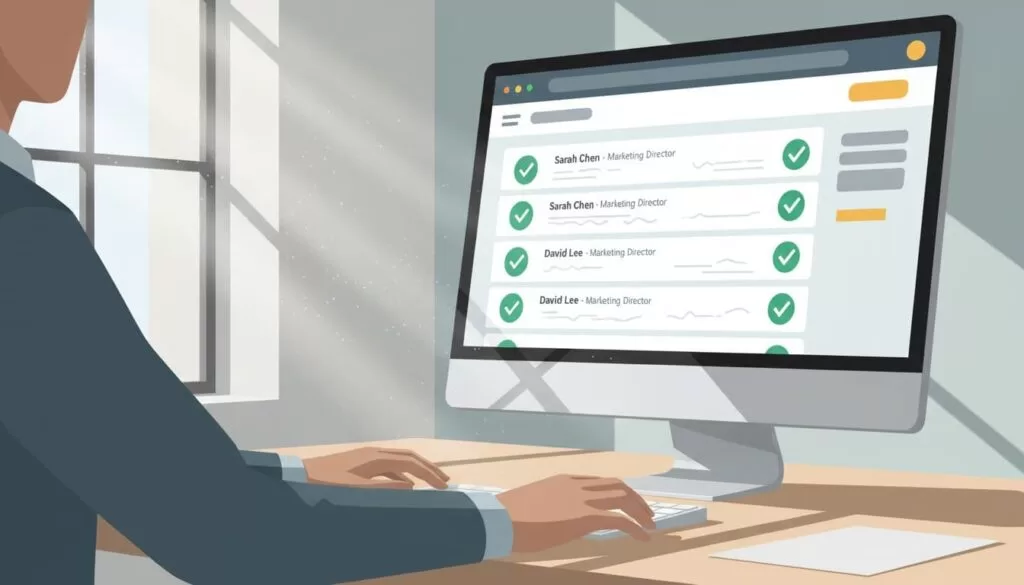
Verification checklist
- Verify the address in Hunter before outreach, even when the pattern looks obvious.
- Prefer a Verified result or a high confidence score over a guess.
- Cross-check the domain against the company website.
- Compare the sources shown by Hunter with a dated public page.
- Move on or use another channel if Hunter cannot find or verify an address.
A found address is not a ready address. Treat the verification status as a technical signal. The status does not prove the person owns the inbox or wants your message.
What to do when Hunter finds nothing
Email finding is never complete. Hunter does not charge a credit when Email Finder returns no address, according to the Hunter credit guide. You lose time but not money. Use the time well.
- Recheck the spelling and use the full professional name.
- Confirm the company domain again.
- Open Domain Search and review the pattern and listed addresses.
- Follow the company in Hunter to receive a notice when new addresses appear, as Hunter help suggests.
- Try the adjacent role, such as Head of Demand Generation or Content Director.
- Use another channel, such as a public contact form or a social message, when the evidence stays weak.
Do not guess addresses by applying a pattern to the name. A guessed address can reach a stranger and damage your sender reputation.
Hunter.io credits and plan limits
Credit rules affect your search plan. The Hunter credit guide lists these costs.
| Action | Credit cost |
|---|---|
| Email Finder, address found | 1 credit |
| Email Finder, no result | No credit |
| Domain Search | 1 credit per email revealed |
| Bulk Domain Search | 1 credit per 1 to 10 emails per domain |
| Email Verifier | 0.5 credit per verification |
The guide also says duplicate requests in the same billing period do not use credits again, except for bulk uploads. The Hunter pricing page lists 50 monthly credits on the Free plan, 2,000 on Starter, 10,000 on Growth, and 25,000 on Scale. Plan details and prices change, so confirm the figures on the official pricing page before you buy.
Treat credits like fuel. Searching bad domains and unverified names wastes credits and time.
Write a short first message
Keep the first message lean. State one clear ask and give an easy way to say no. Avoid long sequences and unsolicited mass lists.
- Open with one specific detail about the recent webinar, post, or campaign.
- State your idea in two sentences.
- Ask one question, such as whether to share the idea or whether someone else owns the topic.
- Close with a plain opt-out line.
Example subject: Quick idea for {{Company}}
Example body: Hi {{FirstName}}, I saw you lead marketing at {{Company}}. I liked {{specific trigger}}. I have a two-sentence idea to improve {{goal}} using {{your approach}}. Should I share the idea, or is someone else the right owner? If you prefer not to receive messages like this, tell me and I will stop.
Hunter data supports short, edited messages. Emails with two custom attributes in the body show a 5.6 percent reply rate, compared with 3.6 percent for non-personalized emails, in the Hunter outreach statistics. Manually edited emails show a 5.2 percent reply rate, compared with 4.4 percent for fully automated emails.
Compliance basics for B2B outreach
Business email still falls under spam and privacy rules. In the United States, the FTC CAN-SPAM guide requires accurate headers, truthful subject lines, a valid postal address, and a clear opt-out. Senders must honor opt-outs within 10 business days. In the United Kingdom and the European Union, data protection rules can apply when you process an identifiable person’s work contact details. Check the rules for the countries you target. This is not legal advice.
- Record the source and the date for every address.
- Collect only the data you need for a stated business purpose.
- Remove opted-out and stale contacts quickly.
- Send from a custom domain with SPF, DKIM, and DMARC configured.
Frequently asked questions
How do you find a marketing director email without paying?
Hunter has a free plan with a monthly credit allowance. Email Finder uses one credit for a found address and no credit for a miss. Confirm the current allowance on the official pricing page.
What if you do not know the marketing director name?
Find the name first. Check the team page, speaker listings, podcast bios, press releases, and job posts. Confirm the person still works at the company.
Can you find an email from a name and a company website?
Yes. Hunter Email Finder needs the full name and the company domain. Domain Search shows the company pattern when you lack a name.
How reliable is a Hunter result?
Every Finder result includes a verification check, and the result shows a confidence score or a Verified status. No tool offers a guarantee. Verification signals deliverability, not identity or interest.
Should you email a catch-all address?
Be careful. A catch-all domain accepts mail for any address, so a mailbox may not exist. Send a small test batch and watch bounces.
How many marketing directors should you contact per company?
Start with one. Hunter data shows a 5.1 percent reply rate when campaigns reach one person per company, compared with 3.5 percent for three or more contacts.
Conclusion
To find a marketing director email, define the title variations, confirm the name and domain, run Domain Search for the pattern, and run Email Finder for the person. Read the verification status and the sources before you save the contact.
Keep batches small, write a short message with one clear ask, and respect opt-outs. Check the Hunter credit guide and pricing page for current figures before you plan a large search.
