How I Warm Up A New Gmail Inbox For Cold Outreach
A new Gmail inbox looks harmless, but Gmail doesn’t trust it yet. If I start sending cold outreach too fast, I invite spam placement, throttling, or even suspension. That’s why I treat gmail warm up like a slow handshake, not a...

A new Gmail inbox looks harmless, but Gmail doesn’t trust it yet. If I start sending cold outreach too fast, I invite spam placement, throttling, or even suspension.
That’s why I treat gmail warm up like a slow handshake, not a sales pitch. I build trust first, then I scale volume with care. Since Gmail rules and deliverability standards keep changing, I also check current guidance before I push a new inbox hard. One useful reference is Gmail sending guidelines for cold outreach, because the rules around reputation and engagement shift over time.
I start by choosing the right inbox for the job
Not every Gmail address should handle cold outreach.
If I’m using a free Gmail account, I keep expectations low. It’s fine for testing, light replies, and small personal use. It’s not my first choice for outbound sales, because the sending limits are tight and the account sits on a shared reputation pool. For real cold outreach, I prefer a Google Workspace inbox on a custom domain. That gives me a professional address, better control, and a cleaner setup for authentication.
Here’s how I think about the trade-off:
| Inbox type | Best use | My take |
|---|---|---|
| Free Gmail | Testing, tiny volume, personal follow-up | Not ideal for cold outreach |
| Google Workspace custom-domain inbox | Sales outreach, team sending, steady growth | Better fit for outbound |
If I’m still setting up business mail, I use Google Workspace email hosting as my base. A custom domain gives me a stronger starting point, and that matters before I send a single prospect email.
I fix deliverability before I send anything
Warm-up fails when the basics are weak. So I check SPF, DKIM, and DMARC first. These records tell Gmail my messages are real, not forged. I also confirm that the domain looks legitimate and that the inbox name matches the role I’m using.
I don’t warm up a broken inbox. I fix the plumbing first.
List quality matters just as much. If I send to bad addresses, role accounts, or stale contacts, I damage trust fast. I like to verify lists before they ever touch a sequence, and I clean out risky addresses early. A practical place to start is the cold outreach list hygiene guide, because bounce control protects reputation from day one.
For trickier domains, I also watch for catch-all mailboxes. They look safe, but they can hide bad data. When I need to handle those, I use catch-all email verification with Hunter.io. That keeps me from sending blind into a mailbox that might not exist.


For a deeper checklist, I also like this Gmail inbox warm-up checklist. It lines up with what I see in practice, keep the setup clean, then warm slowly.
My 4-week Gmail warm-up schedule
I don’t jump from zero to 100. I use small steps and I watch the signals.
A safe starting point is 5 to 10 emails per day in week one, but I keep them mostly to real people I know, not prospects. By week two, I may move to 10 to 15 a day. In week three, I go to 15 to 25. By week four, I might reach 25 to 50 daily, if replies are healthy and spam placement stays low.
| Week | Daily sending range | What I’m watching |
|---|---|---|
| Week 1 | 5 to 10 | Opens, replies, no bounces |
| Week 2 | 10 to 15 | Consistent engagement |
| Week 3 | 15 to 25 | Spam placement, reply speed |
| Week 4 | 25 to 50 | Stability before cold sends |
I keep cold outreach out of the first two weeks whenever I can. If I’m using a free Gmail address, I stay even more conservative, because that inbox is not built for scale. For a fuller day-by-day view, this email warm-up schedule matches the slow-ramp approach I use.
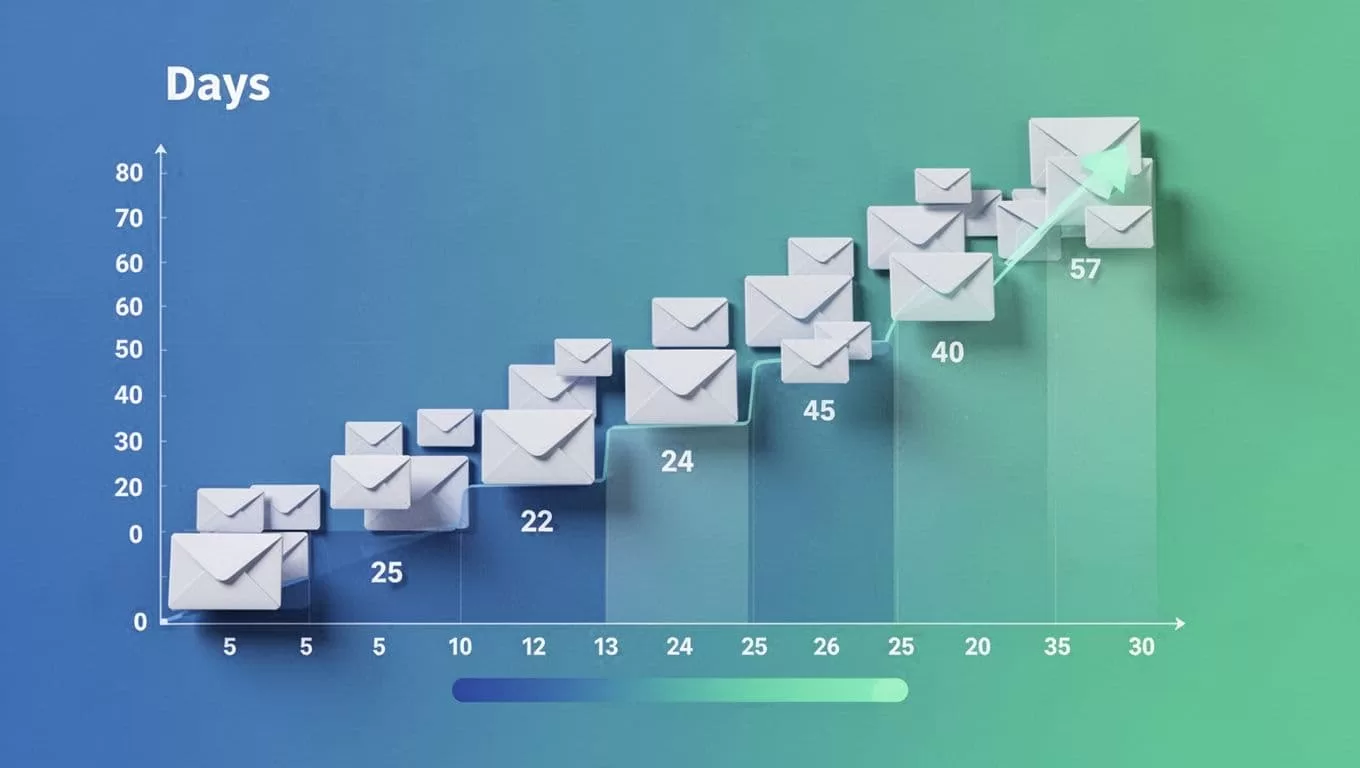
I also avoid sudden jumps. If I sent 15 yesterday, I don’t send 60 today. That kind of spike looks like abuse, not growth.
What I actually send during warm-up
Warm-up messages should feel like normal human mail. I send short notes, replies, and light back-and-forth conversations. I also mix in different recipient types when possible, such as coworkers, friendly contacts, and real inboxes across providers.
Here’s the pattern I like:
- Short, real messages: I keep the message useful and plain.
- Replies over blasts: I answer every reply quickly to build positive signals.
- No weird links: I avoid tracking-heavy or sales-heavy content early on.
- Human timing: I spread sends through the day instead of clustering them.
I do not use automated warm-up bots. Gmail has tightened its stance on fake engagement, and automated warm-up traffic can create risk instead of trust. Real replies matter more than fake opens. That’s why I care more about quality than volume.
If I want a broader view of deliverability habits, I like email deliverability workflow with Hunter. It helps me keep the list clean before I ever worry about send pace.
When I start cold outreach, I keep the volume boring
Once the inbox is stable, I start cold outreach slowly. I usually begin with 5 to 10 cold emails per day, then I raise volume only if replies stay healthy. If spam complaints rise, replies drop, or messages start landing in spam, I pause and cut back.
That’s the part many teams miss. Warm-up is not a finish line. It’s a habit.
I also watch for simple warning signs:
- Messages stop landing in primary inboxes.
- Replies slow down without a clear reason.
- Bounce rates rise.
- Gmail asks for extra verification.
- The account feels “fragile” after a small spike.
If any of those show up, I stop scaling. I review the copy, the list, and the domain setup before I send more.
I keep one rule above everything else
Warm-up only works when I respect the inbox. That means I use good data, clean authentication, and gradual volume increases. It also means I choose the right mailbox in the first place.
A free Gmail address can work for tiny, careful use. For serious cold outreach, I prefer Google Workspace on a custom domain, because it gives me a better base for sender reputation and long-term scaling. Gmail trust grows slowly, and that’s the point.
If I stay patient, the inbox becomes reliable. If I rush it, I pay for it later in spam folders and account risk.

