Picking the wrong Google Workspace plan feels small until storage fills up or a meeting needs recording. In 2026, the gap between Business Starter and Business Standard is wide enough that price alone can mislead you.
Starter keeps the bill low, but Standard gives me room to store more, record meetings, and avoid juggling extra tools. If I’m weighing the two, I start with how the team works today, not with the cheapest monthly rate.
Google Workspace Business Starter vs Standard at a glance
Google’s Business editions comparison makes the split clear. I like to see it side by side before feature lists start to blur together.
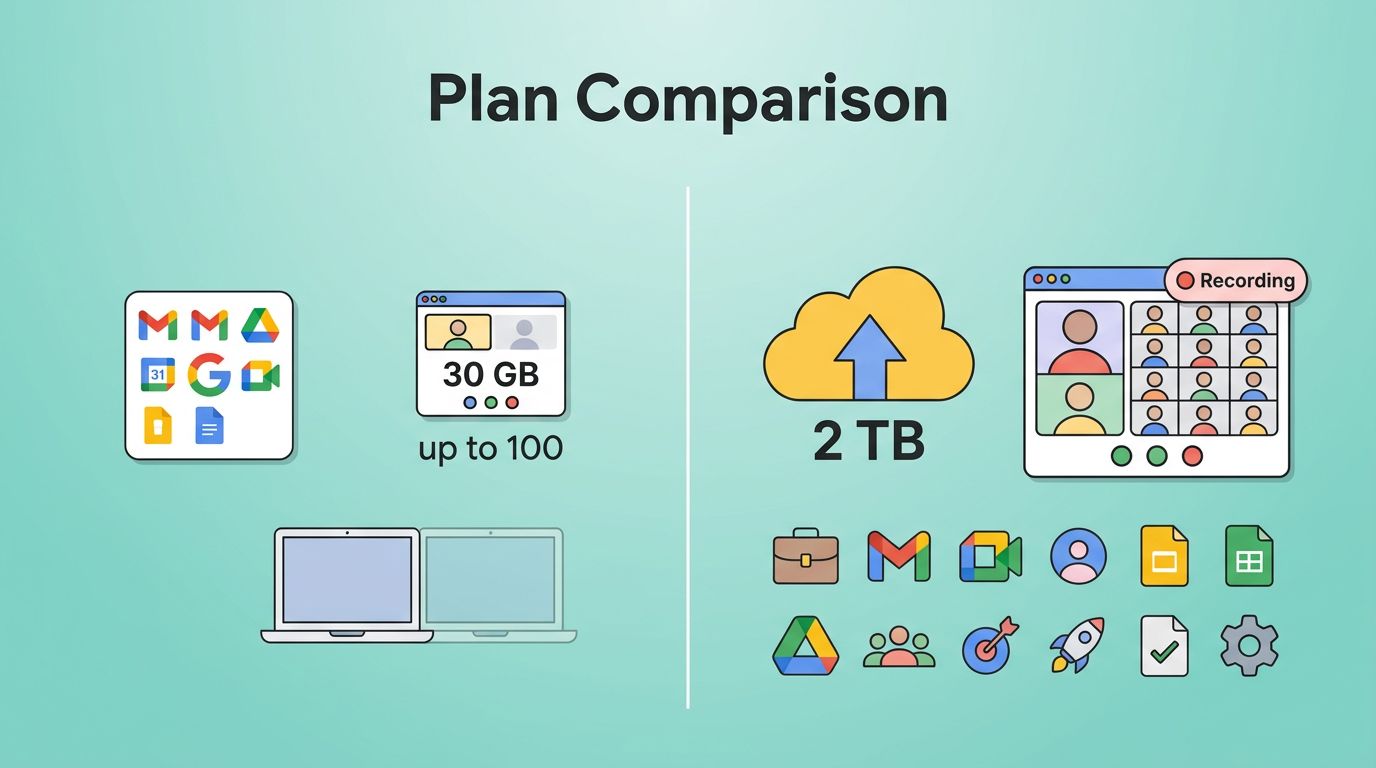
| Feature | Business Starter | Business Standard | My read |
|---|---|---|---|
| Price, annual commitment | $7 per user/month | $14 per user/month | Standard costs twice as much |
| Price, flexible billing | $8.40 per user/month | $16.80 per user/month | Same gap, different billing style |
| Storage | 30 GB pooled storage per user | 2 TB pooled storage per user | Standard is far roomier |
| Google Meet | Up to 100 people | Up to 150 people | Standard is better for bigger calls |
| Meeting recording | Not included | Included | This is a major divider |
| Best fit | Light email and doc work | Heavier collaboration and meetings | Pick by workflow, not price alone |
The simplest way I can say it is this: Starter is the lean option, while Standard is the one that gives me breathing room.
Why Business Starter still makes sense for smaller teams
I reach for Starter when the team is small, the file load is light, and meetings are occasional. The annual price is friendly, and even the flexible rate stays predictable.
The real value is in keeping the setup simple. I get business email, Docs, Sheets, Slides, Meet, and enough admin control to run a serious small business. If most of my work lives in email threads and shared docs, Starter does the job.
The limit shows up in storage first. Thirty gigabytes per user sounds generous at the start, then client files, image decks, and internal assets begin to pile in. When that happens, I stop thinking about features and start thinking about cleanup.
Google’s pricing page shows the cost gap plainly, and that matters if I’m watching overhead closely. Still, I don’t treat Starter as a long-term home for teams that create a lot of content. It works best when the workspace stays light.
If file growth is already a headache, I also use my small business cloud backup guide to think beyond Workspace storage. Backups won’t solve quota limits, but they do keep the rest of the file plan calmer.
Why Business Standard earns the upgrade
Business Standard feels different because the extra cost buys me space and less friction. The jump to 2 TB of pooled storage per user is huge, and it changes how I work day to day.
I worry less about what to delete, what to archive, and what to keep off Drive. That matters if I store decks, design files, recorded calls, client handoffs, or training material. It also matters if my team passes files around a lot instead of keeping them in one neat folder.
Recording one meeting once is easier than rewriting notes for ten people later.
Standard adds more than storage. It includes Meet recording, larger meetings up to 150 people, noise cancellation, custom layouts, mail merge, appointment booking pages, and eSignature in Docs and PDFs. Those extras sound modest until I add up the time they save.
If document signing is part of my workflow, I also compared the best e-signature tools for small teams. Standard can cover a lot, but a dedicated signing app still makes sense for some teams.
Meetings, collaboration, and daily file work
This is where the difference feels most real. Starter handles basic meetings well enough. Standard feels built for teams that live on calls.

The jump from 100 attendees to 150 does not matter every day, but it matters when I run client training, internal updates, or sales demos. Recording matters even more. A saved call becomes a reference point, a training clip, or proof of what was said.
I also pay attention to email workflow. Google’s Gmail feature comparison shows that both plans cover the basics, but Standard opens up more polished tools around mail work. When I spend time inside Gmail all day, those small differences add up.
Starter is fine if calls are short and rare. Standard fits better when the calendar is crowded and follow-up matters. In other words, Starter is a mailbox. Standard feels more like a working room.
Security, admin, and room to grow
I don’t treat either plan as a full security stack. I treat them as business workspace plans with sensible admin controls. Both give me the basics I need to manage users, mail, and access with more control than consumer tools.
The bigger question is scale. Google says both Business Starter and Business Standard are capped at 300 users on its pricing page. That makes the pair a fit for small and midsize organizations, not sprawling enterprises.
That ceiling matters because it sets expectations early. If I already know the company will outgrow 300 seats, I stop debating these two plans and look at Enterprise instead. If I stay under that limit, Standard gives me more room before I have to rethink storage, meetings, and file habits again.
For teams that need tighter control over files and recovery, I still like to pair Workspace with an outside backup plan. That is where my small business cloud backup guide comes in handy. Workspace stores the work, but a backup strategy protects the business when files matter most.
How I would choose in 2026
I keep the choice simple.
- I choose Business Starter when the team mainly needs email, docs, and a few light meetings.
- I choose Business Standard when meetings are part of sales, delivery, or training.
- I move to Business Standard when storage cleanup starts taking real time.
If I’m still unsure, I look at one question: will the team feel cramped in six months? If the answer is yes, I skip Starter and save myself the second migration.
Conclusion
The gap between these two plans is easy to miss at first, but it shows up fast in real work. Business Starter keeps costs down, while Business Standard gives me storage, recording, and collaboration features that reduce friction.
That is the choice I would make in 2026. I would pick the plan that fits the next year of work, not the next invoice.
FAQ
Is Business Standard worth the extra cost over Starter?
If I record meetings, share larger files, or want fewer extra tools, yes. If I only need business email and everyday docs, Starter is enough.
How much storage do I get with each plan?
Business Starter includes 30 GB of pooled storage per user. Business Standard includes 2 TB of pooled storage per user.
Does Business Starter include meeting recording?
No. Meeting recording is one of the clearest reasons to move up to Business Standard.
Which plan is better for a growing team?
I usually choose Standard once storage, meetings, and collaboration start piling up. Starter is fine for lean teams, but Standard leaves more room before the plan feels tight.