Paddle Affiliate Tracking With Rewardful: Setup Rules
An affiliate sale is worth little if the referral never reaches the paid transaction. That gap creates commission disputes, missing attribution, and manual cleanup. Paddle affiliate tracking with Rewardful has one hard boundary in August 20...

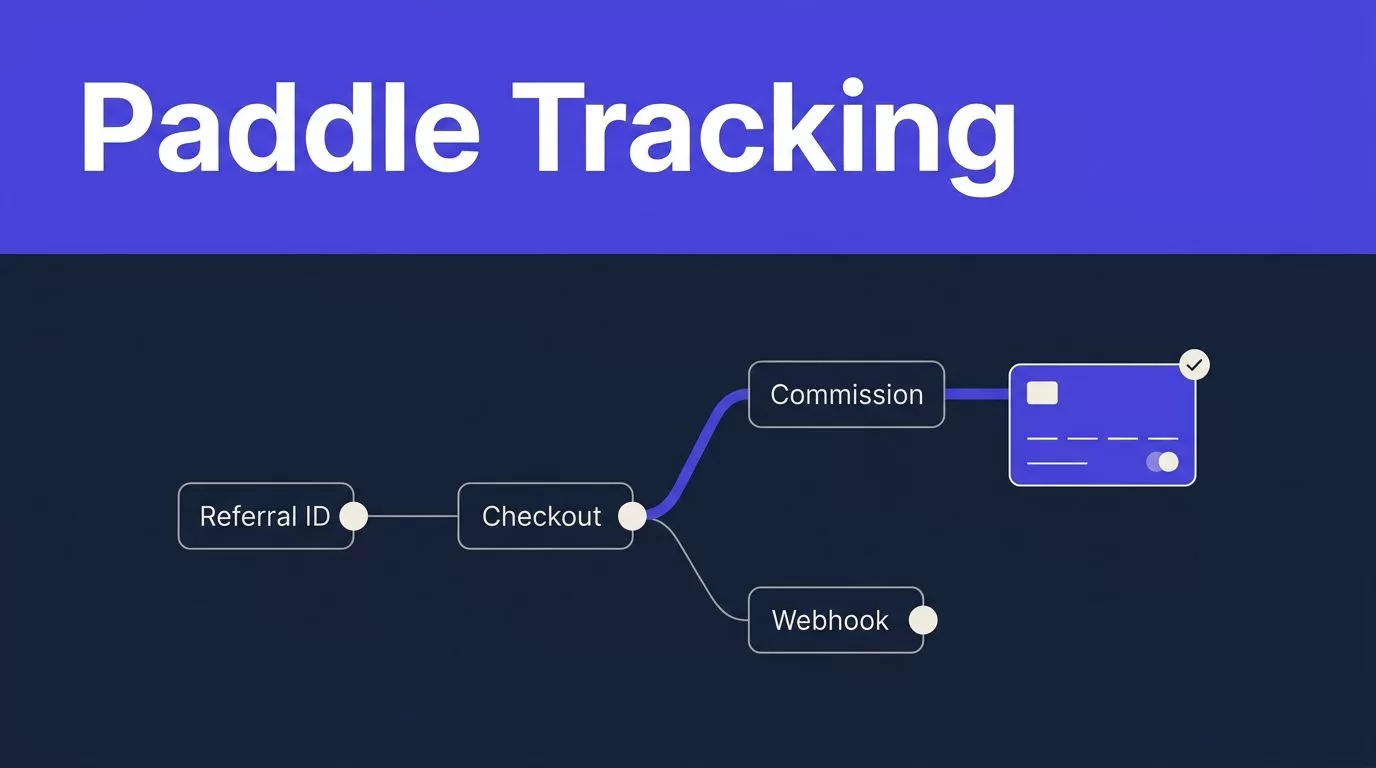
An affiliate sale is worth little if the referral never reaches the paid transaction. That gap creates commission disputes, missing attribution, and manual cleanup.
Paddle affiliate tracking with Rewardful has one hard boundary in August 2026: Rewardful’s documented integration supports Paddle Classic, not Paddle Billing. Confirm your Paddle version before you touch checkout code or webhook settings.
Paddle affiliate tracking starts with platform compatibility
Start with the payment platform you run today. Paddle Classic and Paddle Billing are separate products with different APIs, event models, and checkout patterns.
Rewardful’s official Paddle Classic setup instructions describe the supported route. You select Paddle in Rewardful, add your Paddle Classic public key, install Rewardful’s script, pass a referral ID through checkout, and add Rewardful’s webhook URL in Paddle Classic.
Paddle Classic is the supported route
Use the native Rewardful setup if your account still runs Paddle Classic.
Rewardful gives you a unique webhook URL. Add it in Paddle Classic under Developer Tools, then Events. Copy the Paddle public key from Developer Tools and paste the full value into Rewardful.
Keep the opening and closing public-key markers. A trimmed key can break signature checks.
Paddle Billing needs a different plan
Do not treat Paddle Billing as a renamed Classic account. Rewardful states that its Paddle connector does not support Paddle Billing.
Paddle’s own Classic and Billing workflow mapping shows why a direct copy is unsafe. Billing uses its own customer, transaction, subscription, and webhook workflow.
If you use Paddle Billing, don’t paste Classic credentials into a Billing setup and expect commissions to appear. Choose an affiliate platform that supports Billing, build a reviewed custom integration, or use another supported payment processor for your affiliate program.
Map the event flow before you configure anything
The working path is simple. One referral ID must travel from the affiliate click into the Paddle Classic checkout, then into the webhook data Rewardful receives.

In a supported Classic implementation, the flow looks like this:
- An affiliate sends a visitor through a Rewardful referral link.
- Rewardful creates or retrieves a referral UUID for that visitor.
- Your site passes that UUID into Paddle Classic as checkout
passthroughdata. - Paddle processes the subscription or payment and sends event notifications to Rewardful.
- Rewardful reads the referral value, creates the sale record, and applies your campaign’s commission rules.
Paddle’s guide on how webhooks work is useful background for any team that also handles payment events in its own application. A webhook is evidence that a payment system sent an event. It is not proof that your commission ledger is correct.
What Rewardful receives and stores
Rewardful checks the referral attribute in the checkout passthrough data. When the referral is valid, it can record the referred customer as a lead.
Its documented Paddle flow stores customer details such as name and email, plus the Paddle checkout identifier and order identifier. Retain these records in your finance or support process. They are the fastest way to investigate an affiliate question without guessing from an email address.
Why checkout-only tracking fails
A referral cookie alone is not enough. The checkout must receive the same referral value.
A visitor may start on an affiliate landing page, then open checkout from a pricing modal, upgrade screen, or emailed link. If that checkout path omits passthrough, Paddle can process a valid payment with no affiliate attribution.
Test every route that opens checkout. One missed route creates a hole in your reporting.
Configure Paddle affiliate tracking in Rewardful
These steps apply to Paddle Classic only.
First, select Paddle as the payment processor in Rewardful. Then copy the public key from Paddle Classic Developer Tools. Include the full key, including -----BEGIN PUBLIC KEY----- and -----END PUBLIC KEY-----.
Next, copy the Rewardful webhook endpoint into Paddle Classic under Developer Tools -> Events. Install the Rewardful JavaScript on your affiliate landing pages and on every page that can open Paddle checkout.
Pass the referral ID through Paddle checkout
Your checkout code needs a referral variable that contains the UUID created by Rewardful’s installed script. Serialize that value once and send it in Paddle Classic’s passthrough field.
| Checkout field | Value |
|---|---|
| Referral value | referral |
| Passthrough expression | JSON.stringify({ rewardful: { referral } }) |
| Final JSON shape | {"rewardful":{"referral":"<referral-uuid>"}} |
A concise checkout call looks like this: Paddle.Checkout.open({ product: productId, passthrough: JSON.stringify({ rewardful: { referral } }) }).
Don’t send an empty object when no referral exists. Don’t stringify the JSON twice. Both mistakes make troubleshooting harder.
Use the same pattern for monthly plans, annual plans, one-time purchases, and self-service upgrades when those purchases should qualify for a commission. Your commission terms may differ by product, but the attribution record should stay consistent.
Retain IDs, renewals, and refund evidence
Never use email as your only matching key. Customers change emails, use aliases, and sometimes pay through a company account.
For each attributed sale, retain the referral UUID, Rewardful affiliate record, Paddle checkout ID, Paddle order ID, paid amount, payment date, and commission status. Store the original payment evidence separately from any internal notes or manual adjustment.
Handle recurring payments as recurring evidence
Rewardful’s Paddle Classic integration checks referral data when a customer subscribes and when a payment succeeds. That payment path covers the first charge and later successful subscription renewals.
Your campaign decides whether those renewals earn a commission. Common rules include a one-time payment after the first paid invoice, a percentage for the first 12 months, or recurring commission while the customer remains paid.
Write the rule down before launch. State whether commission uses revenue before discounts, after discounts, after refunds, or after tax. Exclude internal accounts, test purchases, chargebacks, and free plans unless you intend to pay on them.
Treat refunds as commission changes
Rewardful receives notifications for full and partial refunds, then recalculates the related sale and commission. A cancelled subscription is not automatically a refund. Review the actual payment outcome.
For Paddle Billing teams building their own reconciliation process, Paddle’s subscription.created event includes a transaction_id that links the subscription to the transaction that created it. Keep customer, transaction, and subscription records together.
Billing refunds and chargebacks are handled through adjustments. Paddle’s adjustment.updated event covers credit, refund, and chargeback changes. That event model does not make Rewardful’s Classic connector compatible with Billing.
Test the full path in a sandbox
Do not invite affiliates until you can trace a test referral through checkout, payment, commission, and refund handling.
Rewardful’s public Classic instructions do not provide a separate sandbox recipe. Use the Paddle Classic test environment available to your account. Do not substitute Paddle Billing sandbox credentials, because that only validates a Billing checkout.
Run both positive and negative tests
Create one test affiliate and use a dedicated test buyer. Open the site through the affiliate’s referral URL. Complete a test purchase and confirm that Rewardful shows the expected lead, sale, and commission.
Then run a purchase with no referral. That payment should not create a commission.
Where your Classic sandbox can trigger a recurring payment, test a renewal too. Confirm that the payment links to the original referred customer. Then test a partial refund and full refund. Record the sale and commission changes after each event.
Define the pass criteria
A test passes only when the records agree across Paddle and Rewardful. Check the referral UUID, checkout or order identifier, paid amount, refund amount, and commission result.
Also test duplicate delivery and delayed events. A retry must not create a second commission.
A delivered webhook proves transport. It does not prove that a commission is payable.
Save the test date, expected outcome, actual outcome, and owner decision. This gives your team a trusted baseline before live transactions begin.
Run commissions as a reconciled system
Automation removes manual matching. It does not remove payout accountability.
Set clear statuses such as Needs Review, Approved, Paid, and Reversed. When a payment, refund, or affiliate record conflicts, send it to an exception queue. Assign one owner and record the final decision.
Measure reconciled payouts, not dashboard activity
A dashboard can show many clicks, leads, and webhook deliveries while your payout records remain wrong. Review a short operating report each week:
- Compare Rewardful sales against Paddle payments and refunds for the same period.
- Count commissions approved for payout, reversed after refunds, and held for review.
- Track duplicate records, missing referral data, and failed event deliveries.
- Measure review minutes and correction time per accepted payout.
Keep the original payment record unchanged. Store the proposed correction and final reviewer decision in separate fields. A later sync should never overwrite your last trusted payout record.
Final setup rule
Rewardful can automate affiliate attribution when you use Paddle Classic, carry the referral UUID in checkout passthrough data, and connect the required event flow.
Paddle Billing requires a separate affiliate tracking approach. Don’t force a Classic integration into a Billing account.
Paddle affiliate tracking should produce a payment-backed commission ledger, not a list of browser clicks and webhook deliveries.

