Track Recurring Commissions in Rewardful Without Payout Errors
A subscription affiliate program can look profitable until renewals, refunds, and cancellations start piling up. Recurring commissions only work when your attribution, billing data, and payout rules point to the same customer record. Reward...

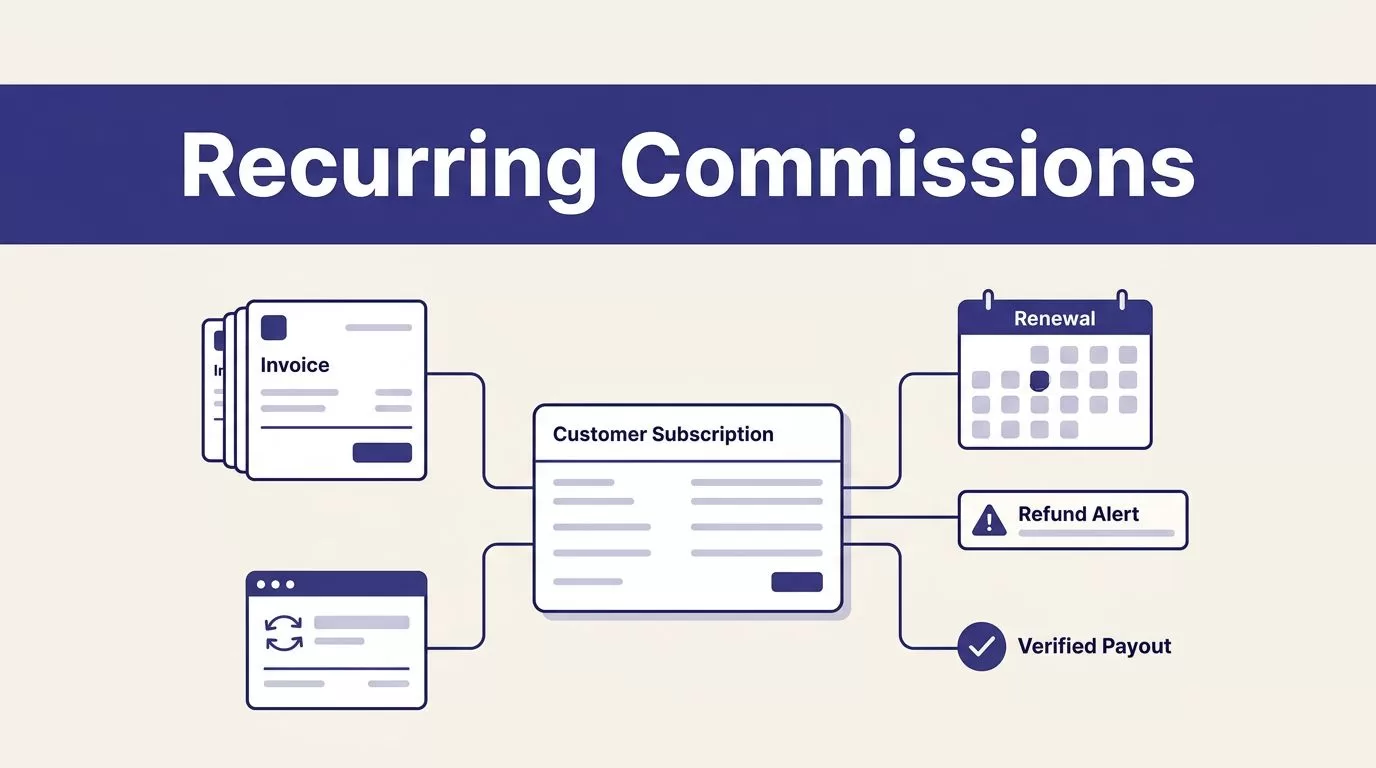
A subscription affiliate program can look profitable until renewals, refunds, and cancellations start piling up. Recurring commissions only work when your attribution, billing data, and payout rules point to the same customer record.
Rewardful connects affiliate referrals to subscription billing, then creates commissions as referred customers pay invoices. Your job is to configure the rules, test the path, and review exceptions before money leaves the business.
Use this process to build a program that finance, affiliates, and revenue operations can all verify.
WHY RECURRING COMMISSIONS NEED A REVENUE RECORD
A referral click is not revenue. A trial is not revenue either. Even a paid first invoice may not be final if your refund window is still open.
For SaaS teams, recurring commissions should follow the paid subscription lifecycle. The affiliate earns when a referred customer pays under the campaign rules. Rewardful then tracks later billing events rather than asking your team to create a new reward every month.

Separate the referral, commission, and payout
Keep three records separate in your reporting:
- A referral shows who sent the visitor and when attribution was recorded.
- A commission records the reward tied to a qualifying subscription invoice.
- A payout is the amount you have approved for payment to the affiliate.
This distinction prevents a common error. A team sees a conversion in the dashboard, assumes the affiliate has been paid, then discovers the commission was still pending or later adjusted.
Rewardful is built for recurring billing but can also support one-time purchases. Its core model is stronger when your billing system produces reliable customer, subscription, invoice, and refund events.
Tie the reward to collected revenue
Don’t calculate commissions from a plan’s list price. Use the amount the customer actually paid after discounts, credits, and billing changes.
A $100 monthly plan with a 20% coupon produces an $80 payment. If your agreement pays 25%, the commission should match the qualifying invoice amount under your configured rules, not the original $100 price.
A completed checkout proves intent. A paid invoice is the financial record that supports a recurring reward.
SET UP RECURRING COMMISSIONS IN REWARDFUL
Rewardful’s documented starting flow is simple: connect Stripe, create a campaign, then install the right tracking method. The detail inside those steps determines whether your records stay clean six months later.
1. Connect the Stripe account
Start by connecting the Stripe account that owns the subscriptions. Review the Stripe permissions required by Rewardful with whoever controls billing access before authorization.
Don’t connect a test account and later expect production renewals to appear there. Your campaign needs the Stripe account that receives the customer invoices you want to reward.
Stripe sends billing notifications to Rewardful for events such as paid invoices and refunds. That connection is what lets the platform create a new commission when a referred subscriber renews.
2. Create one clear campaign
Open the Campaigns area and create the first offer. Rewardful’s campaign setup guide states that commissions are recurring by default until the referred customer cancels.
Set the commission as a percentage or fixed amount. Then decide whether it applies to every qualifying invoice or only a set number of invoices.
Write the commercial rule before entering it. For example:
- Pay 20% of collected subscription revenue.
- Pay for the first 12 paid invoices.
- Exclude tax, refunded amounts, and fraudulent or self-referred purchases.
- Hold commissions for 30 days after each invoice becomes payable.
A rate without an invoice limit can create an open-ended liability. That may be right for your program, but it should be a deliberate choice.
3. Set the attribution window and approval delay
Your cookie window should match the normal buying cycle. A self-serve tool with same-day checkout may need a shorter period than enterprise software with several weeks of evaluation.
Rewardful lets you control cookie and commission settings, including the attribution window. It also provides a setting for days before commissions become due.
Use the delay to protect your cash flow. If most refunds happen within 14 days, a commission that becomes payable on day three creates unnecessary reversals.
CONNECT THE CHECKOUT PATH BEFORE YOU RECRUIT AFFILIATES
A configured campaign does not guarantee that a referral reaches checkout. The referral value must survive the path from affiliate link to payment.
Use the integration that matches your billing flow
Rewardful supports Stripe-based paths including Stripe Checkout, Payment Links, Pricing Table, Buy Button, and custom Stripe integrations. Use the supported method that matches the checkout your customers actually use.
A Stripe Pricing Table requires the referral to pass into Stripe through the client reference value. A custom checkout needs the same outcome through the documented integration method. Don’t replace referral data with a new backend object without preserving the original value.
If your marketing site and checkout use different domains, configure cross-domain tracking. Otherwise, the visitor can arrive with a valid affiliate cookie and lose it before payment.
The Rewardful integrations list is the starting point for checking supported platforms. Confirm the live requirements for your own checkout before launch.
Test with a private browser session
Run one complete test before sharing any affiliate link.
Open a private or incognito browser. Visit the affiliate URL. Move through your real pricing page and checkout path. Complete a controlled purchase, then verify the referral, conversion, and commission records.
Test more than the happy path:
- A direct visit with no affiliate referral.
- A referral that crosses from your site to hosted checkout.
- A coupon-based sale.
- A trial that later becomes a paid subscription.
- An upgrade, refund, and cancellation.
Record the test date, affiliate email, Stripe customer ID, invoice ID, and expected commission. That record becomes your baseline when a partner disputes attribution later.
HOW SUBSCRIPTION EVENTS AFFECT COMMISSIONS
Recurring commission tracking follows billing events. This is why your team should treat subscriptions as a sequence of invoice-level records, not as one permanent conversion.
Renewals, upgrades, and cancellations
When a referred customer renews and pays a subscription invoice, Rewardful can generate the next commission automatically. You don’t need to enter a monthly reward by hand.
Rewardful also states that commissions adjust for billing changes such as upgrades, downgrades, free trials, cancellations, and refunds. A higher or lower paid invoice should not leave the affiliate with a commission based on an old plan amount.
A cancellation usually means there will be no next renewal invoice. It does not automatically answer whether an earlier accrued commission remains payable. Your written terms should answer that question.
Refunds and churn need different treatment
A full refund removes the revenue tied to that invoice. Rewardful says Stripe refund notifications trigger a recalculation, with full refunds removing the commission and partial refunds adjusting it. Review the Stripe refund handling details before setting your approval period.
Churn is different. A customer who cancels after several valid payments may have generated legitimate commissions before the final month. Don’t retroactively reverse earlier approved rewards unless your affiliate agreement clearly allows it.
Chargeback treatment is not something to guess. Set an internal policy, confirm the current Rewardful behavior in your account, and hold disputed payments until the payment processor outcome is final.
AUDIT ATTRIBUTION BEFORE YOU RELEASE PAYOUTS
Automation reduces manual entry. It does not replace review. A dashboard total can be wrong because of a missing referral, duplicate customer, incorrect commission plan, or refund that needs attention.
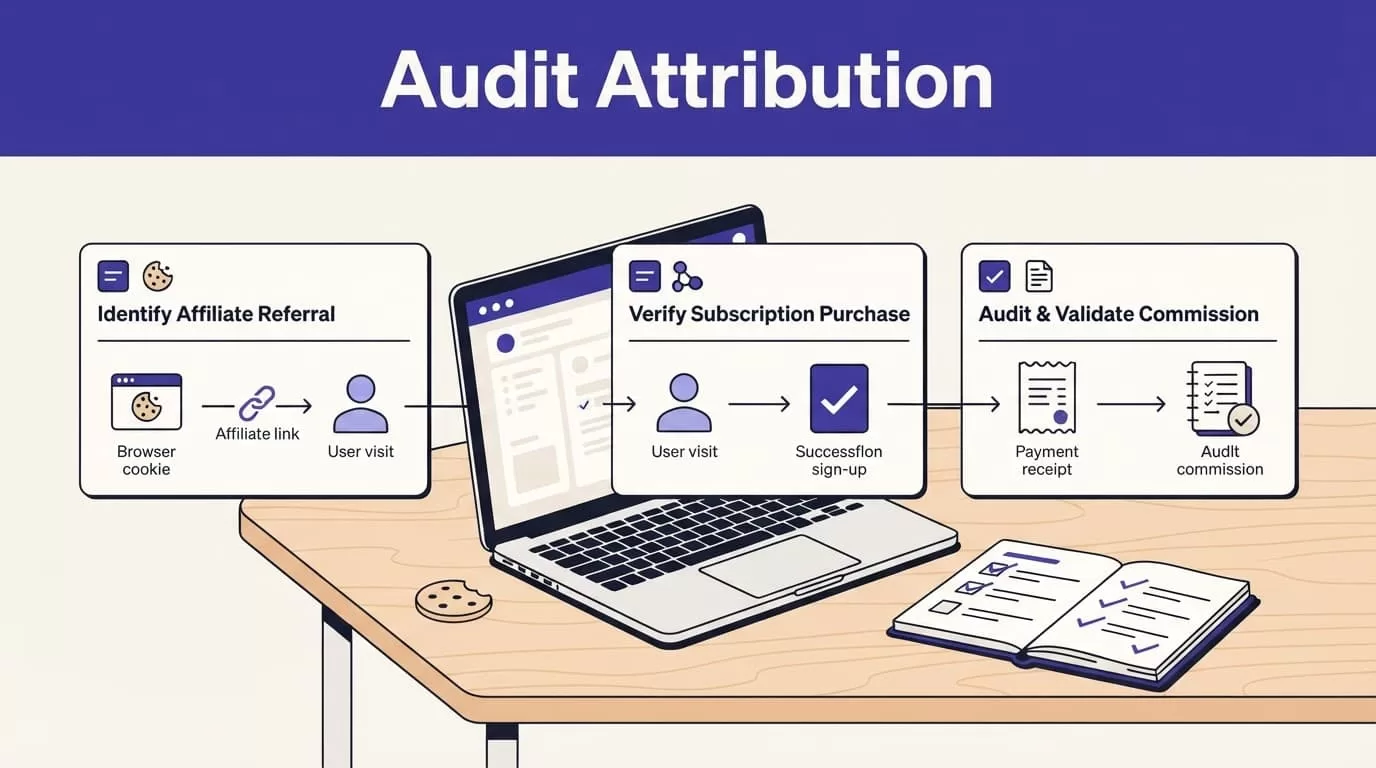
Reconcile a fixed sample every month
Start with the highest-value affiliates and the largest pending payouts. Compare Rewardful records against Stripe invoices and customer subscriptions.
Use a fixed review record:
| Field | What to verify |
|---|---|
| Affiliate and referral ID | The reward points to the correct partner |
| Stripe customer and invoice ID | The subscription payment is real and unique |
| Invoice amount and currency | The commission uses collected revenue |
| Subscription status | Renewal, trial, cancellation, or change is correctly reflected |
| Commission status | Pending, due, paid, adjusted, or voided |
| Refund or dispute evidence | The decision has a processor record and date |
Keep the source invoice, refund evidence, decision date, reviewer, and payout reference together. Don’t overwrite the original commission record when you make a correction. Store the adjustment and reason separately.
Measure accepted payouts, not dashboard activity
Click volume is not program health. Nor is the number of commissions created automatically.
Track approved customers, cleared commissions, refund and reversal rate, retained referred revenue, and total paid commissions. Add review minutes and correction time to the report.
A process that creates 50 commission records but requires hours of cleanup is not efficient. Measure the payouts your team accepts with little or no correction.
If attribution errors keep appearing, stop expanding the program. Fix the checkout path and campaign settings first.
GIVE AFFILIATES TERMS THEY CAN PRICE INTO THEIR WORK
Affiliates need more than a percentage number. They need a clear explanation of when they earn, when they get paid, and what can reverse a reward.
Put the operating rules in writing
Your affiliate terms should state:
- The commission rate and whether it applies to gross or collected revenue.
- Whether commissions are recurring and the maximum number of paid invoices.
- The cookie window and attribution rule.
- Trial, upgrade, downgrade, refund, cancellation, and self-referral treatment.
- The waiting period before commissions become due.
- Payout schedule, payment method, minimum threshold, and required tax information.
- Fraud review and dispute process.
Send the same rules in the affiliate welcome email and make them available in the partner portal. A support reply should not be the first time an affiliate learns that refunds reverse a commission.
Check plan and payout limits before scale
Rewardful’s current public pricing starts at $49 per month for Starter, $99 for Growth, and $149+ for Enterprise. The public pricing is based on monthly revenue from affiliates, with a 14-day trial and no transaction fees listed. Review the live Rewardful pricing page before committing to a volume forecast.
Don’t assume every integration or workflow is available on every plan unless Rewardful confirms it in your account. Plan details and product requirements can change.
For complex attribution rules, finance approvals, or a migration from another partner system, Book A Call before you launch payouts at scale.
BUILD A COMMISSION PROGRAM FINANCE CAN VERIFY
Recurring commissions work when every payment traces back to a real referral, a paid invoice, and a documented campaign rule. Rewardful handles the recurring tracking layer, but your team owns the setup, approval window, and exceptions.
Test the checkout path before recruiting affiliates. Hold rewards through the refund period. Audit high-value payouts against Stripe. Then communicate the same rules to every partner.
A payout should never depend on memory, a spreadsheet guess, or a dashboard total without evidence.

