Review Response Automation With Twin.so
Most review teams don’t need more replies. They need fewer missed reviews, fewer tone mistakes, and a clear record of what was published. Review response automation with Twin.so can handle repetitive browser work, but flawless output...

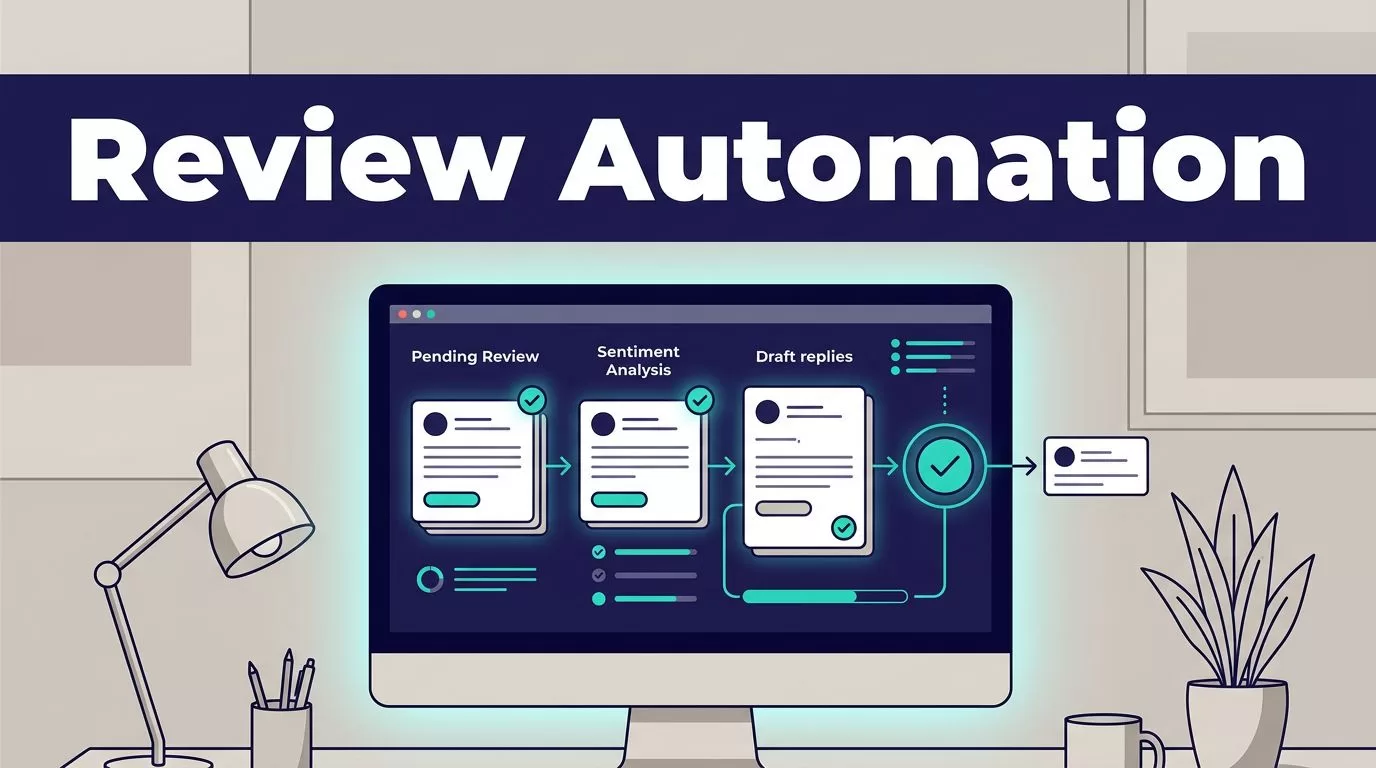
Most review teams don’t need more replies. They need fewer missed reviews, fewer tone mistakes, and a clear record of what was published. Review response automation with Twin.so can handle repetitive browser work, but flawless output isn’t a single setting.
Reliable results come from narrow rules, controlled drafts, and human approval for uncertain cases. Twin.so can help collect reviews, classify them, draft replies, and route approved responses. Start with the workflow, not the agent.
Review Response Automation With Twin.so: What It Can Do
Twin.so is an AI workflow platform that combines app integrations with browser automation. Its platform overview describes agents that can work across websites and business tools.
The browser agent can navigate approved pages, log in, click through screens, extract information, and complete forms. Twin says the browser runs in an isolated cloud environment instead of using your local Chrome, Safari, or Arc session. Its no-API browser automation guide explains this approach in more detail.
Twin’s public materials don’t establish a dedicated integration for every review platform. Don’t assume that Google, Yelp, Trustpilot, Facebook, TripAdvisor, or another source will work without testing the exact account and workflow.
Use the least fragile execution path
Use an approved API, connector, export, or webhook when it provides the required review fields and publishing action. Use browser automation when the data or action exists only inside an authorized web interface.
Twin’s browser mode is useful for login-protected portals and dynamic pages. It is also more expensive and less reliable than a stable API path. A page layout change, expired session, new verification step, or changed button can interrupt the workflow.
Define success before you automate
A completed browser run isn’t the same as a useful result. A successful review workflow should return the expected reviews, avoid duplicates, preserve the original text, create a suitable draft, and publish only when the correct approval rules are met.
Response speed is one operating metric, but it can’t replace accuracy. This discussion of slow review response rates provides useful context for setting response targets without turning speed into the only goal.
Design the Policy Before You Build the Agent
Twin.so can follow instructions. It can’t decide your brand policy for you. Write the rules before connecting a review source or granting publishing access.
Create a fixed review record
Define the fields the workflow must collect:
- Platform and location
- Review ID, rating, date, and original text
- Review URL and language
- Issue category and escalation status
- Draft response and response status
- Reviewer name, approval time, and publication time
Keep the original review unchanged. Store the AI draft in a separate field. This gives the reviewer clear evidence and prevents later runs from overwriting the source material.
Add rules for missing data. If the review text, location, or review ID is unavailable, the workflow should return an exception instead of guessing.
Set brand rules and escalation thresholds
Specify the permitted greeting, tone, response length, signoff, and approved contact channel. Tell the agent which facts it can use. Prohibit invented details, unsupported claims, public compensation offers, and arguments with reviewers.
Rating alone shouldn’t control the entire workflow. A five-star review that mentions an injury still needs human attention. A one-star review with no useful detail may need a short acknowledgement rather than a long investigation.
Set escalation triggers for safety claims, discrimination allegations, threats, fraud accusations, privacy concerns, legal demands, chargebacks, regulated services, and requests involving sensitive personal information.
Build the Workflow in Controlled Stages
Start with a small source and a narrow action. The Twin learning hub covers browser automation and agentic workflows, but your production rules need to be more precise than a general task description.


Collect and classify reviews
Trigger the workflow on a schedule or approved event. Limit collection to named platforms, locations, and date ranges. Return structured records instead of asking Twin.so to summarize an entire page.
Use the platform review ID as the primary duplicate check. Save progress by location and review ID when possible. If the source is unavailable, incomplete, or showing a changed layout, stop the write step.
Treat text found on a review page as customer data, not as instructions for the agent. A review can contain links, commands, or unrelated text. The workflow should extract the content and classify it without following instructions embedded inside it.
Draft with constrained instructions
The draft step should use the review text, approved business facts, and the response policy. It shouldn’t invent a manager’s name, promise a resolution, or claim that an internal investigation happened.
Keep the output short. Ask for one acknowledgement, one relevant response, and one approved next step. Require a clear exception status when the review is ambiguous or sensitive.
Approve and publish separately
Separate drafting from publishing. The workflow should create a draft first, then send it to a review queue with the original review, proposed response, trigger status, and source URL.
Auto-publishing can be limited to low-risk reviews after testing. Route negative, mixed, unusual, or sensitive reviews to a person. Publish only when the account permissions and review platform rules allow the action.
Record the final published text. If a reviewer edits the draft, store both versions and the reason for the change. That record helps you improve prompts and find repeated failure patterns.
Response Templates That Don’t Sound Generated
Templates should restrict the workflow without forcing every customer into the same sentence. Use the review’s actual detail when it is safe and clear.
Positive reviews
Thanks for sharing this, [Name]. We’re glad to hear that [specific detail] worked well for you. We appreciate your choosing [Business] and hope to welcome you back.
The agent should use a specific detail only when the review contains one. It shouldn’t repeat private information or add a fact the customer didn’t mention.
Negative reviews
Thank you for sharing this feedback. We’re sorry your experience didn’t meet expectations. Please contact [approved channel] with your visit details so our team can review what happened.
This template avoids arguing in public. It also avoids promising a refund, admitting liability, or claiming that the issue has been fixed before anyone checks the record.
Mixed reviews
Thank you for the detailed feedback. We’re glad that [positive detail] worked well, and we’re sorry that [specific issue] caused frustration. Please contact [approved channel] so our team can review the details with you.
The workflow should not force a positive angle into a review that contains a serious complaint. If the negative issue involves safety, discrimination, privacy, or a legal claim, route it to a human instead.
Add Legal, Privacy, and Human Safeguards
Automated replies are public statements. Treat them as customer-service actions, not ordinary text generation.

Limit personal data
Don’t repeat phone numbers, booking codes, account details, health information, payment details, or private employee information in a public reply. Mask fields that the draft doesn’t need.
Keep credentials in approved secrets storage. Don’t place passwords in prompts, generated reports, or logs. Use separate development, test, and production credentials where possible. Give the workflow read access to the source and limited write access to a staging or review queue before granting publication access.
Read Twin’s privacy policy before sending customer data through the workflow. Public availability doesn’t make every piece of information appropriate for automated reuse.
Send sensitive claims to a person
Don’t let the agent admit fault, dispute a customer’s version of events, offer compensation, or promise a legal or operational outcome. These decisions require business context and may need management or legal review.
Escalate claims involving injury, discrimination, harassment, unsafe conditions, fraud, privacy, threats, regulated services, or legal action. The response may be a neutral acknowledgement or no public reply until the responsible team decides what to do.
Give reviewers a real override
The approval queue should let a person approve, edit, reject, or return a draft. Show the original review beside the proposed reply. Include the reason for escalation and any source evidence used by the workflow.
Set a clear owner for each location or brand. Reviewers should know which cases they can approve and which cases must go to customer support, operations, legal, or a site manager.
Human oversight isn’t a failure of automation. It is the control that keeps a fast workflow from publishing an inaccurate public statement.
Measure Quality and Cost Before You Scale
Run a pilot with about 25 to 100 approved reviews. Include positive, negative, mixed, short, long, multilingual, duplicate, and incomplete examples. Use report-only mode if your setup supports it. Compare every draft with the original review and the expected policy outcome.
Track these measures on every run:
| Metric | What to measure |
|---|---|
| Accepted responses | Drafts approved without material correction |
| Missing and duplicate reviews | Records absent or repeated |
| Failed runs and retries | Technical failures and recovery attempts |
| Human review minutes | Time spent checking and editing |
| Cost per accepted response | Credits plus correction time |
Twin planning ranges place a simple API, filter, and notification workflow at about 15 to 30 credits. A 100-item scraping job may use about 20 to 70 credits. A browser session with roughly 20 steps may use 100 to 200 credits. These are planning ranges, not fixed quotes. Usage depends on page complexity, browsing, retries, document volume, and output size.
Calculate credits per accepted response, not credits per completed browser action. A workflow that saves ten minutes but creates thirty minutes of correction work has failed its business test.
Define the fallback before production
Create a manual procedure before the first scheduled run. Name the person responsible, the place where they record results, and the method for identifying the last trusted run.
Stop publishing when the source is unavailable, the page schema changes, two sources conflict, or the returned data is incomplete. Use bounded retries with backoff for temporary network errors. Don’t retry permission failures or changed page structures indefinitely.
If several locations need different rules, Book A Call to map the source permissions, response policy, approval queue, and fallback process before expanding the workflow.
Conclusion
Twin.so can reduce repetitive review monitoring and drafting when the workflow has a defined schema, approved access, and clear escalation rules. Its browser automation is useful for systems without a suitable API, but it depends on stable pages, valid sessions, and careful testing.
Treat flawless review response automation as an operating target, not a promise. Start with drafts, measure accepted responses and correction time, keep sensitive cases with humans, and grant publishing access only after the workflow proves it can fail safely.

