Rewardful Referral Tracking for B2B SaaS Sales
A referral dashboard can look healthy while partner revenue is wrong. One missing referral ID at checkout can turn a real paid account into an uncredited sale. Rewardful referral tracking connects partner activity to Stripe customers and in...
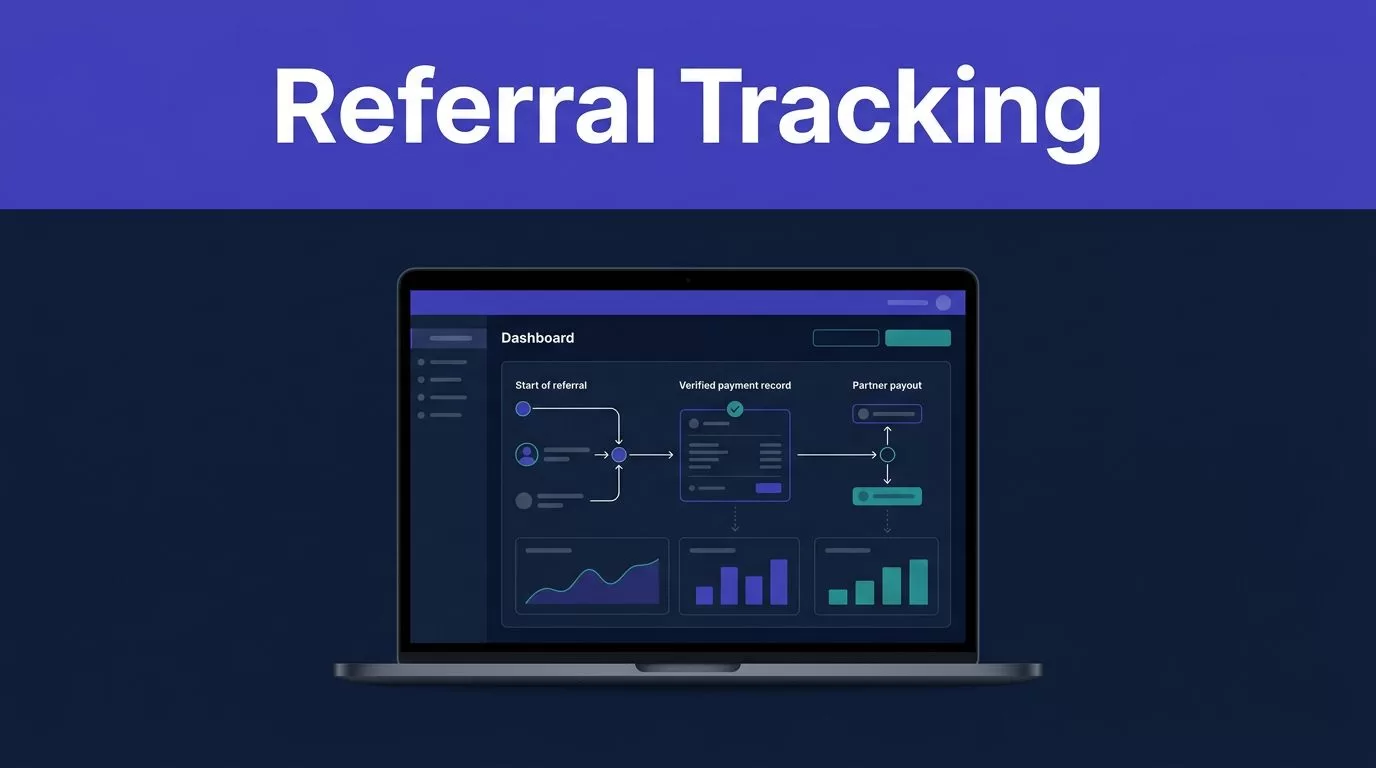
A referral dashboard can look healthy while partner revenue is wrong. One missing referral ID at checkout can turn a real paid account into an uncredited sale.
Rewardful referral tracking connects partner activity to Stripe customers and invoice events. It does not replace the CRM record that shows who influenced a deal, who closed it, or how long the sale took.
Build the process in layers. Capture the referral source first, confirm the payment second, then reconcile the payout record.
Rewardful referral tracking: Activity vs. Revenue
Rewardful tracks referral attribution and commission events. Stripe tracks the customer, invoice, payment, refund, and credit balance. Your CRM tracks the B2B buying process.
Keep those jobs separate. A click is not a lead. A lead is not a paid customer. A paid customer is not always recognized revenue in your finance report.
Track referral activity before you track money
Referral activity shows whether a partner is sending useful traffic and leads. This includes referred visitors, clicks, lead submissions, trials, demo requests, and attributed customer records.
Use these numbers to review partner reach and lead quality. A partner may generate 200 referred visitors but no qualified demos. Another may send five leads and create two enterprise opportunities.
Do not use activity metrics to approve a payout. High click counts can hide a broken checkout path, missing customer match, or duplicate claim.
Measure referral-generated revenue after payment
Referral-generated revenue starts when the referred account pays. Rewardful receives Stripe billing events and creates commission records based on invoices that were actually paid.
Treat the paid amount as the starting point. Discounts, account credits, refunds, plan changes, and cancellations can change the commission value. Rewardful’s affiliate commission payment process explains how paid invoices and refund adjustments affect the payout record.
Report these values separately:
- Referred customers with a paid first invoice
- Net collected revenue from referred customers
- Refund-adjusted commissionable revenue
- Due commissions and completed payouts
A conversion record proves attribution was captured. A paid invoice proves money was collected.
Assign Each System a Clear Job
Good Rewardful referral tracking depends on clean handoffs. Do not ask one platform to hold every sales and finance field.
Configure Rewardful and Stripe for attribution
Start by connecting Rewardful to Stripe, creating a campaign, and installing the Rewardful tracking script on your site. The script captures the referral identifier before the buyer reaches checkout.
For client-side Stripe Checkout, pass the referral ID into Stripe as clientReferenceId. Rewardful documents the required client-side Checkout handoff.
Rewardful then uses the referral data associated with the Stripe customer. Stripe remains the billing record for invoices, payments, refunds, and subscription changes.
If you use Stripe Payment Links, enable “Save Payment Details for Future Use.” Rewardful needs the Stripe Customer object for proper attribution in that flow. Review its Payment Links setup requirements before publishing partner links.
Keep B2B sales data in the CRM and analytics tools
Your CRM should hold the lead owner, account owner, opportunity stage, contact roles, contract term, ACV, and closed-won date. Analytics tools should hold source details, landing pages, form events, and self-reported attribution.
Add the referral ID to a hidden form field when possible. Store it with the lead record. Also store the affiliate or partner name, first landing page, and first referred date.
When sales creates a Stripe customer after a closed-won deal, the referral field must move with the record. If the sales team creates billing data without the attribution field, Rewardful cannot reliably connect the invoice to the partner.
Mixed self-serve and sales-led motions need a field map before launch. If your team needs help defining that handoff, Book A Call before adding more campaigns.
Handle the B2B SaaS Cases That Break Simple Attribution
B2B referral sales rarely follow a single-session checkout path. Your rules must cover long cycles, multiple people, and deals that require sales involvement.
Capture delayed conversions at lead creation
A partner may refer a founder in January. The founder books a demo, brings in finance in February, and pays an invoice in March.
Do not rely only on the final checkout session. Save the original referral ID in the CRM when the lead enters. When the account becomes a customer, send that ID into the Stripe customer record.
Track conversion lag as the number of days between the first referred visit or lead and the first paid invoice. This shows which partners generate fast self-serve buyers and which introduce longer enterprise deals.
Keep self-reported attribution as a separate signal
Add a short form question such as “How did you hear about us?” Include partner names, customer referrals, communities, and an “Other” option.
A buyer may report a partner even when the referral cookie was lost. They may also click an affiliate link after already hearing about the product elsewhere. Store the self-reported answer beside the automated referral ID.
Do not overwrite one source with the other. Flag disagreements for review. The CRM can show both signals, while Rewardful keeps the commission attribution record.
Separate annual contracts from cash collected
An annual contract worth $24,000 is an ACV figure. It is not always $24,000 of collected revenue on the deal date.
If Stripe collects the full annual invoice upfront, Rewardful can calculate a commission from that paid invoice. If the customer signs an annual agreement but pays monthly, commission rules should follow the paid monthly invoices unless your written partner agreement says otherwise.
Keep monthly and annual plans separate when the commission terms differ. Your CRM or billing warehouse should calculate ACV and ARR. Rewardful should calculate referral commissions from the payment events you approve.
Use CRM contact roles for multi-contact deals
A partner may introduce a manager, but the CFO signs the contract and procurement enters the billing details. Rewardful tracks a referred customer. It does not model every contact who influenced an account.
Use the CRM to record the champion, evaluator, economic buyer, and signer. Add a sales_assisted field to the opportunity. Mark it true when an AE, solutions engineer, or account executive materially worked the deal.
This lets you compare self-serve referral revenue with sales-assisted referral revenue without pretending both motions are identical.
A paid Stripe invoice proves collection. It does not prove that the partner, campaign rule, and commission amount are correct.
Use a Simple Referral KPI Framework
Use one report for activity and another for revenue. Do not bury both inside a single “partner performance” number.
| Reporting layer | KPI | System of record | What it tells you |
|---|---|---|---|
| Referral activity | Referred visitors and leads | Rewardful | Partner reach and early intent |
| Lead quality | Qualified demos and opportunities | CRM | Whether referrals fit your buyer profile |
| Attribution quality | Paid accounts with matching referral records | Rewardful, Stripe, CRM | Whether the handoff is working |
| Collected revenue | Net paid invoices from referred customers | Stripe and Rewardful | Cash tied to referred accounts |
| Sales value | New ACV and ARR by referred account | CRM or billing warehouse | Contract value and account economics |
| Sales speed | Median days from referral to paid invoice | CRM, Rewardful, Stripe | Expected conversion lag |
| Payout control | Due commissions matched to payment proof | Rewardful and payout provider | Whether partners were paid correctly |
Use a fixed definition for net referral revenue. Start with paid invoice amounts, then remove refunds and account-credit reversals that affect the collected amount.
The main operating metric is reconciled payouts, not exported payouts. A commission export can still contain a refund, duplicate record, missing payment detail, or disputed referral.
Reconcile Commissions Before You Pay Partners
Rewardful referral tracking works best when finance and growth review the same records. A completed sync only proves that an event arrived. It does not prove the data is ready for payment.
Review a small sample every week
Select a small group of new referred customers each week. Compare the Rewardful record with Stripe and the CRM.
Check the partner, referral ID, Stripe customer ID, paid invoice ID, invoice amount, commission amount, campaign rule, and refund status. Save the object IDs, not only screenshots.
Track missing attribution, duplicate claims, self-referrals, internal purchases, and refund reversals. Give every exception an owner and a next review date.
Keep the last trusted commission report. If a checkout update breaks referral capture, you still need a known-good record for the current payout period.
Set a clear policy for pending, due, and paid
Rewardful keeps new commissions pending until the refund period passes. Many SaaS teams use 30 days, but your delay should match your refund policy and partner agreement.
Before marking a payout as paid, compare due commissions with the payout file or payment-provider confirmation. Record the payment date, amount, payment reference, reviewer, and batch ID.
For custom customer rewards or external fulfillment, Rewardful supports a webhook-based process. Its custom rewards documentation covers the flow for acting on due payouts and marking them paid through the API.
Do not mark a payout paid when you export a CSV. Mark it paid after the payment provider confirms the transfer.
Troubleshoot Missing and Disputed Referral Records
Most issues fall into three groups: the referral was never captured, it was lost before billing, or the payment record later changed.
Fix missing attributed customers
Start with the referral link. Confirm that the link uses the correct campaign and reaches the intended landing page. Then test the tracking script in a clean browser session.
Next, inspect the checkout handoff. Confirm that the referral ID reaches Stripe and that the Stripe Customer contains the expected referral value.
For a sales-assisted account, check the CRM-to-billing process. A backend update can replace metadata and remove the referral field without creating a visible error.
Run a controlled test with a test affiliate and a test customer. Record the link, referral ID, Stripe customer ID, invoice ID, and expected campaign before testing.
Route disputes and sync failures into an exception queue
Do not fix disputed records by editing fields from memory. Create an exception record with the referral ID, partner, customer email, Stripe object IDs, campaign, issue type, owner, and follow-up date.
Check refund, cancellation, downgrade, credit balance, and duplicate-customer history before approving the commission. Stop repeated retries when the issue is a permission problem, changed checkout setup, or missing required field.
Rewardful publishes its available webhook event types, which helps engineering teams confirm what their endpoint should receive. Use alerts for sudden drops in attributed customers, failed sync activity, and unusual duplicate claims.
Build a Referral System Finance Can Trust
Referral programs produce useful revenue when attribution survives the full B2B sales cycle. That requires a referral ID at the first touch, a confirmed customer match, and a paid invoice that finance can verify.
Keep Rewardful referral tracking focused on partner attribution and commission records. Use Stripe for payment truth, the CRM for account and deal context, and analytics for channel evidence.
The partner payout should be the final result of reconciled records, not a guess based on clicks or dashboard activity.
