Configure Rewardful Stripe Integration for Partner Tracking
Partner tracking usually breaks between the referral click and the paid Stripe record. A Rewardful Stripe integration closes that gap, but only when the referral ID reaches the Stripe customer, Checkout Session, or invoice that creates the...
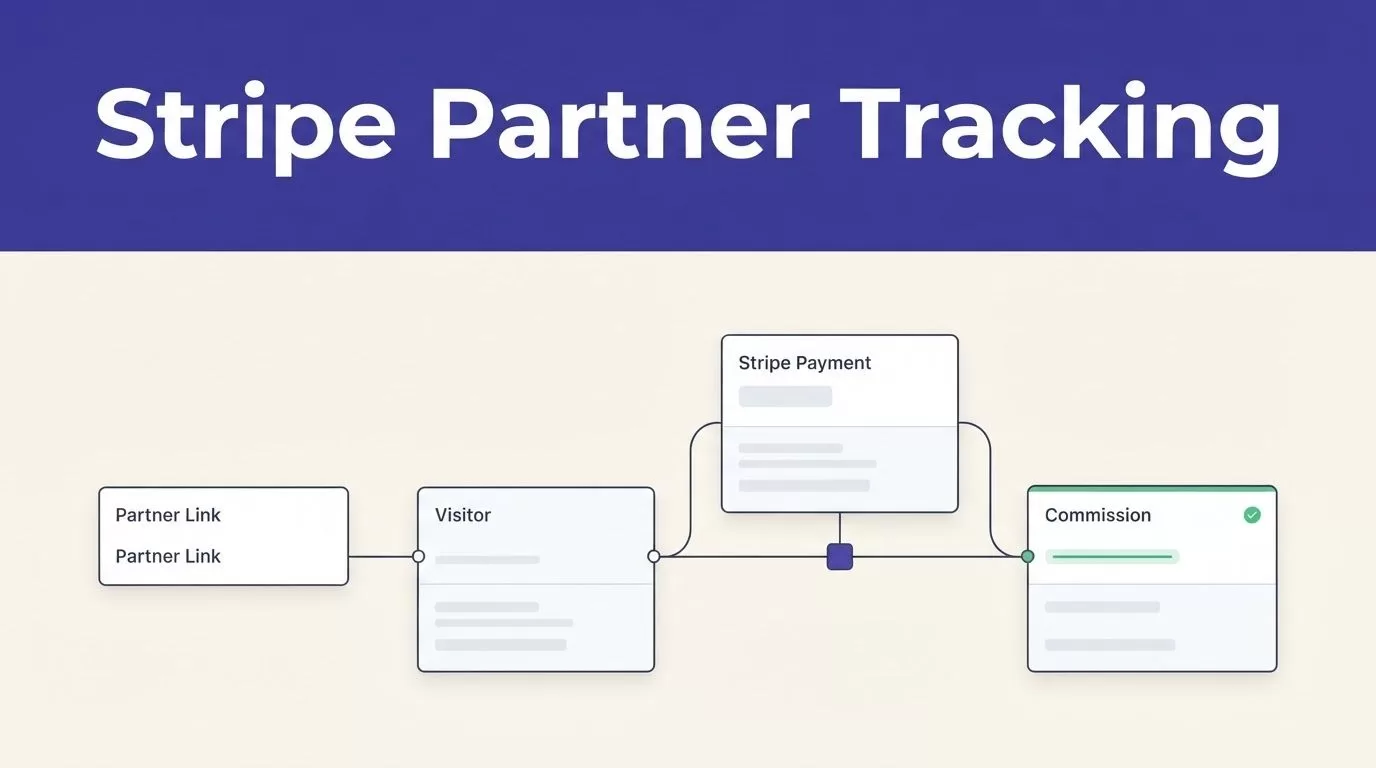
Partner tracking usually breaks between the referral click and the paid Stripe record. A Rewardful Stripe integration closes that gap, but only when the referral ID reaches the Stripe customer, Checkout Session, or invoice that creates the payment.
Connecting the two accounts takes minutes. Building a referral path you can trust takes more care. You need one clear chain: partner link, tracked visitor, referral ID, Stripe payment record, and commission.
Set that chain before you invite partners or publish links.
Rewardful Stripe integration: map the data path
A partner should receive credit because a paying customer came through their link. Not because a browser opened a landing page or because Stripe received an unrelated payment.
Your setup needs a common identifier. Rewardful creates that identifier when a visitor arrives through a partner link. Your checkout flow then passes it into Stripe.
Keep the referral ID with the payment record
The referral ID is the joining key between marketing and billing. Rewardful can use it to match a referred visitor to the Stripe customer and the invoice payments that follow.
Map this path before you configure anything:
- A partner shares a Rewardful referral link.
- The visitor lands on your site and the tracking script records the referral.
- Your checkout flow reads the referral ID.
- Stripe creates or updates the Customer, Checkout Session, subscription, invoice, or payment.
- Rewardful matches the referral with Stripe billing activity and creates the commission.
A click without a connected payment record is not a conversion. A payment without a referral ID is not a partner conversion.
Set the commercial rules before campaign settings
Write the rules in plain language first. State what counts as a qualified conversion, when a commission becomes payable, and how you handle trials, refunds, upgrades, cancellations, and sales-assisted deals.
Decide how staff test accounts are handled. Keep a log of every controlled test purchase so your finance team doesn’t mistake it for a real commission.
Then create the Rewardful campaign using the labels shown in your current account. Dashboard wording changes. Your written policy should not.
Connect Stripe and install the tracking script
Start with the standard connection. In Rewardful, use the current Stripe connection flow and approve access in Stripe. Rewardful monitors Stripe billing activity so it can identify referred customers, paid invoices, and refunds.
You don’t need to create a separate Stripe webhook endpoint for the standard connection simply because your app already uses webhooks. Rewardful’s Stripe connection handles its own billing-event monitoring.
Confirm the right Stripe account
Check the Stripe account name before approving access. This matters when your company has separate live, test, regional, or legacy Stripe accounts.
After you connect Stripe, create a campaign and copy the current Rewardful tracking script from your onboarding or campaign instructions. Don’t reuse an old snippet from a past site build.
Install the script on every public page where a referred visitor can arrive. That includes marketing pages, pricing pages, app sign-up pages, and relevant subdomains.
Test script loading before checkout work
Open a partner link in a private browser window. Wait for the page to load. Ad blockers, consent tools, tag-manager rules, and strict browser settings can stop tracking scripts.
The script must load before your checkout button reads the referral value. If the checkout opens first, Stripe gets no attribution data.
Use the same consent behavior on pages that collect referrals and pages that start payment. A visitor shouldn’t lose attribution because your pricing page loads a different tag configuration.
Configure Stripe Checkout with the referral ID
Stripe Checkout is the cleanest path for many SaaS teams. Your server creates the Checkout Session, and that request can include Rewardful’s referral ID.
Place this logic in the server endpoint that creates the Checkout Session. Don’t add it only to the success page. By then, Stripe may already have created the payment record.
Pass the value in server-side Checkout
Rewardful’s server-side Stripe Checkout guide uses the referral ID as Stripe’s client_reference_id.
Your session creation logic should follow two rules:
- Add
client_reference_id: referralIdonly whenreferralIdhas a real value. Stripe Checkout can reject a blank reference value. - For one-time Checkout sessions, use
customer_creation: 'always'when your Rewardful flow needs Stripe to create a Customer.
A short Node-style pattern looks like this in the Checkout Session endpoint: create the session parameters first, then add params.client_reference_id = referralId inside if (referralId). For one-time payments, add params.customer_creation = 'always'.
Stripe’s Checkout Session API reference explains how customer creation differs by session mode. Subscription Checkout creates a Customer as part of the subscription flow. Don’t copy one-time payment settings into subscription code without testing them.
Store the Stripe Checkout Session ID, Customer ID, and referral ID in your internal logs. Those three values make later reconciliation much faster.
Handle client-side Checkout carefully
A browser-based Checkout button needs the Rewardful script to load before it creates the session redirect. Rewardful’s client-side Checkout instructions use Rewardful.referral and send it to Stripe as clientReferenceId.
Read the value only after the Rewardful object is available. Then pass it into the Checkout call only when it exists.
Don’t let a missing value block normal checkout. A visitor without a partner referral should still be able to buy. They simply should not create a partner commission.
Handle Payment Links, subscriptions, and custom Stripe flows
Not every team creates Checkout Sessions in application code. Stripe Payment Links, invoices, pricing tables, Buy Buttons, and custom API flows need separate checks.
The main rule stays the same. Rewardful must be able to associate the referral with the Stripe Customer that later pays.
Configure Stripe Payment Links
Stripe Payment Links are useful for simple launches, sales pages, and low-code pricing pages. They need a different setup because you don’t control the Checkout Session request in the same way.
Rewardful’s current Stripe Payment Links method requires the Stripe Payment Link option called “Save payment details for future use.” Rewardful relies on a Stripe Customer record for reliable attribution.
Follow the current Payment Links instructions in Rewardful, then test the published link in a private browser. Do not assume a Payment Link works because the payment itself succeeds.
A successful payment can still lack the customer or referral connection needed for commission tracking.
Use customer metadata for direct Stripe API flows
A custom payment form or direct Stripe API workflow may not use Checkout at all. In that case, pass the referral ID when you create or update the Stripe Customer.
Rewardful’s custom Stripe integration guidance covers the custom path. The common pattern is to write the referral value to Stripe customer metadata under the referral key before the first invoice or subscription payment.
Use one Stripe Customer per account where your billing model supports it. Then test new customers, returning customers, invoices, and subscription changes separately.
Existing customers need extra attention. No new Customer object may be created during their next payment, so a first-time referral flow and a returning-customer flow can produce different results.
Test the complete referral-to-payment flow
Don’t go live after you see a referral click in Rewardful. Run a full test that begins with a partner URL and ends with a Stripe payment record and a Rewardful conversion.
Use a private or incognito browser window. Disable ad blockers for the test. Rewardful’s setup instructions call for this because old cookies and browser extensions can hide a real setup issue.
Run controlled test cases
Use a test account that your team can identify later. Run at least these cases:
| Test case | What should be true |
|---|---|
| Partner link to a new subscription | The referral ID appears in the Stripe checkout path, a Customer exists, and Rewardful records the conversion after payment |
| Direct visit with no referral | Stripe payment succeeds and no partner commission appears |
| One-time Checkout purchase | The Customer and payment record can be matched to the referral ID |
| Refund after a referral payment | Rewardful shows the expected commission adjustment |
| Existing customer or free trial | The outcome matches your written commission policy |
If your connected account supports a Stripe test environment, use a test card for repeatable checks. Also confirm which Stripe account and mode Rewardful is connected to. Test and live records are not interchangeable.
A completed Checkout page proves payment worked. It does not prove the referral reached the Stripe record that Rewardful uses for attribution.
Check each system after payment
Check the same test in three places: Rewardful, Stripe, and your application logs.
In Rewardful, confirm the click, conversion, partner, and commission status. In Stripe, open the Checkout Session, Customer, subscription, invoice, or payment record. In your logs, confirm the referral ID that your checkout code received.
A failure has a location. If Rewardful shows the click but Stripe has no referral value, the checkout handoff failed. If Stripe has the expected record but Rewardful has no conversion, inspect the connected account, customer association, and event delivery.
Monitor paid conversions after launch
Clicks, page views, and successful webhook deliveries are activity metrics. They are not your source of truth.
A working Rewardful Stripe integration produces paid conversions that reconcile with your Stripe records and your program rules.
Measure accepted partner conversions
Review your program weekly during the first month. Track:
- Paid Stripe customers with a matching referral ID.
- Rewardful conversions and commissions that match qualified Stripe payments.
- Unmatched payments that should have a partner.
- Refunds, cancellations, and failed invoices that need commission changes.
- Manual review and correction time for attribution exceptions.
Count accepted, attributable conversions. Don’t count browser events or successful API calls as proof that the system works.
A process that creates ten commissions but requires manual correction on six of them needs more work before you scale partner recruitment.
Keep an exception and recovery process
When attribution fails, preserve the original evidence. Record the partner, referral ID, Stripe Customer ID, Checkout Session or invoice ID, payment date, and final decision.
Don’t overwrite a missing attribution value with a guess. Route it to a review queue with an owner and a follow-up date.
Use bounded retries for temporary network failures. Don’t repeatedly recreate Checkout Sessions after a bad request, expired referral, missing script, or permission issue. Duplicate sessions can create duplicate charges and duplicate reconciliation work.
If your setup spans multiple Stripe accounts, sales invoices, product-led checkout, and CRM records, Book A Call to map the attribution fields, exception owners, and reconciliation process before launch.
Final checks before partner links go live
A Rewardful Stripe integration is ready when a real referral ID survives the whole path into a paid Stripe record. The account connection is only the first step.
Test the referral link, checkout handoff, Stripe Customer, invoice payment, Rewardful conversion, and refund adjustment as one chain. Then monitor accepted paid conversions, not clicks or completed browser actions.
That is how partner tracking stays credible for your affiliates, finance team, and customers.
