Scrape Port Schedules Reliably With Twin.so
Port schedules look like simple tables. They are not. Dates may use local port time, vessel names may change format, and the same call can appear on several pages. If you need to scrape port schedules, Twin.so can help collect data from pub...

Port schedules look like simple tables. They are not. Dates may use local port time, vessel names may change format, and the same call can appear on several pages.
If you need to scrape port schedules, Twin.so can help collect data from public schedule pages, terminal portals, and authorized login-protected systems. Use its API path when a source provides one. Use browser automation when the API is missing or incomplete.
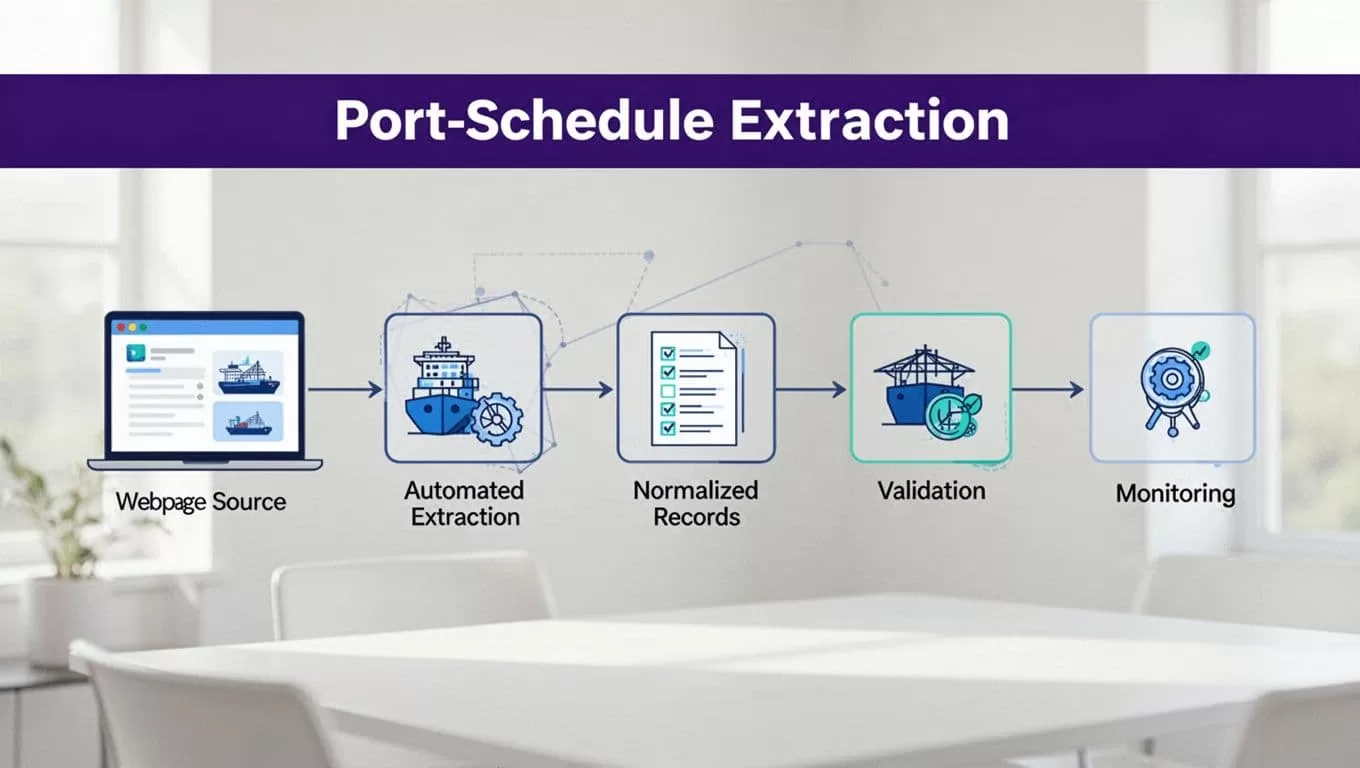
The reliable setup is a controlled data workflow, not a single scraping prompt. Define the source, fix the output schema, normalize every field, validate results, and make failed runs visible.
Start With the Source, Not the Browser
A browser agent can’t make an unstable source reliable. Select the right source before you build the Twin.so workflow.
Choose the Most Stable Schedule Source
Check for an official API first. APIs usually provide clearer field names, predictable pagination, and fewer layout changes than browser pages. APM Terminals, for example, documents a Terminal Vessel Schedule API with ETA, ETD, earliest receiving dates, cutoffs, and actual milestones.
Use published standards to understand common schedule concepts. The DCSA operational vessel schedule documentation is useful when you need consistent terminology across carriers, terminals, and internal systems.
If there is no suitable API, use Twin.so’s Web Agent. Current Twin documentation describes browser automation for multi-step sites, dynamic pages, and systems that require a login. The agent runs in an isolated cloud browser. Browser execution costs more and is less reliable than a direct API call, so it should be the fallback rather than the default.
A port authority page can still be a valid source. The Port of Virginia vessel schedule page states that its online schedule provides current schedule information. Treat that statement as a source-specific rule, not proof that every port page has the same freshness.
Confirm Permission Before Collection
Review the site’s terms, robots directives, access controls, rate limits, and data-use restrictions. Do not bypass a login wall, CAPTCHA, paywall, or technical restriction. Use credentials only when your organization has permission to use them.
Store only the fields your operation needs. Port schedules are often public, but an authenticated portal may expose customer references, employee names, booking numbers, or other restricted data. Check applicable maritime, privacy, and data regulations before exporting or sharing records.
How to scrape port schedules reliably on Twin.so
Start with a small approved source and a small date range. Ask Twin.so to extract one page or one schedule table first. Review the result before adding pagination, detail pages, or multiple ports.

Give the Agent a Fixed Extraction Contract
Stable selectors help when the page has consistent DOM attributes. Target data attributes, table headers, and named fields instead of relying on the third table row or a button’s screen position.
When selectors are not stable, use precise extraction instructions. Tell Twin.so where the schedule begins, how rows are separated, how pagination works, and which fields are required. Tell it to preserve raw values and return null for missing data. It should never invent a time, vessel, terminal, or status to complete a record.
A useful instruction has this shape:
Return one record for each port-call row. Extract vessel name, IMO number, voyage, service, terminal, event type, ETA, ETD, status, and source URL. Preserve the original date and time text. Include the page retrieval time. Return missing fields as null. Do not combine rows from different vessels or voyages.
Include a stop condition. The workflow should report that it reached the last page instead of silently returning the first page only. Capture the number of pages scanned and rows found.
Validate the Output Outside the Agent
Do not treat a successful Twin.so run as proof that every record is correct. Apply validation before writing data to an operational database, spreadsheet, or planning system.
Check that:
port_locodematches your accepted port-code format when supplied.event_typeis one of ETA, ETD, ATA, or ATD.- Dates parse as ISO 8601 values after normalization.
- ETA is not later than ETD when both describe the same call.
- Required fields are present for the schedule type.
- Status values match an approved list.
- The source URL and retrieval timestamp exist.
Twin.so’s public material describes structured extraction, but don’t assume it provides your required schema validator, retry policy, or database upsert behavior. Put those controls in the receiving workflow.
Normalize Times, Ports, and Vessel Fields
Most schedule errors happen after extraction. Two systems may store the same port call with different names, date formats, and timezone assumptions.
Store Local Time and UTC
Keep the original time string. Then store a normalized local timestamp with an IANA timezone, such as America/New_York, and a UTC timestamp for sorting and comparison.
A realistic test fixture could look like this. The values are illustrative, not a live schedule.
| Field | Normalized value |
|---|---|
| Port | Port of Virginia |
| Terminal | Virginia International Gateway |
| Port timezone | America/New_York |
| ETA local | 2026-08-18 14:00 EDT |
| ETA UTC | 2026-08-18T18:00:00Z |
| Status | scheduled |
| Retrieved at | 2026-08-14T16:00:00Z |
Do not assume that a displayed time is UTC. A terminal may show local time without naming the zone. Map each port to an approved timezone and account for daylight saving changes. If the source gives no timezone, keep the value unresolved and send it for review.
Store source_updated_at separately from retrieved_at. A page retrieved today may still contain a schedule last updated several days ago.
Normalize Vessel and Port Identity
Keep both raw and normalized values. For vessel names, remove extra spaces and standardize case in the comparison field. Do not overwrite the source name. If an IMO number is supplied, use it as the strongest vessel identifier. Do not infer an IMO number from a vessel name.
For ports, prefer a source-provided UN/LOCODE or terminal identifier. Map aliases such as abbreviations and punctuation variants to one internal port ID. Do not merge terminals only because they operate in the same port.
AIS data and terminal schedules can describe different events. VesselFinder’s PortCalls documentation covers arrival and departure information with AIS position and voyage data. Treat those observations as separate source types from a terminal’s planned ETA or actual milestone.
Make Every Run Safe to Repeat
A schedule changes. Your workflow must update the existing call instead of creating a new copy every time the ETA moves.
Retry Transient Failures With Backoff
Separate temporary errors from structural failures. A timeout, temporary server error, or incomplete page load can justify a retry. A changed table layout, expired login, blocked request, or missing column requires review.
Use bounded retries with increasing delays, such as three attempts after 30, 90, and 270 seconds. Wait for evidence that the table has loaded, such as the presence of expected headers or rows. Fixed sleep times alone are unreliable on dynamic pages.
Record the attempt number, error type, page URL, and elapsed time. Stop retrying when the failure is consistent. Repeatedly opening a blocked page can increase load and trigger stronger access controls.
Twin’s current material gives rough planning ranges of 15 to 30 credits for simple automation, 20 to 70 credits for a 100-item scrape, and 100 to 200 credits for a browser session with about 20 steps. Treat these as estimates. Benchmark a small run and calculate credits per accepted record, not credits per attempted action. For a workflow review, you can Book A Call.
Upsert Records and Deduplicate Calls
Use an idempotency key. A practical key can combine the source, port, terminal, vessel IMO, voyage, service, and event type. If the source provides a stable call ID, use it.
Do not include the current ETA in the key. An ETA change should update the existing record. Store a content hash to detect whether the source row changed. Keep a history table when planners need to review schedule revisions.
Deduplicate before final writes. First compare a source record ID. If none exists, compare normalized vessel identity, voyage, terminal, event type, and planned call date. Do not merge uncertain matches automatically. Send ambiguous records to an exception queue.
Monitor Freshness and Troubleshoot Failures
A successful run can still return stale or incomplete data. Freshness checks must operate after extraction and after validation.
Log Every Run
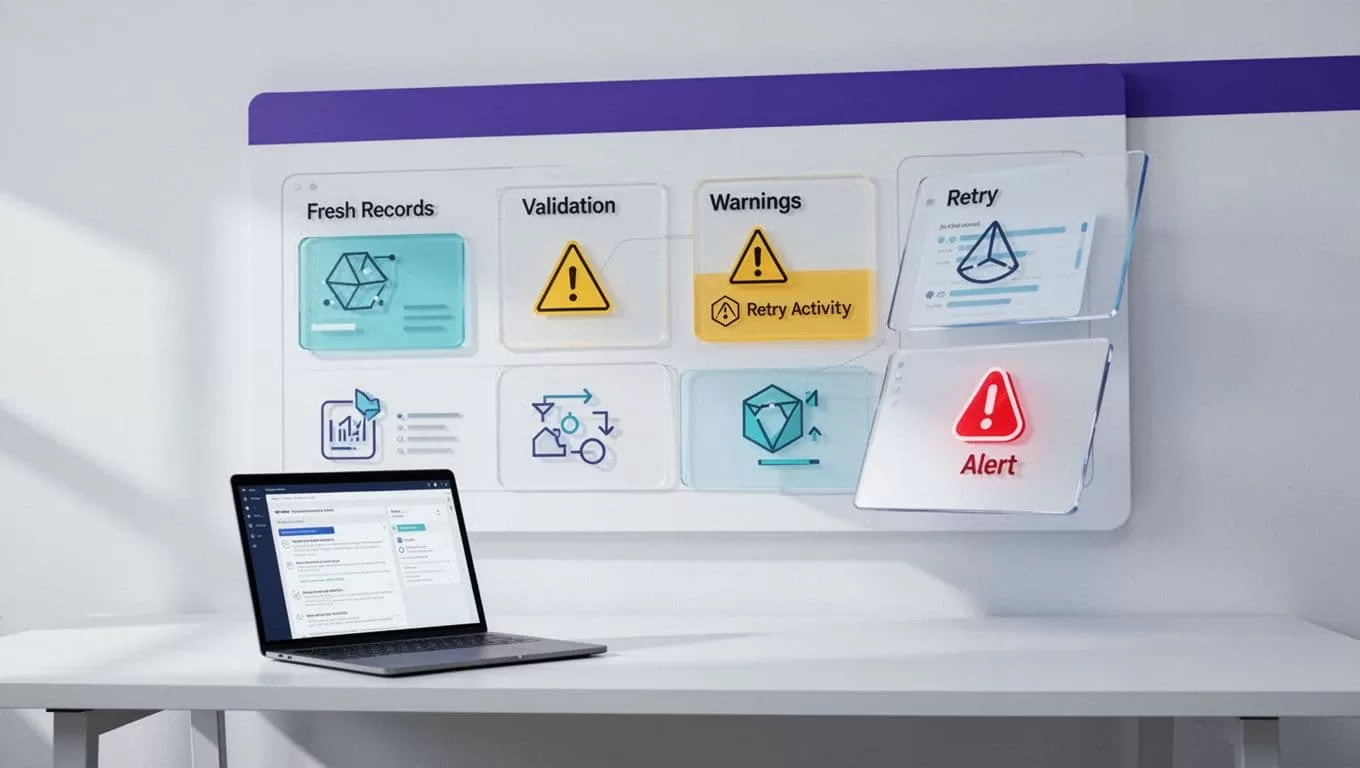
Create a run ID and record the source, workflow version, start time, end time, pages scanned, rows found, rows accepted, validation failures, retries, and final status.
Set a freshness rule for each source. A high-volume terminal feed may need a short maximum age. A weekly public schedule may have a longer interval. Alert when the source timestamp is too old, the row count drops sharply, required columns disappear, or every record fails validation.
For browser failures, retain the screenshot, browser log, exception message, and a short run summary. Twin’s current guidance also points to screenshots and browser logs when an exception occurs. Avoid storing credentials in logs.
Fix Common Failure Modes
| Symptom | Likely cause | Practical fix |
|---|---|---|
| Zero records | Page not loaded or pagination stopped early | Wait for table evidence and verify the last-page condition |
| Duplicate port calls | Key includes changing ETA or no deduplication runs | Use a stable call key and upsert changed values |
| Times shift by several hours | Local time treated as UTC | Preserve the source timezone and convert with an IANA zone |
| Old data returns successfully | Source update time was ignored | Compare source_updated_at and retrieved_at against a freshness limit |
| Login or layout failure | Session expired or page structure changed | Reauthorize through approved access, capture evidence, and alert an operator |
Do not silently replace a failed run with the previous output. Mark the dataset as stale and show the last successful retrieval time. Planners need to know whether they are viewing current data or a fallback snapshot.
Production Checklist for Port Schedule Extraction
Before scheduling the workflow, confirm that you:
- Have permission to access and collect the source data.
- Use an API when it provides the required schedule fields.
- Define one output record per port call.
- Preserve raw values, source URLs, and retrieval timestamps.
- Store local and UTC event times separately.
- Normalize vessel, voyage, terminal, and port identifiers.
- Validate required fields and allowed status values.
- Use bounded retries with backoff for temporary failures.
- Upsert records with a stable idempotency key.
- Deduplicate before final writes.
- Alert on stale data, empty results, schema changes, and authentication errors.
- Keep screenshots and logs for failed browser runs.
Conclusion
Reliable port schedule extraction depends on controls around the browser. Use Twin.so for authorized pages that lack a practical API, but keep the workflow narrow and explicit.
The strongest design preserves raw data, normalizes vessel and time fields, validates every record, retries only temporary failures, and updates records idempotently. When you scrape port schedules this way, an extraction run becomes an auditable data process instead of an opaque browser task.

