Remitly Tanzania: Verifying the Bank Account and Handling Delays
Sending money to a Tanzanian bank account shouldn’t require guesswork. The send money Tanzania search usually comes from one practical need: getting funds to family or friends while controlling the total cost and delivery time. Remitl...

Sending money to a Tanzanian bank account shouldn’t require guesswork. The send money Tanzania search usually comes from one practical need: getting funds to family or friends while controlling the total cost and delivery time.
Remitly supports bank deposits in Tanzania, along with mobile wallet transfers and cash pickup. The correct choice depends on the recipient’s provider, how quickly they need the money, and what Remitly displays for your sending country. Start with the route, verify the account details, then review the complete quote before paying.
What Remitly Supports for Tanzania
Remitly’s Tanzania service includes three main delivery options:
- Bank deposit to selected Tanzanian banks.
- Mobile wallet transfers through supported providers.
- Cash pickup through available payout partners.
Bank deposit is the most direct choice when the recipient already has a supported account. Remitly’s current provider listings include banks such as Absa Bank, Access Bank, CRDB Bank, KCB Bank, NBC, and others. The available list can differ by sending country and may change, so check the provider shown in your Remitly account before starting the transfer.
You can review the available route through Remitly’s Tanzania transfer page. If you’re sending from outside the United States, open the Remitly page for your own country. Pricing, payment methods, promotional offers, and delivery choices can vary by origin.
Mobile wallet delivery is useful when the recipient already uses Mixx by Yas, Airtel Money, or M-Pesa. Mixx by Yas is the current name for the service formerly known as Tigo Pesa. Cash pickup may work better when the recipient doesn’t have an eligible bank account or wallet.
| Delivery option | Best fit | What to check |
|---|---|---|
| Bank deposit | The recipient has an eligible Tanzanian bank account | Bank name, account number, recipient name, and quoted delivery date |
| Mobile wallet | The recipient actively uses a supported wallet | Correct wallet provider and registered phone number |
| Cash pickup | The recipient needs access without a bank account | Pickup location, identification requirements, and availability |
Don’t select a faster-sounding option without checking the recipient’s situation. A mobile wallet may arrive sooner, but a bank deposit may be easier to manage for rent, school fees, medical costs, or larger household payments.
How the “send money Tanzania” Route Works in Remitly
The process is simple, but the details must be accurate. Treat the transfer like a small operational workflow. Capture the quote, confirm the recipient data, and keep the confirmation number after payment.
- Create or open your Remitly account.
Enter your sending country, destination country, and transfer amount. Remitly may request identity or account verification before allowing the transaction to proceed. - Choose Tanzania as the destination.
Select bank deposit when the recipient needs money in a bank account. The app will show the available Tanzanian providers for your route. - Add the recipient’s information.
Use the recipient’s legal name as it appears on their bank records. Enter the correct bank, account number, and any other field Remitly requests. Don’t rely on a saved contact if the information may have changed. - Select your payment and delivery option.
Available funding methods depend on your sending country and account. Remitly will show the delivery option, exchange rate, fee, and amount the recipient is expected to receive. - Review everything before paying.
Compare the amount leaving your account with the amount arriving in Tanzanian shillings. Check the fee, exchange rate, delivery estimate, recipient name, and bank details. Submit the transfer only after each field matches the information provided by the recipient.

After payment, save the transfer reference. Share the expected amount and delivery estimate with the recipient, but don’t describe the transfer as complete until the recipient or bank confirms the funds are available.
Fees, Exchange Rates, and Delivery Times
Remitly doesn’t use one universal fee for every Tanzania transfer. The final cost can depend on the sending country, amount, payment method, delivery method, and any promotion attached to your account.
The exchange rate also affects the result. A transfer with a low visible fee may still deliver less if its exchange rate is weaker. Review these four figures together:
- The amount charged to your payment method.
- The transfer fee.
- The exchange rate used for the conversion.
- The exact amount the recipient should receive in TZS.
The Remitly fees and transfer costs guide provides broader context on how transfer fees and exchange rates can affect the final amount. Use it for comparison, but treat the live Remitly quote as the amount that applies to your transaction.
Promotional pricing can also change the calculation. A first-transfer offer may apply only to qualifying customers, currencies, amounts, or payment methods. Don’t assume a welcome rate or fee waiver applies until it appears in your checkout screen.
Delivery estimates require the same caution. Remitly’s published general guidance describes Express transfers as potentially arriving within minutes to a few hours where available. Economy transfers can take several business days, with published guidance commonly giving a range of three to five business days. Those figures aren’t a guarantee for every Tanzanian bank deposit.
Recipient bank processing, public holidays, compliance reviews, incorrect account details, and payment verification can all extend the timeline. The estimate shown for your transfer is the best reference because it reflects your route and selected option.
Remitly also publishes different destination pages for different sending countries. Its Australia-to-Tanzania transfer page shows why you shouldn’t copy a fee or exchange rate from another country and expect the same result.
Verify the Tanzanian Bank Account Before You Pay
Most transfer problems start with incorrect recipient information. A single wrong digit in an account number can delay the deposit or send the transfer into a manual review.
Ask the recipient to send their details in a written message. Confirm the information against their bank records before entering it into Remitly. Check the following items:
- Full recipient name, including spelling and order.
- Tanzanian bank name.
- Account number.
- Phone number, if Remitly requests one.
- Any branch or account information shown in the recipient’s banking details.
Don’t assume that a familiar bank name is enough. Remitly may list several providers, and similar names can create confusion. Select the exact provider shown in the app.
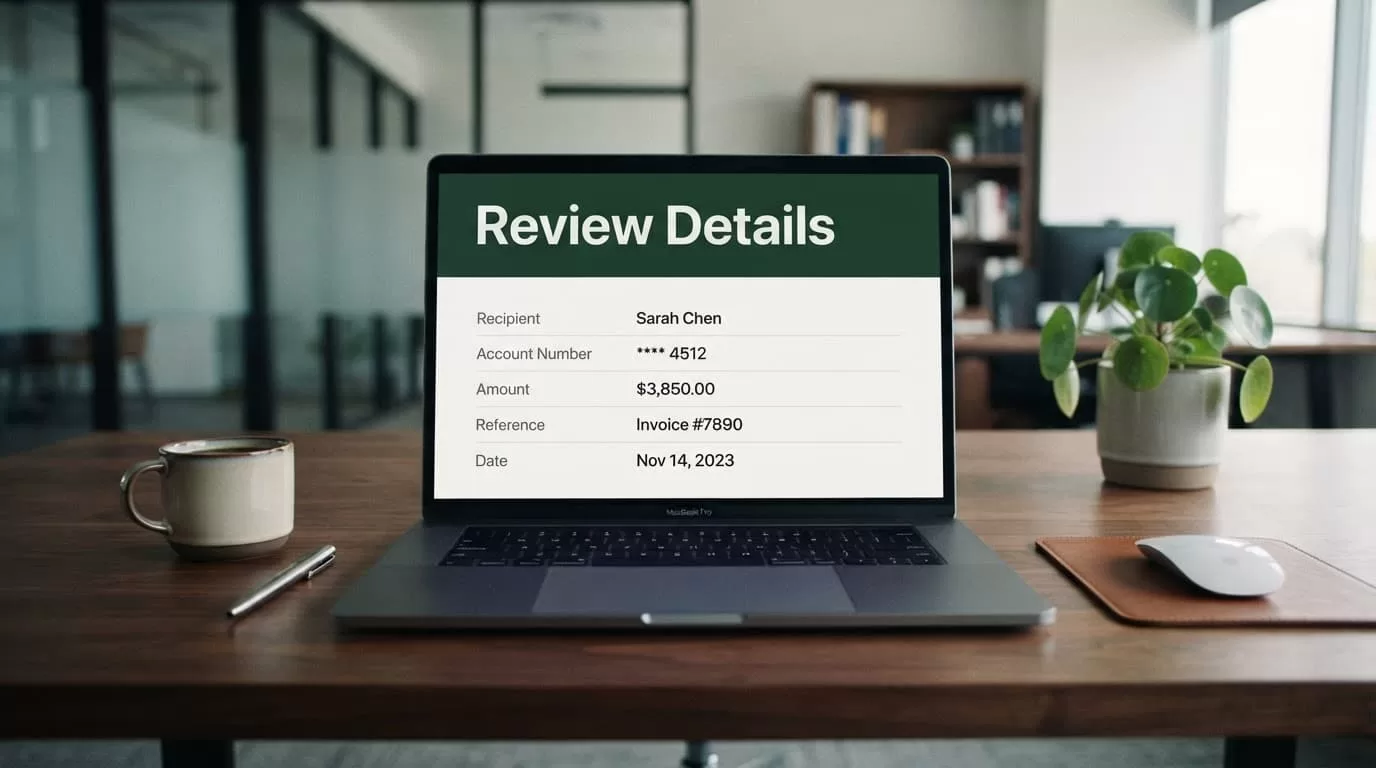
A transfer marked as submitted proves that Remitly received the order. It doesn’t prove that the Tanzanian bank has credited the account.
Review the final screen slowly. Confirm the recipient name, destination bank, amount in TZS, total cost, exchange rate, and delivery estimate. Take a screenshot or save the receipt if the transaction terms are likely to matter later.
Don’t send a second transfer immediately if the first one appears delayed. Check the status, review the estimated delivery window, and contact Remitly support if the transfer passes that window or the details appear incorrect.
How to Track the Transfer and Handle Delays
Remitly provides transfer status information after you submit the payment. Use the app or website to check whether the transaction is being reviewed, processed, sent, or delivered.
The recipient should also check their bank account directly. A notification from Remitly can show progress, but the bank’s account balance or transaction history confirms whether the funds are available.
If the transfer takes longer than expected, check these areas first:
- The recipient’s bank may still be processing the deposit.
- A weekend or local holiday may have affected settlement.
- Remitly may need additional information for compliance review.
- The recipient details may not match the bank’s records.
- Your payment method may still be under verification.
If Remitly doesn’t support the recipient’s bank for your route, compare the available alternatives inside the app. A supported wallet or cash pickup location may solve the access problem, but only use it if the recipient can receive and withdraw the funds safely.
The recipient should keep any identification required for cash pickup and confirm the pickup location before you send. Wallet transfers also require the correct registered phone number. Don’t substitute a different number because it belongs to the same person.
Conclusion
Remitly gives people abroad a practical way to transfer money to supported Tanzanian bank accounts. The main decision is not only speed. You also need to compare the total charge, exchange rate, recipient amount, delivery estimate, and payout provider.
Use the live quote for your sending country. Verify the recipient’s bank information twice. Keep the receipt and transfer reference, then wait for confirmation that the bank account has received the funds. That process makes it easier to send money Tanzania with fewer avoidable delays and surprises.
