Deploy OCR Text to Speech with Speechify: A Practical Workflow
A scanned PDF isn’t readable by a text-to-speech engine until OCR converts its pixels into usable text. The deployment task is simple in principle: extract the words, clean the output, send it to Speechify, then store or stream the au...


A scanned PDF isn’t readable by a text-to-speech engine until OCR converts its pixels into usable text. The deployment task is simple in principle: extract the words, clean the output, send it to Speechify, then store or stream the audio.
The difficult part is quality. Bad OCR creates bad pronunciation, broken sentences, and confusing reading order. This guide shows how to build the pipeline without assuming that Speechify’s API accepts raw document images.
Key Takeaways
- Speechify apps support OCR scanning for images and documents, but backend deployments should verify API input support.
- Use a separate OCR provider when your service processes uploaded PDFs or images.
- Normalize OCR output before sending it to Speechify text to speech.
- Chunk long documents, preserve page order, and retry failed synthesis jobs.
- Test pronunciation, reading order, accessibility, privacy, and audio output before release.
CHOOSE THE RIGHT SPEECHIFY DEPLOYMENT PATH
Speechify supports OCR-based reading in its consumer applications. Users can scan a page, upload an image, or open a document and listen to the extracted content. Speechify’s guide to extracting text from images describes the basic image-to-text process and the role of optical character recognition.
That workflow is suitable when a person controls the scan. It is not automatically the right design for a web service, mobile product, or internal document platform. Your backend needs a defined input contract, authentication method, text limit, audio format, retry policy, and storage process.
Use one of these deployment patterns:
- Speechify app workflow: A user scans or uploads a document inside Speechify. Speechify handles OCR and speech generation. This requires little engineering but provides limited control over queues, databases, and business rules.
- Separate OCR plus Speechify TTS: Your service receives a file, sends it to an OCR provider, cleans the extracted text, and passes that text to Speechify’s text-to-speech API. This is the most flexible pattern for production systems.
- Speechify document workflow: Use this only if the current Speechify product or API documentation confirms support for your document type and account. Verify whether the interface accepts image files, PDFs, or only text before building around it.
The second pattern is usually the safest choice for developers. It keeps OCR and speech generation separate. You can replace the OCR service without changing the audio layer, and you can test each stage independently.
Speechify also describes speech workflows that work alongside document understanding, page parsing, and OCR systems. Treat that as product context, not proof that every Speechify API endpoint accepts raw scanned files.
BUILD THE OCR-TO-SPEECH PIPELINE
The pipeline has five stages:
- Receive and validate the document.
- Extract text and layout data with OCR.
- Normalize the text for speech.
- Send manageable text chunks to Speechify.
- Join, store, and deliver the audio.

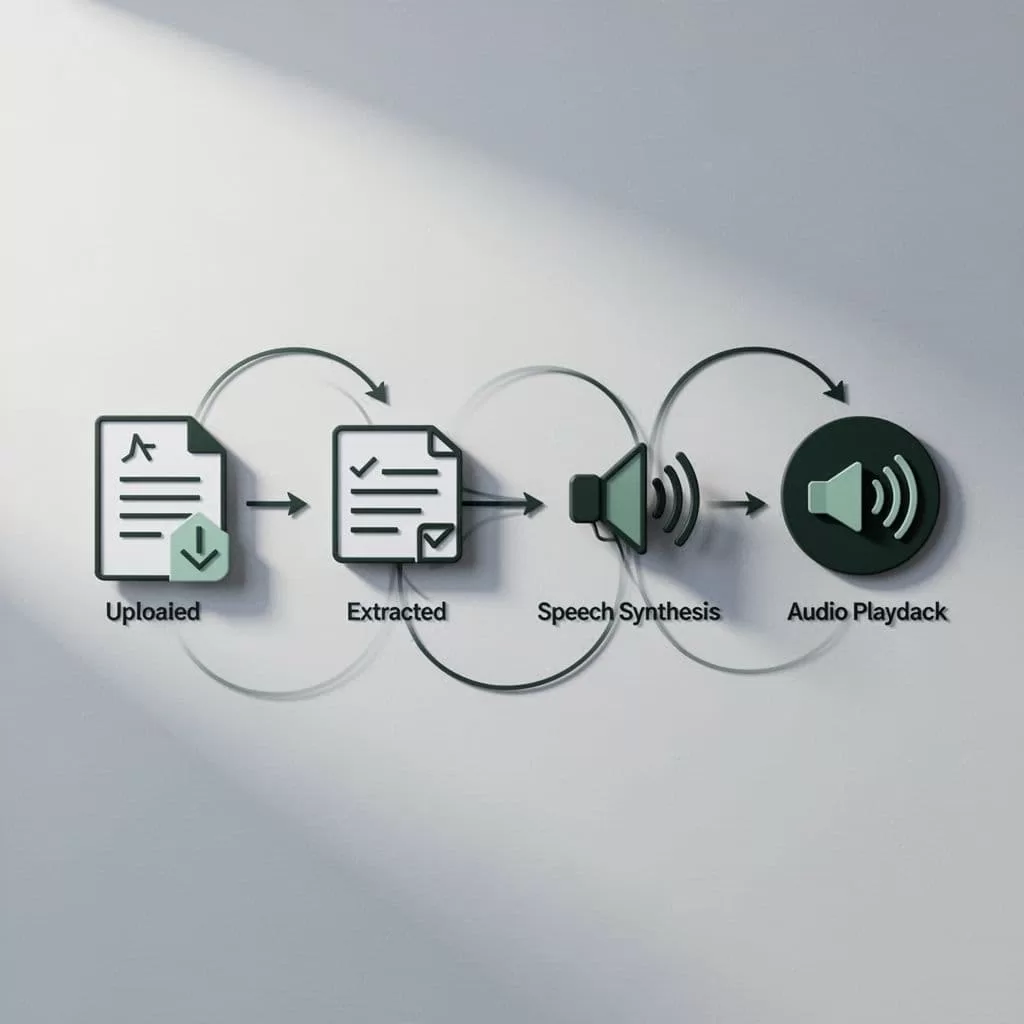
Start by restricting uploads to the formats your OCR provider handles well. Common inputs include PDF, JPG, PNG, and TIFF. Check the file size, page count, MIME type, and malware status before processing. Store the original file in private object storage with a short-lived access URL.
Select OCR based on your operating requirements. Tesseract works well for teams that need a self-hosted option. Google Cloud Vision, Azure AI Vision, and AWS Textract provide managed services with different layout, security, and pricing models. Compare recognition quality using your actual documents, not sample pages.
Preserve the OCR response as structured data when possible. A useful result includes page number, text blocks, line order, bounding boxes, and confidence scores. Plain text is enough for a basic workflow, but layout data helps you rebuild columns, headings, tables, and captions correctly.
A simple implementation can look like this:
file = validate_upload(request.file)
pages = render_pdf_pages(file)


ocr_result = ocr_provider.detect_text(pages)
ordered_text = rebuild_reading_order(ocr_result)
clean_text = normalize_for_speech(ordered_text)


chunks = split_for_tts(clean_text)
audio_parts = []


for chunk in chunks:
    audio_parts.append(
        speechify_client.synthesize(
            text=chunk,
            voice_id=config.voice_id,
            format="mp3"
        )
    )


audio_file = merge_audio(audio_parts)
store_audio(audio_file)
return signed_download_url(audio_file)
The method names above are pseudocode. Map them to the current Speechify SDK or HTTP API fields. Don’t hard-code an endpoint or request schema until you confirm it in the documentation for your account and API version.
NORMALIZE OCR TEXT BEFORE SPEECHIFY
OCR output is designed for recognition, not listening. A page can look correct to a human while its extracted text contains duplicated headers, broken words, misplaced columns, and unreadable symbols.
Normalization should happen before synthesis. Keep the original OCR response for audit and correction. Create a separate speech-ready text field.
Apply these rules:
- Remove repeated headers, footers, page numbers, and scan artifacts.
- Join words split across lines when a hyphen was caused by line wrapping.
- Preserve real hyphenated terms such as “well-known” and “state-of-the-art.”
- Convert multiple spaces and empty lines into consistent paragraph breaks.
- Rebuild columns in visual reading order.
- Keep headings separate from body paragraphs.
- Replace isolated symbols that add no meaning.
- Preserve punctuation that controls pauses.
- Expand abbreviations when the listener needs the full phrase.
- Review dates, currency, percentages, URLs, and email addresses.
Numbers need special handling. A product code such as A-10 should not be read like a sentence. A date such as 03/04/2026 may be ambiguous across regions. Store locale information with the document, then convert dates and measurements into words when the reading context requires it.
Confidence scores can control review. Route pages with low average confidence to a human queue. You can also flag lines that contain unusual character substitutions, such as 0 instead of O or 1 instead of I.
Don’t send raw OCR output directly to the voice engine. The audio will expose errors that were easy to miss in a visual review. Speechify’s own product materials also discuss OCR scanning and text-to-speech together, but your custom pipeline still needs a text-cleaning stage.
CONNECT SPEECHIFY TEXT TO SPEECH SAFELY
The Speechify stage should receive clean text, a selected voice, and an output format. Keep the voice choice in configuration rather than embedding it in application logic. This allows product teams to change the default voice without redeploying the service.
Use environment variables or a secrets manager for API credentials. Never place a Speechify key in browser JavaScript, a mobile application bundle, or a public repository. Your server should authenticate the request and return only the audio result or a controlled download URL.
A provider-neutral client makes the integration easier to maintain:
function create_audio(text, voice_id):
    response = speechify_client.text_to_speech(
        input=text,
        voice=voice_id,
        audio_format="mp3"
    )


    if response.failed:
        raise RetryableSpeechError(response.status)


    return response.audio_bytes
Confirm the current names for input, voice, and audio_format in Speechify’s API documentation. Providers change field names and supported formats. Your wrapper should hide those changes from the rest of the application.
Long files need chunking. Split at paragraph or section boundaries first. Fall back to sentence boundaries when a paragraph exceeds the provider’s input limit. Avoid splitting in the middle of a number, URL, quotation, or list item.
Give every chunk a stable job ID and sequence number. Store the OCR version, normalized text hash, voice ID, API response status, and audio location. If chunk four fails, retry chunk four instead of synthesizing the entire document again.
Use exponential backoff for temporary failures. Set a maximum retry count. Send permanent errors to a review queue with enough detail for an operator to correct the source or text.
Speechify also offers related features such as voice typing, OCR scanning, and text to speech in its broader product set, as described in its voice typing and dictation guide. A custom backend still needs its own job control, access rules, and monitoring.
TEST ACCESSIBILITY AND PRODUCTION QUALITY
A successful API response doesn’t prove that the workflow works for users. Test the full path with the documents your audience actually receives.
Build a test set that includes clean scans, skewed pages, low-resolution photos, multi-column reports, tables, handwritten notes, mixed languages, and pages with headers or footers. Compare extracted text against a trusted transcription. Then listen to the generated audio.
Track operational metrics such as:
- OCR failure rate by file type
- Average OCR confidence by page
- Text normalization error count
- Speech synthesis failure rate
- Processing time per page
- Audio duration and file size
- Human correction rate
- Percentage of jobs completed within the target time
Accessibility testing should include screen-reader users, people with dyslexia, users with low vision, and listeners who adjust playback speed. Let users pause, resume, replay, and download audio when the use case requires it. Show the source page or paragraph when a listener needs to verify a passage.
Protect document content throughout the process. Encrypt stored files, restrict bucket access, limit retention, and delete temporary page images after OCR. Check whether the OCR and speech providers meet your organization’s data-processing requirements before sending confidential documents.
Conclusion
A reliable Speechify text-to-speech deployment starts before the Speechify request. Validate the file, run OCR with layout data, clean the extracted text, and split it into controlled chunks.
Speechify should handle the speech stage. Your application should handle document intake, OCR selection, normalization, retries, storage, access control, and quality checks. That separation gives you a workflow that can process scanned documents without turning OCR errors into spoken errors.

