Process Stripe Affiliate Payouts With Rewardful
Stripe can collect a customer subscription in seconds. That does not mean an affiliate is ready to be paid. Stripe affiliate payouts need a separate, controlled process. Stripe records customer charges, invoices, refunds, and subscription e...

Stripe can collect a customer subscription in seconds. That does not mean an affiliate is ready to be paid.
Stripe affiliate payouts need a separate, controlled process. Stripe records customer charges, invoices, refunds, and subscription events. Rewardful tracks referral attribution, calculates commissions, and gives you a payout workflow.
Set the rules, review each batch, and keep a record of every payment before funds leave your account.
Stripe Affiliate Payouts: Keep the Systems Separate
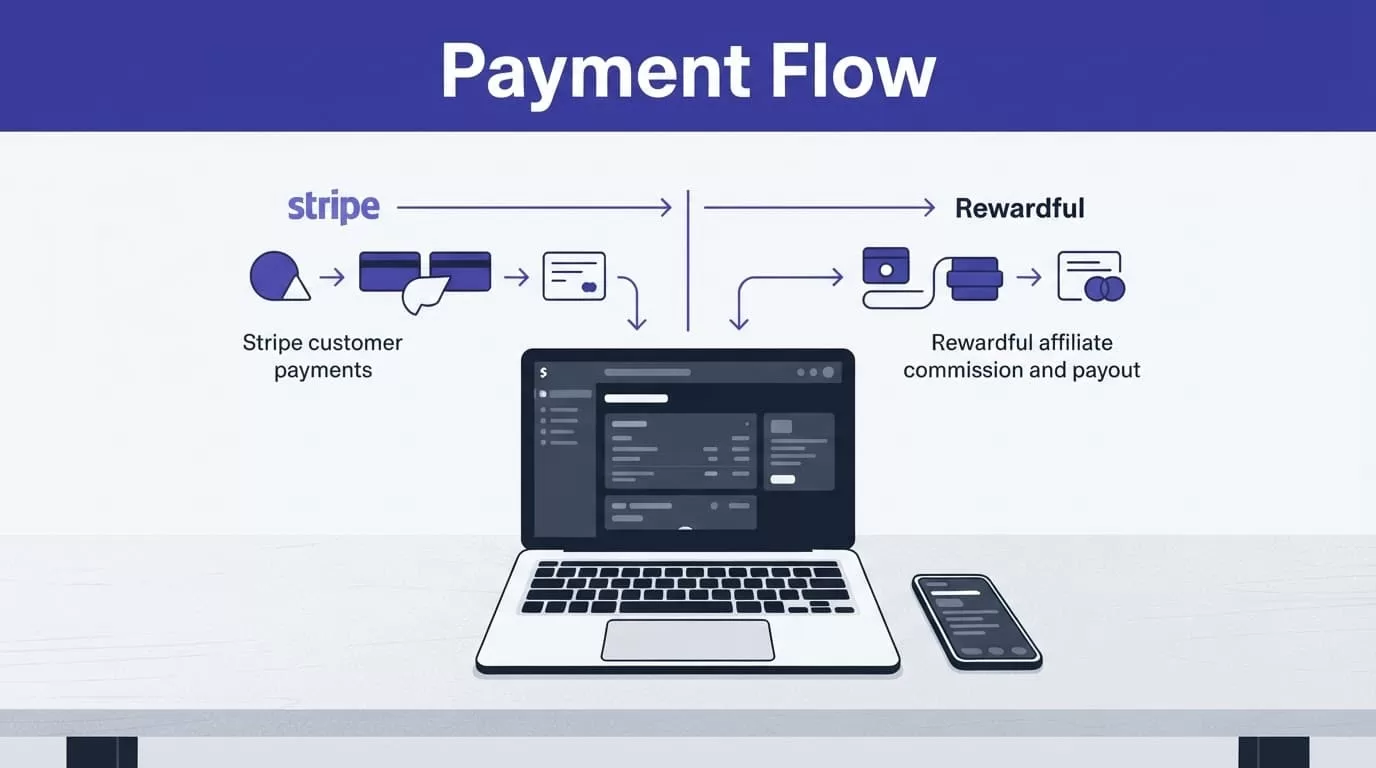
Stripe and Rewardful connect, but they do different jobs. Treat them as separate records inside one operating process.
A successful Stripe payment confirms that a customer paid. It does not confirm that a referral met your program rules, cleared your refund window, or belongs in the current payout batch.
What Stripe owns
Stripe is your customer payment system. It holds the payment and subscription record that supports a commission decision.
Your finance team should use Stripe to check:
- The customer and subscription tied to the referral.
- The invoice, charge, and payment date.
- Refunds, disputes, failed payments, and cancellations.
- The net revenue figure your affiliate terms use.
Do not use your available Stripe balance as the payout total. Cash collected this week can include transactions that still carry refund, chargeback, or cancellation risk.
What Rewardful owns
Rewardful stores the affiliate, referral, campaign, commission, and payout record. It applies the commission rules you configured.
Use Rewardful to see who referred the customer, what commission is due, and whether a payout has moved through your review process. The connected Stripe data supports the calculation. Rewardful does not turn every Stripe charge into an automatic affiliate payment.
Confirm Your Payout Path Before Setup
Choose the payment route before you invite affiliates. Your payout method affects currency, documents, payment timing, fees, and the work your finance team needs to complete.
Rewardful’s current methods and screens can vary by plan, program setup, affiliate location, and supported payment route. Check the current options in your account before publishing payout terms.
Start with these prerequisites:
- Connect the Stripe account that processes the customer payments you want Rewardful to track.
- Set program terms for commission rates, approval timing, refunds, and minimum payout amounts.
- Name one person who approves payout batches and one person who releases funds.
- Collect the affiliate payment and tax information required for your business and jurisdiction.
Managed Payouts require separate funding
Rewardful Managed Payouts is currently in beta. It requires a USD affiliate program, an ACH-capable bank account for funding, and a 3% processing fee on payouts.
Your existing Stripe customer payment setup is not the funding method. Rewardful states that you connect a separate bank account, then pay the invoice for commissions and fees when you are ready to fund the batch. It is not an automatic debit.
Review the current requirements in Rewardful’s Managed Payouts merchant FAQ before you activate the feature. Bank verification can require additional time.
Other Rewardful payout workflows
Rewardful also supports manual mass-payment workflows for PayPal and Wise. In that model, your team exports due payouts, sends the payments through the selected provider, then records completion in Rewardful.
Direct PayPal options can have plan and account requirements. Do not promise a specific method to affiliates until you have tested it with your own account.
A payout method is part of your program terms. Change it carefully, document the date, and tell affiliates before the next payment cycle.
Set Rules Before Commissions Become Due
Commission settings are finance controls, not marketing copy. A vague approval rule creates correction work at month-end.
Rewardful says commissions become due after 30 days by default, or after a custom delay you configure, once the affiliate reaches the program’s minimum payout amount. Confirm those rules in Rewardful’s commission and payout overview.
Match the hold period to your revenue risk
Use a commission hold period that gives you time to identify refunds, disputed payments, failed renewals, and early cancellations.
A short hold period may make your program more attractive. It also increases the chance that you will pay a commission tied to revenue that later reverses. A longer hold period reduces that risk, but affiliates need clear expectations.
Write the rule in plain language. State whether commissions are based on the first invoice, recurring payments, collected revenue, or another defined event.
Define exceptions before the first payout
Decide how your team handles refunds, partial refunds, credits, duplicate referrals, self-referrals, and manual sales adjustments. Record each exception against the referral and payout batch.
Do not assume a later customer refund automatically fixes a commission that was already paid. Check the referral, the transaction history, and your affiliate agreement. Then apply the documented correction method.
A due commission is an accounting candidate. It is not payment approval until the batch review is complete.
How to Process Stripe Affiliate Payouts With Rewardful
Use one repeatable workflow for every batch. This makes monthly payouts easier to review and harder to duplicate.
- Connect the correct Stripe account to Rewardful. Review the Stripe permissions Rewardful requests before authorizing access. The connected account must contain the subscriptions and charges you want to track.
- Use the integration path that matches your checkout. Stripe Checkout, Payment Links, and a custom client-side checkout can need different implementation steps. Teams with a custom flow should follow Rewardful’s custom Stripe integration instructions.
- Configure the affiliate program rules. Set the commission type, attribution settings, hold period, minimum payout threshold, and terms for refunds or cancellations.
- Let commissions accumulate through the review window. Do not release a commission because the initial charge succeeded. Check whether the underlying subscription remains active and paid.
- Build an approval batch. Export or review the due commissions. Match each amount to the supporting Stripe transaction, then flag refunds, credits, disputes, or records that need manual review.
- Fund or send the batch through your approved route. For Managed Payouts, review the invoice and funding total. For a PayPal or Wise mass-payment process, send only the approved export.
- Confirm payment before closing the record. Store the payout date, provider reference, amount, currency, affiliate ID, and approver. Mark the Rewardful payout paid only after you have confirmation from the payment route.
Never send a second payment because the first one looks slow. Check the original payout status, funding confirmation, and provider reference first. A duplicate payout creates a larger problem than a delayed one.
Reconcile Each Payout Batch Before Month-End
A payout batch needs three matching records. When one is missing, leave the item open until the owner resolves it.

Match the customer, commission, and cash records
Use a simple control sheet or accounting workflow for each batch.
| Record source | Fields to match | What it proves |
|---|---|---|
| Stripe | Customer, invoice or charge ID, payment date, refund status | The customer payment supports the commission |
| Rewardful | Affiliate, referral, commission amount, payout status | The affiliate earned the approved amount |
| Bank, PayPal, or Wise | Payment reference, amount, currency, completion date | Funds were sent through the selected route |
Keep batch totals separate from individual payout records. A total can match while one affiliate payment fails or goes to the wrong destination.
Preserve the approval trail
Save the original payout export. Store a separate reviewer copy with exceptions, edits, approval date, and payment confirmation. Do not overwrite the source record when someone corrects an amount.
The useful measure is reconciled payouts, not exported payouts. A process that reduces data entry but creates hours of correction work has failed.
For a field-level review process, this affiliate payout reconciliation guide is useful for matching referral activity, payment records, and final payout status.
Collect and retain the documents your accountant requires. Tax reporting, contractor classification, withholding, and record-retention duties depend on your location and affiliate arrangement. Use qualified tax and legal advice for those decisions.
Fix Payout Errors Before They Become Duplicate Payments
Most payout issues are status problems, missing information, or late transaction changes. Treat each one as an exception with an owner and a written outcome.
A payout is due but has not arrived
Check whether the item is due, processing, or paid in Rewardful. Then check the funding invoice, bank activity, or payment-provider reference.
Do not tell the affiliate a payment failed until you confirm the result. A pending funding payment and a rejected affiliate payment need different actions. Keep screenshots, exports, provider receipts, and support messages with the batch record.
A refund appears after commission approval
Pause the affected payout if funds have not left your account. If it is already paid, follow your written adjustment policy for a future commission cycle.
Record the Stripe refund ID, the Rewardful commission ID, the amount reversed, the reviewer decision, and the affiliate communication. This gives your team an audit trail if the same customer record is reviewed later.
An affiliate cannot select or receive a payout method
Confirm the method is available for the affiliate’s location and your active Rewardful setup. Managed Payouts may require affiliate identity checks, residence documents, and two-step verification.
Rewardful describes Managed Payouts as a separate service where affiliates withdraw through their dashboard after funds are allocated. Check what Managed Payouts includes before diagnosing a missing payment option.
Run Payouts Like a Finance Process
Reliable Stripe affiliate payouts come from separating customer revenue from affiliate commission approval. Stripe proves the customer transaction. Rewardful tracks the referral and payout record. Your finance process approves and releases the funds.
Set a hold period, review each due commission, fund one controlled batch, and reconcile every completed payment. That is how you pay affiliates without turning a successful customer charge into an avoidable payout error.
