Automate Stripe Failed Payment Recovery With Baremetrics
Stripe failed payment recovery starts inside Stripe Billing. Stripe can retry declined subscription payments, email customers, and host a page where customers update a card. Many teams never configure these settings fully, so revenue slips...

Stripe failed payment recovery starts inside Stripe Billing. Stripe can retry declined subscription payments, email customers, and host a page where customers update a card. Many teams never configure these settings fully, so revenue slips out while the dashboard looks healthy.
This guide walks through the Stripe side first, then shows where Baremetrics Recover adds outreach and reporting. You will find the exact Dashboard paths, retry rules, webhook fields, and test steps. Stripe changes its settings over time, so confirm each step on the official documentation linked below.
What Stripe handles natively
Stripe documents automated recovery under revenue recovery in the Billing docs. The core tools include the following.
- Automatic retries of failed subscription and invoice payments.
- Smart Retries, which use AI to choose retry times.
- Customer emails for failed payments, expiring cards, renewal reminders, and trial endings.
- A Stripe-hosted page where customers update a payment method.
- Webhook events your own systems can read.
Stripe recommends Smart Retries over a custom schedule. Read the full details on the Stripe Smart Retries page.
Configure retries in the Stripe Dashboard
Follow these steps for subscription retries.
- Open Billing, then Revenue recovery, then Retries in the Stripe Dashboard.
- Choose Smart Retries, or turn Smart Retries off and build a custom schedule.
- Set the retry window. Stripe offers 1 week, 2 weeks, 3 weeks, 1 month, or 2 months. The recommended default is 8 tries within 2 weeks.
- For a custom schedule, set up to three retries, each a number of days after the previous attempt.
- Choose what happens after the last attempt: cancel, mark unpaid, leave past due, or pause the subscription.
- Save the settings and note the date. Changes only affect future retries.
One-off invoice retries sit in a different place. Open Settings, then Billing, then Invoices, and look for the advanced invoicing features.

Know which failures Stripe cannot retry
Stripe does not retry in these cases.
- No payment method is available.
- The issuer returned a hard decline code.
- The card is India-issued.
- The Stripe Connect account was disconnected.
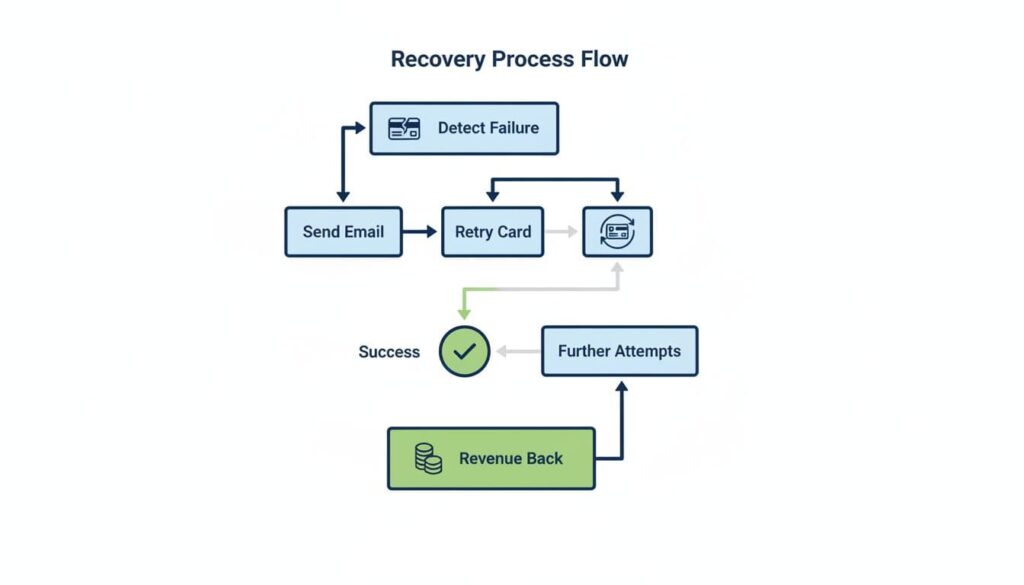
Stripe lists the hard decline codes: incorrect_number, lost_card, pickup_card, stolen_card, revocation_of_authorization, revocation_of_all_authorizations, authentication_required, highest_risk_level, and transaction_not_allowed. For these codes, Stripe keeps the retry schedule but runs the payment only after the customer adds a new payment method. Build your messages around this rule. A hard decline needs a card update, not more waiting.
Payment method order and the update trap
When Stripe retries, Stripe uses the first available payment method in a fixed order. Many teams update the wrong field and wonder why retries keep failing.
| Priority | Payment method | API attribute |
|---|---|---|
| 1 | Subscription default payment method | subscription.default_payment_method |
| 2 | Subscription default payment source | subscription.default_source |
| 3 | Customer default payment method | customer.invoice_settings.default_payment_method |
| 4 | Legacy customer default payment source | customer.default_source |
Stripe gives a clear warning. Update the field where the previous payment failed. If a subscription has its own default payment method and you only change the customer default, Stripe keeps retrying the old subscription card.
Retries for local payment methods
Stripe does not retry failed local payment methods by default. You can turn retries on in the revenue recovery settings. Stripe lists these limits for failures caused by insufficient funds.
| Payment method | Maximum retries | Maximum retry period |
|---|---|---|
| ACH Direct Debit | 2 | 40 days |
| Canadian pre-authorized debit | 1 | 30 days |
| Australia BECS Direct Debit | 4 | 30 days |
| Bacs Direct Debit | 2 | 30 days |
| New Zealand BECS Direct Debit | 1 | 30 days |
| SEPA Direct Debit | 2 | 30 days |
Stripe also notes a payment can still fail after you enable these retries. Each method has mandate requirements, so read the matching payment method page before you switch retries on.
Track failures with webhooks
Developers can monitor recovery through the invoice.payment_failed webhook. The attempt_count field shows how many attempts have run. The next_payment_attempt field on the invoice shows the date of the next collection attempt.
- Listen for invoice.payment_failed to trigger in-app banners or support alerts.
- Read attempt_count to change your message as attempts increase.
- Read next_payment_attempt to tell customers when the next try happens.
- If you use Stripe automations, read next_payment_attempt from invoice.updated instead, because Stripe no longer sets the field in invoice.payment_failed for those users.
Customer emails inside Stripe
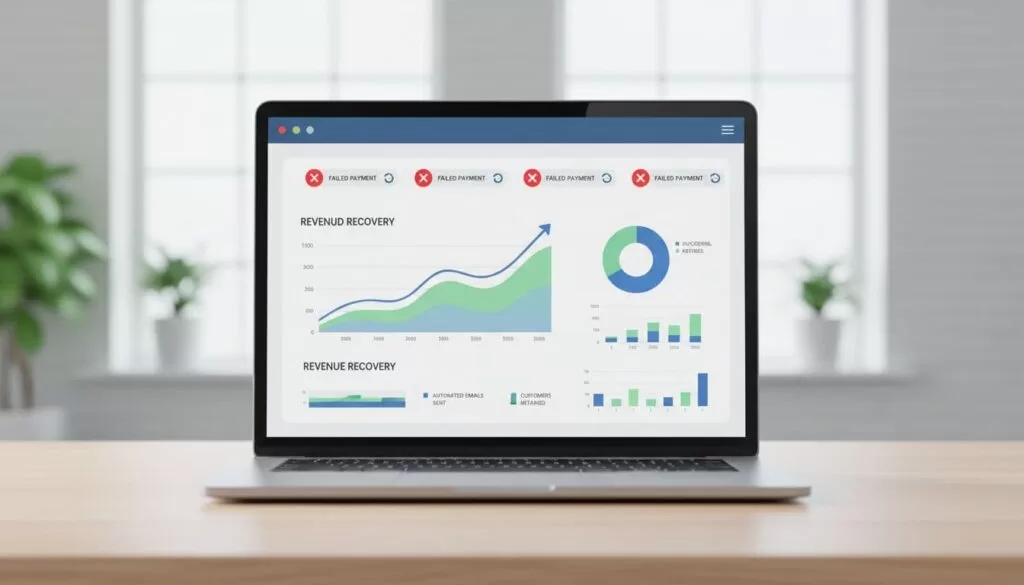
Turn on customer emails in the subscriptions and emails settings. The Stripe customer emails page describes each type.
| Email type | Timing or trigger |
|---|---|
| Failed payment | After each failed card payment when enabled |
| Expiring card | 1 month before the card on file expires |
| Renewal reminder | Based on days set under Upcoming renewal events |
| Trial ending | 7 days before a free trial ends |
| Payment confirmation | When 3D Secure or similar confirmation is needed |
Failed payment, trial ending, renewal, expiring card, and payment confirmation emails include a link where customers can update a payment method. You can point the link to a Stripe-hosted Customer Portal or your own subscription page. Stripe stops honoring the hosted link in several cases, such as a cancelled, incomplete expired, or unpaid subscription.
Stripe keeps email logs for 60 days on the Customers page. Logs update daily and exclude emails from the current day.
Where Baremetrics Recover adds value
Native Stripe tools cover retries and basic emails. The Baremetrics Recover page lists extras for teams who want more control.
- Up to 7 customizable emails after a failed charge.
- Email and SMS sequences together.
- A branded billing page which writes the new card back to Stripe.
- A widget with a banner and an optional paywall.
- Two card expiration reminders, at 30 and 7 days before expiry.
- Pricing based on MRR after a 14 day free trial.
Baremetrics notes Stripe Smart Retries run alongside Recover. Recover adds outreach on top of the retries. For the full Recover setup, read the Baremetrics dunning management guide. For a vendor neutral playbook, see the guide to failed payment recovery. For message wording, see Baremetrics dunning emails.
Common Stripe setup mistakes
- Leaving Smart Retries off and relying on manual follow-up.
- Choosing a retry window longer than your access policy allows, so customers keep service for weeks without paying.
- Updating the customer default payment method while the subscription holds its own default.
- Forgetting to enable the expiring card email.
- Ignoring hard decline codes and sending the same message to every customer.
- Sending customers to a hosted page link after the subscription became cancelled, incomplete expired, or unpaid.
- Skipping sandbox tests, then discovering broken links in production.
Review your settings every quarter. Compare the retry window with your grace period, check the end rule, and read a sample of real failed payments. A short audit often finds money which sits unrecovered. Also check how many customers pay after the first email versus after the last. If most pay after the first message, shorten the rest of the sequence. If few pay at all, review the update page before you add more messages.
Build a weekly recovery scorecard
Automation only matters when the numbers move. Review a small group of metrics every week for the first month.
| Metric | Meaning | Action when weak |
|---|---|---|
| At-risk MRR | Revenue tied to failed charges | Find the top decline reasons |
| Recovery rate | Share of failed revenue later paid | Review retry window and emails |
| Involuntary churn | Cancellations after failed payments | Tighten the end rule after retries |
| Retry success by decline type | Which failures respond to retries | Split soft declines from hard declines |
| Hosted page conversion | Customers who update a card after the email | Simplify the update flow |
Baremetrics says failed payments drain about 9 percent of MRR. The company gives no method for the figure, so compare the number with your own data. Third party blogs publish other recovery ranges. Treat every range as a rough benchmark, not a promise.

Test the flow before launch
- Create a test customer with a payment method you control.
- In a Stripe sandbox, use email addresses on your verified domain or a team member address. Stripe does not send customer emails in a sandbox to other addresses.
- Trigger a failed payment and confirm the webhook arrives.
- Open the hosted update link and replace the card.
- Confirm the next retry uses the updated payment method.
- Check the email logs on the Customers page.
FAQ
Does Stripe recover failed payments by itself?
Stripe retries payments and sends emails once you enable the settings. Results depend on decline types and your configuration.
Do I need Baremetrics to use Smart Retries?
No. Smart Retries live in Stripe. Baremetrics adds outreach, reporting, and a hosted billing page.
Why do retries keep failing after the customer updates a card?
The update may have changed the wrong field. Stripe retries the first available method in its order, so update the field where the payment failed.
Can Stripe retry bank debits?
Stripe supports retries for several local payment methods after insufficient funds failures, but the setting is off by default.
Where do I verify current settings?
Use the Stripe Billing documentation and your Stripe Dashboard. Settings and defaults change.
Conclusion
Stripe failed payment recovery works best when you configure every layer. Set Smart Retries, choose an end rule, turn on customer emails, watch the webhooks, and fix payment method fields after updates. Add Baremetrics Recover when you need SMS, a widget, a paywall, or deeper reporting. Track recovered revenue each week and adjust from real results.

