Best Time Tracking Apps for Contractors in 2026
I look at time tracking apps for contractors with one rule in mind, they have to survive the job site. A timer that works in a quiet office can fall apart when crews move between addresses, lose signal, or clock in from a truck. The best ti...
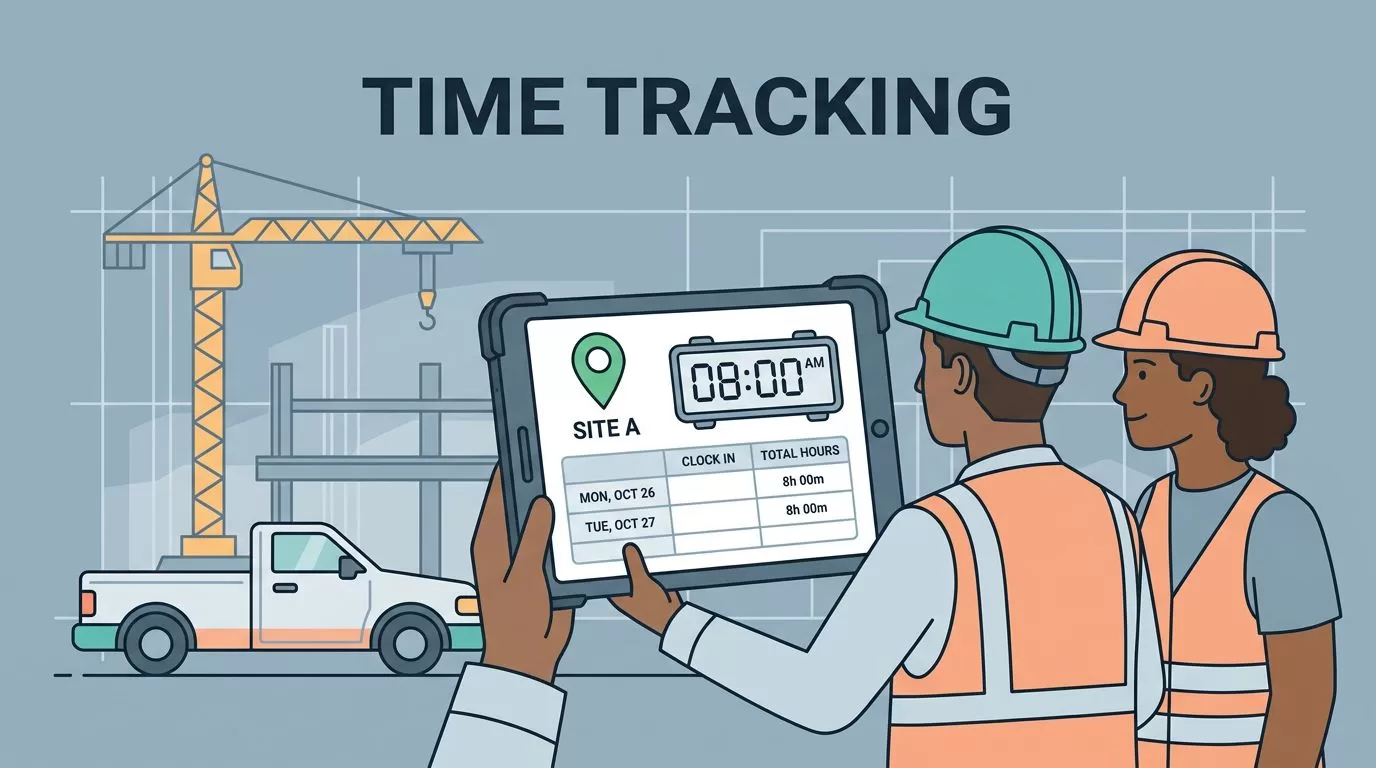
I look at time tracking apps for contractors with one rule in mind, they have to survive the job site. A timer that works in a quiet office can fall apart when crews move between addresses, lose signal, or clock in from a truck.
The best time tracking apps contractors use in 2026 do more than record hours. They protect payroll, show job costs, and make invoicing less painful. If the app can’t help me trust the numbers, I keep looking.
What I want before I pay for any app
I care about four things first. I want GPS proof, clean crew timesheets, easy payroll export, and a fast way to turn hours into invoices. If a tool misses one of those pieces, I usually feel it later in payroll disputes or job overrun.
Offline mode matters too. A lot of good work happens where cell service doesn’t. I also want managers to see overtime before it turns into a surprise.

Time tracking apps for contractors, side by side
Here’s the quick view I use when I compare options for crews, field service teams, and trade shops.
| App | Starting price | Best fit | Standout contractor feature | Main limitation |
|---|---|---|---|---|
| Clockify | Free, Pro from $4.99 | Tight budgets | Unlimited users and simple reporting | GPS controls are better on paid plans |
| Toggl Track | Free for 5 users, paid from $9 | Simple teams | Fast timer with offline improvements | Weak for strict job-site control |
| Harvest | From $12 | Billing-first shops | Time plus invoicing in one flow | Less built for field enforcement |
| Hubstaff | From $7 | Multi-site teams | GPS, geofencing, activity tracking | Screenshots can feel intrusive |
| Connecteam | From $29 for 30 users | Crews and field teams | Scheduling, GPS, chat, offline punches | Deeper job costing is limited |
| ClockShark | From $11 + base fee | Construction and trades | Cost codes and QuickBooks export | Fixed pricing can get pricey |
| QuickBooks Time | From $20 | QuickBooks users | Payroll and mileage in one place | Best value only inside Intuit |
The right app depends on what hurts most, proof, payroll, or billing.
The pattern is clear. GPS-heavy tools cost more, while billing-friendly tools often feel lighter and easier to adopt.
The apps I would put on a short list
Clockify
I like Clockify when I need a low-cost start and room to grow. The free plan is generous, and unlimited users make it a smart pick for small crews. In 2026, it also adds better mobile GPS and AI time categorization. The tradeoff is simple, stronger field controls sit behind paid plans.
Toggl Track
Toggl Track works well when my team wants speed over control. One-tap tracking, idle detection, and improved offline mode keep it easy for owners and supervisors. I would choose it for contractors who split time between estimates, admin work, and light field tracking. It’s less convincing when I need tight job-site enforcement.
Harvest
I reach for Harvest when invoicing matters as much as time. Its clean billing flow and expense tracking help me turn tracked hours into money without extra cleanup. I also like its all-in pricing and clear budget view. For pure field tracking, though, it feels softer than GPS-first tools. I’d compare it with Harvest’s time tracking and invoicing tools if billing is the main goal.
Hubstaff
Hubstaff is the one I pick when I need proof. GPS, geofencing, and activity tracking make it useful for remote jobs and crews spread across sites. It also fits payroll workflows well. Still, screenshots and activity logs can feel heavy-handed, so I would use it where accountability matters most. For a broader construction comparison, I found this contractor time tracking review from Connecteam helpful.
Connecteam
I like Connecteam for field teams that need one app for more than time. Scheduling, chat, GPS clock-ins, offline punches, and construction templates help keep the day moving. The flat pricing also makes sense for larger crews. Its weak spot is deeper job costing, so I’d pair it with stronger accounting software if I need detailed margins.
ClockShark
ClockShark feels built for construction crews that live on cost codes. I get GPS time clocks, geofences, and QuickBooks export, which helps when I want clean payroll and better job costing. It’s one of the most practical choices for trades. The downside is price, especially once the base fee and per-user costs stack up.
QuickBooks Time
If I already run payroll through Intuit, QuickBooks Time is hard to ignore. It brings GPS, mileage tracking, scheduling, and payroll handoff into one system. That saves time when I’m trying to close the week fast. The catch is obvious, it makes the most sense only if QuickBooks is already part of my stack.
What I would pick by business size
For a solo contractor or tiny crew, I’d start with Clockify or Toggl Track. Both keep costs down and make adoption easier.
For a growing field service team, I’d look at Connecteam or Hubstaff. They handle crews, sites, and accountability better than basic trackers.
For construction and trade businesses that live on job costing, I’d pick ClockShark first. If payroll is already in QuickBooks, I’d move QuickBooks Time higher on the list.
For service businesses that bill by the hour, I’d choose Harvest. It saves me time at the end of the job, which is often where profit gets lost.
The best app is the one my crew will use every day. If it captures hours cleanly, shows overtime early, and turns work into payroll or invoices without drama, it pays for itself fast.
