How I Set Up Podcast Integrations with Transistor.fm
When I set up a podcast, I want Transistor.fm to do more than store MP3 files. I want it to push the show to directories, feed my site, and trigger the tools I already use. That only works when the connections are clean. One bad RSS feed, a...
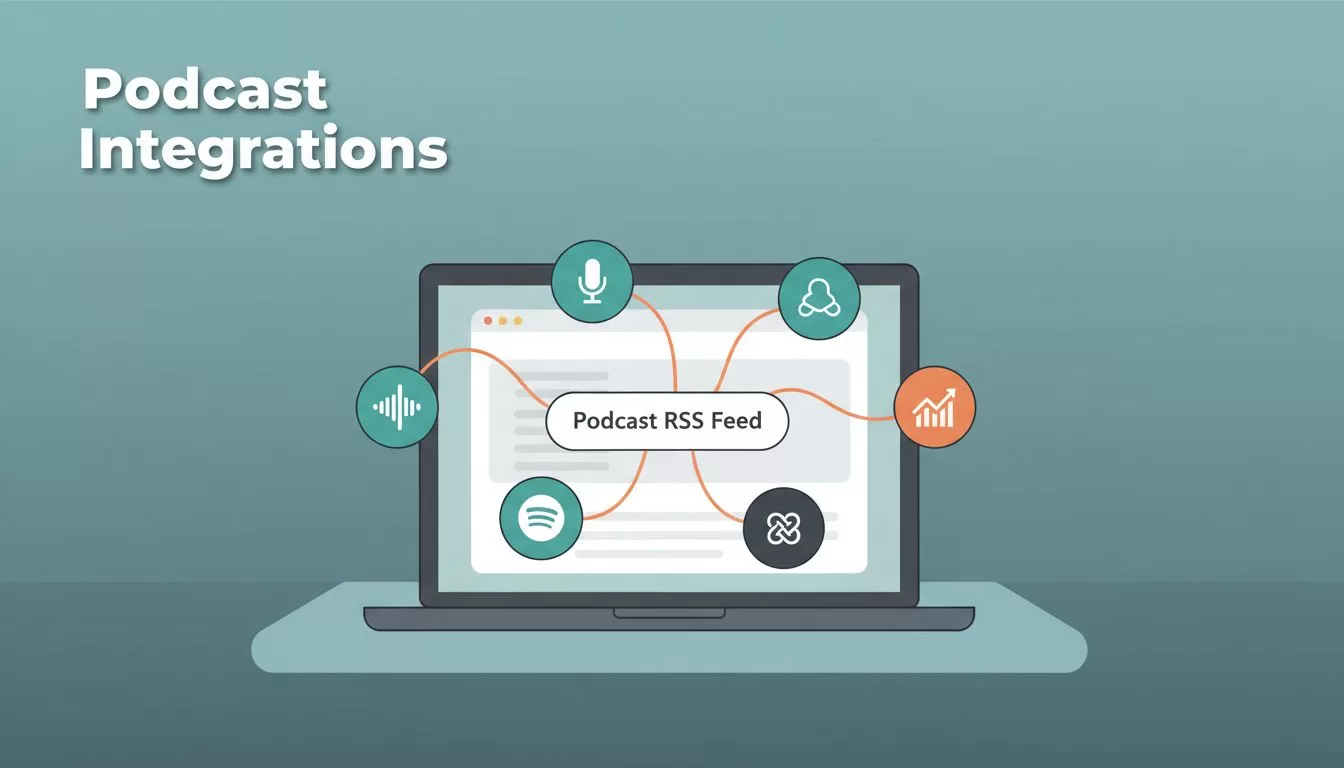
When I set up a podcast, I want Transistor.fm to do more than store MP3 files. I want it to push the show to directories, feed my site, and trigger the tools I already use.
That only works when the connections are clean. One bad RSS feed, a stale token, or a delayed sync can leave an episode missing from a directory or a report.
This is the setup I use when I want Transistor integrations to behave like part of my publishing system, not a pile of separate tabs.
Start with the integrations I actually need
I think about Transistor integrations in four layers. That keeps me from wiring up tools I don’t need yet.
- Directories send my show to Apple Podcasts, Spotify, and other listening apps.
- Website tools handle things like subscriber forms and membership pages.
- Analytics feed data into reports I can trust.
- Automation moves new episodes into Slack, CRMs, and social tools.
I start with the official Transistor integrations page because it shows the supported paths in one place. I also keep the help center integrations category nearby when I need setup details or limits.
My rule is simple, the RSS feed owns the episode, and every other tool follows it.
Send episodes to podcast directories
For public shows, I let Transistor handle the directory path first. The official distribution page covers the main players, including Apple Podcasts, Spotify, and Podcast Index.
My setup usually follows this order:
- I confirm the show artwork, title, and author name.
- I check that the RSS feed is live and points to the right show.
- I submit or connect the directory inside Transistor.
- I wait for the directory to crawl the feed again before I check results.
Apple still deserves patience. Transistor’s own distribution notes say review can take several days, so I don’t assume a delay means something is broken. I usually verify the feed, then wait before I touch anything.
Directory sync also has a simple limitation, it depends on the feed. If I change the feed URL, break an enclosure, or leave an episode in draft, the directory can’t show what it can’t read. That is why I treat RSS as the source of truth.
Private podcasts need a different mindset. I only promise member access after I confirm the destination app supports private delivery. Public directory listings and private feeds are not the same job.
Connect website tools and analytics
Website tools are where Transistor gets useful beyond hosting. If my site runs on Ghost, I can sync subscribers automatically, which cuts down on manual list work. That matters when I’m moving fast and don’t want to clean CSV files by hand.
For a WordPress site, I usually connect through Zapier or Make. That gives me a clean bridge for forms, memberships, or simple webhooks when there isn’t a direct connector. I’ve found that works better than trying to force every app into one native path.
Analytics are easier to set up than most people expect. For public podcasts, I can add a Google Analytics Measurement ID in the Integrations tab, and the support docs say it starts with G-. Transistor also supports Fathom there, which is handy if I want lighter site tracking.
When I need deeper reporting, I move to the Transistor API reference. That’s where I go for show-level or episode-level stats that I want inside a custom dashboard or a client report. It’s the cleanest route when I need more than the built-in charts.
Build automation workflows that save time
Zapier and Make are the workhorses here. Transistor’s current integration focus includes both, and that covers most of the automation I care about.
I use automations for small jobs that pile up:
- A new episode can trigger a Slack message for my team.
- A new private subscriber can create or update a CRM record.
- A published episode can kick off a clip workflow for social posts.
When I want to turn one episode into short-form content, I connect it to Transistor Opus integration setup. That kind of workflow saves me from exporting, renaming, and uploading the same file three times.
I keep these automations narrow. If a task is simple, I automate it. If it needs judgment, I leave it manual. That keeps the system easy to repair when one app changes its rules.
Fix the problems that usually block sync
RSS feed problems usually come from a changed feed URL, a broken enclosure, or an episode that never reached published status. I open the feed in a browser, confirm the episode is there, and check the file link before I blame the directory.
Authorization errors often mean the app token expired or I connected the wrong account. I disconnect the integration, sign in again, and verify that I have admin access in both places. That fixes more issues than any other step.
Syncing delays happen all the time with directories and connected apps. Apple can take days to review new submissions, and other services cache the feed on their own schedule. I wait, refresh, and avoid making random edits while the system is catching up.
Missing episodes are often private, scheduled for later, or attached to the wrong show. I check the publish date, the visibility setting, and the RSS output. If the episode still doesn’t appear, I re-save the settings and let the feed update again.
When I need a second set of instructions, I go back to the Transistor Help integrations category and match the steps to the screen in front of me. That usually gets me out of the weeds fast.
Conclusion
The cleanest Transistor setup is the one that starts with the feed and ends with a few well-chosen connections. When I keep directories, website tools, analytics, and automation in the right order, the whole podcast stack feels easier to trust.
I don’t need every app connected. I need the right ones connected well, with clear permissions and a feed that stays stable. That’s where Transistor integrations earn their keep.
