Twin.so QA automation: A practical build plan
QA automation fails when it checks only whether a button appears. A useful check creates known data, follows a real user path, verifies the result, and records evidence. That is the right scope for Twin.so QA automation. Twin.so is an auton...
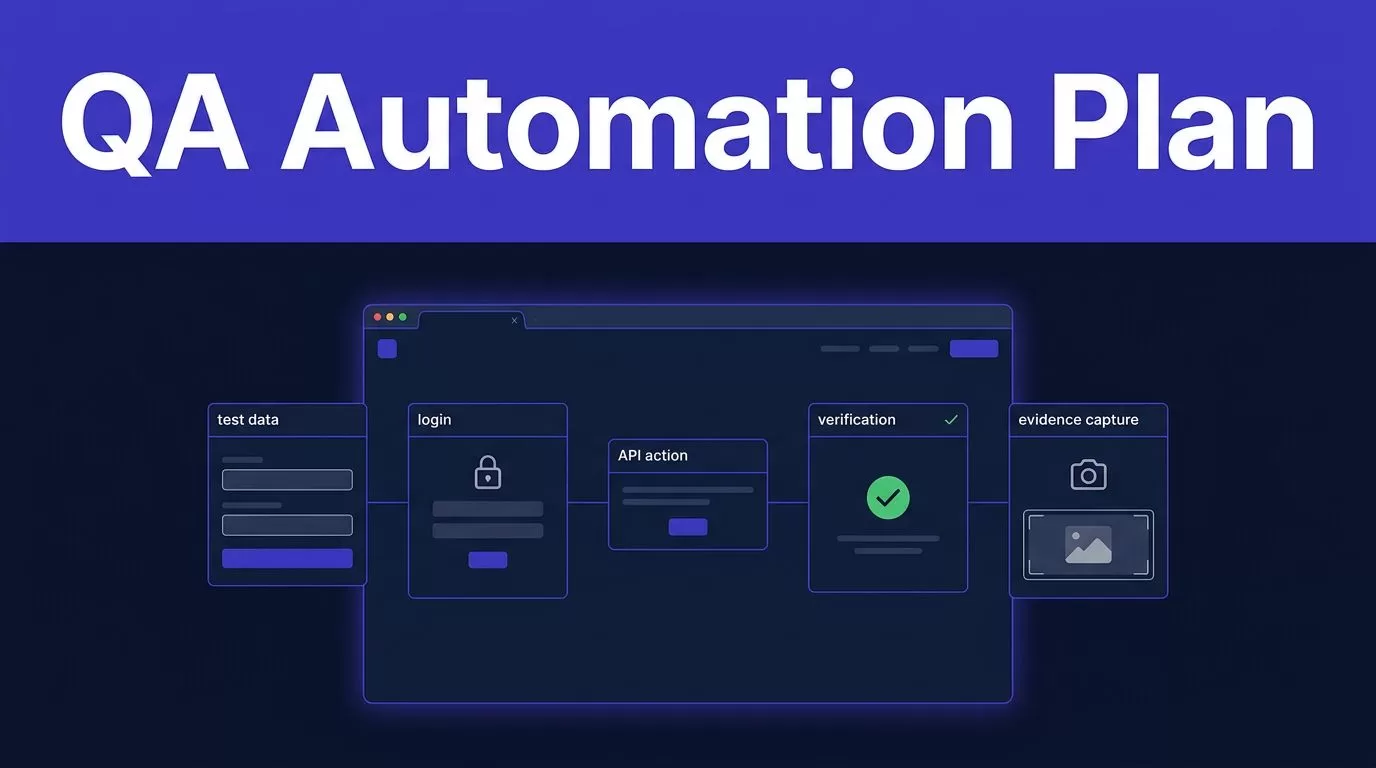
QA automation fails when it checks only whether a button appears. A useful check creates known data, follows a real user path, verifies the result, and records evidence.
That is the right scope for Twin.so QA automation. Twin.so is an autonomous agent platform with natural-language instructions, API and tool connections, browser control, schedules, and webhooks. It can run repeatable end-to-end workflows, but it isn’t documented as a dedicated test runner with a full assertion library, trace viewer, retry policy, or approval queue.
Start with one low-risk workflow in a test environment. Prove that the agent can produce reliable results before you connect it to production systems.
What Twin.so QA automation can cover
Twin.so works best for checks that cross applications or require browser actions. Its Web Agent can handle multi-step website flows, logins, and dynamic pages through browser control. The Web Agent documentation explains how Twin chooses browser automation when an API doesn’t provide the required action.
A useful QA workflow might log into a staging portal, create a record, check a status change, compare a value against an expected result, and send a report to an approved destination. The workflow can use an API for setup and browser actions for the part that requires a user interface.
Use agents for complete workflow checks
Good candidates have a clear start condition and a measurable result.
Examples include:
- Creating a test customer and checking that it appears in the CRM.
- Submitting a form and verifying the confirmation record.
- Logging into a partner portal and checking whether a report is available.
- Updating a test subscription and confirming the new status across two systems.
- Checking that a webhook creates the expected downstream action.
These checks are useful because they test the connection between systems. A unit test may prove that one function works. An agent workflow can check whether the complete business process works after deployment.
Keep deterministic tests in dedicated tools
Twin.so shouldn’t replace unit tests, API tests, or a dedicated browser test suite. Its official materials describe an agent platform, not a complete QA management product.
The surfaced documentation doesn’t confirm built-in support for Selenium or Playwright, cross-browser matrices, mobile browser coverage, visual regression testing, formal test-case management, or downloadable execution traces. Keep those requirements in the tools designed for them. Use Twin.so where flexible workflow execution adds value.
Start with one narrow QA workflow
Don’t begin with “test the application.” That instruction is too broad. The agent needs a defined journey, controlled data, and a clear result.
Pick one user journey
Choose a workflow that meets four conditions:
- The starting state is known.
- The test data can be created or reset.
- The expected result is clear.
- A failed result has an assigned owner.
A strong first workflow could be:
“Create a customer in the staging application, submit the onboarding form, verify that the customer reaches the CRM with the correct plan, and report any missing or mismatched fields.”
This is better than asking Twin to explore every page. It gives the agent a fixed path and gives QA a clear pass or fail decision.
Record the test case name, environment, account, input data, expected output, and permitted actions. Add a unique run ID to every record. This prevents one run from being confused with another.
Define data and permissions first
Use a staging tenant or an isolated test account. Seed the records before the first run, or let the workflow create them through an approved API. Add cleanup rules when the test creates temporary data.
Twin’s instruction model includes an “At Start of Run” section. Use it for checks such as duplicate run IDs, existing test records, missing credentials, or an unavailable environment. Stop the workflow when a precondition fails. Don’t let the agent continue with incomplete setup.
Use the least access needed for the test. A workflow that only reads order status shouldn’t have permission to issue refunds or delete customers.
Build the agent in controlled stages
Twin organizes agents inside workspaces. You can describe the goal to the Orchestrator in plain language, then review the structured instructions it creates.
Write instructions as test logic
Treat the instruction document like a test specification. The Twin instructions guide identifies the main sections as Purpose, Database, At Start of Run, Workflow, and Tools.
Use each section for a defined job:
- Purpose states the workflow and its boundary.
- Database defines the records needed for run IDs, results, and exceptions.
- At Start of Run checks the environment and prevents duplicate actions.
- Workflow lists each action, condition, expected value, and stop rule.
- Tools limits the agent to approved APIs, browsers, and destinations.
Write expected values in plain language. For example, state that the submitted plan must equal “professional” and that the CRM status must equal “active.” Don’t ask the agent to decide whether an outcome “looks correct.”
Edit the generated instructions when field names, thresholds, or permissions need tighter rules. Natural-language generation is useful for the first draft. It isn’t a substitute for review.
Test before deployment
Keep the workflow in build mode while you inspect its plan and output. Twin’s quickstart documentation separates planning, test execution, review, and deployment.
Run the agent against known test records. Check whether it used the intended API, selected the correct account, followed the expected browser path, and returned accurate results. Refine the instructions before scheduling the workflow.
Deploy only after the test output matches the expected result. Run mode is the right place for repeat execution. Twin’s quickstart describes scheduled runs, including a daily 9 AM example, and states that Run mode is typically less expensive than the initial build process.
A concrete Twin.so QA workflow
Consider a staging checkout flow for a SaaS application. The goal is to confirm that a new customer can choose a plan, complete checkout, and appear in the CRM.
Set up the workflow in this order:
- Trigger the run with a schedule or webhook. Include a unique run ID and the target environment.
- Check that the staging site is available and that the test account has the required permissions.
- Create or select a test customer through an API when one is available. Use browser automation only for steps that require the website.
- Open the checkout page, select the expected plan, submit the test order, and wait for the final state.
- Confirm the order status through an approved API or database connection. Compare the plan, customer ID, amount, and status with the expected values.
- Write a result record containing the run ID, timestamp, pass or fail status, expected value, actual value, and failure reason.
- Send a short report to the QA channel. Include the failed step and record link instead of sending only “test failed.”
Twin’s browser automation feature is useful when a service has no API or the available API cannot complete the required action. Prefer the API for stable setup and verification. Browser steps are more exposed to page changes, login challenges, and unexpected layouts.
Add hard stops for an expired credential, a missing checkout field, an unexpected amount, or a second order with the same run ID. A blank result is not a passing result. Distinguish a successful check that found no records from a failed extraction.
Control flaky tests before they reach the team
A flaky test passes and fails without a real product change. It creates noise, wastes review time, and makes genuine defects easier to ignore.
Remove unstable setup
Keep setup separate from the browser path whenever possible. Create data through an API, use unique identifiers, and delete temporary records through a controlled cleanup step.
Wait for a known state instead of waiting for a fixed number of seconds. Check that the record exists, the status changed, or the request completed. Don’t assume that a visible page means the backend operation finished.
Keep each workflow narrow. A long agent path has more failure points than a short check. Split account creation, checkout, and CRM verification when each part can run independently.
Bound retries and preserve evidence
Twin’s surfaced documentation doesn’t define an automatic retry policy or failure backoff guarantee. Don’t assume that a failed browser action will retry safely.
Never repeat a payment, deletion, account creation, or other destructive action without an idempotency rule. A retry can create duplicate data instead of fixing the original failure. If a second attempt is allowed, limit it and record both attempts.
For deterministic browser suites that require built-in retry handling, use a dedicated test runner. Playwright’s retry guidance explains how retries classify tests as passed, flaky, or failed. Its best practices also cover trace-based diagnosis for CI failures.
Use Twin to report the failure context. Keep the final diagnosis with the QA owner when the cause is uncertain.
Keep human review in the workflow
Automation should remove repeated actions. It shouldn’t hide uncertain decisions.
Start with report-only output
Run the first version in report-only mode. Let Twin collect the proposed result without changing production records or sending customer-facing messages.
Have a QA engineer compare the agent’s classification, source selection, actual values, and failure reason with the result a trained employee would produce. Track false passes and false failures. Move to automatic updates only after the error patterns are understood.
Twin documents plan review, test runs, instruction changes, and deployment. The surfaced documentation doesn’t confirm a formal approval queue with roles, signoff gates, or review permissions. Build those controls in the connected system when the workflow needs them.
Escalate uncertainty
Send these cases to a person:
- A value is missing or comes from an untrusted source.
- A page layout changed.
- A login challenge or identity check appears.
- The agent finds multiple possible records.
- The test would create a financial, legal, or customer-facing action.
- The result conflicts across two systems.
Manual exploratory testing still covers behavior that fixed workflows miss. It allows a tester to learn, design a check, and execute it in one session, as described in Atlassian’s exploratory testing guide.
Check prerequisites, cost, and rollout metrics
Prepare the environment
Before building the agent, confirm the staging URL, test accounts, OAuth connections, API permissions, seed data, reset process, and expected output fields.
Document which systems Twin may read and write. Keep credentials in approved account connections. Don’t place passwords, API keys, or one-time codes in instructions or test data.
Twin uses credit-based execution. Browser work can consume more resources than a simple API lookup, so run a small sample before planning monthly volume. Record the number of pages, actions, API calls, and generated outputs used by a successful run.
Measure approved results
Track the outcome of each run, not only whether the agent started.
Useful measures include:
- Pass and fail accuracy after human review.
- False-pass and false-failure rates.
- Flaky-run percentage.
- Mean time to resolve an exception.
- Manual review minutes per run.
- Duplicate records or repeated actions.
- Credits used per approved result.
Expand the workflow when accuracy is stable, failure reasons are visible, and the review workload is lower than the manual process. If the workflow spans multiple systems or needs a detailed permission and escalation model, Book A Call to map the rules before a wider rollout.
Conclusion
Twin.so QA automation is a practical fit for narrow, cross-system checks that need API access, browser actions, schedules, or webhooks. It isn’t a replacement for unit tests, deterministic test runners, or human exploratory testing.
Build one workflow in a staging environment. Define expected results, stop rules, evidence fields, and review paths before deployment. Keep risky actions under human control, investigate flaky failures instead of hiding them with retries, and expand only when approved results are reliable.
