Twin.so Trade Automation: Build Safer Execution Logic
An automated order can be wrong before it reaches the market. A stale signal, oversized position, or duplicated request can turn a valid strategy into an operational failure. Twin.so trade automation can reduce repetitive execution work, bu...

An automated order can be wrong before it reaches the market. A stale signal, oversized position, or duplicated request can turn a valid strategy into an operational failure.
Twin.so trade automation can reduce repetitive execution work, but it isn’t a profit engine. Twin.so’s documented tools focus on agents, triggers, connected applications, and browser or API workflows. You still need to define the strategy, risk limits, order states, and recovery process.
Start by separating what Twin.so can orchestrate from what your trading system must control.
Know What Twin.so Can and Cannot Do
Twin.so is useful as a workflow layer. It can collect information, react to events, run on a schedule, call connected services, and send alerts. It can also route results into another system for review or execution.
Twin’s Quickstart documentation describes scheduled agents, event-driven triggers, OAuth integrations, browser automation, and live workflow testing. Its integrations directory lists a wide range of connected applications, including market-data and practice-account examples.
Twin.so-specific capabilities
A practical Twin workflow can watch a market source, evaluate a condition, record the result, and notify an operator. For example, it could monitor a price feed, compare the value with a threshold, and send a structured trade proposal to Slack or another approved destination.
Twin’s public materials also describe workflows that run on demand, on a schedule, or through an API trigger. OAuth connections can reduce credential handling work because Twin manages the connected session and token refresh process for supported integrations.
The platform can use APIs when available and browser actions when an API isn’t available. That flexibility helps with workflow coverage, but browser automation adds more failure points. Page changes, expired sessions, slow responses, and unexpected prompts can interrupt an order process.
The execution layer is separate
The official pages reviewed in August 2026 don’t document a broker-agnostic live trade-execution API with standard order schemas, FIX support, slippage controls, latency guarantees, or built-in pre-trade risk checks.
Treat Twin as an orchestration component unless your exact venue and account connection document live order submission. Confirm the supported actions before granting trading permissions. A connector that can read balances or monitor positions may not be able to place or cancel orders.
This distinction changes the design. Twin can propose or route an action, while a dedicated broker or exchange API should validate and submit the order when production execution is supported.
Build Twin.so trade automation around control gates
Don’t begin with a broad instruction such as “buy when the market looks strong.” Define the workflow as a sequence of controlled decisions.

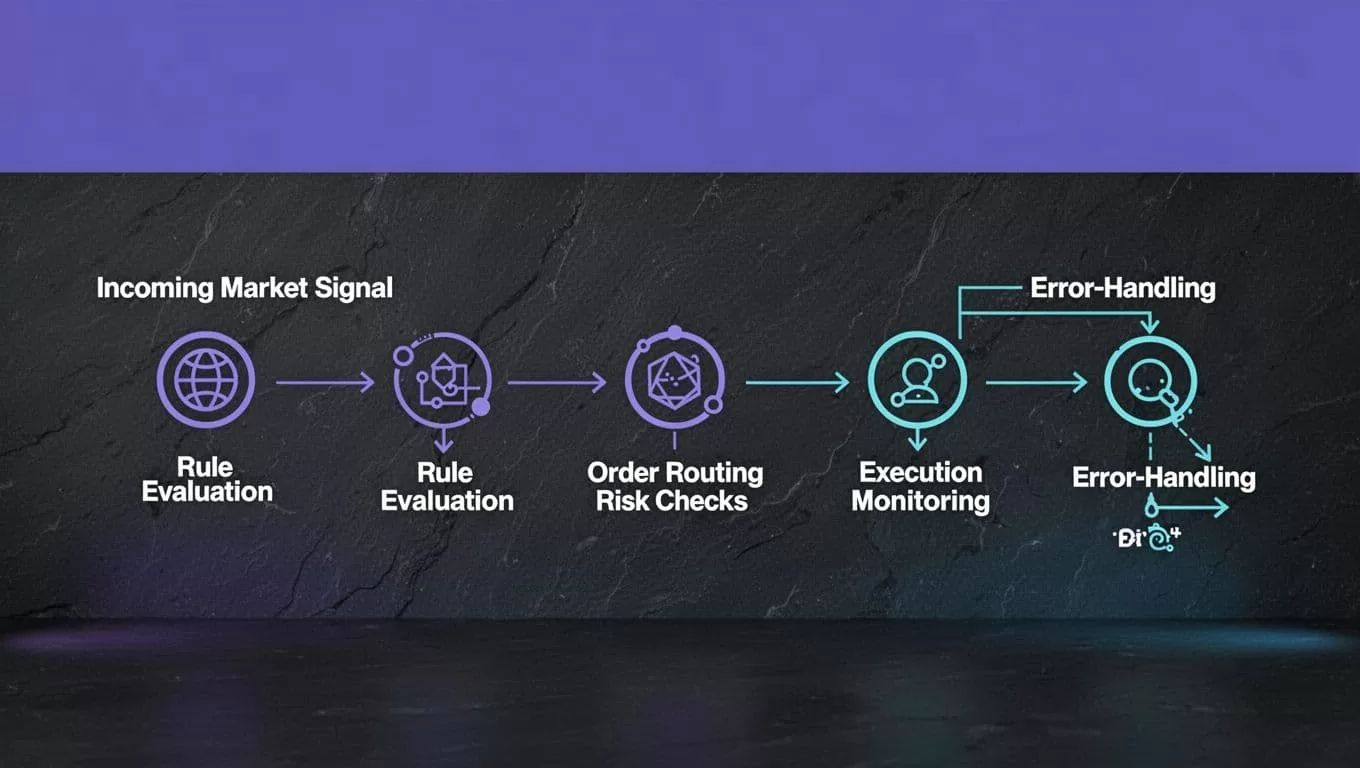
Define the signal contract
Every signal needs a fixed structure. Store the instrument, direction, price source, signal timestamp, expiration time, strategy version, and intended position change.
Add a unique signal ID. The ID lets the system identify whether it has already evaluated or acted on the signal. Store the source value used for the decision, not only the final buy or sell instruction.
A signal that arrives without a timestamp should fail validation. A signal with an unknown instrument should go to an exception path. Missing data must not become an order through an assumed default.
Separate decisions from order submission
Use separate stages for signal evaluation, risk approval, order creation, and order submission. This gives you a review point before money is exposed.
The decision stage should return a structured result such as approved, rejected, or needs review. The order stage should run only after the risk result is approved. Keep free-form agent text out of critical order fields.
Twin.so can help assemble and run the workflow. Your implementation must still restrict the venue, account, symbol list, order types, and permitted actions. Use the smallest set of permissions required for the task.
Add risk checks before any live order
Risk controls must run before the order reaches the broker or exchange. They should reject the action when the account, signal, or market state falls outside defined limits.
| Control | Example rule | Failure action |
|---|---|---|
| Position size | Limit each order to a set percentage of available risk capital | Reject |
| Maximum loss | Stop new orders after the daily loss limit is reached | Disable strategy |
| Exposure | Limit total value by symbol, sector, or market | Reject or reduce |
| Price protection | Reject orders outside the allowed price deviation | Recalculate or reject |
| Frequency | Limit orders during a time window | Delay or reject |
These are implementation examples, not universal values. Set them from your strategy, account size, venue rules, and compliance requirements.
Size positions from a defined risk budget
Position sizing should use a known risk amount, not a convenient share count. The calculation should account for current exposure, open orders, expected entry price, and the maximum loss allowed on the trade.
Check the result against both per-trade and account-wide limits. A strategy can pass a single-trade check while exceeding total portfolio exposure through several simultaneous signals.
Include a hard limit on order notional. Also set a maximum number of open orders and a maximum number of orders per session. These controls limit damage when a signal source repeats or a workflow loops.
Stop duplicates and stale signals
Duplicate prevention needs more than a prompt instruction. Use the signal ID, strategy version, symbol, side, and intended action to create an idempotency key. Before submitting, query the order state or local execution record.
Reject signals that exceed their expiration time. A signal generated minutes ago may no longer match the current price or market condition. Require a fresh quote or market snapshot before submission.
A successful workflow run only proves that the workflow finished. It doesn’t prove that the order was accepted, filled, or safe to repeat.
Test paper execution with real failure cases
Paper testing should cover the full workflow, not only the strategy’s entry condition. Twin’s integrations directory includes practice-account and paper-trading-related examples, but those examples don’t establish live order support for every venue.
Run the first test with a small approved batch and separate credentials. Keep paper and live accounts visibly different. Remove live write permissions until the workflow passes its failure tests.
Replay clean and dirty data
Use historical signals and current test inputs. Include normal prices, missing fields, delayed events, repeated events, conflicting values, and symbols that aren’t on the approved list.
Record the expected result for each case. Compare the workflow output with that result. Review whether it created one decision, the correct decision, and no unauthorized order.
Test the same signal twice. The second run should identify the previous result and avoid a duplicate submission. Test a signal that expires during processing. It should stop before the order stage.
Test the order lifecycle
A paper test should include accepted, rejected, canceled, partially filled, and timed-out orders. It should also simulate a network failure after submission but before your system receives confirmation.
Do not treat a timeout as a rejection. Check the venue or broker for the current order state before retrying. Otherwise, a second request may create a duplicate position.
Test partial fills separately. The system should track filled quantity and remaining quantity. It shouldn’t assume that the original order completed because one fill event arrived.
Handle order states instead of assuming success
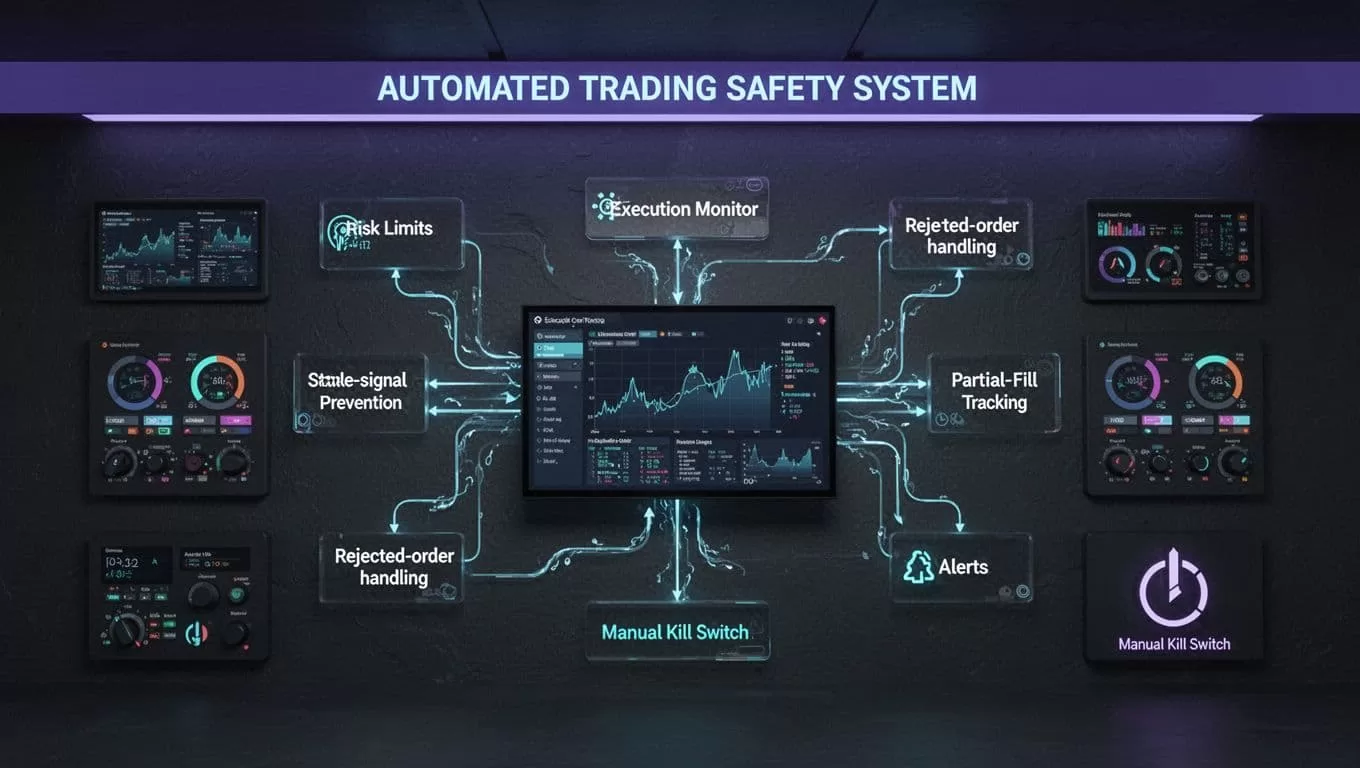
An execution system needs a state machine. The exact states depend on the venue, but the workflow should distinguish intent, submission, acceptance, partial fill, full fill, cancellation, rejection, and unknown status.
Use idempotent order requests
Create a unique client order ID when the venue supports it. The Kalshi order-entry documentation describes client order IDs for idempotency. The same principle applies across trading APIs, even when the field name differs.
Save the ID before submission. If the network fails, look up that ID before sending again. Never use an unbounded retry loop for an unknown order state.
A venue may also impose rules on client order IDs, open orders, price bands, or cancellation timing. Read the exact venue documentation before copying a pattern from another API.
Track fills, rejects, and cancellations
Store every status transition with its timestamp. A rejected order needs the rejection reason, not only a failed flag. Common causes include invalid quantity, insufficient buying power, market closure, permission errors, and price restrictions.
A partial fill needs a position reconciliation step. Compare the filled amount with the account position and open order state. If the remaining quantity is canceled, record the final position rather than assuming the intended position was reached.
Interactive Brokers’ order submission reference shows why broker-specific rejection and order-status handling matter. Order fields and responses vary by venue.
Add bounded recovery and a kill switch
Retry temporary network failures with backoff and a fixed limit. Don’t keep retrying permission failures, invalid payloads, schema changes, or rejected orders without diagnosis.
Write an audit record containing the signal, rule version, risk checks, intended order, venue response, status changes, and operator actions. Send alerts for rejected orders, unknown states, stale data, repeated failures, limit breaches, and unexpected position changes.
The manual kill switch must stop new submissions immediately. Keep it outside the agent’s normal decision path. Document who can activate it, where it is located, and how the operator confirms that open orders and positions are safe.
Measure cost and roll out in stages
Measure accepted executions, not browser actions or completed agent runs. A workflow that saves ten minutes but creates thirty minutes of reconciliation work has failed.
Benchmark accepted output
Twin.so credit usage depends on browsing, retries, searches, document volume, and output size. Planning ranges put a simple API, filter, and notification workflow at about 15 to 30 credits. A browser session with roughly 20 steps may use about 100 to 200 credits.
Treat these as planning ranges, not fixed prices. Run a small approved test and record:
- Credits used per run.
- Accepted, missing, and duplicate signals.
- Rejected orders and retry counts.
- Partial-fill and unknown-state events.
- Human review and correction time.
- Cost per accepted execution.
Track execution quality too. Record signal-to-order latency, rejection rate, duplicate rate, fill completion, and position reconciliation errors.
Use a staged deployment
Start with one strategy, one venue, one instrument group, and paper credentials. Run in report-only mode if your setup supports it. Move to live monitoring without order permissions next. Then authorize small, capped orders with the kill switch tested.
Increase exposure only after the system handles stale signals, duplicate requests, partial fills, rejected orders, and network failures. If the workflow spans Twin.so, a venue, alerts, and storage, Book A Call can help map the control points before deployment.
Conclusion
Twin.so trade automation works best as a controlled workflow around market signals, approvals, alerts, and execution records. It doesn’t remove the need for a documented broker connection, deterministic rules, position sizing, or operational monitoring.
Build the signal contract first. Add risk gates before order submission. Test the complete lifecycle in paper mode, then deploy with limited permissions and a manual kill switch.
The safest automated trade is the one your system can explain, reconcile, and stop.

