Venue Booking Automation With Twin.so: A Safer Workflow
Venue teams lose hours to incomplete inquiries, repeated availability checks, and follow-up that depends on one busy employee. Venue booking automation with Twin.so can reduce that work by collecting requests, extracting key details, and ro...

Venue teams lose hours to incomplete inquiries, repeated availability checks, and follow-up that depends on one busy employee. Venue booking automation with Twin.so can reduce that work by collecting requests, extracting key details, and routing the next action.
Twin.so is not confirmed as a venue reservation system. It is an AI agent platform that works across applications and websites. You can use it to support a booking process, but staff should still control pricing, availability conflicts, special requests, contracts, and payment decisions.
The reliable approach is simple: define the workflow first, automate low-risk steps, and keep approval points visible.
What Venue Booking Automation With Twin.so Can Cover
Twin describes its platform as an AI employee that can work across apps and the web. Its official product overview describes API integrations and browser-based work as part of the platform.
Twin’s workflow guides also cover AI agents, browser automation, scheduled work, and agentic workflows. These capabilities can support a venue process when your team has authorized access to the relevant systems.
Confirmed capabilities
Twin can use APIs and browser actions to complete multi-step tasks. Browser automation is relevant when a venue receives requests through a website, portal, or form without a suitable API.
You can describe an outcome in natural language instead of manually wiring every workflow step. Depending on the connected tools, an agent may collect information, classify a request, search an approved source, create a draft, or update a destination system.
Twin also supports scheduled or webhook-triggered workflows. That can help with recurring follow-up, daily request summaries, or notifications when a new inquiry enters an approved source.
What you still need to verify
No official source confirms a dedicated venue booking template, event reservation module, calendar negotiation feature, or built-in integration with your specific booking system.
Treat those items as workflow ideas, not existing Twin.so features. Before deployment, confirm that Twin can access your inbox, form, CRM, calendar, or portal through an approved integration or authorized browser session.
The agent can prepare a recommendation. Your team must decide whether the recommendation is correct.
Define the Booking Workflow Before You Build It
Automation fails when the process is unclear. Start with the current booking path and document each handoff.
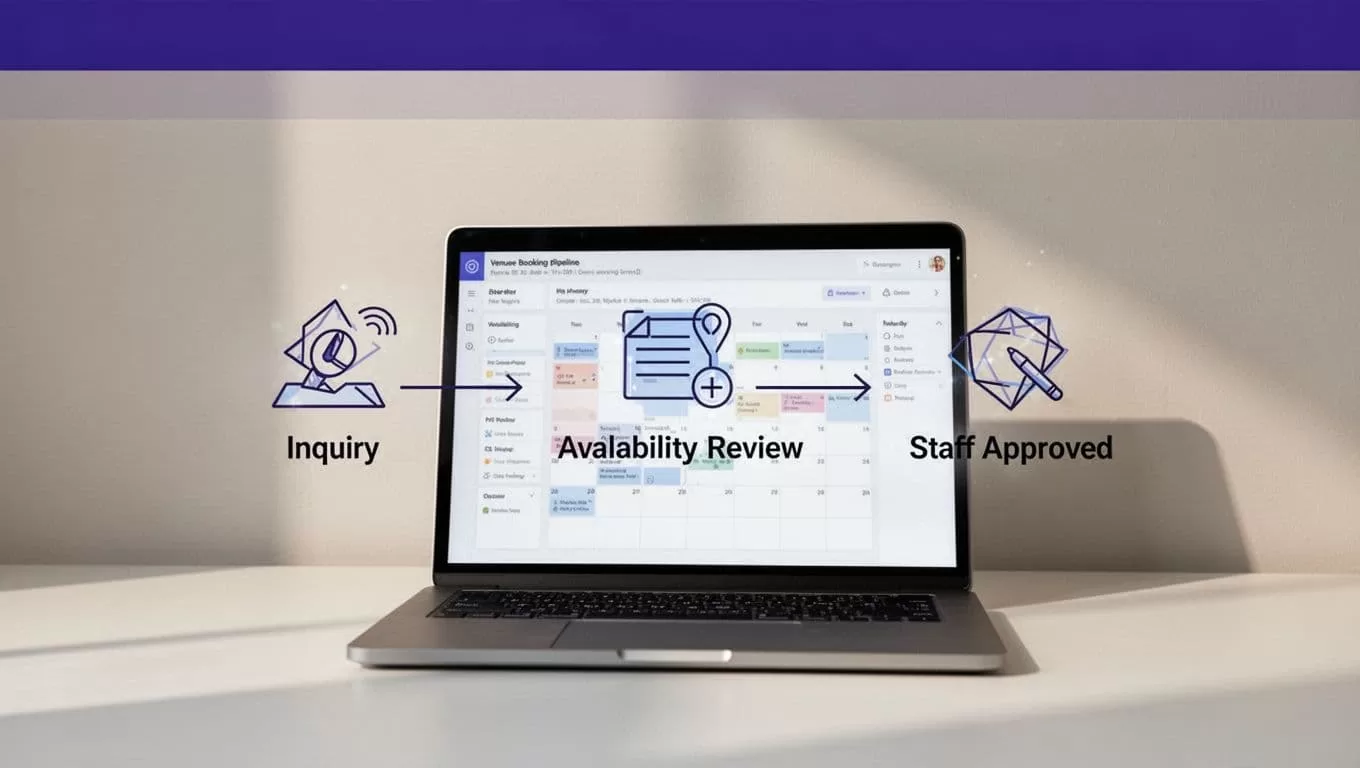
A typical venue request moves through these stages:
- A request arrives through email, a website form, a marketplace, or a sales channel.
- The workflow extracts the event details and identifies missing information.
- The request is classified by event type, size, date, budget, and urgency.
- Availability is checked against an approved calendar or booking source.
- A staff member reviews the proposed response.
- The team sends a quote, requests clarification, or declines the inquiry.
- Follow-up continues until the request is closed or confirmed.
Capture the fields that affect a decision
Create a fixed schema before connecting Twin.so. Include the event date, start time, end time, setup time, teardown time, guest count, event type, room preference, layout, catering needs, audio-visual requirements, budget range, contact details, company, and response deadline.
Store the original request separately from the extracted fields. If an agent interprets “next Friday” incorrectly, staff should be able to compare the proposed date with the original message.
Track attachments and special requests as separate fields. Do not hide them inside a long generated summary.
Use clear statuses and rules
Use statuses such as New, Missing Information, Qualified, Availability Review, Staff Review, Quote Sent, Confirmed, Declined, and Follow-up.
Set rules for each status. An incomplete request should generate a clarification draft, not a quote. A date conflict should create an exception for a venue manager. A request involving unusual catering, access, security, or production needs should go to a named owner.
This table keeps the workflow easy to audit:
| Stage | Automated task | Staff decision |
|---|---|---|
| Intake | Extract fields and detect missing information | Confirm the request is complete |
| Qualification | Apply fit and routing rules | Accept, reject, or request details |
| Availability | Check an approved source and report conflicts | Confirm the space and timing |
| Response | Draft the email and quote inputs | Approve pricing and send |
| Follow-up | Schedule reminders and record replies | Close, escalate, or continue |
The goal is not to automate every action. The goal is to remove repeated copying while preserving control over decisions that affect revenue and customer commitments.
Build the Intake and Qualification Layer
Start with one request source. An inbox or website form is easier to test than every channel at once.
If the source offers an approved API, use it first. Twin’s published guidance positions API-based work as a preferred option when it provides the required data. Browser automation is useful when the needed action exists only inside an authorized website or portal.
Twin’s manual workflow automation guidance describes agents working across real applications without requiring a traditional integration for every step. That can help when event marketplaces or vendor portals expose limited access.
Give the agent a narrow operating instruction
Avoid instructions such as “manage all venue bookings.” That gives the workflow too much room to interpret policy.
Use a bounded instruction instead:
Read new venue inquiries from the approved source. Extract the defined booking fields. Mark missing fields. Detect duplicate requests. Assign the correct owner. Draft a clarification message when required. Never confirm availability, approve pricing, sign a contract, or request payment.
The instruction should name the source, destination, fields, allowed actions, and stop conditions. It should also tell Twin.so what to do when the request contains conflicting dates or unclear wording.
Qualify leads without rejecting good business
Qualification rules should support staff, not replace judgment.
The workflow can identify whether the request includes a usable date, realistic guest count, contact information, and a compatible event type. It can assign an owner based on location, room type, event size, or lead source.
It can also detect duplicates. A customer may submit a form after emailing the venue. Matching the contact, event date, company, and event description can prevent two employees from responding separately.
Do not let the agent reject a lead because one field looks unusual. Route uncertain cases to review. A high-value event with a nonstandard request may require more attention, not an automatic decline.
Keep Availability and Commercial Decisions Under Review
Availability is not a simple yes-or-no field. A room may be open on the calendar but unavailable because of setup time, teardown, cleaning, staffing, access restrictions, or another event in a nearby space.

Treat calendar results as recommendations
If Twin.so can access an approved calendar or booking portal, use it to return the relevant records and identify possible conflicts. The workflow should show the source, timestamp, requested time, and affected space.
Do not mark a request as confirmed because a browser session found an open slot. The source may be stale. A hold may exist in another system. A recurring event may block the room even when the visible calendar looks clear.
The output should say “available for review” until a qualified staff member confirms it. If the calendar is unavailable, the page changes, or two sources disagree, stop the write step and create an exception.
Keep pricing, contracts, and payment manual
Pricing can depend on season, day of week, guest count, room combination, staffing, catering, equipment, taxes, minimum spend, and cancellation terms.
Twin.so can assemble the inputs for a quote or draft a response using an approved pricing table. Staff should approve the final amount and every exception.
The same rule applies to contracts and payment. Do not allow an agent to accept contract terms, send a binding agreement, issue a payment request, charge a deposit, or change cancellation conditions without authorization.
Special requests also need human review. Fireworks, late access, alcohol service, security requirements, accessibility changes, and external vendors can affect safety and liability.
A calendar match is evidence for review. It is not proof that the venue can accept the booking.
Test the Workflow and Measure Accepted Output
Run the first pilot on a small approved batch. Twenty-five to 100 requests can expose missing fields, duplicate matches, poor routing, and unnecessary review work.
Use report-only mode where possible. Let the workflow extract and classify requests without writing to the production CRM or booking system. Compare its output with the original messages and a staff-approved result.
Test real operating conditions. Include incomplete forms, duplicate inquiries, unclear dates, changed room names, conflicting availability records, expired sessions, portal timeouts, and unusually large events.
Track business results, not agent activity
Twin.so uses credits for actions such as building, running, browsing, researching, and generating output. Published planning ranges place a simple API, filter, and notification workflow around 15 to 30 credits. A 100-item extraction may use about 20 to 70 credits. A browser session with roughly 20 steps may use about 100 to 200 credits.
These are planning ranges, not fixed quotes. Your request volume, browser steps, retries, documents, and output length will change usage.
Track:
- Credits used per run.
- Accepted, missing, and duplicate requests.
- Failed runs and retry counts.
- Human review minutes.
- Correction time.
- Response time from inquiry to first reply.
- Cost per accepted request.
- Quote or booking errors caused by automation.
A workflow that saves ten minutes but creates thirty minutes of correction work has failed.
Define a fallback before production
Write the manual process before launch. Name the person who checks the source, the location for recording the result, and the last trusted dataset or report.
Use bounded retries with increasing wait times for temporary network errors. Do not retry permission failures, changed page structures, or schema errors indefinitely.
Give the workflow the minimum access it needs. Separate testing credentials from production credentials. Keep passwords and security tokens out of instructions, reports, and logs.
Stop the workflow when the source is unavailable, required fields disappear, two sources conflict, or the result is incomplete. Preserve the last trusted result instead of replacing it with an empty or partial output.
Decide When Twin.so Is a Good Fit
Venue booking automation is a strong fit when requests follow repeatable patterns and the required information exists in structured systems.
Good candidates include:
- Extracting fields from new inquiries.
- Detecting duplicate requests.
- Routing leads to the correct team.
- Drafting clarification emails.
- Preparing availability review packets.
- Sending reminders for unanswered requests.
- Creating daily summaries for venue managers.
Poor candidates include fully negotiated events, requests with unclear authority, sensitive pricing exceptions, and processes where a wrong update can create a binding commitment.
Calculate the expected value conservatively:
Monthly benefit = eligible requests x minutes removed x loaded hourly rate / 60
Subtract Twin.so credits, connected-system costs, monitoring time, staff review, and correction work. Scale only when the workflow produces stable results with a known exception rate.
If the process spans several systems, Book A Call to map permissions, approval points, and fallback procedures before expanding the pilot.
Conclusion
Twin.so can support a venue booking workflow through API connections, browser actions, and scheduled or triggered agents. The strongest starting point is intake, field extraction, qualification, routing, and draft follow-up.
Keep availability confirmation, pricing, special requests, contracts, and payment decisions with trained staff. Measure accepted booking requests and correction time, not the number of automated actions.
Good venue booking automation removes repetitive work without hiding uncertainty. Build the controls first, then automate the parts your team can verify.
