Replace a Vinted Automation Script With Twin.so
A Vinted automation script can save hours until one interface change breaks the workflow. Then your team is left with failed logins, missing fields, and a repair job that only one developer understands. Twin.so offers a different operating...
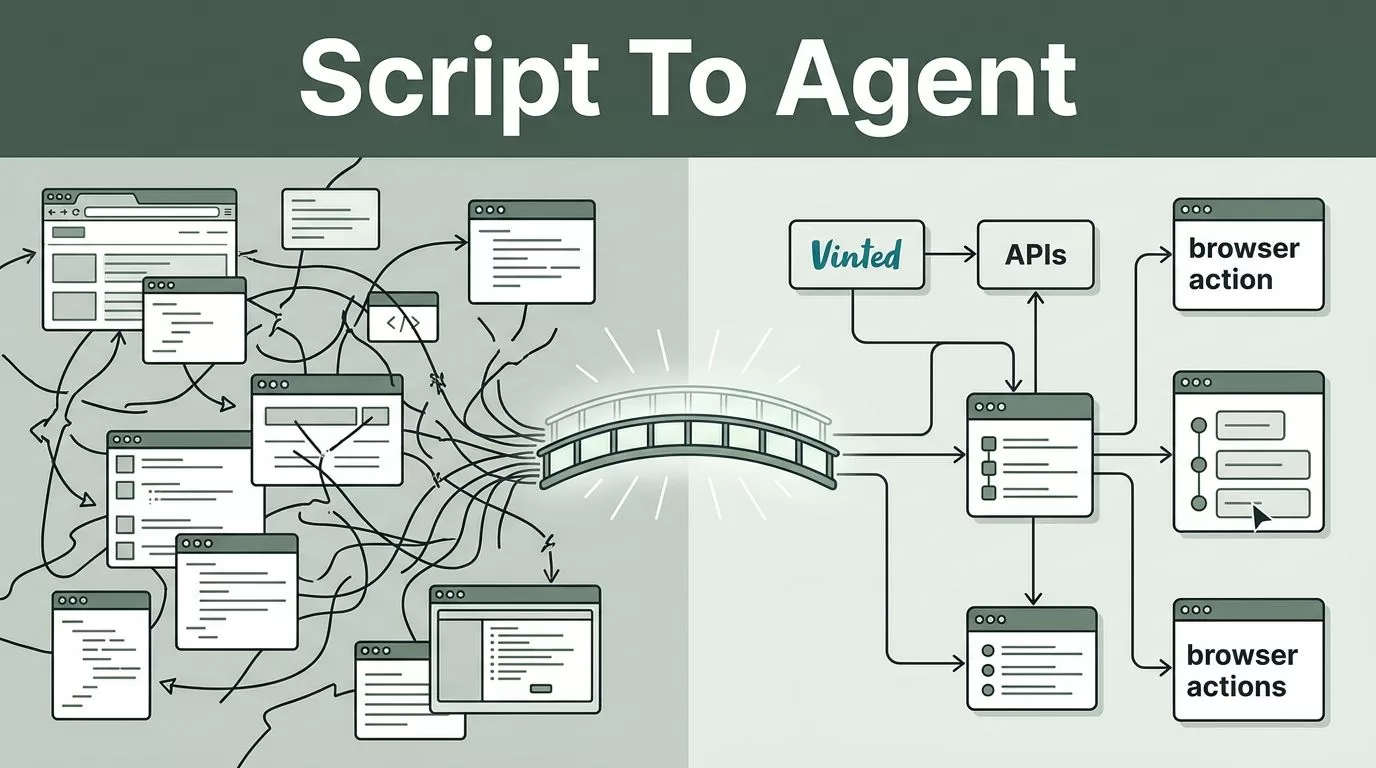
A Vinted automation script can save hours until one interface change breaks the workflow. Then your team is left with failed logins, missing fields, and a repair job that only one developer understands.
Twin.so offers a different operating model. You describe the required outcome, connect the tools involved, and build an AI agent that can use APIs or browser actions where appropriate. The switch still requires testing, access controls, and human review. It doesn’t guarantee sales or remove your responsibility to follow Vinted’s current rules.
WHY A VINTED AUTOMATION SCRIPT BECOMES HARD TO MAINTAIN
Custom scripts work well when the process is stable. Vinted operations rarely stay stable for long. Listing fields change. Page layouts move. Login flows receive new security checks. A selector that worked last month can fail without warning.
The script also creates a maintenance dependency. If the original developer leaves, your operations team may not know:
- Which pages the script opens
- Which credentials it stores
- Which fields it changes
- How it handles failed requests
- Which actions need human approval
- Whether it respects current rate limits
A basic script often handles one narrow action. It may collect listing data, copy information into a spreadsheet, or update prices. The surrounding process remains manual. Someone still checks the result, handles exceptions, and restarts failed runs.
That creates a hidden cost. You don’t only pay for development. You pay for monitoring, debugging, credential rotation, browser updates, and repeated repairs.
The main risk isn’t that automation fails once. The risk is that it fails silently and leaves inaccurate listings or incomplete records behind.
Twin.so can reduce some of this maintenance work because its agents are designed to combine API calls, browser actions, schedules, and exception handling. The platform can also retry failed actions and surface problems for review. You still need to confirm that each action is allowed on Vinted before deployment.

WHAT TWIN.SO CHANGES FOR VINTED OPERATIONS
A traditional Vinted automation script tells a browser exactly what to click. Twin.so lets you define the result in plain language, then creates an executable workflow around that outcome.
For example, you might define a controlled workflow like this:
“Review new inventory records, match each item to an existing product record, prepare listing information, and send unclear cases to a human reviewer.”
That instruction is broader than a click sequence. It describes the business process and the decision point. The agent can use connected systems, retrieve data, perform browser actions, and return exceptions when the information is incomplete.
Twin.so supports two useful automation paths:
- API-based actions connect directly with systems that expose usable APIs.
- Browser-based actions interact with websites through navigation, forms, downloads, and other visible page actions when an API isn’t available.
This hybrid approach matters for reseller teams. Your inventory may live in Airtable, Google Sheets, Notion, or another database. Vinted activity may require browser interaction. A single workflow can coordinate both sides, subject to the access and permissions available to your accounts.
No-code tools commonly use visual builders to connect applications and move data between steps. Twin.so differs by focusing on AI agents that can create and execute more flexible workflows. You can compare the broader no-code category in this no-code automation tools comparison.
The key difference is maintenance. With a fragile script, you repair selectors and hard-coded paths. With Twin.so, you update the agent’s instructions, tools, permissions, or approval rules. That doesn’t eliminate maintenance, but it moves more of the work into a workflow your operations team can inspect.
WHEN REPLACING THE SCRIPT MAKES SENSE
Twin.so is a practical candidate when your current process contains several connected steps. A simple one-action script may not justify migration.
Consider a replacement when your team needs to:
- Read inventory from a database or spreadsheet
- Check whether an item already has a listing record
- Prepare titles, descriptions, prices, or category fields
- Download or organize approved product images
- Record listing status and timestamps
- Send incomplete records to a review queue
- Produce daily exception or activity reports
The workflow should have a clear source of truth. Store product data in one controlled system before you build the agent. Useful fields include SKU, brand, item type, size, condition, price, image location, listing status, and last review time.
You should also separate preparation from publication. Twin.so can prepare a listing package or queue an action for review. Automatic publication, messaging, price changes, scraping, and bulk updates may not be permitted under Vinted’s current terms or account rules. Don’t assume that a browser action is acceptable because a browser can perform it.
Review the current Vinted terms, seller policies, applicable laws, and account-security requirements before you automate any platform action. Respect rate limits. Avoid attempts to bypass anti-bot controls, verification steps, access restrictions, or other platform safeguards.
A migration is strongest when the agent handles low-risk coordination and your team approves actions that affect buyers, listings, account access, or money.
HOW TO MIGRATE FROM A CUSTOM SCRIPT
Treat the migration as an operations project. Don’t recreate the old script line by line without reviewing what it actually does.
1. Document the current workflow
Run the existing script and record every action. Note the input, output, account used, browser page, data field, and failure condition.
Separate the workflow into four groups:
- Data collection
- Data transformation
- Vinted interaction
- Human approval
This breakdown shows which steps are safe to automate and which steps need controls.
2. Remove unnecessary actions
Old scripts often contain workarounds that no longer serve a purpose. Delete duplicate exports, unused fields, abandoned notifications, and steps created for an earlier page layout.
Keep the business requirement, not the old implementation. “Record approved listing status” is a requirement. “Click the third button after opening the inventory tab” is an implementation detail.
3. Create the source-of-truth record
Connect the inventory system that your team already uses. Don’t make Vinted the only place where operational data exists.
Create a record for each item. Include the current status and a unique identifier. Use statuses such as:
- Ready for review
- Approved for action
- Action completed
- Needs correction
- Failed and awaiting review
This structure prevents duplicate work and gives your team a recovery path when a run stops.
4. Build the first Twin.so agent
Start with one narrow workflow. For example, build an agent that reads approved inventory records, checks required fields, and prepares a review report.
Describe the expected input, permitted actions, stop conditions, and output format. Tell the agent what to do when a field is missing. Tell it when to stop instead of guessing.
Twin.so supports scheduled agents and event-based triggers such as webhooks. Start with a manual or scheduled test run. Add event triggers only after the workflow produces reliable results.

5. Add browser actions carefully
If the approved workflow requires browser interaction, configure the agent to use the smallest possible set of actions. Limit the pages, fields, and account permissions it can access.
Don’t store credentials inside notes, prompts, spreadsheets, or shared documents. Use the platform’s supported authentication process and restrict access to the people who need it.
Keep browser actions separate from data preparation. If the agent creates content and submits it in the same run, a bad input can reach Vinted without a review point.
6. Test with real but controlled records
Use a small batch of items. Check every output against the source record. Test missing sizes, duplicate SKUs, unavailable images, unexpected page states, and expired sessions.
Measure practical results:
- Completion rate
- Duplicate rate
- Exception rate
- Average review time
- Failed browser actions
- Manual corrections per item
Don’t compare only run time. A fast workflow that creates bad listings costs more than a slower workflow with clear exceptions.
TWIN.SO VERSUS A CUSTOM SCRIPT
The decision depends on control, flexibility, and maintenance requirements. Use this comparison before you migrate.
| Area | Custom Vinted script | Twin.so workflow |
|---|---|---|
| Build method | Code and hard-coded logic | Natural-language agent configuration |
| Website changes | Developer repairs selectors | Agent instructions and actions need review |
| Connected systems | Custom integrations | API and browser-based connections |
| Failure handling | Depends on the script | Can retry and surface exceptions |
| Oversight | Often added later | Can include approval steps and logs |
| Scaling | Requires infrastructure work | Designed for scheduled agent execution |
| Compliance | Owned by your team | Still owned by your team |
A no-code or low-code platform doesn’t transfer responsibility to the vendor. Your team remains responsible for the data, credentials, account activity, and platform compliance.
The best replacement may also be partial. Keep a reliable internal data process and use Twin.so for preparation, validation, reporting, and approved browser tasks. You don’t need to migrate every action on the first release.
CONTROLS TO ADD BEFORE GOING LIVE
Set a clear human review boundary. Require approval before the agent publishes content, sends buyer messages, changes prices, or performs actions that can affect account standing.
Use separate credentials where possible. Give the agent the minimum access needed for its task. Review login alerts and account activity. Rotate access when an employee or contractor leaves.
Add a run log. Record the input record, action taken, result, timestamp, and exception message. A log lets you find duplicate actions and explain what happened after a failure.
Set conservative schedules and request volumes. Don’t use automation to imitate high-speed human activity or avoid Vinted’s controls. If Vinted requires a verification step, stop the workflow and route the case to an authorized person.
Review the agent after platform changes. A no-code workflow is easier to update than a custom script, but it still needs ownership. Assign one person to check failures, review permissions, and confirm that the process remains allowed.
For more examples of seller-focused no-code workflows, see this e-commerce automation guide. The same operating rule applies: automate repeatable preparation, keep sensitive decisions visible, and maintain a reliable record outside the marketplace.
WHEN YOU SHOULD KEEP THE SCRIPT
Twin.so isn’t automatically the right replacement. Keep the custom script if it performs a tightly controlled internal task, has strong test coverage, and receives regular maintenance.
A script may also be better when your workflow needs specialized code, complex data processing, or infrastructure that Twin.so doesn’t support. Compare the actual operating cost rather than choosing based on the no-code label.
You can run both systems during a transition. Use Twin.so for a small workflow while the existing script remains available as a fallback. Stop the old process only after the new agent passes controlled tests and your team can recover failed runs.
CONCLUSION
A Vinted automation script becomes expensive when only one person can repair it. Twin.so gives reseller teams a more accessible way to build workflows that connect inventory systems, browser actions, schedules, and review queues.
The safe migration path is clear. Document the old process, remove unnecessary steps, create a source of truth, build one narrow agent, test controlled records, and add human approval before sensitive actions.
Twin.so can reduce maintenance work, but it doesn’t guarantee sales or override Vinted’s rules. The durable setup is the one that combines automation with strict permissions, conservative rates, accurate records, and human review.
