How to Open a Wise New Zealand Account for NZD Payments
A Wise New Zealand account gives you a place to hold New Zealand dollars before you settle on a local bank. You sign up online, verify your identity, and get NZD account details to share with employers, clients, or landlords. Wise is not a...

A Wise New Zealand account gives you a place to hold New Zealand dollars before you settle on a local bank. You sign up online, verify your identity, and get NZD account details to share with employers, clients, or landlords.
Wise is not a bank, however. Wise describes itself as a financial technology company. The account works as a digital money hub for receiving, converting, holding, and spending money. Many newcomers use the account as a bridge until a full New Zealand bank account is ready.
This guide covers what the account offers, how to open the account, which documents to prepare, which fees apply, and where the limits sit. Fees change often, so each figure below names the official page to check before you act.
What a Wise New Zealand account gives you
Wise offers a multi-currency account. The product page for New Zealand lists support for 40 currencies, and the Wise card works in 49 currencies. Wise also offers local account details in several currencies, which lets senders pay you like a local sender. Wise help pages and product pages give different counts for the number of currencies with account details, so open the account and tap each currency to see what you can receive. Check the Wise multi-currency account page for the current list.
Here is what the account does well:
- Holds NZD: You keep a balance in New Zealand dollars and in other supported currencies.
- Provides local details: You share NZD account details so people can pay you by domestic transfer.
- Converts money: Wise says conversion uses the mid-market exchange rate plus a visible fee.
- Includes a debit card: You can spend in many currencies and withdraw cash at ATMs.
- Opens online: You can start the application from a supported country before you arrive.
Here is what the account does not do. Wise does not offer loans, cheque books, or branch service. Wise also does not replace the main services of ANZ, BNZ, ASB, Westpac, or Kiwibank. Treat Wise as the first tool in your setup, not the last.
Wise account vs a New Zealand bank account
The table below compares the two options at a high level. Individual banks differ, so check each bank for exact terms.
| Feature | Wise account | Traditional NZ bank account |
|---|---|---|
| Holds NZD | Yes | Yes |
| Local NZD account details | Yes | Yes |
| Online signup from abroad | Yes, from supported countries | Varies by bank |
| Multiple currencies | 40 currencies on the product page | Limited |
| Debit card | Yes, ordered separately | Yes |
| Loans and overdrafts | No | Often yes |
| Branch service | No | Yes |
| Proof of NZ address at signup | Not the main requirement | Often required for full service |

Wise suggests newcomers can open an account from a supported country to get NZD details before moving. Wise also notes most banks require you to arrive and show a local address to get full services. Read the Wise guide to accounts for expats in New Zealand for the bank side of this process.
How to open a Wise New Zealand account step by step
The process takes three main steps on the Wise product page. You register, get verified with your ID, and add money. The list below expands each stage.
- Create the account. Go to the Wise website or app. Sign up with an email address or another login option and set a password.
- Enter your details. Add your legal name, date of birth, address, and phone number. Use the same spelling as your ID.
- Choose personal or business. Personal accounts open freely. Business accounts need company documents and details for directors and shareholders. Wise states the business check covers names, dates of birth, and country of residence for anyone owning 25% or more.
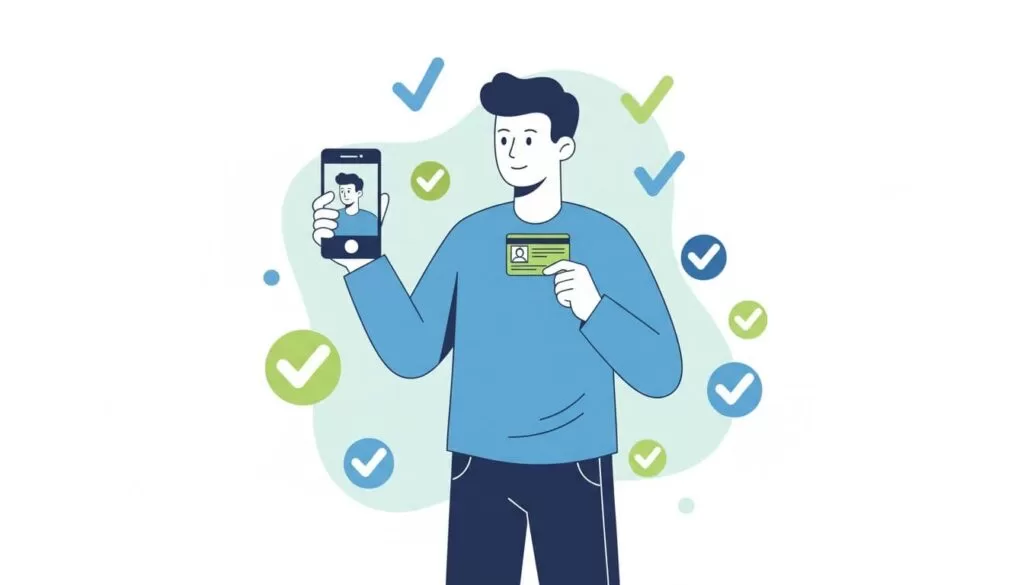
- Verify your identity. Upload a passport or other accepted ID. Wise may ask for a selfie or extra checks, depending on your country and profile.
- Add an NZD balance. Open the NZD balance and select the option to get account details.
- Order a card if you need one. Order the Wise debit card from the app and check the current card fee first.
- Turn on security features. Enable two-factor authentication and card controls such as freezing and unfreezing the card.
Documents and verification time
Prepare a valid government ID before you start. A passport works in most cases. Take photos in good light, show all four corners, and avoid glare. Blurry or cropped images cause most review delays.
Wise does not guarantee a fixed review time on the pages checked for this article. Some people clear checks quickly. Others wait longer when a name or document does not match. Open your account several days before rent, tuition, or a first salary payment is due.
Common reasons verification stalls
- The ID has expired.
- The name on the form differs from the name on the ID.
- The photo is blurry, dark, or cropped.
- The address on the form does not match supporting documents.
- Wise asks for extra proof of source of funds or purpose of use.
Wise New Zealand fees
Wise lists its New Zealand prices on the Wise New Zealand pricing page. The figures below came from the page at the time of writing. Confirm every number there before you rely on the figure.
| Item | What the pricing page shows |
|---|---|
| Account opening | Free |
| Currency conversion | From 0.22%, varies by currency |
| Receiving NZD by local transfer | No fee listed |
| Account details | Free to get account details for supported currencies |
| ATM withdrawals | First 400 NZD per month per account is free |
| ATM fee above the free limit | 2.69% of the amount over 400 NZD per month per account |
| Spending abroad with the card | Free to pay with the card internationally, with conversion at the mid-market rate |
| Card order | One-time fee of 14 NZD according to the Wise New Zealand guide, so confirm at checkout |
Older guides quote different ATM and conversion figures. Wise updates prices over time. Do not copy a number from a blog post, including this one, into a budget without a check on the live page.
Currency conversion matters most for large transfers. A difference of a few hundredths of a percent changes the cost on a 10,000 NZD transfer by a few dollars. Compare the fee, the exchange rate, and the delivery time together. Use the Wise calculator for a live quote.
How to receive NZD payments in your Wise account
Open the NZD balance and select the option to get account details. Wise shows the details to share with the sender. Employers, clients, and landlords can pay by domestic transfer using the details.
Follow this short routine before the first payment:
- Confirm the account holder name shown in the app.
- Copy the account details from the app, not from a screenshot or an old message.
- Send a small test payment if the amount is large.
- Check the balance in the app before you spend the money.
- Convert extra funds only when the rate suits you.
Payments from outside New Zealand may use the Swift network. Wise lists separate fees for some Swift payments in other currencies, so read the fee page before you give a foreign payer your details.
The Wise card in New Zealand
The Wise debit card lets you pay in shops and online and withdraw cash. Wise states the card converts at the mid-market rate. Standard delivery in New Zealand takes 7 to 10 days, and express delivery takes 1 to 2 days for an extra fee, according to the Wise New Zealand guide.
Delivery time matters if you land soon. Check whether a virtual card is available in your app and add the card to your phone wallet if the option appears. Read the Wise guide to using Wise in New Zealand for current card details.
Safety and regulation
Wise states the company is regulated by national authorities around the world and protects customer details with strict standards and two-factor authentication. The Wise New Zealand guide cites authorisation by the UK Financial Conduct Authority for issuing electronic money. Rules vary by country and by product, so read the legal and safeguarding pages for your region before you hold large balances.
- Use a strong, unique password.
- Turn on two-factor authentication.
- Freeze the card at once if you lose the card.
- Never share a verification code with anyone.
- Check sender names before you accept a payment request.
Common problems and fixes
| Problem | Likely cause | Fix |
|---|---|---|
| Account stuck in review | Blurry photo or mismatched name | Upload clear images and match the spelling on your ID |
| No NZD details shown | Account details need extra checks or are not open to your profile | Contact Wise support and ask which step remains |
| Card has not arrived | Standard delivery takes 7 to 10 days | Wait for the delivery window or pay for express delivery |
| ATM fee charged | Monthly free limit used | Check your ATM total in the app and plan withdrawals |
| Bank asks for NZ address | Local banks have their own proof of address rules | Gather a utility bill or government letter after you arrive |
When Wise is enough and when you need a bank
Wise suits students, remote workers, contractors, and newcomers who need NZD details quickly. Wise also suits anyone who wants to avoid hidden exchange rate markups on currency conversion.
Choose a local bank when you need a mortgage, a personal loan, an overdraft, or branch support. Banks also suit people who want every product under one roof. Many people keep both: a bank for daily life in New Zealand and Wise for foreign currency.
Plan the switch early. Banks ask for ID, proof of address, and proof of legal residence, and some allow digital checks while others ask you to visit a branch. Gather your documents in the first week after arrival.
FAQ
Is a Wise account the same as a New Zealand bank account?
No. Wise is a financial technology company, not a bank. The account holds money and provides account details, but Wise does not offer loans or branch banking.
Can you open a Wise account before you arrive in New Zealand?
Wise says you can open an account from any supported country to get NZD details before you move. Check the supported country list during signup.
Does a Wise account have a monthly fee?
The pricing page lists free account opening and shows no monthly subscription fee. Check the pricing page for the current terms.
How much does the Wise card cost?
The Wise New Zealand guide lists a one-time card fee of 14 NZD. Confirm the amount in the app before you order.
How many free ATM withdrawals do you get?
The pricing page shows a free amount of 400 NZD per month per account. Withdrawals above the limit cost 2.69% of the extra amount. Confirm both figures on the pricing page.
How long does verification take?
Wise does not state a fixed time on the pages reviewed. Submit clear documents early and allow several days.
Can you use Wise for business payments in NZD?
Yes, Wise offers business accounts. You must provide company documents and details for directors and shareholders who own 25% or more.
Conclusion
A Wise New Zealand account helps you receive, hold, convert, and spend NZD from the day you sign up. Open the account online, verify your identity with clear documents, and confirm every fee on the official pricing page. Treat Wise as a bridge to a full bank account, not a replacement for one. Order your card early, test your first payment, and gather bank documents as soon as you arrive.

