Twin.so guest list management: a practical setup guide
Manual guest-list work fails in predictable places. A form creates one row, a spreadsheet creates a second, and a reminder reaches both records. Twin.so guest list management can remove that copying when the workflow uses one trusted record...
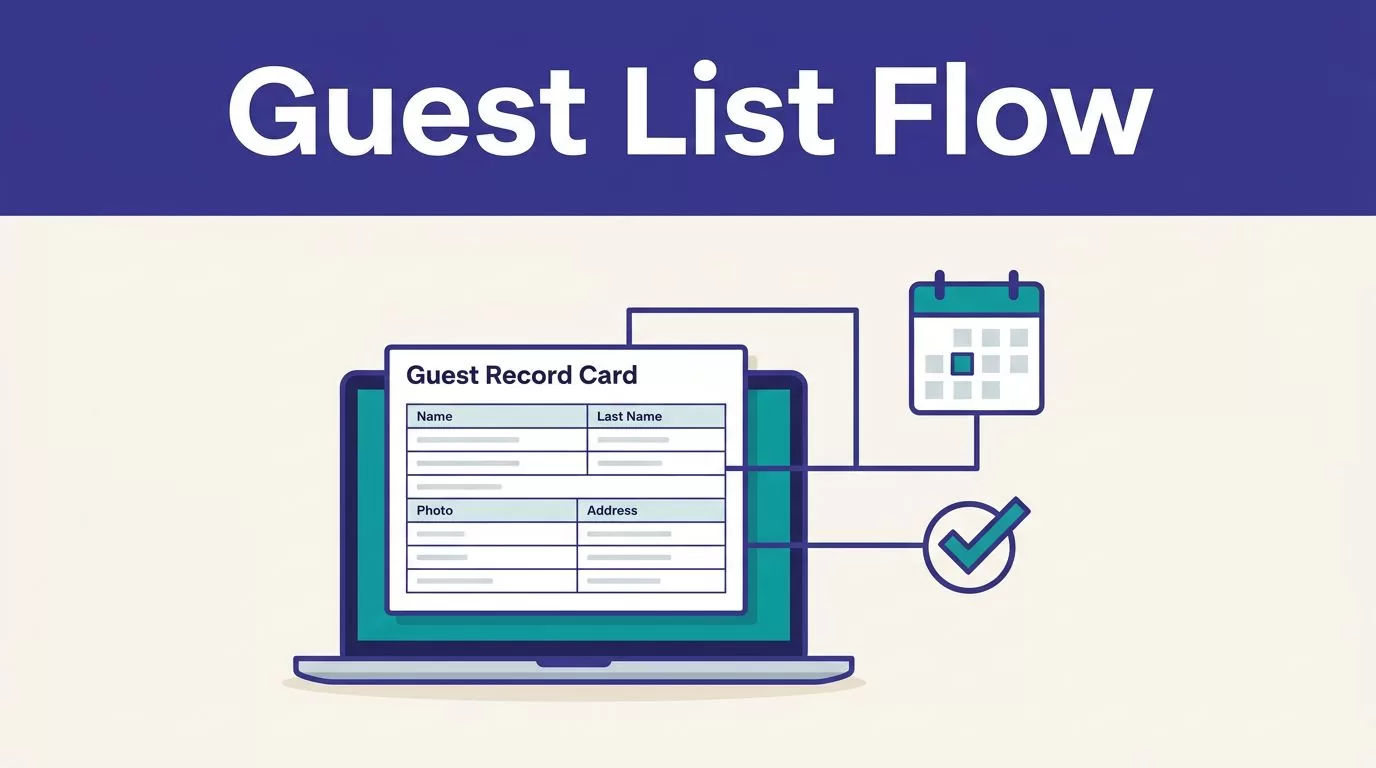
Manual guest-list work fails in predictable places. A form creates one row, a spreadsheet creates a second, and a reminder reaches both records.
Twin.so guest list management can remove that copying when the workflow uses one trusted record, clear status rules, and a human review gate. Twin is an AI agent automation platform that works across connected applications and the web, rather than a specialist event-registration database. Its current platform positioning centers on agents, workspaces, integrations, schedules, triggers, and browser automation.
Treat Twin as the workflow layer. Keep the source of truth in an approved spreadsheet, CRM, database, or event system.
Build Twin.so guest list management around one trusted record
Twin agents can run on demand, on a schedule, or through an API. They can read and write data in connected tools, then trigger follow-up actions. Exact integrations and permissions depend on your workspace and the systems you connect.
Do not start with a broad instruction such as “manage the guest list.” Define the record, status values, allowed actions, and exception rules first.
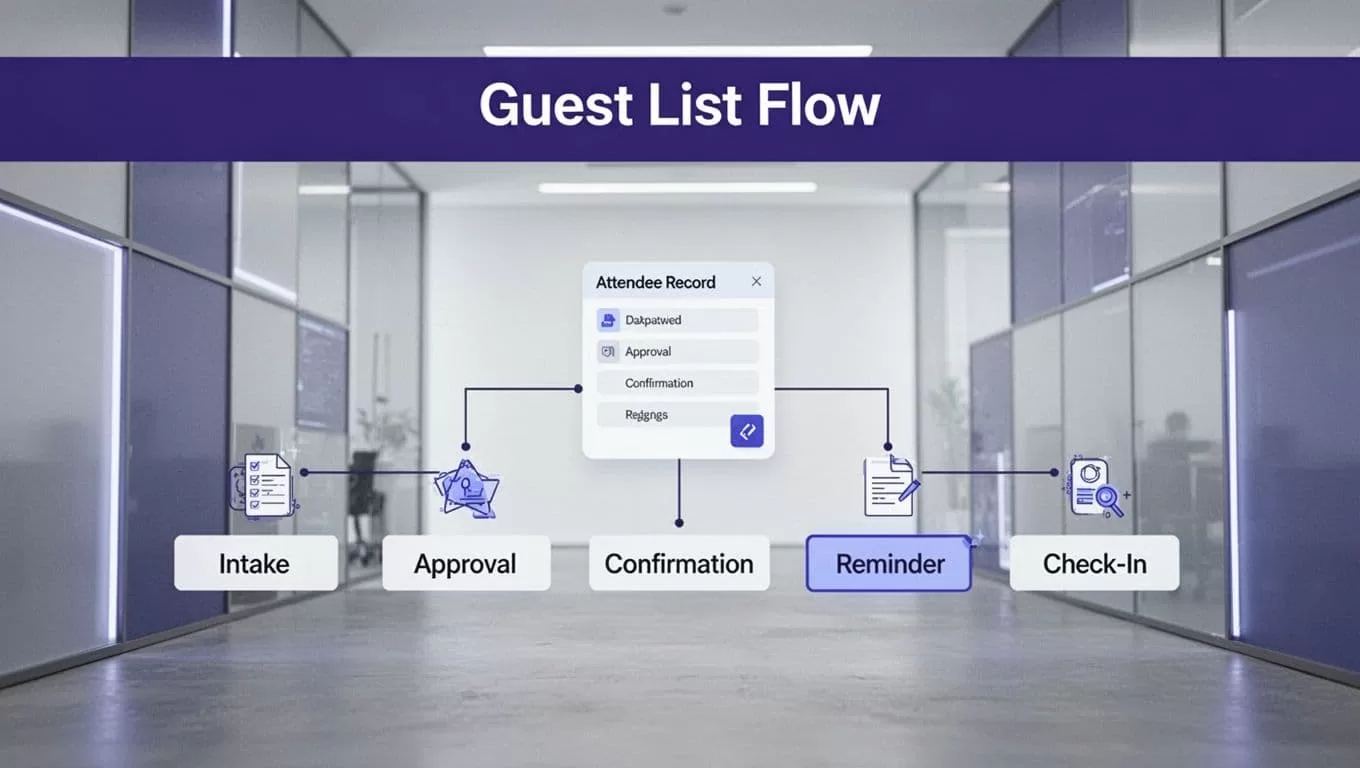
Create one canonical guest record
Use one row or database record for each guest and event combination. A returning guest should create a new event record, not overwrite their previous attendance history.
Recommended status values include:
- Requested
- Pending Approval
- Approved
- Confirmed
- Waitlisted
- Checked In
- Cancelled
Store status changes with timestamps. Keep the original source value and the normalized value separately when the agent changes formatting.
Select the system of record
Choose the destination before you build the workflow. A spreadsheet may work for a small dinner. A CRM or database is safer for recurring events, multiple sessions, and shared reporting.
The destination should store the last successful run, source record ID, approval decision, confirmation status, and check-in result. This gives the team one place to inspect what happened without searching through agent messages.
Collect the right fields before connecting sources
A reliable workflow starts with a fixed schema. Required fields should be known before Twin reads a form, CRM view, booking page, or browser-based portal.
Use a small, operational schema
| Field | Purpose |
|---|---|
| Event ID | Links the guest to the correct event |
| Full name | Supports identity checks and check-in |
| Email address | Supports matching and communication |
| Company and role | Helps with invitation or approval rules |
| Source record ID | Connects the output to its origin |
| Consent or source status | Records the permitted communication basis |
| Guest status | Controls the next workflow action |
| Approval timestamp | Creates an audit record |
| Check-in status | Tracks attendance after arrival |
Add phone number, dietary requirements, accessibility needs, or billing details only when the event requires them. Sensitive fields need tighter access and a clear retention period.
Use APIs before browser automation
Use an approved API or connector for stable, high-volume data. Reserve browser automation for authorized systems that don’t expose a suitable API. Twin’s AI agent and browser automation features support workflows that operate across websites, forms, dashboards, and connected services, but browser runs are more exposed to page changes and login failures.
For a webinar, a registration form or Calendly workflow can provide the initial invitee record. For an invite-only dinner, an approved CRM view or spreadsheet can provide the source list. Record the source ID and retrieval time with every accepted record.
Automate approvals, confirmations, and reminders
An approval is a decision gate, not another email. Let the agent prepare the proposed action, then give the named reviewer enough information to approve or reject it.
A practical Twin.so guest list management flow looks like this:
- Read new registrations from the approved source.
- Normalize names, email addresses, phone numbers, and event IDs.
- Check capacity, invitation rules, and duplicate records.
- Write accepted records to a staging destination.
- Route exceptions and restricted guests to the assigned reviewer.
- Send a confirmation only after approval.
- Send reminders only when the record remains confirmed.
Twin’s guides on AI agents and automated workflows provide background on scheduled agents, browser tasks, and connected workflows. Use the same operating model for event automation, but keep the event rules in your own schema.
Match the workflow to the event
For an executive dinner, the agent can compare each registration with the approved invite list, flag unknown domains, and request approval before confirmation.
For a webinar, it can collect the registration, update the invitee record, send a confirmation, and schedule reminders through the connected communication tool. The exact reminder channel depends on the integration you authorize.
For a waitlist, the workflow should not invite the next person automatically after a cancellation unless that rule is approved. Stage the candidate, show the available capacity, and require the owner to approve the replacement.
Prevent duplicate and incomplete guest records
Duplicate prevention is one of the highest-value parts of guest list automation. It also needs strict rules because an incorrect merge can remove a real guest.
Create an idempotency key
Use a stable key such as event_id + normalized_email when a valid email exists. If the event has sessions, include the session ID too.
Use phone number, source record ID, or an approved membership ID as supporting matches. Don’t automatically merge two records when the name is similar but the email or source ID conflicts. Send that case to review.
A second workflow run should update the existing record instead of creating another confirmation. This protects the guest list when a schedule repeats or a temporary failure causes a retry.
Reject incomplete records instead of hiding them
Define the minimum accepted fields. For most events, that includes the event ID, guest name, contact method, source ID, and status.
If a required field is blank, return the record to an exception queue. Preserve the raw source value and the reason for rejection. A missing result must not look like a clean result.
Stop the write step when the source returns incomplete data, the schema changes, two sources disagree, or the event ID cannot be matched. Silent skips create inaccurate attendance totals.
Protect attendee data with narrow permissions
Attendee information is personal data. Automation doesn’t remove your responsibility for the purpose of collection, legal basis, access controls, retention, deletion requests, or source permissions.
Collect only what the event needs
Avoid collecting government ID numbers, payment information, health details, or private notes unless the event process requires them. Keep internal approval notes separate from guest-facing fields.
Twin’s privacy policy describes account, workspace, and contact information handling. It also explains that credentials may be stored in the Twin Vault for authorized automations, while session-only credentials can be destroyed after use. Review those controls before connecting systems that contain attendee data.
Set a retention rule before launch. Decide when cancelled registrations, rejected guests, and check-in records should be deleted or archived.
Use least-privilege access
Give the agent read access to the source where possible and write access only to the staging or approved destination. It shouldn’t modify the original registration source unless that action is required and reviewed.
Use OAuth or an approved service account when available. Review every permission requested by a connected app. Twin’s Slack permission overview describes consent screens and a least-privilege approach, including bot permissions instead of broad user or administrator access.
Never place passwords, API keys, one-time codes, or session tokens in prompts, guest records, or generated reports.
Test Twin.so guest list management before production
Run the workflow in stages. A small approved test exposes bad matching rules before they affect real guests.
Use a controlled rollout
- Define the schema, statuses, source owners, and reviewer.
- Run the agent against a small approved sample.
- Compare every accepted record with the source.
- Test duplicates, missing fields, conflicting sources, cancelled guests, and failed logins.
- Use a staging destination or report-only mode if your setup supports it.
- Enable writes for one event or limited batch.
- Schedule recurring runs only after the results pass review.
Create a manual fallback before production. It should state who retrieves the source data, where they record it, and how they identify the last trusted result. The workflow should stop writes when the source is unavailable or the output is incomplete.
If the workflow touches several systems or sensitive attendee data, Book A Call before expanding the automation.
Measure accepted records, not activity
Twin uses credits for building, running, browsing, researching, and generating output. Planning ranges place a simple automation around 15 to 30 credits, a 100-item scraping task around 20 to 70 credits, and a browser session with about 20 steps around 100 to 200 credits. These aren’t fixed quotes. Source complexity, retries, browser actions, document volume, and output size affect actual use.
Track:
- Credits used per run
- Accepted records
- Missing and duplicate records
- Failed runs and retry counts
- Human review minutes
- Correction time
- Cost per accepted record
A workflow that saves ten minutes but creates thirty minutes of correction work isn’t saving time.
Troubleshoot common Twin.so guest list failures
The source is unavailable or changed
Stop the write action. Check whether the login expired, the page changed, the API returned an error, or the source used a new field name. Don’t let the agent replace missing data with assumptions.
Use a limited retry for temporary failures. Escalate repeated failures and use the last trusted result only when the record clearly identifies its run date and source.
Records are duplicated or incomplete
Inspect the normalization rules first. Check whitespace, capitalization, email aliases, phone formats, event IDs, and source record IDs.
If duplicates appear after a retry, add an idempotency key and a send log. If required fields are missing, route the record to review instead of allowing a partial confirmation.
Guests receive repeated messages
Make the notification step conditional on a status transition. Store the message type, recipient, event ID, and send timestamp. Retry data retrieval separately from message delivery. A failed read can be retried, but a completed email action shouldn’t run again without checking the send log.
Conclusion
Reliable guest automation needs more than an agent that can move data between apps. Twin.so guest list management works when the workflow has one record, explicit fields, duplicate controls, approval gates, and a tested fallback.
Start with one event and one approved source. Use APIs where possible, keep browser tasks restricted, measure cost per accepted record, and expand only after the results survive review. That approach reduces spreadsheet work without hiding bad data inside an automated process.
