Build a Paddle Referral Program With Rewardful
A referral program fails when the payment record and referral record disagree. If you run Paddle Classic, a Paddle referral program with Rewardful can connect affiliate links, checkout attribution, sales, and commission records. If you use...

A referral program fails when the payment record and referral record disagree.
If you run Paddle Classic, a Paddle referral program with Rewardful can connect affiliate links, checkout attribution, sales, and commission records. If you use Paddle Billing, stop before setup. Rewardful’s documented integration is for Paddle Classic, not the newer Paddle Billing platform.
Build the connection in order. Confirm compatibility first, then connect the accounts, pass attribution into checkout, and test the full payment path.
Paddle Referral Program Eligibility: Start With Your Billing Stack
Your Paddle product controls whether this setup works. Rewardful’s official Paddle Classic integration instructions require the legacy Paddle Classic checkout flow.
Don’t treat “Paddle” as one interchangeable product name. Paddle Classic and Paddle Billing have different systems, checkout patterns, and event handling.
Confirm You Use Paddle Classic
Open your Paddle account and confirm that it is Paddle Classic before you add code or invite affiliates.
Rewardful’s documented setup uses the Paddle Classic public key, Classic event settings, Paddle.Checkout.open(), and checkout passthrough data. A Paddle Billing checkout does not match that documented path.
If your SaaS uses Paddle Billing, don’t copy a Classic integration into production. It can produce clicks without attributable payments. Choose another affiliate platform or confirm current compatibility with Rewardful before committing development time.
Confirm Your Rewardful Account Can Run the Program
Create or open your Rewardful workspace and review the current account settings. Confirm that your plan supports the campaigns, affiliate access, commission setup, reporting, and payout workflow you need.
Pricing, feature access, and account controls can change. Check the live settings in your workspace before you promise recurring commissions, custom terms, or a fixed payout schedule to affiliates.
Keep one person responsible for the program configuration. Affiliate terms, tracking code, and billing events should not sit across three unowned accounts.
Map the Referral and Payment Flow First
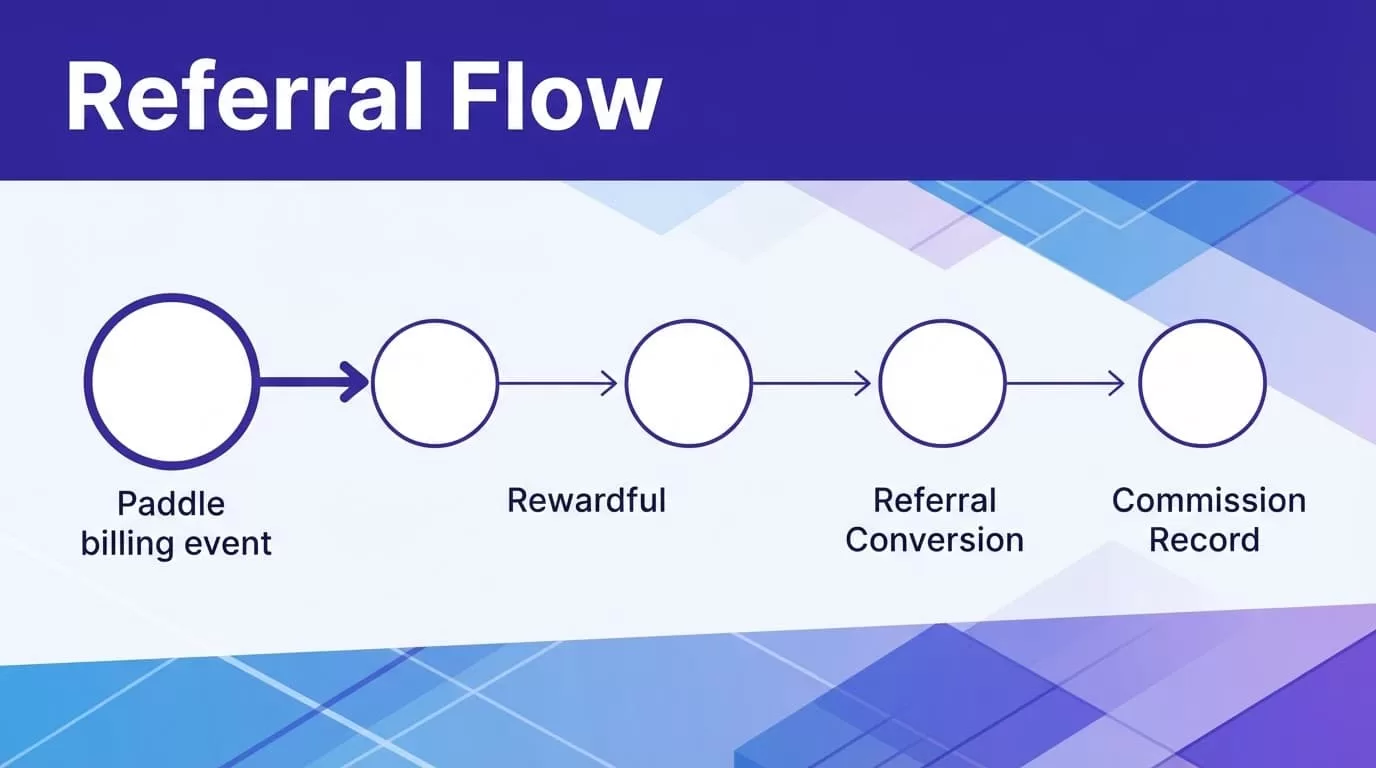
A referral link is not the same as a completed conversion. Your process needs five connected records: an affiliate, a visitor, a referral ID, a Paddle Classic transaction, and a Rewardful commission.
Follow the Attribution Chain
An affiliate shares a Rewardful referral link. When a visitor arrives through that link, Rewardful creates a unique referral ID for that visitor.
Your site then sends the visitor to checkout. When it opens Paddle Classic checkout, your code passes the referral ID in the checkout’s passthrough data. Paddle processes the payment and sends event notifications to Rewardful through the webhook endpoint.
Rewardful uses that data to connect the sale and commission record. Its Paddle integration overview describes the platform as an affiliate layer for Paddle-based SaaS companies.
One broken handoff creates a reporting gap. The affiliate can generate a click, but Rewardful cannot reliably assign the sale.
Assign a Source of Truth for Each Record
Keep payment facts in Paddle. This includes transaction status, subscription state, refund activity, and the money collected.
Keep affiliate facts in Rewardful. This includes affiliate identity, referral links, referral IDs, campaign rules, and commission records.
Don’t manually rewrite referral IDs to force a match. Store the Paddle transaction reference and Rewardful referral details together when your team reviews an exception. You need an audit trail when an affiliate asks why a sale did not earn commission.
A completed checkout test proves that a browser action happened. It does not prove that the correct affiliate received a valid commission.
Connect Rewardful to Paddle Classic
Complete account configuration before you add referral links to your website. Exact menu names and event choices can change, so confirm the current controls inside both accounts.
Add the Paddle Classic Public Key
In Rewardful, begin the Paddle connection flow and select Paddle as the payment processor.
In Paddle Classic, open Developer Tools, then find Public Key. Copy the complete public key and paste it into the Rewardful connection settings. Save the connection and record the account owner, setup date, and workspace used.
The public key identifies your Paddle Classic setup for the integration. It is not a replacement for secure credential management. Never place private keys, administrator passwords, or unrelated API credentials in public website code.
Rewardful generates a unique webhook endpoint URL during this process. Copy that URL exactly. A missing character is enough to stop payment events from reaching Rewardful.
Register the Rewardful Webhook URL
In Paddle Classic, open Developer Tools, then Events. Add the Rewardful endpoint under the area for webhook or event notification URLs.
Select the event notifications Rewardful requires for sales and commissions. Don’t guess at the event list. Review the current Rewardful instructions and the settings visible in your Paddle Classic account before saving.
Paddle’s webhook documentation explains the role of event notifications. For this integration, the Classic event configuration in Rewardful’s guide takes priority over a generic implementation.
Use a stable public endpoint. Don’t point production events at a personal laptop, temporary development tunnel, or an endpoint that one developer can delete without notice.
Pass the Referral ID Into Paddle Checkout
The webhook handles payment updates after checkout. It cannot repair missing attribution before checkout starts.
Your website must load Rewardful tracking and send the correct referral value when it opens Paddle Classic checkout.
Install Tracking Where Affiliate Visitors Land
Add the Rewardful JavaScript snippet to the pages where affiliate traffic enters your site. It needs to load before the visitor starts the checkout path.
Test the script with your cookie banner, tag manager, single-page application routing, and any subdomains used for pricing or signup. Consent settings, blocked scripts, link shorteners, and domain changes can interrupt attribution.
Use a fresh browser profile during testing. An existing referral cookie can hide a broken campaign link or cause you to credit the wrong affiliate.
Preserve the Referral Value in Passthrough
When your app calls Paddle.Checkout.open(), retrieve the Rewardful referral value and send it in the passthrough field. Rewardful’s documented format serializes it as JSON.stringify({ rewardful: { referral: referral } }).
The referral value is a UUID string. Don’t replace it with an affiliate email address, campaign name, or a custom code your app invented.
Many SaaS teams already use Paddle passthrough for internal customer IDs, plan metadata, or analytics values. Merge the Rewardful object with your existing data. Don’t overwrite your current passthrough payload to add affiliate tracking.
A Paddle referral program relies on this handoff. The tracking script can record a visitor, but the payment cannot be attributed if checkout receives no referral ID.
Review the current Rewardful Paddle integration collection before deploying changes. It is the right place to check for updated requirements and account-specific guidance.
Set Commission Rules Before Affiliates Join
Software can calculate a commission. It cannot decide whether your commercial terms are clear.
Write the program rules before you approve applications or distribute links. Put the same rules in your affiliate agreement, Rewardful campaign settings, and internal review process.
Define What Counts as a Valid Sale
Your terms should answer these questions:
- State whether the program pays a fixed bounty, a percentage of revenue, recurring commission, or another model available in your Rewardful campaign.
- Define the payment trigger, such as a successful paid subscription or an approved transaction after a review period.
- Explain what happens when a customer refunds, disputes a charge, cancels early, or upgrades later.
- Ban self-referrals, fake accounts, misleading claims, unauthorized coupons, and paid ads on protected brand terms if those activities are not allowed.
- Set the review and payout timing that your operations team can actually maintain.
Don’t publish a payout date you cannot meet. A delayed or disputed commission creates more support work than a clear review period.
Store Evidence for Exceptions
Keep a record of the affiliate, referred customer, referral ID, Paddle transaction reference, campaign, commission amount, status, and review decision.
Separate the original event data from a later correction. If a team member adjusts a commission after an investigation, record who approved it and why.
Start with a small approved affiliate group. Measure accepted attributed sales, missing conversions, duplicate records, support cases, and correction time. More clicks do not mean the system is healthy.
Test and Troubleshoot Before Launch
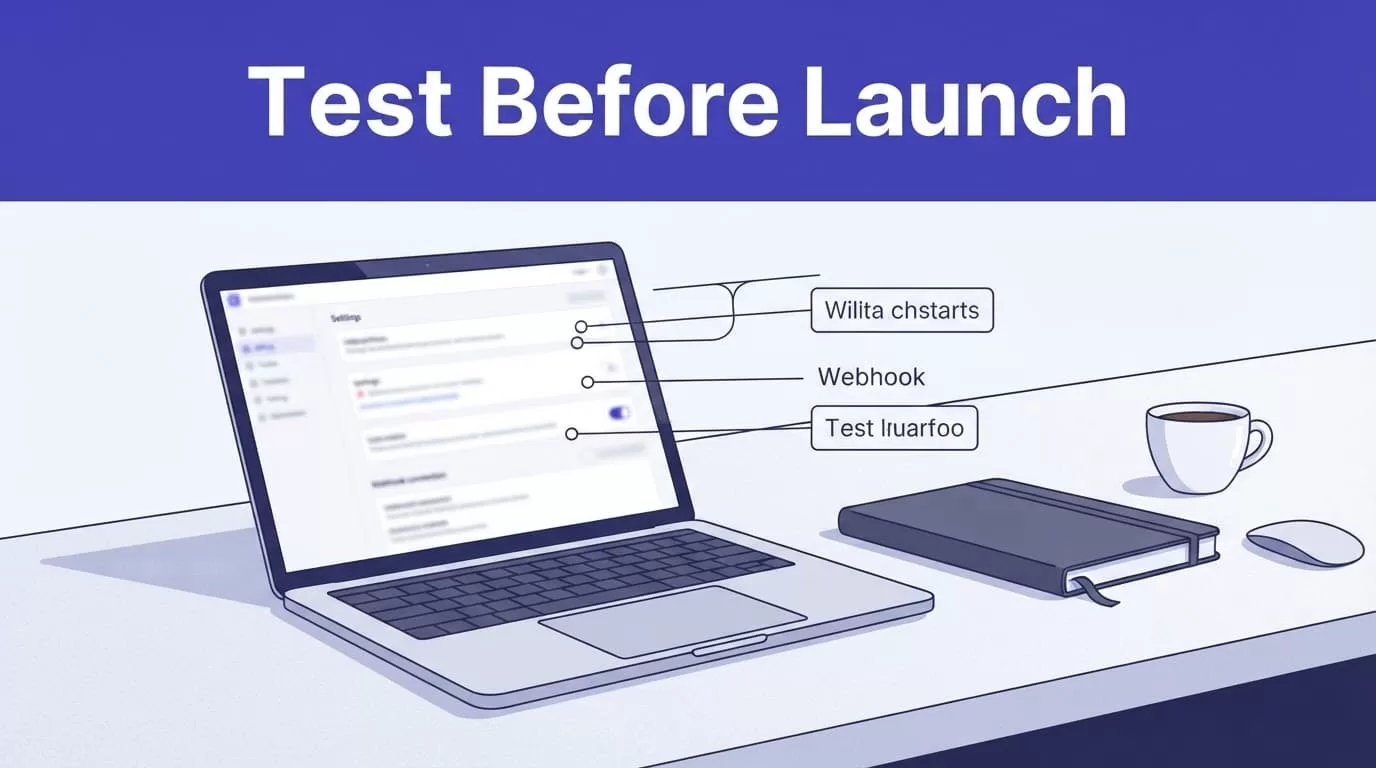
Run a controlled test before public launch. Use your Paddle Classic test process where available. Don’t charge a personal card only to check referral attribution.
Run One Complete Referral Test
Create an internal test affiliate in Rewardful. Open that affiliate’s link in a clean browser profile, visit your pricing page, select a plan, and begin checkout.
Inspect the checkout request before payment. Confirm that the referral ID appears in the Paddle Classic passthrough value without removing your existing metadata.
Complete the payment using the authorized test method for your account. Then check Paddle, Rewardful, and the webhook delivery records. Confirm the sale appears, the affiliate is correct, and the commission follows your campaign rules.
Test a refund, cancellation, or failed payment path through an approved method too. A program is not ready if it only handles a perfect paid subscription.
Fix the Break Before You Retry
Use the full chain to locate the failure.
| Problem | What to check | Next action |
|---|---|---|
| Rewardful records a click but no sale | Check checkout passthrough data | Confirm the referral UUID reaches Paddle.Checkout.open() |
| No payment event appears | Check the webhook URL and selected events | Recheck Paddle Classic event settings and endpoint availability |
| The wrong affiliate receives credit | Check browser cookies and campaign links | Retest in a fresh profile with one referral link |
| Commission status looks wrong | Check campaign terms and payment activity | Review refunds, cancellations, duplicate records, and approval rules |
Don’t create a second live subscription because the first conversion looks delayed. Check the transaction and webhook status first. A duplicate payment creates a second problem.
Launch Checklist
- Confirm your billing account is Paddle Classic, not Paddle Billing.
- Confirm the Paddle public key and Rewardful webhook endpoint are saved in the correct accounts.
- Confirm the referral UUID reaches Paddle Classic passthrough at checkout.
- Confirm one approved test sale creates the right affiliate and commission record.
- Confirm your written terms cover refunds, disputes, self-referrals, review periods, and payouts.
- Confirm a named owner reviews exceptions and retains the last trusted records.
Build for Verified Commissions, Not Click Volume
A working Paddle Classic and Rewardful connection is a controlled chain. The affiliate link creates the referral record, checkout receives the referral UUID, Paddle sends payment events, and Rewardful records the commission.
Your Paddle referral program is ready when that chain works in a clean test, handles payment exceptions, and gives your team evidence for every disputed conversion. Start small, approve valid records, and expand only after the numbers match across both systems.
