Create Travelpayouts Deep Links That Track Real Bookings
A generic affiliate link sends readers to a home page and makes them search again. That costs clicks and bookings. Travelpayouts deep links send a reader to the exact hotel, flight search, transfer, or activity page they already want. You k...
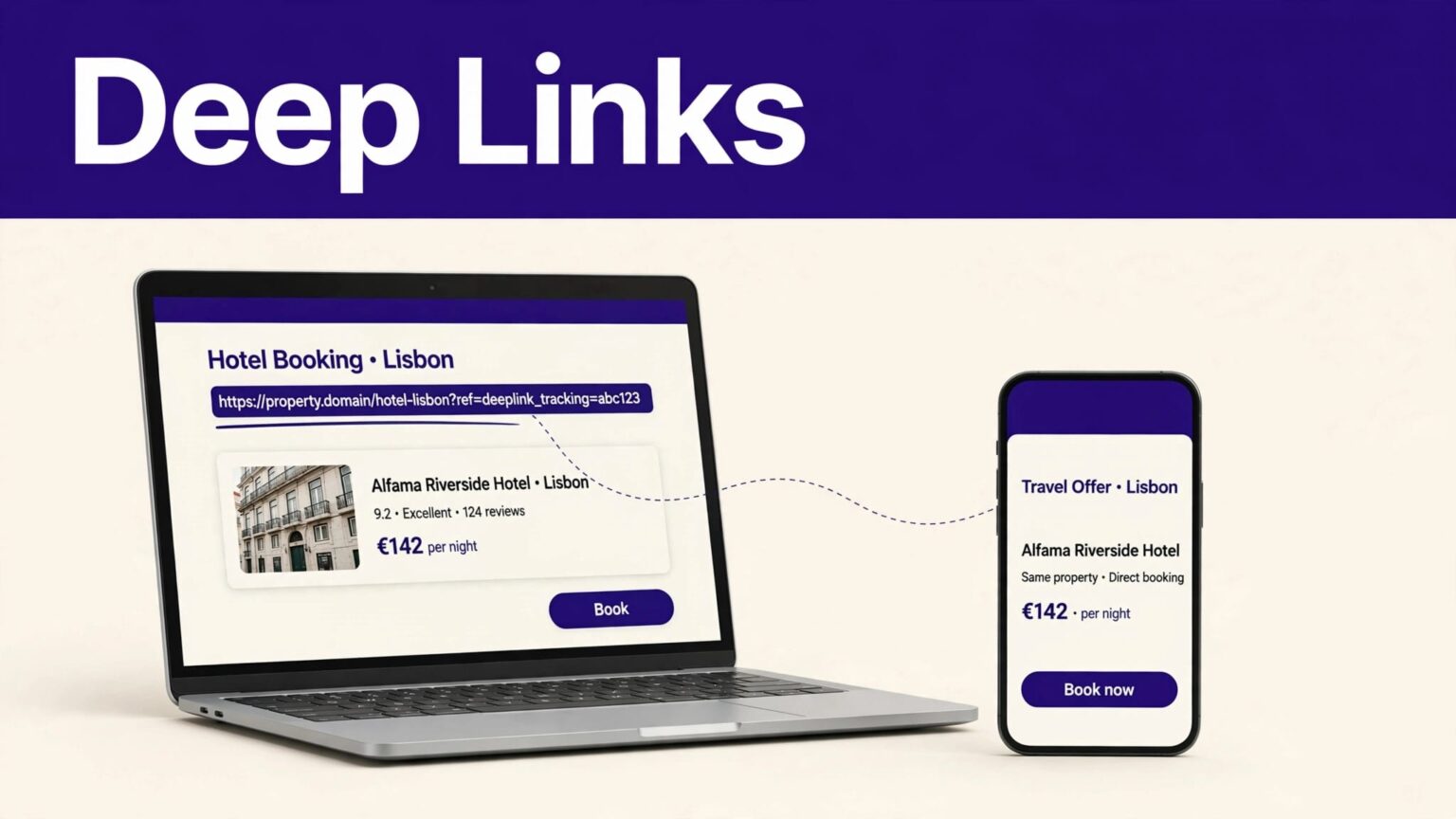
A generic affiliate link sends readers to a home page and makes them search again. That costs clicks and bookings.
Travelpayouts deep links send a reader to the exact hotel, flight search, transfer, or activity page they already want. You keep the referral tracking. The reader gets a shorter path to checkout.
Use the process below to create links you can test, label, and measure by page or campaign.
SET UP THE PARTNER PROGRAM FIRST
You can only create a tracked link after you join the relevant partner program in your Travelpayouts account. A link to a hotel brand, flight provider, or activity seller needs an active program connection.
Open the brand or offer you want to promote. Look for its link tool. In many programs, the path is Tools > Links. Travelpayouts documents the general process in its affiliate-link creation guide.
Confirm the Destination Matches the Content
Match the link to the reader’s next action.
A “Where to stay in Lisbon” guide should link to a Lisbon property page or a relevant hotel search. A guide about airport transfers should not send readers to a flight homepage. The destination should finish the job your paragraph starts.
Use direct destinations for:
- A named hotel, apartment, or resort.
- A completed flight search with dates and airports.
- A rail, bus, car rental, transfer, or activity page.
- A category page when you recommend several options.
Check Partner Limits Before You Publish
Not every Travelpayouts program handles deep links the same way. Some accept a destination URL in the link generator. Others use a partner-specific format. A limited number only provide ready-made links.
Aviasales, Hotellook, and Jetradar can use different link rules. Partner interfaces and available fields can also change. Check the current program page before you update a high-traffic article.
CREATE TRAVELPAYOUTS DEEP LINKS IN FOUR STEPS
The process is simple. The quality control happens before you paste the link into WordPress, a newsletter, or a social post.
Step 1: Copy the Exact Booking Page
Open the travel brand’s website and find the page you want readers to reach.
For example, find a completed Rome to Paris flight search. Or open the page for a hotel you mention in a Bangkok itinerary. Copy the full URL from the browser address bar.
Don’t use a search-results page that depends on your own account session. Open the URL in a private browser window first. If it doesn’t load for you, it won’t load for readers.
Step 2: Generate the Tracking Link
Return to Travelpayouts and open the program’s link tool. Paste the original booking URL into the target URL field when the program provides one. Then create and copy the affiliate link.
The output link has two jobs. It sends the visitor to the travel brand. It also records that your content generated the click.
Travelpayouts also offers a Chrome extension for creating affiliate links. It can reduce copy-and-paste work when you are updating a large destination guide.
Step 3: Add a SubID You Can Read Later
A SubID is your internal campaign marker. It helps you connect a click or booking with one page, placement, or channel.
Use a naming format that stays consistent:
lisbon-hotels-article
newsletter-october-2026
instagram-bio-lisbon
Avoid vague labels such as test1 or newlink. Six months later, those labels tell you nothing.
A deep link without a clear SubID can produce revenue, but it cannot tell you which content decision produced it.
Step 4: Save the Source and Final Link
Keep a fixed record in a spreadsheet or database. Store the content URL, program name, original destination URL, final affiliate link, SubID, and date created.
Add the page title and link placement, such as “hotel comparison table” or “first CTA after itinerary.” When a partner changes a page or a link breaks, you can find the source fast.
USE PARTNER-SPECIFIC URL RULES
Some travel brands require more than a pasted destination URL. Kiwi.com is one example. Its links can use flight-search fields such as departure airport, destination airport, and travel dates.
The Kiwi.com affiliate-link documentation shows its current search-link patterns and Travelpayouts tracking template. Build the traveler-facing search URL first. Then apply the Travelpayouts tracking method described for that program.
Keep Parameters Separate by Job
There are two parameter groups to understand:
- Destination parameters control what the reader sees, such as airport codes, dates, room counts, or a hotel ID.
- Tracking parameters identify your affiliate account and optional SubID.
Don’t edit tracking values unless the partner documentation tells you to. One missing character can remove attribution or break the redirect.
For manually built links, copy the final result into your tracking record. Keep the original destination URL beside it. That gives you a clean audit trail when a travel brand changes its URL structure.
TEST LINKS BEFORE THEY GO LIVE
A link that looks correct can still send readers to the wrong place. Test every new link once before publishing.
Run a Clean Browser Test
Open the affiliate link in an incognito or private window. Confirm four things:
- The redirect reaches the intended hotel, route, activity, or booking page.
- Dates, destinations, and traveler details remain correct where applicable.
- The page works on mobile.
- The final page does not show an error, empty search, or unrelated offer.
Test after major content updates too. Travel inventory changes often. A hotel can close, a route can disappear, and a brand can alter its URL pattern.
Review Results, Not Click Totals
Clicks are not earnings. Pending bookings are not approved earnings either. Cancellations, refunds, and program conditions can reverse a reward.
Review performance by content URL, program, and SubID each month. Keep pending, approved, reversed, and paid amounts separate. If a commission changes later, add an adjustment row instead of overwriting the original amount.
This record shows which Travelpayouts deep links bring booking intent, not only curiosity clicks.
DISCLOSE AFFILIATE LINKS CLEARLY
Place a plain disclosure near affiliate links or before the first affiliate recommendation. Readers should understand that you may earn a commission if they book through your link.
Use direct language: “This article contains affiliate links. We may earn a commission at no extra cost to you.”
The U.S. Federal Trade Commission requires disclosures to be clear and easy to notice. Its Endorsement Guides guidance also warns against placing disclosures where readers can easily miss them.
Don’t hide the notice in a footer, a long terms page, or a vague phrase such as “partnered.” Check each partner’s program terms as well. Promotion rules can differ by brand and channel.
FINAL THOUGHTS
Travelpayouts deep links work when the content, booking page, and tracking marker all match. Send readers to the page they expect, not a broad homepage.
Store each link with its source URL and SubID. Test it in a clean browser. Then judge the page by approved earnings, not by clicks alone.
