Access Your Travelpayouts Dashboard and Read Results
A travel page can receive thousands of visitors and still earn almost nothing. The usual problem is not traffic volume. It is a mismatch between the reader, the offer, the link, and the booking decision. The Travelpayouts dashboard gives yo...
A travel page can receive thousands of visitors and still earn almost nothing. The usual problem is not traffic volume. It is a mismatch between the reader, the offer, the link, and the booking decision.
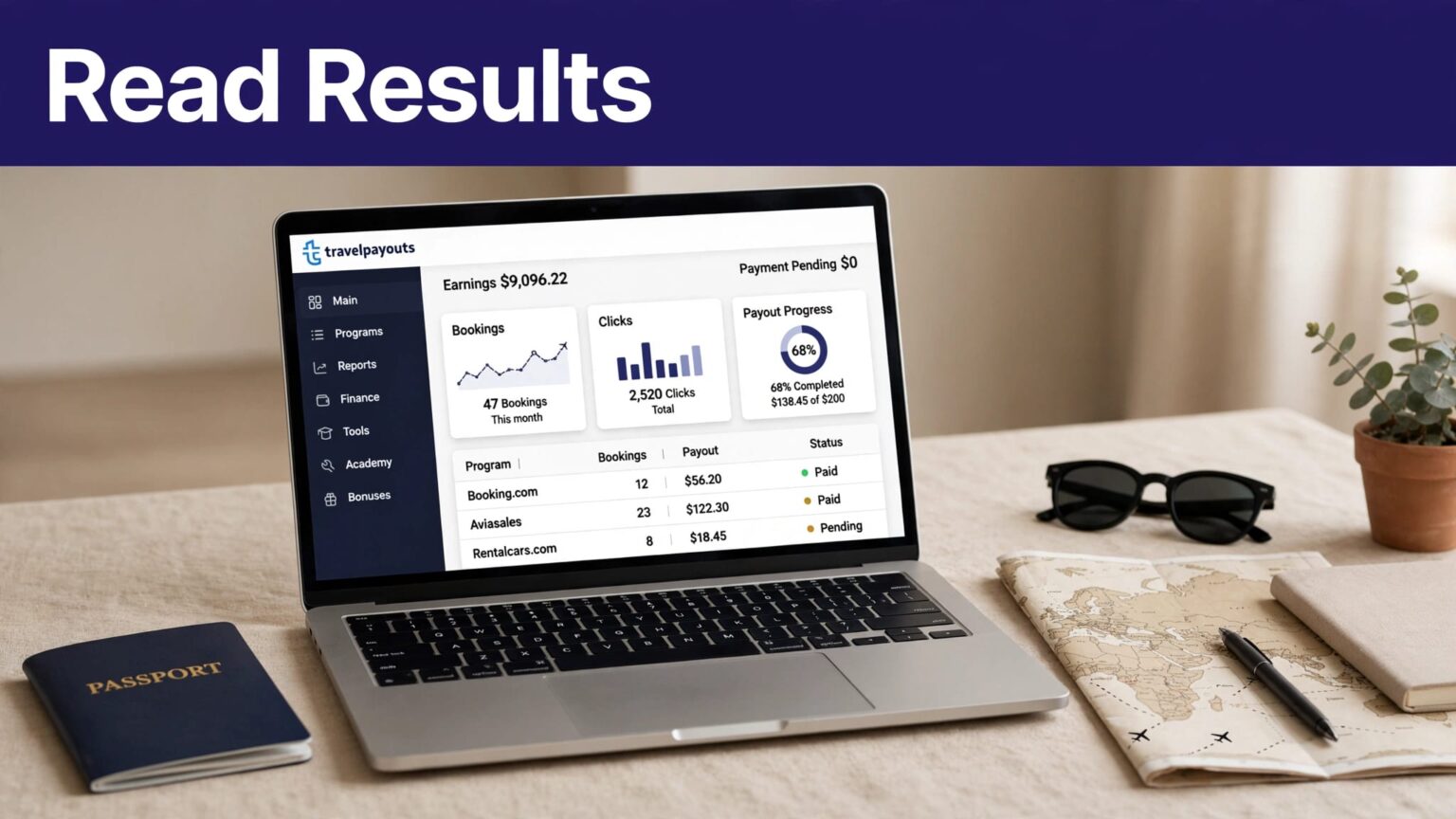
The Travelpayouts dashboard gives you one place to check programs, affiliate tools, reporting data, and payout progress. Use it to find where readers drop off, then fix the pages that can produce approved earnings.
Start with access, then build a reporting routine that leads to clear decisions.
GET INTO YOUR TRAVELPAYOUTS ACCOUNT
Travelpayouts brings multiple travel affiliate programs into one partner account. Instead of logging into separate brand portals, you can review connected programs and performance in one workspace.
The platform describes this as access to brands, tools, statistics, and payouts in a single account. Review the Travelpayouts partner platform before you register if you are comparing affiliate networks.
Create an account or sign in
Go to Travelpayouts and choose the sign-up or login option. New partners complete account registration, then add a project. A project is the website, social channel, app, or other traffic source where you plan to publish affiliate tools.
Use an email address your team controls. Do not build an affiliate account around a departing freelancer’s inbox. Keep the login, recovery details, payout information, and project ownership with the business.
After you enter the account, find the main navigation. Current account materials reference areas such as Home, Programs, Reports, Finance, Tools, Academy, and Bonuses. Labels and placement can change, so treat your live account as the source of truth.
Add your project before publishing links
Your project tells Travelpayouts where your traffic comes from. Add the correct website domain or channel details before you apply for programs or place links.
Use one project per distinct property when you need separate reporting. For example, a family travel blog and a flight-deals newsletter may need different tracking records. That separation makes weak traffic sources easier to spot later.
A dashboard can show a completed click, but it cannot tell you whether the visitor had realistic booking intent without your review.
WHAT THE TRAVELPAYOUTS DASHBOARD SHOWS
The Travelpayouts dashboard is your control panel. It gives you a quick performance view, but headline totals are only the starting point.
Travelpayouts states that the Home area includes a performance table for connected programs. Programs you have not joined or connected will not appear in that table. The official account overview also explains the main account areas and available tools.
Read the home screen as a status check
Start each review with the date range. A number without a date range is hard to use. Last 30 days, month to date, and the prior full month answer different questions.
Then review the basic funnel:
- Impressions show how often qualifying widgets or banners appeared.
- Clicks show outbound interest in an affiliate tool or link.
- Pending results are bookings or rewards still under review.
- Confirmed results have passed the brand’s approval process.
- Canceled results did not qualify for payment.
- Earnings show the reward data available in your account view.
Do not add pending rewards to your operating revenue. A pending booking can cancel, fail a program condition, or reverse later.
Pin programs that drive decisions
If your account offers pinning, place the programs you review most often at the top. A small publisher may pin a flight program, a hotel program, and one activity or insurance offer.
Do not pin everything. The point is to reduce scanning time. Your dashboard should show the programs that affect this month’s content plan.
A dashboard with 30 rows is not automatically useful. A dashboard that points you to three pages worth updating is useful.
CONNECT PROGRAMS THAT FIT YOUR AUDIENCE
The Programs section is where you find travel brands and affiliate offers. Do not join programs because their commission rate looks attractive in isolation.
Readers looking for airport transfers need a different offer than readers comparing long-stay hotels. Match the offer to the page’s booking intent.
Filter the program catalog with a clear use case
Start with the content you already publish. Review destination guides, flight comparison pages, hotel lists, itineraries, packing content, and newsletters. Then look for programs that fit those pages.
Travelpayouts lets partners search and filter offers by factors such as category, language, traffic type, and tool availability. Use the affiliate program summary guidance to review a connected program’s performance details.
Before you connect, check the live program terms. Look for:
- The commission or reward condition.
- Eligible countries, products, and traffic sources.
- The booking approval period.
- Cancellation and reversal rules.
- Available affiliate tools.
A 10% reward is weak if your readers do not buy that product. A lower rate can earn more when the offer fits the search intent.
Open the program’s tool options
Each program can provide different promotion tools. You may find deep links, text links, widgets, banners, search forms, or other formats. Tool availability depends on the program, not only your Travelpayouts account.
Use deep links for pages with a clear destination. A guide to hotels in Lisbon should send readers to relevant Lisbon inventory, not a generic travel home page.
Use widgets when the visitor needs to compare options. A flight route page can support a search tool because the reader is already evaluating dates and prices.
The Travelpayouts tools guide lists the platform’s tool categories and links to related setup documentation.
USE REPORTS AS A BOOKING FUNNEL
Clicks are not revenue. Pending bookings are not revenue either. The report becomes useful when you read each metric as one stage in a customer path.
Open Reports after you have enough data to compare pages, programs, campaigns, or markers. Travelpayouts collects reporting information across impressions, clicks, and purchases. The current Reports overview is the right reference when a column, filter, or report view looks different in your account.
Segment by program, page, and SubID
Do not judge a whole website from one total. Break the result down by program and traffic source first.
Then use a SubID or marker structure that identifies the content source. For example, you might use separate markers for:
lisbon-hotels-guidejapan-rail-itineraryweekly-flight-deals-emailinstagram-bio-link
Use a naming format your team can read six months later. Avoid random labels such as test1, newlink, or final-final.
With clear markers, you can compare two pages that send traffic to the same brand. You can also identify whether a newsletter creates better bookings than social traffic.
Separate potential rewards from approved earnings
Potential earnings are a planning signal. They are not cash you can spend.
Keep confirmed or approved rewards separate from pending rewards. Record cancellations and reversals in the same period where possible. A page with $500 in pending rewards is not a $500 page if most bookings later cancel.
Use a simple calculation in your own reporting sheet:
Net affiliate earnings = approved percentage rewards + approved fixed rewards – reversals
Keep the dashboard figure and your reporting date together. If an older booking changes status, add an adjustment row. Do not overwrite prior numbers and lose the reason for the change.
This record matters when you compare content decisions. It also gives you a cleaner history if a program changes its terms, a booking is canceled, or a payout arrives later than expected.
TURN DASHBOARD DATA INTO CONTENT CHANGES
The Travelpayouts dashboard should lead to action. Set a recurring review and make a short list of changes.
A weekly review works for high-traffic publishers. A monthly review is usually enough for a new blog or smaller affiliate site. Use the same date range for each comparison.
Find pages with weak booking intent
Look for pages with plenty of clicks but few confirmed bookings. Do not assume the affiliate program is the problem.
Check the destination page first. A broad article called “Europe travel tips” often attracts readers who are researching, not booking. A page called “Where to stay in Porto in October” usually has stronger commercial intent.
Next, check link placement. A hotel link buried after 2,000 words will get less attention than a useful option placed beside a neighborhood recommendation.
Then check the offer itself. A reader researching luxury resorts should not land on a low-budget hostel search result. Fix the mismatch before you write more content.
Compare earnings per click
Click volume can hide weak performance. Use approved earnings per click to compare pages with different traffic levels.
Approved EPC = approved earnings / outbound clicks
For example, Page A gets 1,000 clicks and produces $30 in approved earnings. Page B gets 120 clicks and produces $48. Page B is the stronger commercial page, even though its traffic is lower.
Give Page B more internal links. Update it before publishing another broad guide. Test a more visible callout or a more relevant deep link.
KEEP A TRUSTED EARNINGS RECORD
The dashboard is the operating view. Your spreadsheet or database is the historical record.
Create one row for each content source, program, marker, and reporting period. Store the source URL, traffic source, program name, date range, clicks, pending rewards, approved rewards, reversals, and payout status.
Record assumptions and exceptions
Forecasts are useful, but they need labels. If you estimate revenue using a 3% click rate and a 2% booking conversion rate, state both assumptions. They are a model, not an income promise.
Flag exceptions instead of forcing totals to match. You may find a click count that looks normal but a booking count that drops sharply. That can mean seasonal demand, a broken deep link, irrelevant traffic, a cancellation issue, or a reporting delay.
Use clear review states such as Draft, Needs Review, Approved, and Corrected. Assign one person to check the record before it becomes part of a monthly revenue report.
A report that looks clean but hides reversals is worse than a report that shows uncertainty.
FIX ACCESS, REPORTING, AND INTERFACE PROBLEMS
Account views vary by program, project, approval status, date filter, and available tools. If you cannot find a program, tool, payment entry, or report column, check the relevant program connection and filter first.
Do not guess at an account-specific issue. Screens, permissions, payout methods, and program eligibility can differ between partners.
Use official support for account-specific help
Travelpayouts support can review issues that depend on your account state. Submit a request through the Help Center’s “Ask a question” option, or contact the support address listed there.
Include your Travelpayouts ID or marker, the affected program, the date range, screenshots, and a short description of what you expected to see. Do not send passwords or full payment details in a support request.
For a program migration, Travelpayouts also provides guidance on switching from a direct affiliate program. Check current rules before changing links across your site.
FINAL THOUGHTS
The Travelpayouts dashboard is useful when you treat it as a decision system, not a scoreboard. Check programs, track the path from click to approved reward, and keep reversals visible.
Build your reporting around approved earnings, not optimistic totals. The strongest affiliate pages are not always the pages with the most clicks. They are the pages that match a reader’s next booking decision.
