Track Affiliate Attribution Accurately With Rewardful
An affiliate program can report plenty of clicks and still pay the wrong partner, miss a conversion, or overstate commission liability. The fix is not more dashboard activity. It is a controlled Rewardful affiliate attribution process that...
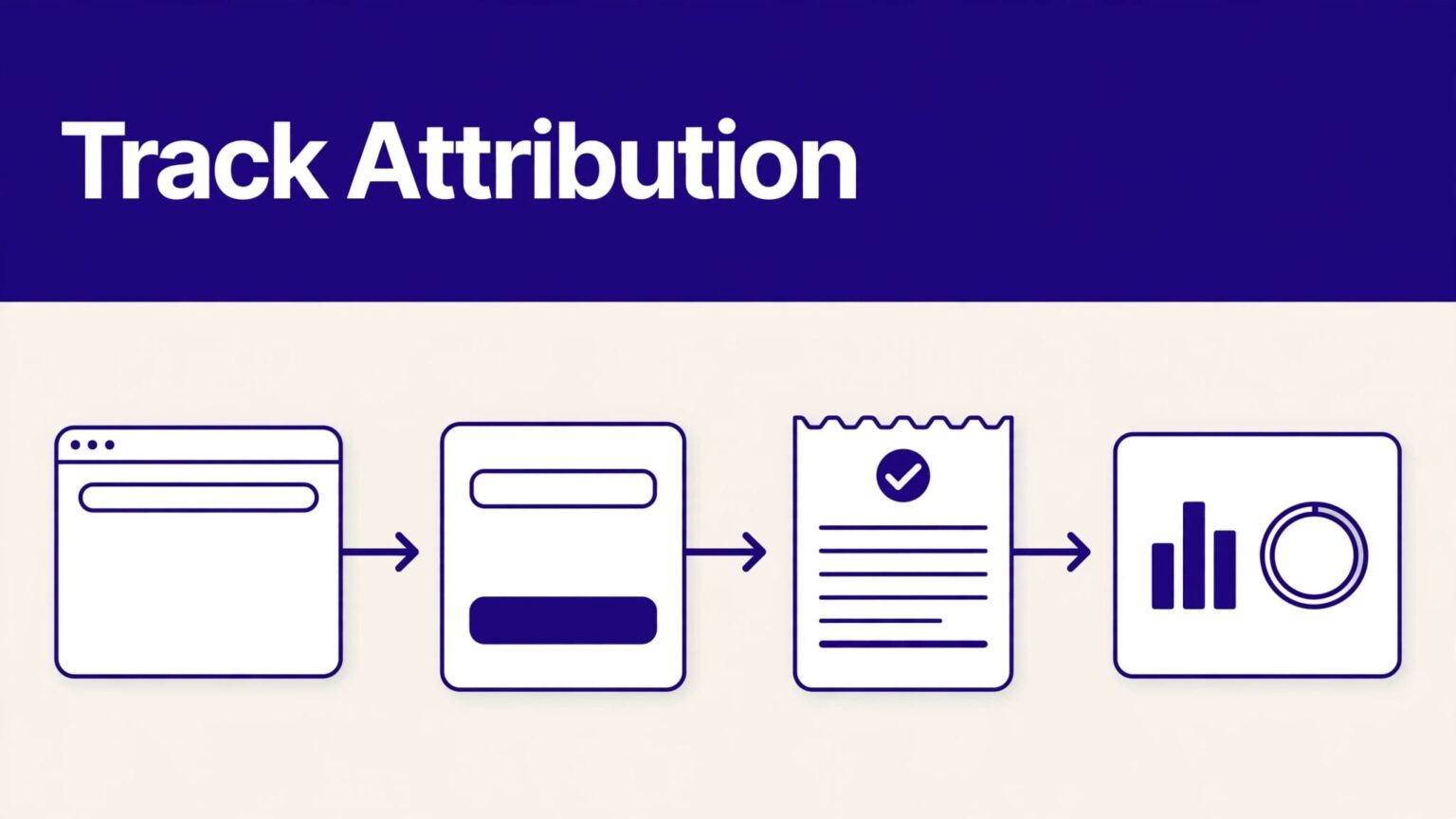
An affiliate program can report plenty of clicks and still pay the wrong partner, miss a conversion, or overstate commission liability. The fix is not more dashboard activity. It is a controlled Rewardful affiliate attribution process that connects the referral click, signup, Stripe customer, paid invoice, and commission record.
Your website, signup flow, and Stripe setup decide where attribution can break. Build the path first. Then test it with real records before affiliates send meaningful traffic.
SET UP REWARDFUL AFFILIATE ATTRIBUTION BEFORE YOU SEND TRAFFIC
Rewardful needs two things to work: a referral source and a Stripe customer it can associate with that referral. The tracking script records the visitor’s referral data on your site. Stripe then supplies the billing activity that Rewardful uses for conversion and commission tracking.
Rewardful uses first-party cookies on your domain. That matters when a visitor clicks an affiliate link, leaves, and returns later to start a trial or subscription.
Choose the attribution rule deliberately
Open your campaign settings and confirm the attribution model. Rewardful supports first-touch and last-touch attribution, and the choice changes who gets paid when more than one affiliate reaches the same visitor.
First touch credits the first qualified affiliate. Last touch credits the latest qualified affiliate before conversion. Neither is automatically fair for every program.
Use first touch when affiliates create the initial demand through reviews, tutorials, or content. Use last touch when your program rewards the final referral action. Write the rule into your affiliate terms. Don’t leave partners to guess.
Set a cookie window that matches your sales cycle
Rewardful campaigns also use a configurable cookie window. New campaigns commonly start with a 60-day default, but you should check the current setting before launch.
A seven-day window may fit a low-cost self-serve product. It will miss many B2B trials. A 90-day window may fit annual plans with a longer buying process.
Review Rewardful’s cookie and commission controls before you set a standard rule across every campaign. One campaign can need different terms than another.
A referral cookie is not proof of a sale. It is only the first record in a chain that must reach a paid Stripe invoice.
INSTALL TRACKING WHERE THE CUSTOMER JOURNEY STARTS
Put the Rewardful tracking script on every web page where an affiliate referral can land. That usually includes product pages, pricing pages, comparison pages, blog landing pages, and signup pages.
A common failure starts when an affiliate sends traffic to www.example.com, but signup happens on app.example.com or a separate checkout domain. The visitor may reach signup without the referral data your system expected.
Map every domain and redirect
Write down the route before changing code:
- Affiliate link lands on a public website page.
- Visitor moves to signup or starts a trial.
- Your app creates or updates the user account.
- Your billing flow creates or reuses a Stripe customer.
- Stripe collects payment and issues invoices.
- Rewardful records the conversion and calculates commission.
Test every redirect in that sequence. Include country-specific domains, short-link services, subdomains, account portals, and payment pages.
If the journey crosses domains, use Rewardful’s documented cross-domain method for your implementation. Do not assume a browser cookie will behave the same way across unrelated domains.
Keep signup and billing identifiers connected
Your application should keep a stable relationship between the internal user ID, account ID, Stripe customer ID, and subscription ID. These IDs are the evidence trail when a commission report looks wrong.
Stripe Checkout can create or attach a Customer record depending on the Session configuration. Review Stripe’s Checkout Session fields before you decide where your application stores internal identifiers.
Do not treat client_reference_id as a substitute for a complete attribution design. It can help your system match a Checkout Session to an internal record, but your Rewardful and Stripe integration still needs to associate the correct Stripe customer with the referral.

CONNECT STRIPE WITHOUT GUESSING AT METADATA
Rewardful connects to Stripe to monitor customer and payment activity. It can use the Stripe customer relationship to track later events, including renewals, upgrades, cancellations, and invoice payments.
Rewardful also writes attribution and commission information into Stripe metadata as part of its sync. Stripe remains the billing system. Rewardful does not change your pricing logic, refunds, or payouts.
Use the integration method for your stack
A no-code signup flow, server-created Stripe Customer, Stripe Checkout, and Stripe Payment Links can require different handling. Follow the Rewardful integration instructions that match your actual flow.
For a custom server-side flow, capture the referral before you create the Stripe customer. Then pass the required referral value through the documented Rewardful method. Do not create a new customer at renewal or upgrade if your billing model should use the original customer relationship.
Your API flow also needs to handle retries. A user may submit signup twice. Your server may receive the same event again. A payment may fail before it succeeds.
Store the Stripe customer ID once. Treat duplicate customer creation as an exception, not a normal path.
Fix missed conversions with a documented process
Sometimes the referral is valid but the tracked path breaks. A visitor may click on mobile and subscribe later on desktop. A sales rep may create the customer manually. In those cases, use Rewardful’s manual attribution process.
The documented process starts by checking whether the customer already has a referral record. You then obtain the correct affiliate token or referral ID and add it to the Stripe Customer metadata under the referral key.
Do not delete existing Stripe metadata when you add the referral value. Then confirm the customer record in Rewardful and generate the commission if the dashboard offers that action.
RUN QA TESTS BEFORE AFFILIATES SCALE
Do not launch with one successful click test. Run a small approved batch that covers the paths your customers actually use.
Use distinct test email addresses. Record the affiliate link, landing page, browser, device, signup time, Stripe customer ID, invoice ID, and reviewer decision. Keep screenshots for failures.
Test the conversion path in stages
This table gives your team a practical QA set.
| Test case | Expected record | Failure signal |
|---|---|---|
| Affiliate link, then immediate signup | Referral appears before or at customer conversion | Customer has no affiliate relationship |
| Affiliate link, return visit two days later | Original affiliate receives credit within the cookie period | Direct visit replaces or removes attribution |
| Trial converts to paid subscription | Commission follows the paid invoice rule | Conversion appears but no commission is created |
| Existing customer upgrades | Existing referral stays connected | Upgrade creates an unassigned customer |
| Refund or cancellation | Commission status follows the program rule | Paid commission remains unchanged after reversal |
Run each test in the connected Stripe account you intend to use. Test and live behavior can vary by account configuration and interface. Verify the mode inside both products before you rely on test results.
Check the data in both systems
In Rewardful, review the referral, conversion, affiliate, campaign, and commission records available in your account. Exact menu names can change, so use the current interface rather than an old walkthrough.
In Stripe, open the Customer record first. Confirm the correct customer exists, the metadata is intact, and the subscription and invoices belong to that customer.
Rewardful calculates commission from the final invoice amount Stripe records as paid. A completed Checkout Session is not the same thing as a cleared recurring payment.

DIAGNOSE COMMON ATTRIBUTION FAILURES FAST
Most attribution problems are traceable. Start with the customer record and work backward. Do not begin with the affiliate’s claim or the total shown in a report.
No referral appears after a known click
Check whether the affiliate link landed on a page with the Rewardful script. Then test redirects, consent behavior, ad blockers, browser privacy settings, and cross-domain jumps.
Also confirm the campaign’s attribution model and cookie window. A later affiliate click can replace an earlier referral under last-touch rules. An expired cookie is not a tracking error.
Referral exists but no commission appears
Confirm that the Stripe customer tied to the referral is the customer that paid. Then check invoice status, the commission rule, refund state, exclusions, and subscription timing.
Review the connected account permissions. Rewardful explains the required Stripe integration permissions and limits them to referral tracking and commission automation.
If you use Checkout, inspect the session, customer, subscription, and invoice as separate objects. Stripe’s Checkout Session creation reference shows why a session-level value does not automatically appear on every later billing object.
RECONCILE REWARDFUL DATA WITH STRIPE EVERY MONTH
Rewardful is the affiliate operating view. Stripe is the billing source record. Your finance process needs both.
Create one monthly row per affiliate, campaign, Stripe customer, and reporting period. Store the Rewardful referral ID, Stripe customer ID, subscription ID, invoice ID, commission amount, status, adjustment reason, and review date.
Separate created commissions from approved liability
Do not forecast affiliate cost from clicks. Do not treat a newly created commission as a final payout obligation either.
Keep these stages separate:
- Referral and click activity show that an affiliate sent traffic.
- Converted customers show that Rewardful linked a Stripe customer to an affiliate.
- Paid invoices show collected revenue that may generate commission.
- Approved commissions show what your business accepts as payable.
- Paid affiliate amounts show cash that has left your account.
If an invoice is refunded, credited, disputed, or canceled, keep the original commission record in your internal report. Add an adjustment row. Never overwrite the first figure and lose the history.
Measure accepted records, not report volume
A dashboard can create 50 commissions and still produce hours of cleanup. Track the records your team accepts without correction.
Review these metrics each month: attributed customers, paid invoices with a matching commission, unassigned paid customers, commission reversals, duplicate Stripe customers, review minutes, and correction time.
If the error rate rises, pause expansion. Fix the landing page, signup handoff, or Stripe customer creation path first. A larger affiliate program only makes a weak process harder to repair.
For a custom implementation review across marketing, product, and billing, you can Book A Call.
HANDLE COOKIE CONSENT AND CUSTOMER DATA CAREFULLY
Rewardful’s first-party cookie supports referral tracking. Your company still decides how that tracking appears in its privacy notice and consent flow.
Work with your legal or privacy owner to determine the required consent approach for the locations where you operate. Rules can differ by jurisdiction and by how your site uses cookies.
Keep the data set small and auditable
Do not put names, plan notes, sales comments, or sensitive customer information into referral fields. A referral ID, affiliate token, internal account ID, and Stripe IDs are usually enough for investigation.
Restrict access to Stripe metadata and Rewardful reports. Set a clear retention rule for QA logs and exported reports. Remove test customers using your approved Stripe test-data process when testing is complete.
When support needs help, send a reproducible record. Include the page URL, affiliate ID, referral link, test email, Stripe customer ID, invoice ID, report date range, screenshots, and expected result. That turns “missing commission” into a case someone can verify.
FINAL THOUGHTS
Accurate Rewardful affiliate attribution is a record chain, not a browser event. The affiliate click must survive your website, signup flow, Stripe customer creation, paid invoice, and commission review.
Set the campaign rule first. Test every billing path. Reconcile Rewardful against Stripe on a fixed schedule. When each accepted commission has source evidence, affiliates get paid correctly and your team can trust the numbers.
