How I Use Email Inbox Rotation Without Hurting Deliverability
When I use email inbox rotation, I’m trying to protect sender reputation, not dodge the rules. The moment rotation becomes a shortcut for bad lists or sloppy volume, the mailbox providers usually notice. That’s why I treat each...

When I use email inbox rotation, I’m trying to protect sender reputation, not dodge the rules. The moment rotation becomes a shortcut for bad lists or sloppy volume, the mailbox providers usually notice.
That’s why I treat each inbox like a small, trusted engine. I keep the load steady, I watch the signals, and I stop before one inbox starts dragging the others down. If the setup feels chaotic, deliverability usually gets rough fast.
I start with the rule, then I choose the rotation model
Rotation only works when I know why I’m doing it. For me, the goal is simple, spread sending across inboxes so no single mailbox gets hammered.
I use two basic setups. Same-domain rotation keeps everything under one brand, which is easier to manage and cleaner for the recipient. Multiple-domain rotation spreads risk further, but it also means I’m caring for more reputations at once.
Here’s how I think about it:
| Setup | Best for | Main risk |
|---|---|---|
| Same domain, multiple inboxes | Smaller teams, one brand, simpler ops | One bad inbox can affect the whole domain |
| Multiple domains | Larger outbound programs, higher volume | More moving parts, more setup work |
If I’m sending from one domain, I keep the content tight and the list clean. If I’m using several domains, I segment harder and keep each domain on its own pace.
Rotation should protect reputation. It should never be used to hide spammy behavior.
For a broader look at how rotation fits into deliverability, I cross-check my plan with mailbox rotation strategies and the technical basics in email deliverability setup in 2026.

I set the foundation before I send a single email
Rotation can’t rescue a weak setup. So I always start with authentication, list quality, and a sane sending pattern.
My first stop is authentication. I want SPF, DKIM, and DMARC in place before I scale anything. If I need a refresher, I follow my own Google Workspace SPF, DKIM, and DMARC setup. Without those records, rotation feels like putting bigger wheels on a car with no brakes.
Then I clean the list. Bad addresses, stale leads, and role-based clutter can poison a whole run. I keep a separate workflow for cold email bounce reduction so I’m not guessing why an inbox starts slipping.
I also keep sending consistent. That means no random spikes, no weekend blasts unless the audience expects them, and no dramatic jumps from one day to the next. Mailbox providers like patterns more than surprises.
My do and don’t list is simple:
- Do warm every inbox before it carries real volume.
- Do keep the From name, domain, and signature stable.
- Do send at regular times in the target time zone.
- Don’t dump a fresh inbox into a full campaign.
- Don’t mix poor lists with your best sending domains.
- Don’t change too many variables at once.
If I’m building or verifying leads, I also lean on my Hunter.io email verification guide so the rotation doesn’t get ruined by obvious bounces.
I ramp volume slowly, and I treat caps like ceilings, not targets
This is where most teams get greedy. They add inboxes, then push them too hard. I do the opposite.
For 2026, I keep new Google Workspace or Microsoft 365 inboxes around 20 to 30 cold emails per day at the start. If the inbox behaves well, I may work it up toward 100 per day, but only with clean metrics. For custom SMTP, I stay more conservative, often in the 20 to 50 per day range.
I also keep the total spread narrow. In practice, I prefer 3 to 5 inboxes per domain instead of stuffing everything into one sender. That gives me room to absorb risk without turning one inbox into a bottleneck.
| Inbox type | Safe starting cap | Practical upper range |
|---|---|---|
| Google Workspace or Microsoft 365 | 20 to 30/day | Up to about 100/day |
| Custom SMTP | Around 20/day | Often 20 to 50/day |
The cap is not a goal. It’s the point where I slow down and check the signals.
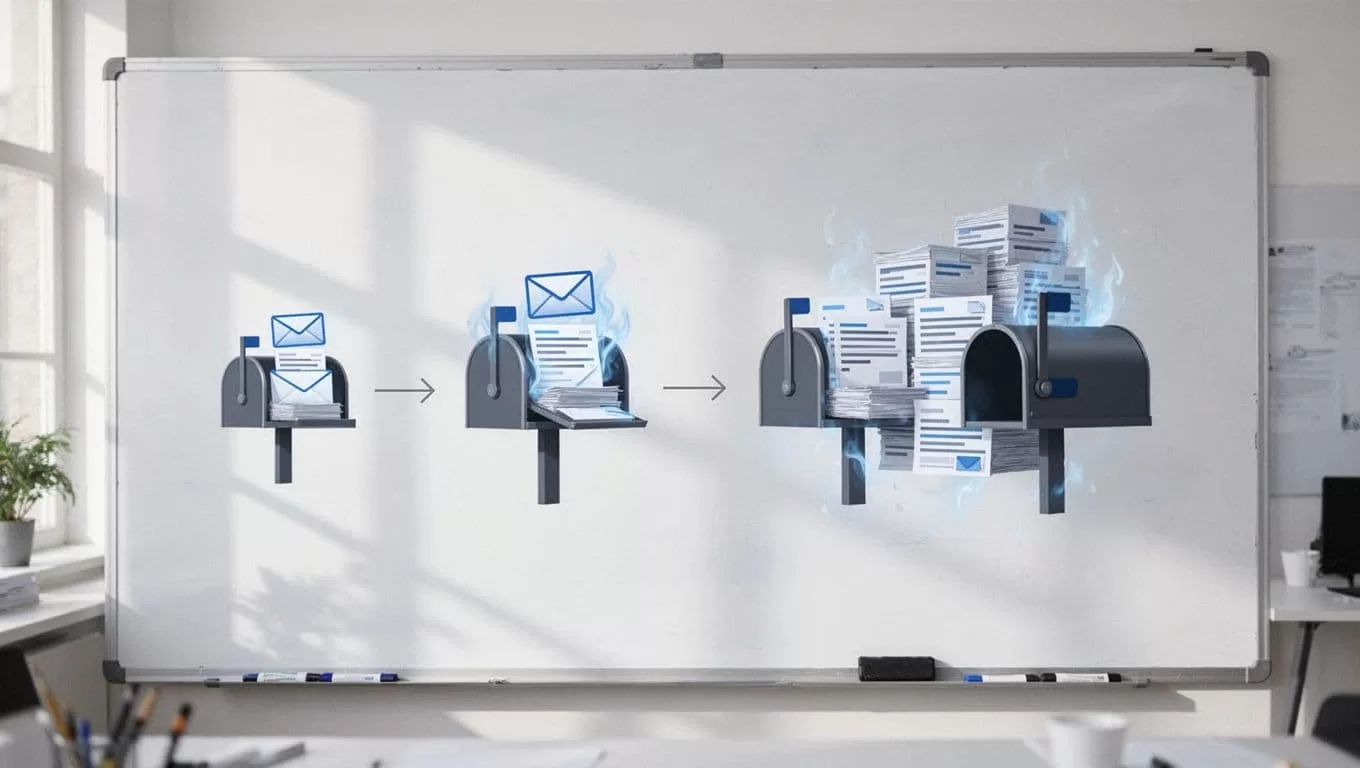
I also space sends out. Short pauses, natural timing, and normal business hours help more than many people expect. If I send 200 emails, I’d rather spread them across 10 inboxes at 20 each than burn one mailbox trying to do all the work.
I segment leads so each inbox gets the right kind of pressure
Not every lead deserves the same sending treatment. That’s where segmentation saves me from lazy rotation.
I separate by fit, intent, and risk. High-intent prospects get the cleanest inboxes. Colder lists or broader segments go to the mailboxes with more cushion. That doesn’t mean I get sloppy with low-priority leads. It means I avoid asking my best inbox to carry weak traffic.
A simple rule helps me here, the more sensitive the segment, the more careful the sender.
For example, I might send repeat follow-ups to warm leads from one inbox cluster, while a new, colder list sits in another. That keeps my best-performing inboxes from taking the full hit if one segment underperforms.
I also watch whether the campaign needs more than one domain. If I’m sending to different markets, brands, or offers, multiple domains can help. If I’m pushing one clear offer to one audience, same-domain rotation is often cleaner.
The key is discipline. I don’t rotate inboxes to mask weak targeting. I rotate them to match send risk with the right mailbox.
I track the numbers before trouble turns into a reputation problem
I watch five metrics closely: bounce rate, spam complaints, opens, replies, and inbox placement. If one of them moves the wrong way, I pause before the problem compounds.
Bounce rate comes first. If it climbs above 2 percent, I treat that as a warning. Spam complaints matter even more, because they tell me real people are annoyed. Opens help, but I don’t trust them on their own anymore. Replies tell me the message still feels relevant. Inbox placement shows the truth behind the surface numbers.
I usually review performance in a simple rhythm, daily for active campaigns and weekly for the bigger picture. That way, I catch drift before it becomes damage.
My red flags are easy to spot:
- Bounces rising after a list change
- Complaints climbing after a copy tweak
- Opens staying flat while replies fall
- One inbox performing much worse than the rest
- A sudden jump in volume without a matching ramp
When that happens, I don’t add more inboxes. I slow the sends, clean the list, and recheck the auth and segment logic first.
I rotate inboxes to stay steady, not to get reckless
Email inbox rotation works when I treat it like load balancing, not a loophole. I want each inbox to look calm, consistent, and human.
That means solid authentication, careful ramping, clean segmentation, and close metric tracking. It also means knowing when to stop scaling and fix the real issue, because rotation can spread risk, but it can’t repair bad habits.
When I get it right, the campaign feels quieter. The inboxes stay healthier, and the deliverability graph stops looking like a roller coaster.
