Compliant Medical Record Scraping With Twin.so
Medical teams lose hours moving facts from PDFs, portals, scans, and legacy systems into structured workflows. Compliant medical record scraping reduces that manual work, but only when the data source, permissions, contracts, and controls a...
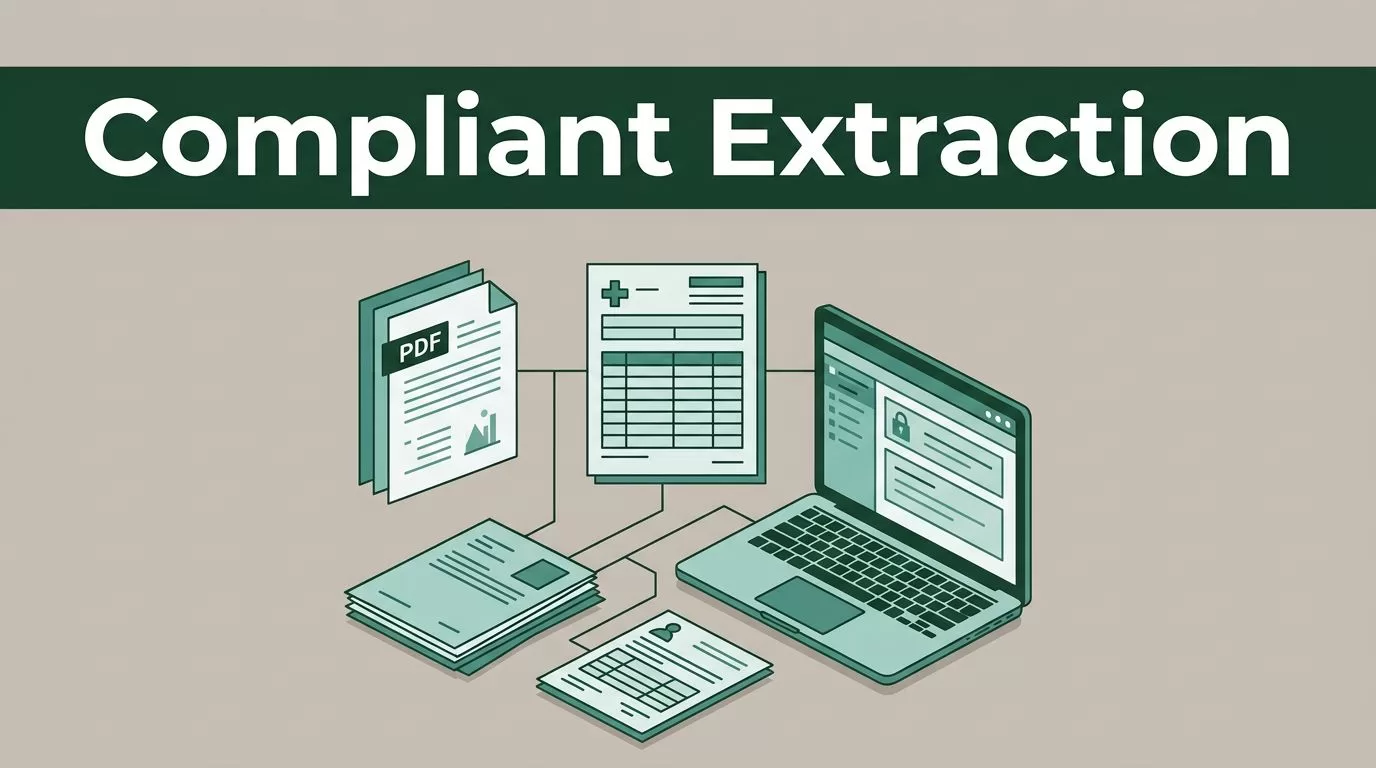
Medical teams lose hours moving facts from PDFs, portals, scans, and legacy systems into structured workflows. Compliant medical record scraping reduces that manual work, but only when the data source, permissions, contracts, and controls are approved first.
Twin.so can help coordinate an extraction workflow, but it shouldn’t be treated as a compliance shortcut or a dedicated medical-record system without verification. Before deployment, involve legal, privacy, security, and compliance stakeholders. Then limit the workflow to the records, fields, users, and systems your organization has authorized.
What Compliant Medical Record Scraping Actually Means
Medical record scraping is often used as a broad term. It can describe several different activities:
- Extracting information from documents your organization owns.
- Reading records through an approved EHR or practice-management integration.
- Collecting data from a patient portal under documented authorization.
- Processing public healthcare information that doesn’t contain protected health information.
- Copying information from a website without permission or through methods that defeat access controls.
These activities don’t carry the same level of risk.
A workflow that extracts patient names, diagnoses, medications, treatment dates, and provider details from an approved document repository is different from one that attempts to crawl a protected portal. The first may fit an authorized business process. The second may violate contracts, privacy rules, or computer access laws.
Compliance depends on the complete operating model. The tool is only one part of that model.
Your organization needs to define:
- Which records can enter the workflow.
- Who authorized access to those records.
- What data fields the system can read.
- Where extracted data will be stored.
- Which people and systems can receive the output.
- How long the records and logs will remain available.
- How the organization will respond to errors, incidents, and deletion requests.
HIPAA may apply when a covered entity or business associate handles protected health information. State privacy laws, contractual restrictions, professional duties, and international rules may also apply. A healthcare organization operating across multiple regions needs a data map before it builds the workflow.
Healthcare data extraction guidance provides useful context on document processing, structured fields, and privacy controls. Use that material as technical background, not as a substitute for your own legal review.
A compliant workflow begins with permission for the data source. Encryption and access controls cannot repair unauthorized collection.
Can Twin.so Extract Medical Records?
Based on the publicly visible information available about Twin.so, the product is better understood as an agent and workflow platform than as a purpose-built medical-record extractor. Its healthcare-related material highlights a clinical compliance monitoring agent that searches regulatory sources, guideline publishers, and industry news, removes duplicate findings, stores structured rows, and sends categorized updates.
That use case is different from extracting PHI from an EHR.
This distinction matters. A workflow platform may help coordinate browser tasks, data transformation, document handling, notifications, and storage. It doesn’t automatically provide the controls required for protected health information. It also doesn’t prove that a connector, model, browser session, or destination has been approved for PHI.
Treat Twin.so as an orchestration layer unless your current contract and technical documentation confirm the required healthcare capabilities. Those capabilities may include:
- A business associate agreement where HIPAA requires one.
- Approved data-processing terms.
- Encryption in transit and at rest.
- Role-based access controls.
- Strong authentication and administrative controls.
- Audit logs that record access, changes, exports, and failures.
- Configurable retention and deletion.
- Tenant isolation.
- Restrictions on model training or secondary use.
- Subprocessor transparency.
- Incident notification terms.
- Support for your required hosting and geographic boundaries.
Do not rely on a general statement that a platform is “secure.” Ask how the platform handles the exact data flow you plan to deploy. A workflow that reads a public regulation page has a different risk profile from a workflow that processes a scanned discharge summary.
You also need to confirm the technical path. If Twin.so cannot connect to your approved repository without exposing credentials or sending PHI to an unapproved service, stop the design. Use an approved integration, a controlled export, or a separate processing environment.
Define the Medical Record Use Case Before Connecting Twin.so
Start with the business task. Avoid beginning with “scrape everything.” That approach creates unnecessary exposure and makes validation harder.
A useful use case has four parts:
- The source system or document collection.
- The exact record types required.
- The fields the workflow must extract.
- The business action that follows.
For example, a clinical operations team may need to extract encounter dates, provider names, diagnosis codes, medication names, and follow-up instructions from authorized discharge documents. The output may populate a review queue for staff. The workflow doesn’t need full patient histories, unrelated notes, or complete document copies.
That narrower design reduces risk and cost.
Common source records include:
- History and physical notes.
- Discharge summaries.
- Consultation reports.
- Laboratory and pathology results.
- Imaging reports.
- Procedure notes.
- Medication orders.
- Problem lists.
- Progress notes.
- Billing records.
Each document type has different structure and different error patterns. A laboratory report may contain clear labels and units. A scanned clinical note may include handwriting, tables, abbreviations, and poor image quality. Do not use one extraction prompt or schema for every record type.
Create a field specification before building the workflow. For every field, record:
| Field | Required format | Validation rule | Human review |
|---|---|---|---|
| Patient identifier | Approved internal ID | Must match source system | Required for mismatch |
| Encounter date | ISO date | Must be a valid date | Required if ambiguous |
| Diagnosis | Code and description | Code must match approved list | Required for low confidence |
| Medication | Name, dose, route | Dose and route cannot be blank | Required for uncertain values |
| Provider | Internal provider ID | Must match directory | Required if not found |
The field list should support the business decision. If staff only need to route follow-up cases, extracting every sentence from a note creates unnecessary PHI exposure.
Build a Controlled Twin.so Workflow
A compliant workflow separates collection, processing, validation, storage, and delivery. Don’t combine every action into one autonomous agent.
1. Start with an approved input
The workflow should receive documents from a source your organization has approved. That may be a secure object store, an EHR export, a document-management system, or an authorized API.
Don’t give Twin.so a shared administrator account. Use a dedicated service identity with the minimum permissions required for the job. If the source offers an API or export function, use it instead of browser automation.
Never bypass multifactor authentication, rate limits, consent screens, paywalls, robots controls, or other access restrictions. Never guess credentials or reuse a staff member’s session.
If a portal doesn’t provide an approved extraction method, involve the portal owner and your legal and security teams. The right answer may be a vendor-supported integration rather than scraping.
2. Restrict the input scope
Apply filters before the file reaches the model or extraction step. Filter by date range, department, document type, patient cohort, or case status.
Use allowlists where possible. An allowlist names the records and fields the workflow can process. A blocklist only names what it should avoid, and it can miss new document types or unexpected data.
If the job needs records from one clinic, don’t grant access to the entire enterprise repository. If it needs medication names, don’t send unrelated social history or free-text notes.
3. Clean and normalize documents
Medical records often contain headers, footers, page numbers, scanned images, tables, and duplicated text. Poor preprocessing can cause field errors and accidental record mixing.
The workflow can prepare documents by:
- Detecting whether the file contains selectable text.
- Sending scans through an approved OCR service.
- Removing repeated headers and footers.
- Preserving page and section boundaries.
- Detecting multi-column layouts.
- Separating documents that were incorrectly bundled.
- Retaining the source page for every extracted value.
Don’t discard the original file. Store a controlled reference to it, then keep the working copy and output under the same retention policy.
For higher-risk documents, process the file in a controlled environment before sending only the minimum required text to a downstream model. The less PHI that leaves the approved boundary, the fewer systems need to be reviewed.
4. Extract into a fixed schema
Give the workflow a defined output structure. Free-form summaries are difficult to validate and easy to misread.
A useful record might include:
- Internal patient ID.
- Encounter ID.
- Document type.
- Source document ID.
- Field name.
- Extracted value.
- Page number or text span.
- Confidence score.
- Processing timestamp.
- Review status.
Require the system to return an explicit null value when a field is absent. Don’t let it invent a value because the schema expects one.
The workflow should also preserve provenance. A reviewer must be able to see where a diagnosis, date, or medication value came from. A value without a source reference is not ready for clinical or operational use.
5. Validate before delivery
Validation should happen before data enters an EHR, analytics warehouse, care-management system, or outbound notification.
Use deterministic checks where possible:
- Dates must use an approved format.
- Patient and encounter identifiers must match approved records.
- Codes must exist in the relevant reference set.
- Medication doses must follow expected units.
- Required fields cannot be blank.
- A document cannot map to two unrelated patient IDs.
- Duplicate documents should not create duplicate clinical events.
Then add human review for uncertain cases. A confidence score can help route work, but it isn’t proof of accuracy. A model may be confident and wrong, especially when a scan is poor or a clinical abbreviation has multiple meanings.
The workflow should stop or quarantine records when validation fails. It shouldn’t push questionable values downstream and hope another system catches them.
6. Store only the required output
Send the extracted data to an approved destination. That destination may be a secure database, a case-management queue, or a controlled analytics workspace.
Don’t send PHI to ordinary email, consumer spreadsheets, public ticketing systems, or collaboration channels unless those destinations have been approved for the data. A notification can contain a record ID and a link to a restricted system instead of the patient’s full details.
EMR data extraction examples show why migration and retention projects need a clear destination, controlled handling, and a defined record set.
Apply Security Controls Before Production
Security controls need to cover the source, Twin.so workflow, model or parser, destination, and administrators.
Use separate environments for development, testing, and production. Do not use live patient records to test prompts or field mappings unless the test environment and process have been approved. Synthetic data or properly de-identified records are safer for early testing.
Control access through roles. Developers may need to manage workflow logic without seeing full records. Clinical reviewers may need record content without permission to alter the extraction code. Compliance staff may need audit logs without broad access to the underlying documents.
Protect credentials in a managed secret store. Rotate service credentials on a schedule and after staff changes. Do not place API keys in prompts, workflow descriptions, source code, or shared documents.
Keep audit records for:
- Who started a run.
- Which source records were accessed.
- Which workflow version processed them.
- Which model or parser version was used.
- What outputs changed.
- Who reviewed an exception.
- Where the output was sent.
- Whether the run failed or was retried.
Audit logs can contain sensitive identifiers, so protect them as data. Logging everything without controlling the logs creates another exposure point.
Set retention rules before production. Define how long source files, temporary OCR text, extracted fields, error reports, and audit records remain available. Confirm that deletion removes data from active storage, backups where applicable, caches, and downstream copies according to your policy.
EMR and patient data extraction services describe the importance of preserving required records when systems change. The same principle applies to an automated workflow: retention must be intentional, not an accidental result of unlimited storage.
Test Accuracy With Real Operating Conditions
A workflow that performs well on clean PDFs may fail on scanned forms, handwritten notes, rotated pages, duplicate pages, or documents with similar patient names.
Build a representative test set. Include different providers, document templates, scan quality levels, date formats, abbreviations, and missing fields. Keep the test set controlled and approved.
Measure each field separately. Overall extraction accuracy can hide serious errors in a small but important field. Track:
- Exact-match accuracy for IDs and dates.
- Code accuracy for diagnoses and procedures.
- Medication name, dose, and route accuracy.
- Missing-field detection.
- False extraction rate.
- Duplicate record rate.
- Human review rate.
- Processing time.
- Failure and retry rates.
Set acceptance thresholds with clinical and compliance owners. A field used for appointment routing may have a different threshold from a field used in a clinical decision-support process.
Run a silent pilot before allowing automatic updates. In a silent pilot, the workflow produces results for comparison while staff continue using the existing process. Review disagreements, classify the cause, and update the parser, schema, source process, or review rule.
Do not measure success only by time saved. A faster workflow that creates unsafe records is a failed workflow.
For medical records, the source reference is part of the output. A value that cannot be traced back to its page or document is difficult to approve.
Create a Human Review and Incident Process
Human review should be designed into the workflow, not added after the first error.
Route records to review when:
- The source document is unreadable.
- A required identifier doesn’t match.
- Two values conflict.
- The model returns a low-confidence result.
- A diagnosis or medication appears outside the approved vocabulary.
- The record contains unexpected sensitive information.
- The same document is processed twice.
- The workflow crosses a patient, department, or date boundary.
Give reviewers enough context to make a decision. Show the extracted value beside the source text or page. Record whether the reviewer accepted, corrected, or rejected the result. Store the correction for quality analysis, subject to your retention and privacy rules.
Create an incident path for unauthorized access, misrouted output, incorrect patient matching, data loss, and unexpected model behavior. The path should identify who stops the workflow, who investigates, who documents the event, and who handles required notifications.
A retry policy also matters. Automatic retries can duplicate records or repeat an unauthorized request. Use idempotency keys, run IDs, and duplicate checks before writing output.
Manage Changes to the Workflow
Medical records change when a provider updates a template, a source system changes its export format, or a vendor changes an API. Twin.so workflow logic can also change.
Version the workflow, extraction schema, prompts, validation rules, and reference lists. Record which version processed each output. Require approval for production changes.
Monitor for:
- Sudden increases in missing fields.
- Changes in document volume.
- New document types.
- Higher human correction rates.
- Duplicate outputs.
- Processing time increases.
- Access failures.
- Unexpected destinations.
- Changes in model response structure.
Schedule periodic access reviews. Remove inactive users and unused service accounts. Review vendor terms, subprocessors, data locations, and security evidence when the contract or workflow changes.
A compliance review should cover more than the initial launch. It should happen again when the data source, field set, destination, model, or business purpose changes.
Decide When Twin.so Is the Right Fit
Twin.so may fit a workflow that needs flexible orchestration around approved sources, structured extraction, validation, and notifications. It may be useful when the work crosses several systems and a team needs an agent to coordinate repeatable tasks.
It may not fit a use case that requires a certified EHR integration, strict in-region processing, advanced clinical NLP, or controls that Twin.so cannot document.
Compare the platform against your requirements:
| Requirement | Question to answer |
|---|---|
| PHI handling | Will the contract and configuration permit this data? |
| Source access | Does the source provide an approved integration or export? |
| Processing | Where does OCR, parsing, and model inference occur? |
| Auditability | Can every access and output be traced to a run? |
| Accuracy | Can the workflow preserve source references and route uncertainty? |
| Retention | Can administrators delete temporary and final data on policy timelines? |
| Operations | Can your team monitor failures, retries, and duplicate records? |
The takeaway is direct. A flexible agent platform can support a compliant workflow, but it doesn’t create compliance by itself.
A Practical Pre-Deployment Review
Before the first production run, get written answers to these questions:
- Has the data owner approved the source and purpose?
- Has legal reviewed the terms, licenses, and access method?
- Has privacy mapped the PHI and other sensitive data involved?
- Has security approved the credentials, network path, storage, and logging?
- Has compliance confirmed required contracts and policies?
- Has a clinical owner approved the field definitions and review process?
- Has the workflow passed representative accuracy tests?
- Can the team stop processing immediately?
- Can every output be traced to its source?
- Can the organization delete records and temporary data on schedule?
If one answer is missing, keep the workflow in design or pilot status.
Conclusion
Twin.so can be part of a controlled medical-record extraction process, but the safe design starts with authorization and data minimization. Define the source, fields, users, destinations, retention period, and review rules before connecting any protected data.
Use compliant medical record scraping as an operational discipline, not a feature label. Keep access narrow, preserve provenance, validate every important field, and involve legal, privacy, security, compliance, and clinical stakeholders before deployment. The strongest workflow is not the one that collects the most records. It is the one that extracts only what the organization can justify, verify, and protect.
