FAQ pages go stale when products change faster than the team that owns the content. Customers see old answers, open more tickets, and lose confidence in self-service support.
To automate FAQ updates safely, use Twin.so to monitor approved sources, compare new information with published answers, and send proposed edits for review before anything goes live. The unsafe approach lets an agent rewrite content from any page it finds. The safe approach uses clear sources, field-level rules, version history, and human approval.
WHY FAQ CONTENT NEEDS GOVERNANCE
FAQ content is a knowledge asset, not a static web page. A product release can change a feature name. A pricing update can invalidate several answers. A policy revision can make yesterday’s response unsafe.
Support tickets are useful signals. A sudden increase in refund questions may show that an answer is missing or difficult to find. It doesn’t prove that the refund policy changed. Use tickets to identify demand, then verify the answer against an approved product, policy, or legal source.
That distinction matters for knowledge base managers. If Twin.so finds a new sentence in a blog post, it should propose a change, not publish it automatically. An owner must decide whether the source is authorized, current, and suitable for customers.
Atlassian’s self-service knowledge base guidance also places the knowledge base at the center of customer self-service. That only works when the content has clear ownership and a maintenance process.
Define a source hierarchy before connecting any automation. Official product documentation may outrank a support macro. A current policy page may outrank an old internal article. A ticket transcript can identify a question, but it shouldn’t become the source of truth without review.
A support ticket is evidence that an answer is needed. It isn’t permission to invent one.
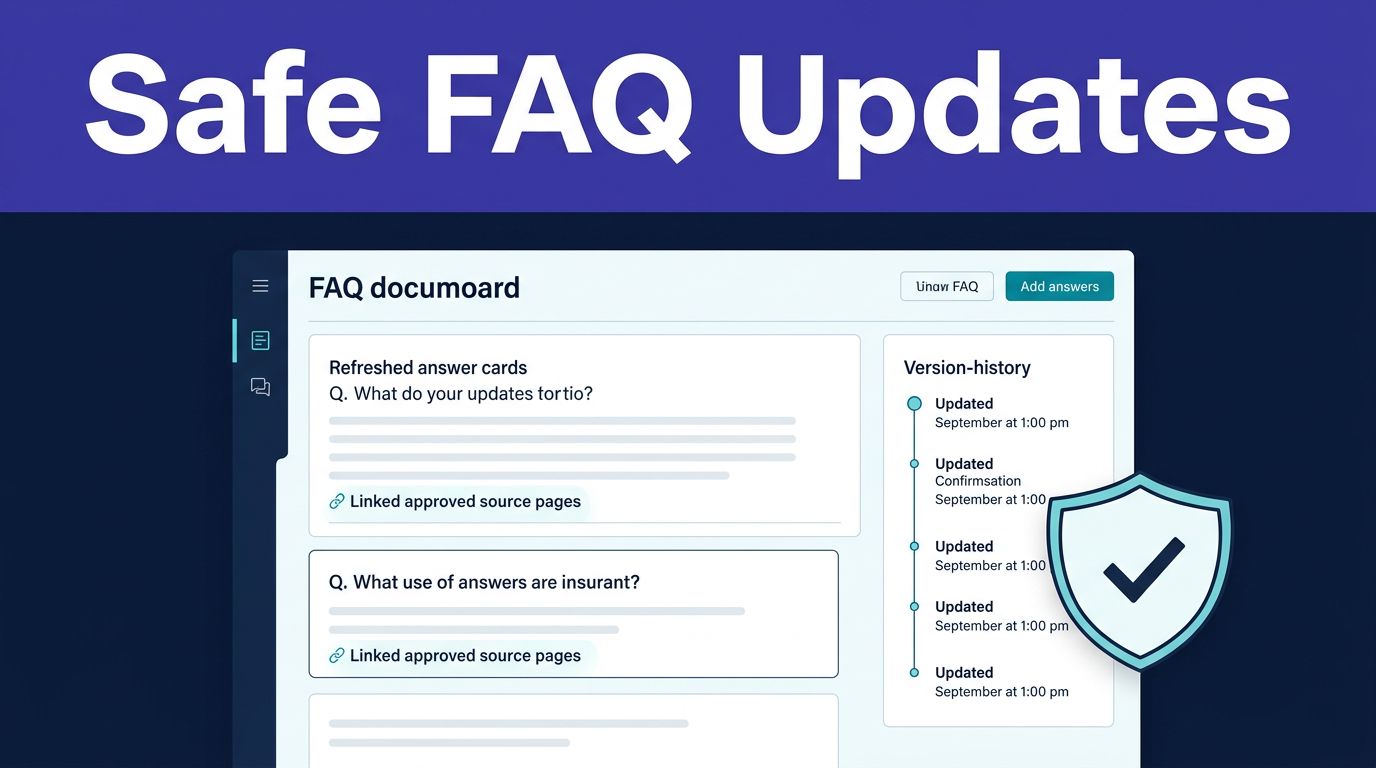
Store each FAQ record with a question, answer, source URL, source date, owner, review date, sensitivity level, and publication status. These fields give Twin.so enough structure to compare records without treating every text change as an approved update.
How to automate FAQ updates without losing control
Twin.so can use an API when one exists, then use browser automation when the required data or action is only available through a website. Use APIs first for stable, high-volume sources. Reserve browser sessions for authorized pages that need navigation, table reading, form interaction, or file downloads.
The Web Agent operates inside an isolated cloud computer. It doesn’t use your local browser, cookies, Google user data, or active sessions. Account access still requires authorization, and isolated browsing doesn’t remove your responsibility for permissions.


Build the workflow in this order:
- Choose a narrow FAQ scope. Start with one product area or support queue. Define the fields Twin.so should collect, such as question, answer, source, last-modified date, affected product area, and risk level. A narrow schema makes missing data visible.
- Add approved sources and triggers. Connect release notes, product documentation, pricing pages, status pages, and policy documents that your organization is allowed to access. Useful triggers include a source edit, a new product release, a pricing change, a broken source link, a support-ticket spike, or a new policy version.
- Keep the raw evidence. Save the source record before normalization. Store the URL, collection timestamp, content hash, extraction method, license status, and quality flags. The raw version lets a reviewer compare the proposed answer with the original material.
- Generate a proposed change. Twin.so should return the current FAQ answer, the proposed replacement, the source record, the reason for the change, and a confidence explanation. Add a status such as
new,changed,needs review,approved, orrejected. - Route uncertain records to review. Missing fields, conflicting sources, inferred values, and large answer changes should enter an exception queue. Don’t let fuzzy matching or a high confidence score publish sensitive content without a person checking it.
- Publish and log the result. After approval, write the change to the FAQ system through an authorized API or browser workflow. Record who approved it, what changed, which source supported it, and whether publication succeeded. Keep failed actions visible.
A successful empty search is not the same as a failed extraction. A changed page layout, temporary outage, blocked request, or selector failure can return no records. Configure Twin.so to flag the run instead of treating an empty result as proof that no FAQ updates exist.
BUILD HUMAN REVIEW INTO EVERY CUSTOMER-FACING CHANGE
Automation should prepare decisions. It shouldn’t remove accountability for customer-facing information.
Run the first version in report-only mode. Let Twin.so identify changes without writing to the live FAQ. Compare its proposed output with known source revisions and historical support questions. Review false positives, missed changes, broken links, and unnecessary rewrites.
A useful knowledge base needs more than accurate text. It needs ownership, discoverability, consistent structure, and regular maintenance. The customer service knowledge base guide from Ada provides additional guidance on organizing support content around customer expectations and service workflows.
Create an approval policy based on risk. A minor spelling correction may need one content owner. A product behavior change should go to the product owner. Pricing, refunds, legal language, privacy terms, security procedures, account access, and regulated information should require review by the responsible business or compliance owner.
Twin.so can prepare the proposed record, but the reviewer should answer four questions:
- Does the source support the full answer?
- Is the source current and approved?
- Does the wording create a promise or obligation?
- Does the change affect other FAQs, macros, chatbot responses, or internal procedures?
If two sources conflict, stop the update. Don’t choose the newest page by default. Route the conflict to an owner and preserve both source records until the decision is made.
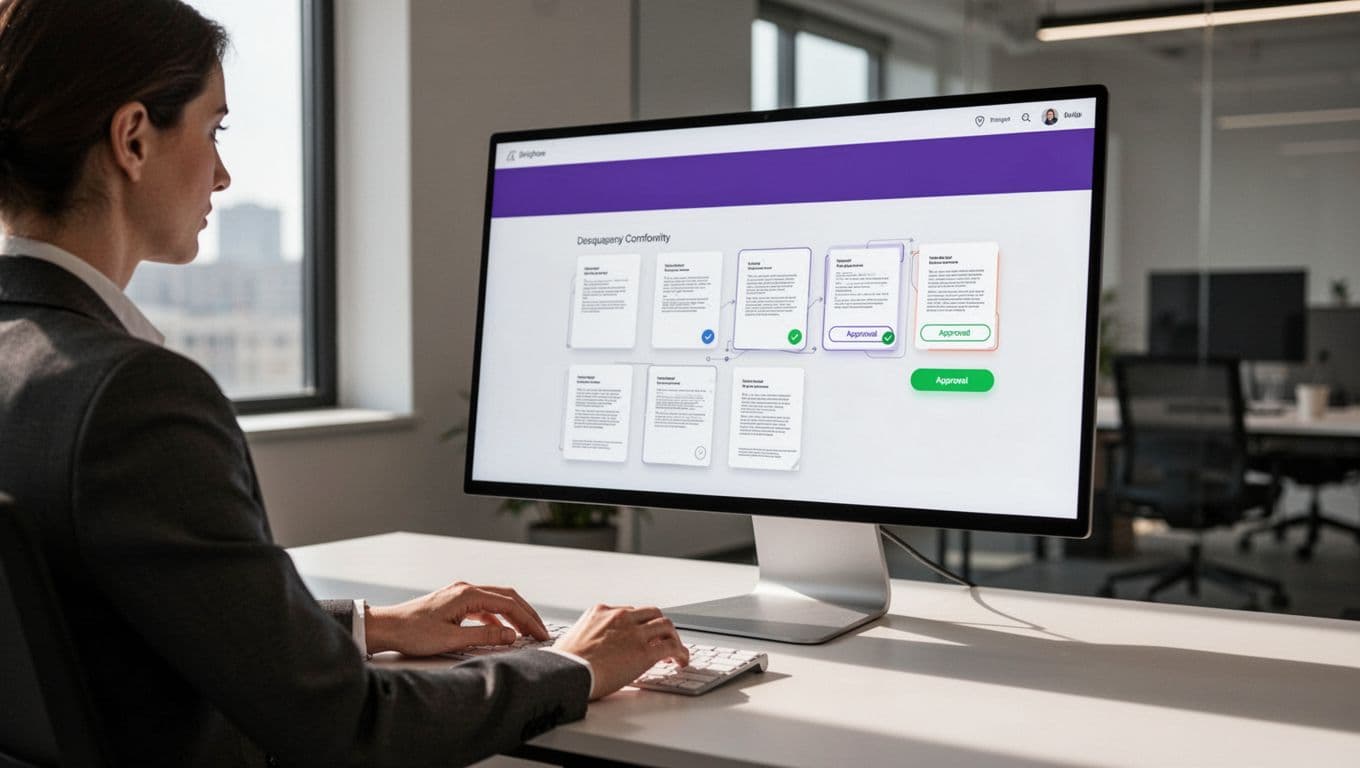
Keep versions and provenance separate
Store the raw source, normalized proposal, approved answer, and published version as separate records. This structure makes rollback possible and prevents an unreviewed draft from being confused with approved content.
Record the content hash to identify whether the source actually changed. Keep the collection timestamp to show when Twin.so accessed it. Record the extraction method so reviewers know whether the value came from an API response, a browser page, or a downloaded document.
A reviewer should be able to open the source and understand the change without reconstructing the entire workflow. Keep attempted actions, failed runs, rejected proposals, and manual corrections in the audit log.
After the pilot, enable updates for a limited batch. Review the results again before expanding to every FAQ category. If the workflow spans multiple systems or needs complex exception paths, Book A Call to map the approval rules before deployment.
PROTECT SOURCE DATA AND CONTROL TWIN.SO COSTS
Twin.so doesn’t make data collection GDPR compliant. Your organization remains responsible for the purpose of collection, legal basis, source permissions, retention, deletion requests, and the handling of personal or Google user data.
Review each source’s privacy policy, terms of use, license, and contractual restrictions. Don’t bypass authentication, rate limits, paywalls, or access controls. Use credentials only when your organization has explicit authorization.
Twin Vault supports credential management and isolated cloud browsing. Those controls protect the workflow environment, but they don’t replace a privacy assessment or source review. Exporting collected information to a CRM, warehouse, model-training system, or evaluation platform may create additional obligations.
Check Twin.so’s terms before sending outputs to external model fine-tuning or evaluation infrastructure. The platform’s terms restrict some uses of its APIs for training external models. Treat that restriction as a design requirement, not a post-launch detail.
Twin.so uses credits rather than a simple per-seat calculation. Listed monthly bundles include 2,000 credits for $20, 5,000 for $50, 10,000 for $95, 20,000 for $189, 30,000 for $282, 40,000 for $373, and 50,000 for $463. Verify current pricing before budgeting.
Simple automations may use 15 to 30 credits. A browser session with about 20 actions may use 100 to 200 credits. API retrieval usually costs less than interactive browsing. Benchmark a small approved sample and calculate the cost per successful, reviewed FAQ record, not the cost per run.
Repeat runs can cost less than initial workflow research and construction. Your own source mix matters more than a general estimate. Record credits, review time, failures, and successful publications during the pilot.
MEASURE THE WORKFLOW BEFORE SCALING
A reliable FAQ automation workflow needs an acceptance test. Compare proposed updates with the original sources and review the results against recent customer questions.
Track these measures:
- Field-level accuracy for answers, product names, links, prices, and dates.
- Time between a verified source change and the proposed FAQ update.
- Review rejection rate and the reasons for rejection.
- Broken-link rate after publication.
- Duplicate or conflicting FAQ records.
- Failed-run rate and time to identify the failure.
- Repeat contacts for questions covered by updated FAQs.
- Cost and human review minutes per approved update.
Measure source coverage too. A workflow that monitors one clean documentation site may look accurate while missing changes in pricing, policies, or status pages.
Calculate savings conservatively. Monthly benefit equals eligible FAQ volume multiplied by minutes removed per update, multiplied by the loaded hourly rate, divided by 60. Subtract Twin.so credits, integration costs, monitoring time, and human review. Incorrect answers are not savings. They create rework and increase support demand.
CONCLUSION
To automate FAQ updates safely, give Twin.so a narrow job, approved sources, structured fields, and a review gate. Use APIs first, browser automation only for authorized tasks that need it, and keep raw evidence beside every proposed change.
Sensitive customer-facing content still needs human approval. Provenance, version history, failure alerts, and cost tracking turn an agent workflow into an operating process you can inspect and control. The goal isn’t automatic publishing at any cost. The goal is accurate FAQ content that changes when the source changes, without losing accountability.