How I Automate Press Release Distribution With Twin.so
Press release distribution breaks down in the same place for many teams, too much copying, too many follow-ups, and not enough visibility. I automate press release distribution so the work stops depending on memory, spare time, or one perso...
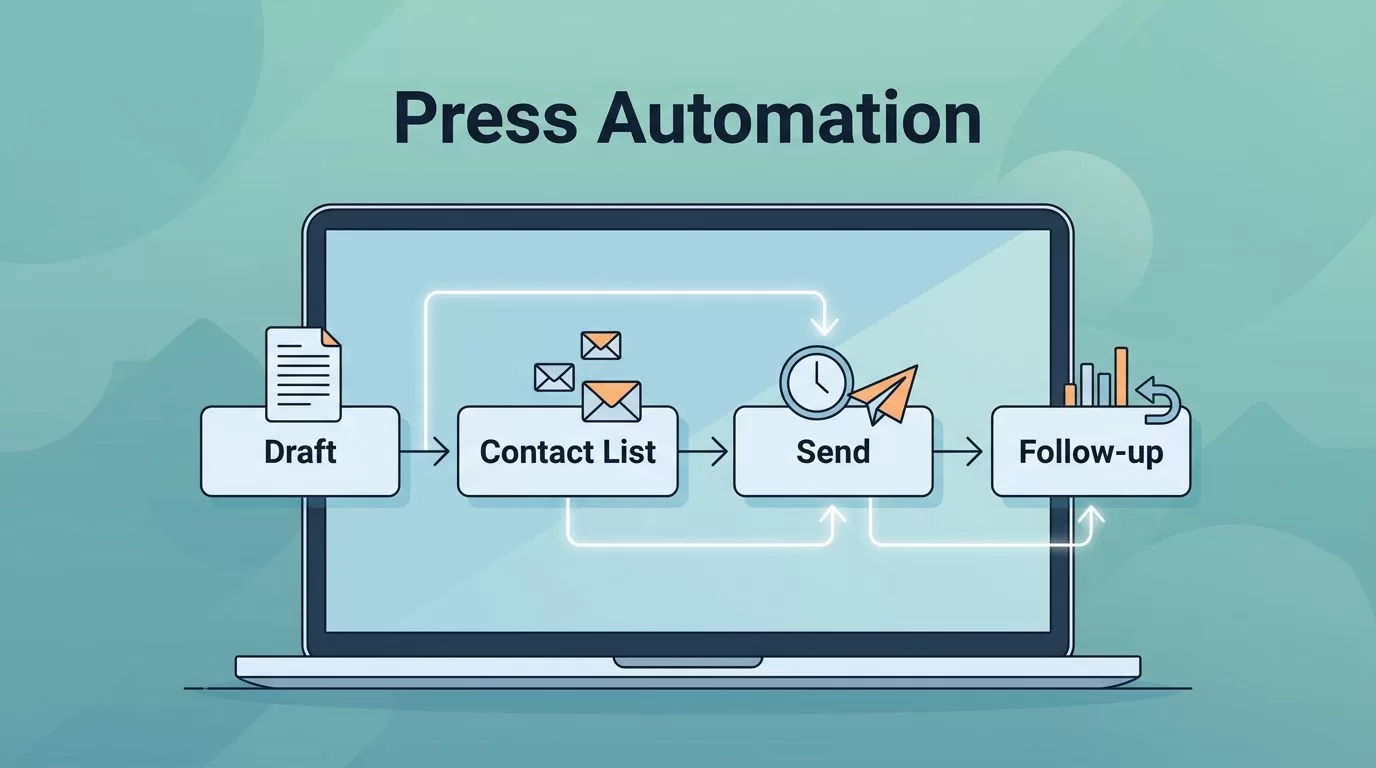
Press release distribution breaks down in the same place for many teams, too much copying, too many follow-ups, and not enough visibility. I automate press release distribution so the work stops depending on memory, spare time, or one person’s inbox.
That doesn’t mean I hand the message over to software. I let automation handle the repeatable tasks, then I keep people in charge of the angle, approvals, and final send.
When I build the process this way, I get faster turnarounds, cleaner outreach, and better tracking. Twin.so gives me a practical way to hold that workflow together.
Why I automate the release process
Press release distribution is more than sending one email. It is the whole path from draft to contact list to follow-up, and then to reporting after the release goes out. A plain definition from LexisNexis on press release distribution makes that clear, but the real work starts after the definition ends.
I automate the busywork because it repeats. A release needs the same basic steps every time, such as formatting, assigning owners, tagging contacts, scheduling sends, and logging results. If I do those by hand, I waste time and make avoidable mistakes.
Automation also helps me stay consistent. My subject lines keep the same tone. My contact notes stay in the same place. My follow-ups go out on schedule, even when the week gets loud.
When I compare tools, I look at scheduling, segmentation, and reporting. That is the same core logic I see in Cision’s press release distribution tools guide. The best setup is the one that keeps the process repeatable without flattening the story.
What I automate, and what stays manual
I do not automate everything. I automate the parts that are repetitive and easy to standardize. I keep the parts that need judgment in human hands.
Here is the split I use most often:
| Task | Automate? | Why |
|---|---|---|
| Draft formatting | Partly | Templates save time, but I still review the story. |
| Contact list cleanup | Yes | Deduping and tagging work well as repeatable steps. |
| Subject line variants | Partly | I generate options, then choose the best one myself. |
| Approval routing | Yes | It cuts back-and-forth and keeps everyone aligned. |
| Final legal or brand review | No | I want a person to sign off here. |
| Send timing and follow-ups | Yes | Timers and reminders keep outreach on schedule. |
| Reporting and status logs | Yes | I want every release to leave a clear trail. |
The biggest win comes from removing friction, not from removing judgment. I use the same rule-based mindset I described in my automation guide for Google Ads scripts alternatives. Rules are useful because they keep decisions consistent. However, the rules still need a person behind them.
I also keep contact building partly manual. If I need a repeatable way to source and verify emails, I follow a workflow like my Hunter.io workflow automation guide. The system can find and sort data, but I still check fit. A clean list matters more than a long list.
The Twin.so workflow I set up
This is the workflow I use when I want speed without losing control.

1. Build one source of truth
I start with a single place for the release, the contact list, and the approval status. Twin.so works best for me when it holds one clean version of the plan instead of three scattered copies.
I name the release, the audience segment, the owner, and the target send date. Then I tag each contact by beat, region, or outlet type. That makes later steps easier because the workflow already knows who gets what.
If the data is dirty, automation only spreads the mess faster. So I check the list before I send anything.
2. Turn the release into a distribution package
Next, I package the release for outreach. That means I separate the headline, body copy, boilerplate, media note, and any link or asset I need. I also prepare email text that can be personalized without rewriting every message.
At this stage, Twin.so helps me keep the steps in order. I can move from draft to review, then from review to send, without guessing what comes next. That matters when I am working with founders, PR teams, or agencies that need the same process every week.
I also set up timing rules. For example, I may hold a send until the founder approves the quote or until legal clears a product claim.
3. Send in waves, not in a rush
I do not blast every contact at once. I send in waves by audience group. Beat reporters get one version. Industry newsletters get another. Regional contacts may need a different angle.
That helps me keep the message relevant. It also makes tracking easier because I can see which group responds first.
After the first wave goes out, I let the system handle reminders and follow-ups. I still read the responses myself. Personal replies, corrections, and interview requests should stay human.
Human review keeps the message honest
Automation is strongest when the task is repetitive. It is weakest when the task depends on context, tone, or timing.
I never automate a release I would not be willing to sign my name to.
That rule keeps me honest. A founder announcement, funding story, security update, or crisis response needs care. A workflow can move the files around, but it cannot judge whether the story is ready for the market.
Before I send, I run a short review pass. I check the claim language, the quote, the links, and the target list. I also make sure the release still matches the business goal. A polished process means little if it sends the wrong message to the wrong people.
For that final pass, I like using a simple checklist. The 10-point press release distribution checklist is a useful model because it forces me to slow down before the send. That pause catches weak headlines, missing approvals, and awkward phrasing.
This is also where I keep my team in the loop. A release should never surprise the people named in it.
What better automation changes in practice
When the workflow is set up well, I get three clear gains.
- Time saved: I spend less time on copy-paste work and status chasing. If I send four releases a month, shaving 45 minutes off each one gives me back three hours.
- Outreach consistency: Every release follows the same path, so I do not forget a step when the week gets busy.
- Better tracking: Each send, follow-up, and reply has a record, which makes reporting easier later.
I also see cleaner handoffs. Marketers can prepare the release. Founders can approve the angle. Agencies can manage the list and timing. Then everyone can see what happened after the send.
That matters because press release work often gets judged after the fact. If I can show when I sent, who I contacted, and who replied, I can make smarter decisions next time.
The real value is not speed alone. It is control. I know what changed, when it changed, and who touched it.
Conclusion
Press release distribution gets messy when every send feels new. I get better results when I treat it like a repeatable workflow and keep the story review in human hands.
Twin.so helps me automate the repeatable parts, such as routing, timing, follow-ups, and tracking. That gives me more room to focus on the message, the media list, and the people who need to approve the release.
If I want faster outreach and cleaner reporting, I start with one rule: automate the process, not the judgment.
