How I Automate Email Finding with Hunter.io Workflows
Cold outreach starts with one problem. You spot a great lead, but their email hides. Manual hunts waste hours and lead to bounces. I fix that with Hunter.io workflows. They pull emails from domains, verify them, and feed clean data into my...
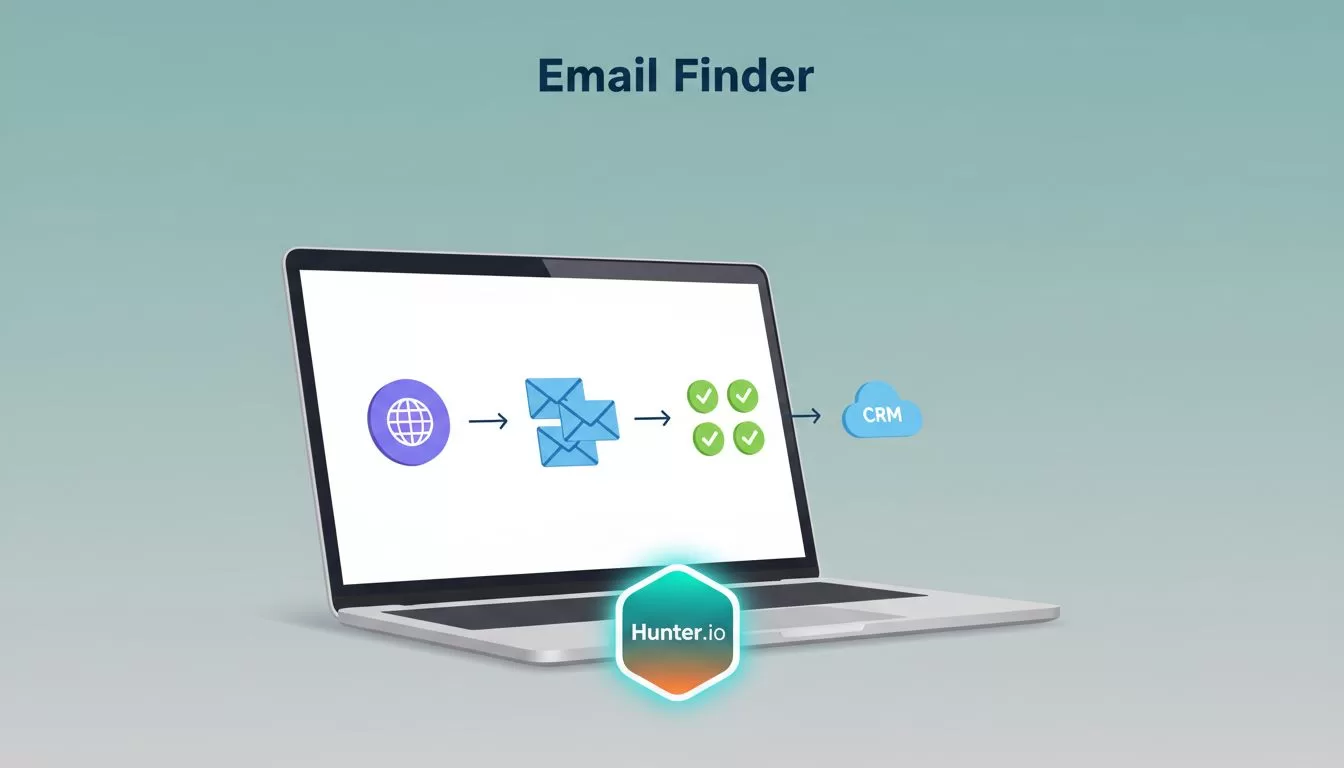
Cold outreach starts with one problem. You spot a great lead, but their email hides. Manual hunts waste hours and lead to bounces. I fix that with Hunter.io workflows. They pull emails from domains, verify them, and feed clean data into my CRM. No more guesswork.
I’ve built these automations for sales teams. They save time and boost replies. In this guide, I share my exact steps. You’ll see tool combos and pitfalls to skip. Let’s build your first one.
Why Hunter.io Powers My Email Finder Automations
Hunter.io fits my needs because it sources public emails fast. I enter a domain, and it lists addresses with confidence scores. One credit per search keeps costs low. Free plan gives 50 credits monthly. That’s plenty for tests.
Paid plans scale up. Starter at $49 offers 2,000 credits. Growth at $149 hits 10,000. Features vary by tier. Higher ones add auto-verification and CRM syncs. I check my account for exact limits before big runs.
Automation turns this into a machine. I trigger searches from spreadsheets or forms. Results verify automatically. Clean lists land in HubSpot or Pipedrive. This chain cuts my prospecting time in half.
Bounces drop below 2% as a result. Replies climb because I reach real inboxes. For more on verification basics, see my Hunter.io email finder strategies.
Building the Core Hunter.io Workflow
I start simple. Picture a spreadsheet of target domains. New row added? Hunter.io workflow kicks off. It finds emails, verifies, and exports.
First, sign up at Hunter.io. Grab your API key from settings. Free tier works for starters. Note credit pools; searches and verifies pull from the same bucket on most plans.
Next, use Make.com or Zapier. I prefer Make for visuals. Create a scenario. Trigger: new Google Sheet row with domain. Action one: Hunter’s Domain Search. It grabs all site emails.
Then verify. Hunter’s Email Verifier checks syntax, MX records, and servers. Green means go. I filter reds and yellows out.
Finally, append results to another sheet. Add columns for status, name, title. One run costs a few credits. Scale to hundreds daily on Growth plan.

This flow handles 50 domains weekly for me. Outputs feed sequences. For bulk CSV tips, check Hunter’s Make integration guide.
Popular Integrations for Hunter.io Workflows
Tools connect Hunter.io to my stack. Zapier links 5,000 apps. I set zaps for new leads. Hunter finds emails. Zapier pushes to Sheets or Slack alerts.
Make.com builds deeper. Multi-step scenarios shine. Example: LinkedIn lead pops up. Make grabs domain. Hunter verifies email. Then enrich with Clearbit. All no-code.
CRMs plug in direct. HubSpot or Salesforce auto-import verified contacts. Pipedrive sequences start on green lights. Plans matter; Enterprise unlocks full API.
I mix them. Sheet of companies triggers Hunter via Zapier. Verified emails hit Instantly.ai for campaigns. One zap cut my setup from days to minutes.

Hunter’s Zapier integration lists triggers like email count or verifier. Test small. Watch credits.
Best Practices to Keep Your Workflow Clean
Data rots fast. I verify at capture. Never skip. Hunter flags accept-alls; I review those slow.
Hygiene starts upstream. Dedupe lists in Sheets. Normalize domains. No duplicates burn credits twice.
Compliance guides every step. CAN-SPAM needs opt-outs and sender ID. GDPR fits B2B; use public data only. Personalize or skip.
Track deliverability. Warm domains gradual. Bounces over 2%? Pause and clean. I segment: send-safe, review, suppress.
| Status | Action | Why |
|---|---|---|
| Valid | Send | Low risk |
| Accept-all | Test small | Watch bounces |
| Invalid | Drop | Protects rep |
| Disposable | Suppress | High spam signal |

For bounce cuts, my Hunter.io bulk email verification workflow details CSV segments.
Compliance and Deliverability in Action
I log sources. Every email ties to a business reason. Unsub links go in every send.
Progressive ramps volume. Hunter’s feature auto-handles OOO replies on paid plans.
API tweaks real-time checks. Forms verify on submit. No bad data enters.
This keeps me legal and landing in inboxes.
My Hunter.io workflows find emails on autopilot. They verify, integrate, and stay clean. Start with free credits. Build one zap today. Your replies will thank you. What’s your first domain?
